Cannot Debug C# Algorithms with Rider #171


Description

When we try to debug with Rider following the tutorial C# and Rider, when we attach the remote process:
- In Rider, select Run > Attach To Remote Process....
- In the pop-up that opens, select the target named root@localhost:2222.
The pop-up doesn't show "root@localhost:2222".
I could verify that Lean CLI has created the debugger.xml in $HOME\AppData\Roaming\JetBrains\Rider\options, but I have a $HOME\AppData\Roaming\JetBrains\Rider2022.2\options path. I copied the content from the XML into the one I found in the Rider2022.2, but it was not enough. I create a SSH configs in Rider: File > Settings > SSH Configurations:
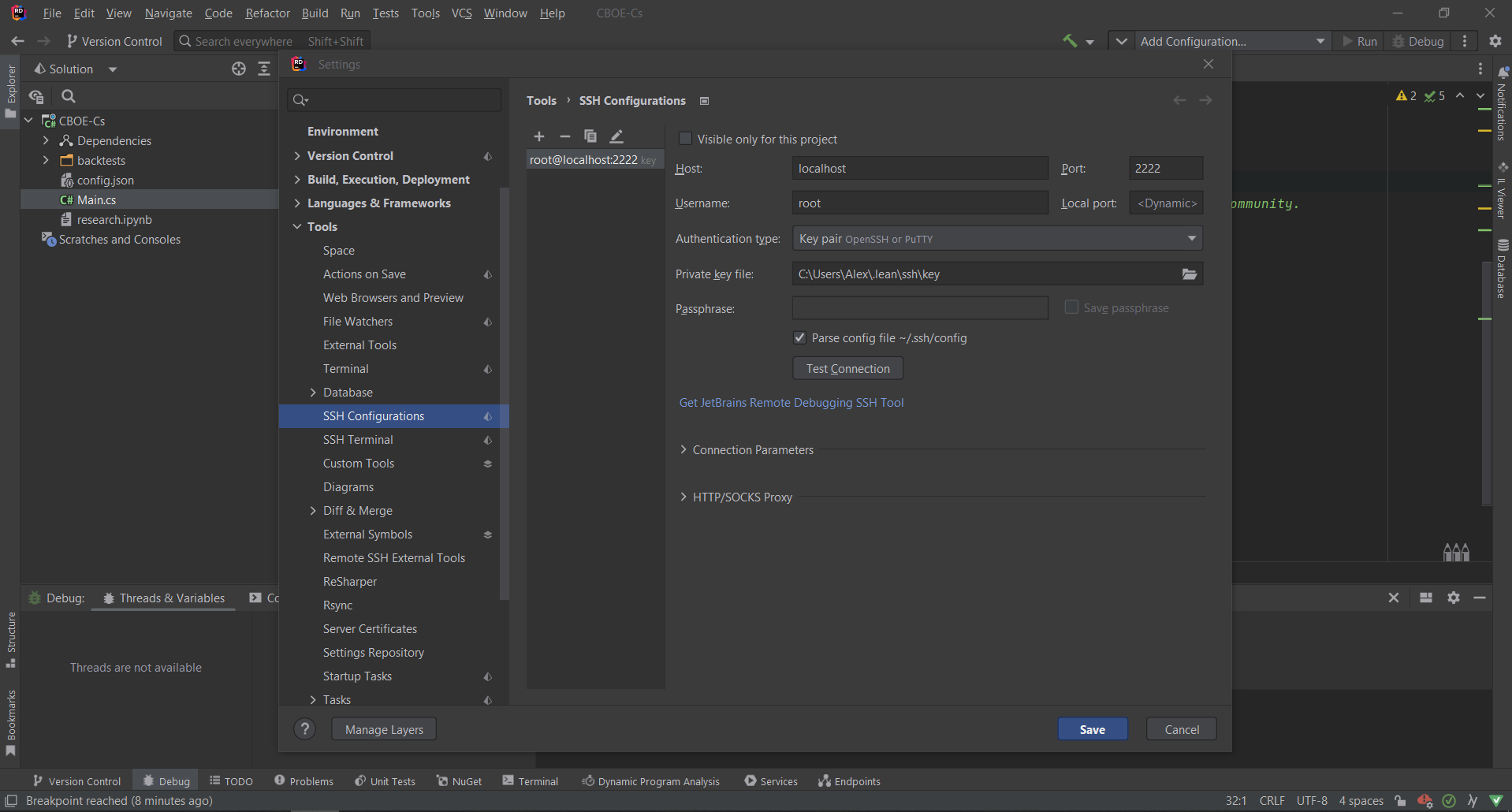
and could select the target and then the process named dotnet QuantConnect.Lean.Launcher.dll to start debugging.
The SSH configs were saved in $HOME\AppData\Roaming\JetBrains\Rider2022.2\options\sshConfigs.xml
Metadata
Metadata
Assignees
Labels
No labels