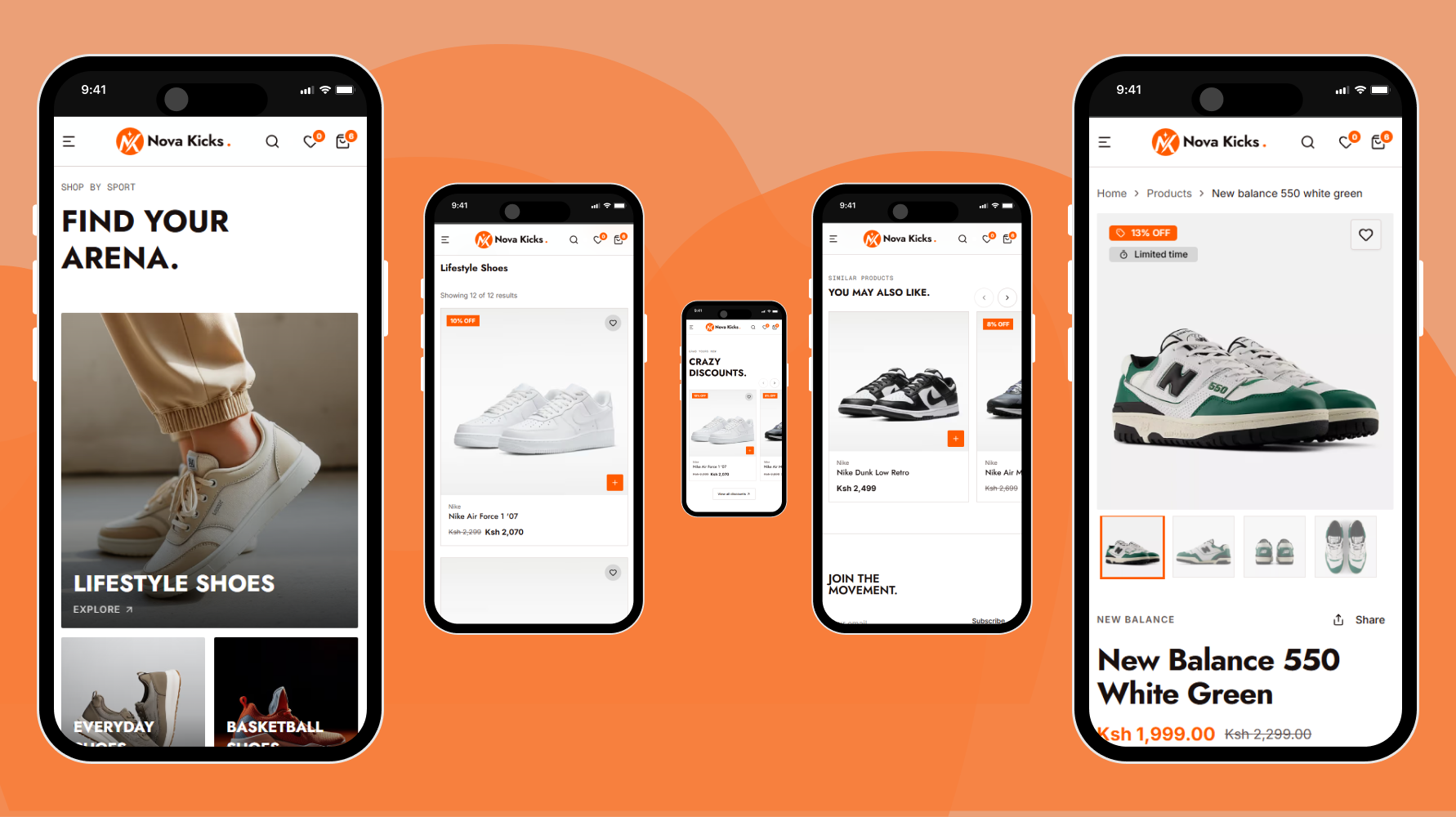






Nova Kicks is a Nike-style eCommerce storefront built with Devin AI, Next.js 15, Drizzle ORM, and Better Auth. It's designed to help you master AI-assisted development — Devin generates sleek product pages, while TypeScript and TailwindCSS keep the UI sharp and maintainable.
The backend runs on Supabase (PostgreSQL) with Drizzle ORM for type-safe queries, Better Auth handles authentication seamlessly, and Zustand manages client-side state — all in a clean, modular architecture that's easy to extend and ship.
| Technology | Purpose |
|---|---|
| Next.js 15 | Full-stack React framework with SSR, SSG & API routes |
| TypeScript | Static typing for better DX and reliability |
| TailwindCSS | Utility-first CSS for rapid, responsive UI |
| Drizzle ORM | Lightweight, type-safe TypeScript ORM |
| Supabase | Managed PostgreSQL with instant provisioning & autoscaling |
| Zustand | Minimal, hook-based global state management |
- 🏠 Landing Page — A fast, engaging homepage with smooth animations and strong calls to action
- 📦 Product Listing Page — Browse all products with filters, sorting, and real-time availability powered by AI-generated content
- 🔍 Product Details Page — Rich product pages with images, reviews, and AI-enhanced descriptions for confident buying decisions
- 🔐 Auth Pages — Seamless signup, login, and password recovery via Better Auth — no backend hassle
- 🛒 Cart & State — Global cart management powered by Zustand with zero boilerplate
- 🧱 Modular Architecture — Reusable components and clean code structure for fast iteration
Make sure you have the following installed:
git clone https://github.com/QuickPrimeTech/Nova-Kicks.git
cd e-commercepnpm installCreate a .env file in the root of your project:
# Database
DATABASE_URL=your-connection-string-from-supabase

# App URL
NEXT_PUBLIC_SITE_URL=https://localhost:3000

# Google API Keys
GOOGLE_MAPS_CLIENT_SECRET=your-google-cloud-api-secret
NEXT_PUBLIC_GOOGLE_MAPS_CLIENT_ID=your-google-cloud-api-client-id
NEXT_PUBLIC_GOOGLE_MAPS_API_KEY=your-google-cloud-api-keyGenerate the schema, run migrations, and seed the database with initial data:
# Generate schema files
pnpm db:generate

# Apply migrations to your database
pnpm db:migrate

# Seed the database with initial data
pnpm db:seed
Note: All three commands must be run in order before starting the app for the first time.
pnpm run devOpen http://localhost:3000 in your browser to view the project.
src/
├── app/
│   ├── api/auth/[...all]/route.ts   # Better Auth API routes
│   └── page.tsx                     # Homepage
│
├── lib/
│   └── auth/
│       └── index.ts                 # Better Auth configuration
│
├── db/
│   ├── index.ts                     # Database connection
│   └── schema.ts                    # Database schema
│
└── store/
    ├── auth.ts                      # Authentication state (Zustand)
    └── cart.ts                      # Shopping cart state (Zustand)
| Table | Description |
|---|---|
users |
User accounts and profiles |
sessions |
Active user sessions (Better Auth) |
accounts |
OAuth accounts and credentials |
verifications |
Email verification tokens |
products |
Product catalog |
orders |
Customer orders |
order_items |
Individual line items within orders |
Made with ❤️ by QuickPrimeTech
