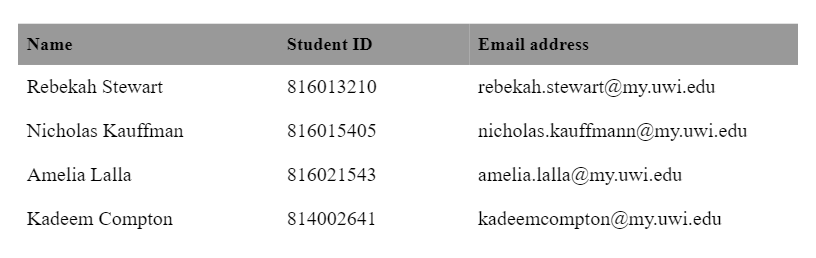
Group 7:
Problem Scope:
The myElearning platform uses a randomly generated naming system to rename files when lecturers download the students’ submissions. However, when the lecturer wants to give feedback to the submission and they want to upload a feedback file for the student, the file name sometimes does not match the myElearning filename requirements for uploading feedback files, hence the lecturer has to rename it to the appropriate format manually. This can be tedious to do for a lecturer, especially if they have hundreds of submissions to go through and give feedback.
Problem Statement:
In order to upload feedback files to myElearning, the uploader must name the feedback files according to the required naming convention that myElearning uses. This may be a tedious job to do if hundreds of files have to be renamed manually. Therefore, in order to reduce this time-consuming task, an object-oriented programming solution was created using Java, with the use of design patterns and conforming to SOLID design principles.
Objectives:
- The primary objective of the program is to rename pdf files in a folder to a specific naming convention. In this case, it is: “Name1 Name2_CCCCCC_assignsubmission_file_NNNNNN.pdf”.
- The program accepts a CSV file and a path to a folder that contains the files to be renamed.
- From the folder, the program accepts a collection of renamed assignments conforming to the convention (1) (“randomMyElearningCode1- randomMyElearningCode2_Name1_Name2_studentOriginalFilename_randomMyElearningCode3 _randomMyElearningCode4.pdf”) outlined in the project handout.
- After renaming, the new files are then placed into a nested folder called “renamedFiles”.
- A list of students who failed to submit files will be generated.
- Both the original and renamed files are associated correctly with one student.
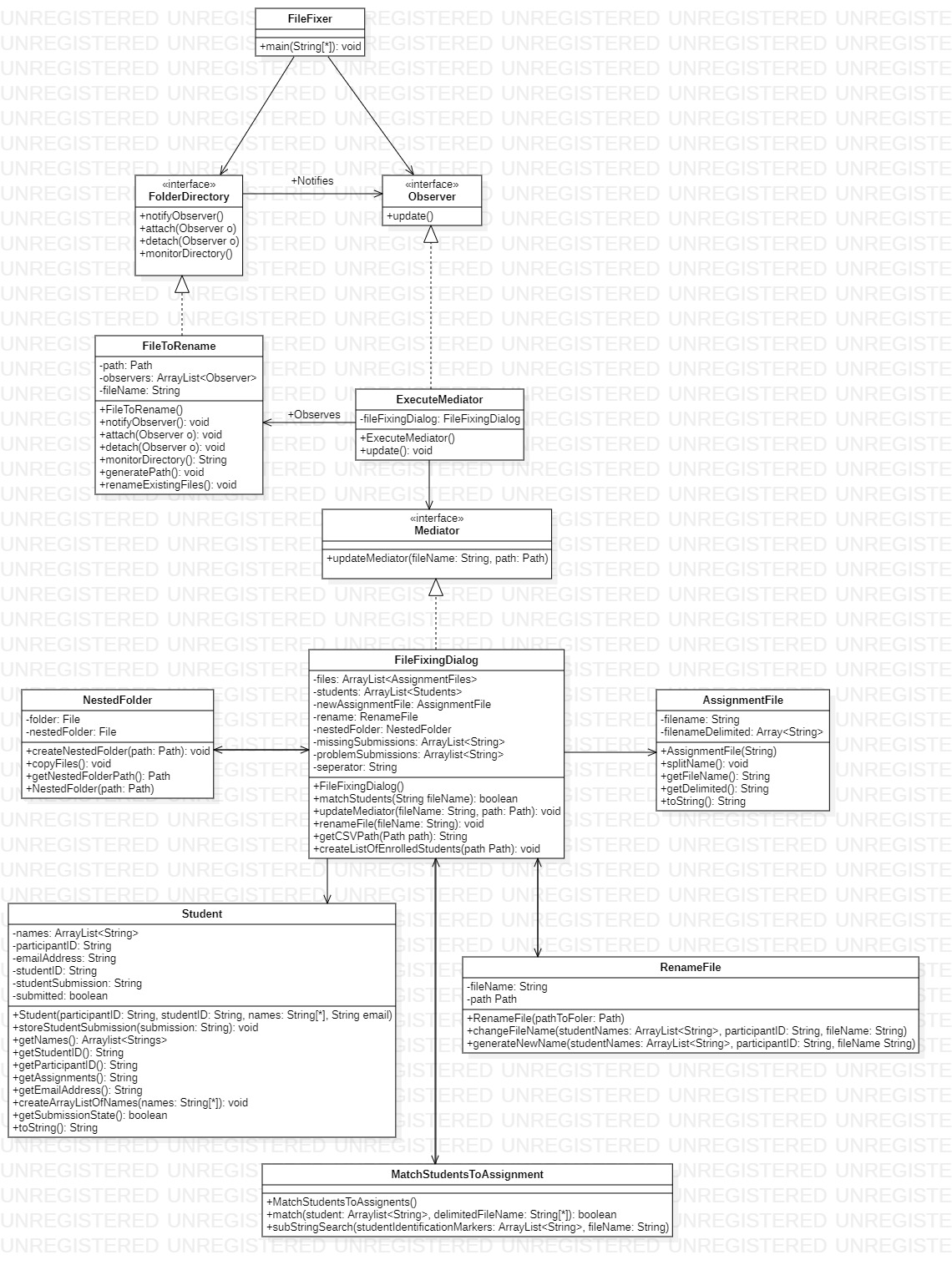
Class Diagram:
Design Patterns:
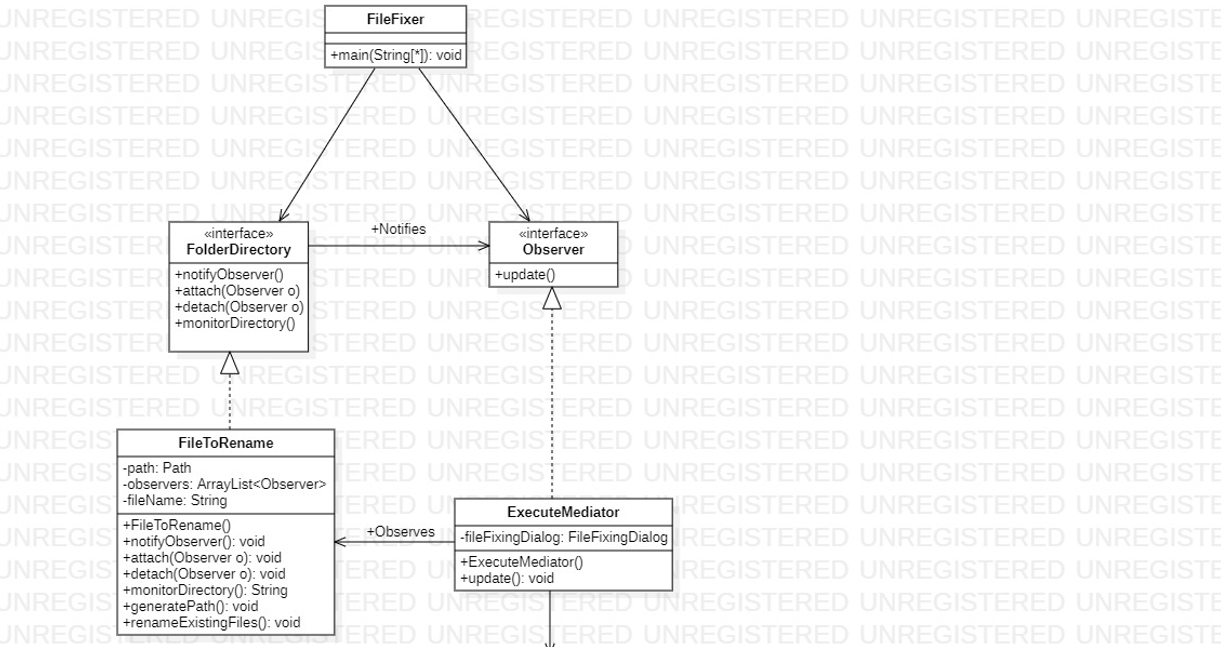
The design patterns used were Observer and Mediator. The Observer design pattern is a behavioural pattern used to form one-to-many dependency relationships between objects at runtime. That is, when one object changes state, all its dependent objects are notified and updated automatically.
For the program, the Observer design pattern is used to monitor a folder called FilesToRename where the user inputs the student list .CSV file and the assignment files. When those files are inserted into the folder and the user runs the program, the Instigator observes the FilesToRename folder. The ExecuteMediator realises there are files in the folder and notifies the other objects that depend on the FilesToRename object where the folder is observed. Once the objects are notified, they do what they are supposed to do in order to rename the files.
The Observer design pattern in the class diagram can be seen here:
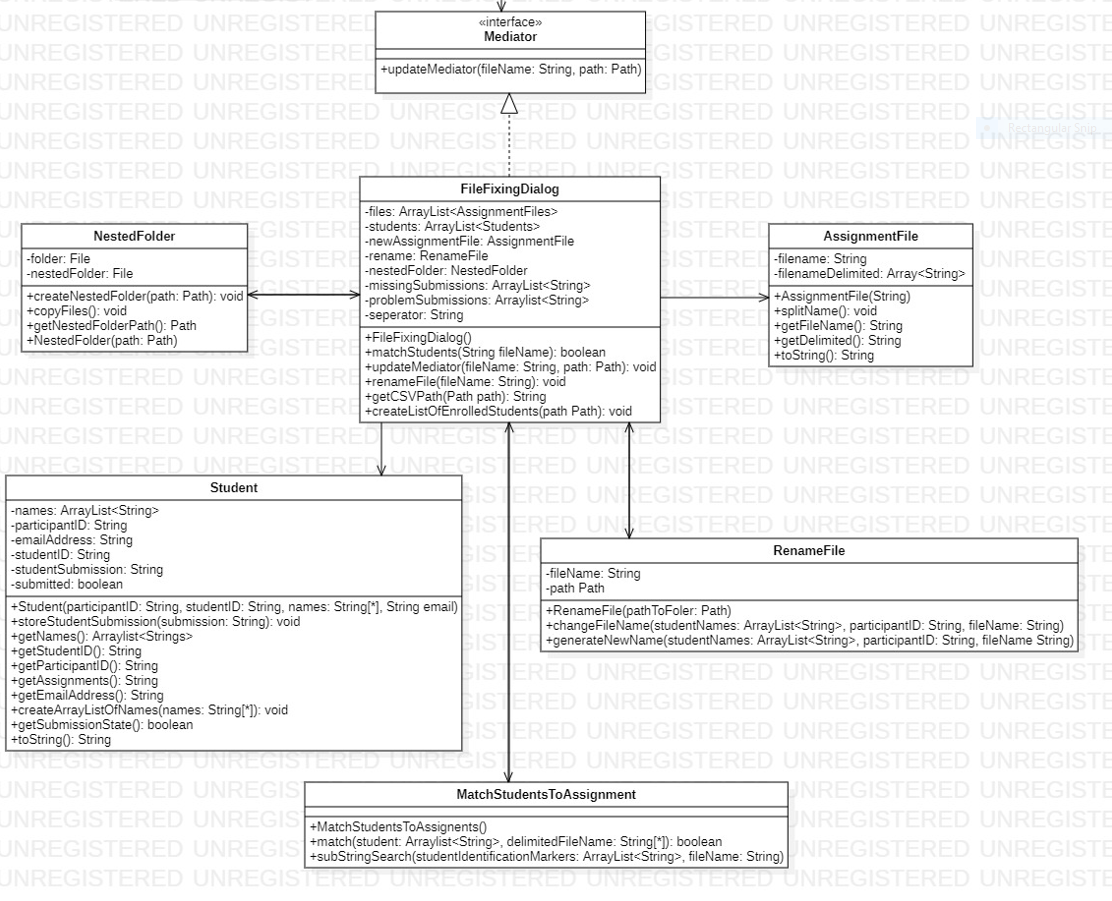
The Mediator design pattern is another behavioural design pattern used to enable loose coupling between objects and allow them to interact independently of each other. The FileFixerDialog acts as/implements the Mediator. Therefore, the FileFixerDialog is aware of all the objects and their contents but those objects are not aware of each other. This allows information to be hidden.
The Mediator design pattern in the class diagram can be seen here:
Setup Requirements:
The "FilesToRename" folder must originally be empty before inputing any new files.
How to run:
In order to use the program, the user can:
Input the student list CSV file first into the "FilesToRename" folder of the program, run the program and then insert all the assignment files that has to be renamed in that same folder ("FilesToRename").
Or the user can:
Input the student list CSV file and the files to be renamed in the "FilesToRename" folder, and then run the code.
NOTE: In order to run the program again after it was run for the first time, the user must delete all contents in the "FilesToRename" folder (which means the folder must be empty, including deleting "renamedFiles" folder). In VS Code, to stop running the program, press CTRL + C
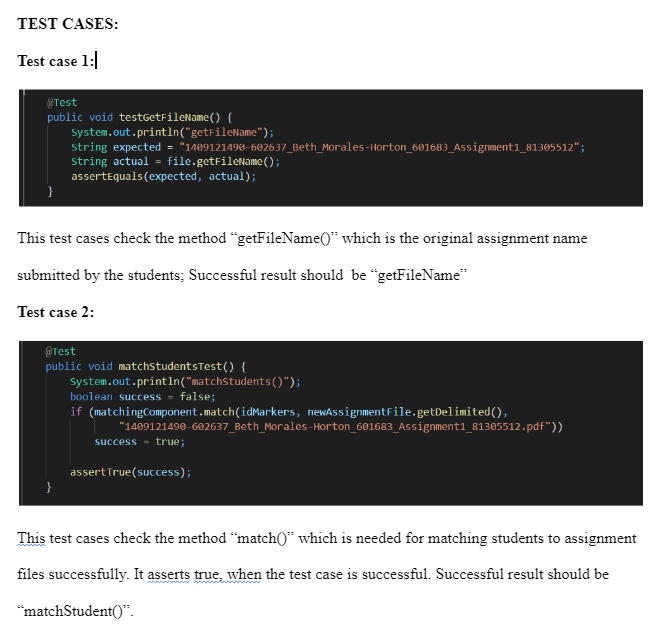
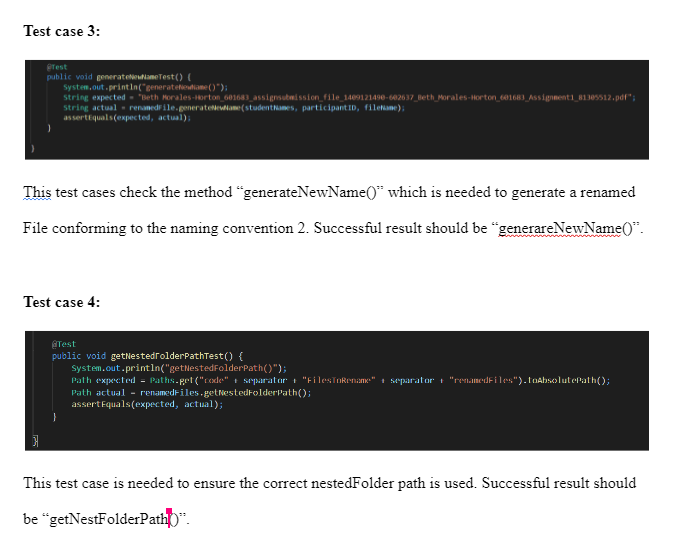
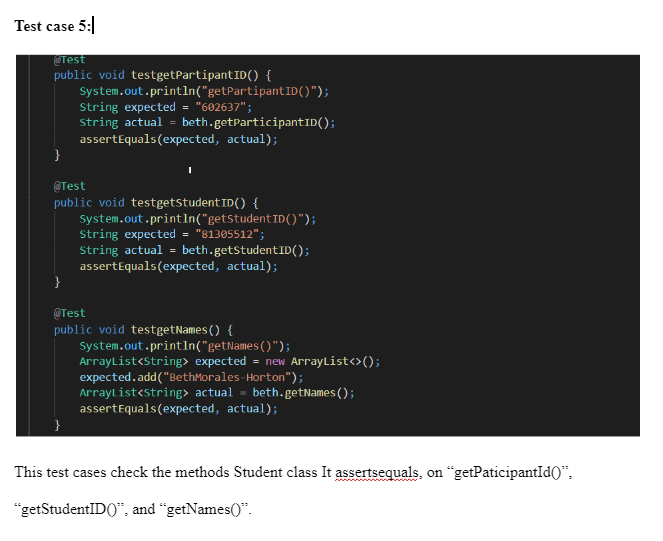
Test Suites:
AssignmentFileTest.java
Setup for the AssignmentFileTest.java class
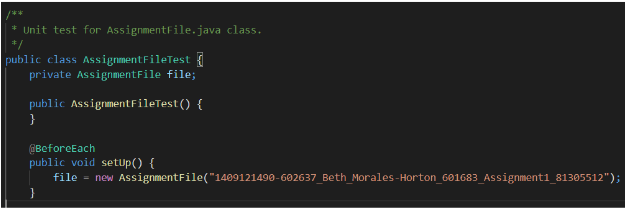
This shows the setup needed to test the AssignmentFile.java class.
GodObjectTest.java
Setup for the godObjectTest suite
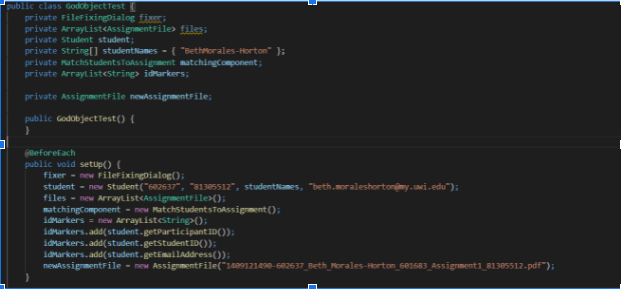
This shows the setup needed to test the FileFixingDialog.java class.
NestedFolderPathTest.java
Setup for the NestedFolderPathTest suite

This shows the setup needed to test the NestedFolder.java class.
RenameFileTest.java
Setup for the RenameFileTest suite
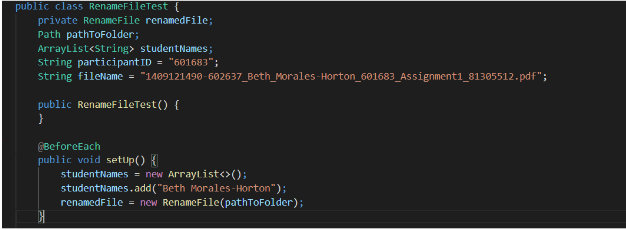
This shows the setup needed to test the RenameFile.java class.
StudentTest.java
Setup for the StudentTest suite
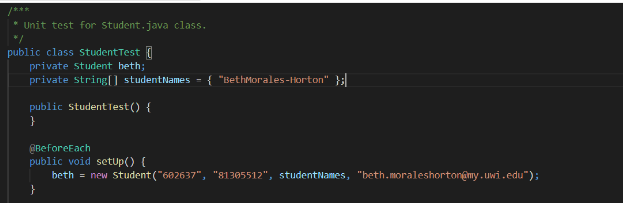
This shows the setup needed to test the Student.java class.
DEMO VIDEO LINK:
https://www.youtube.com/watch?v=6fbmzOhfXaU
TEAM VIDEO