An open source python script to display network speed in command line and write it to an external I2C 16x2 display.
The script will check your internet connection every 120 seconds (changeable with options) and print the up- and download speed into the console and display. In addition, it will save the result into a csv file.
The display contains of the current download speed, upload speed and the average from the last ten probes. The timer can be customized with the option python3 run-speedtest-display --sleep [integer]
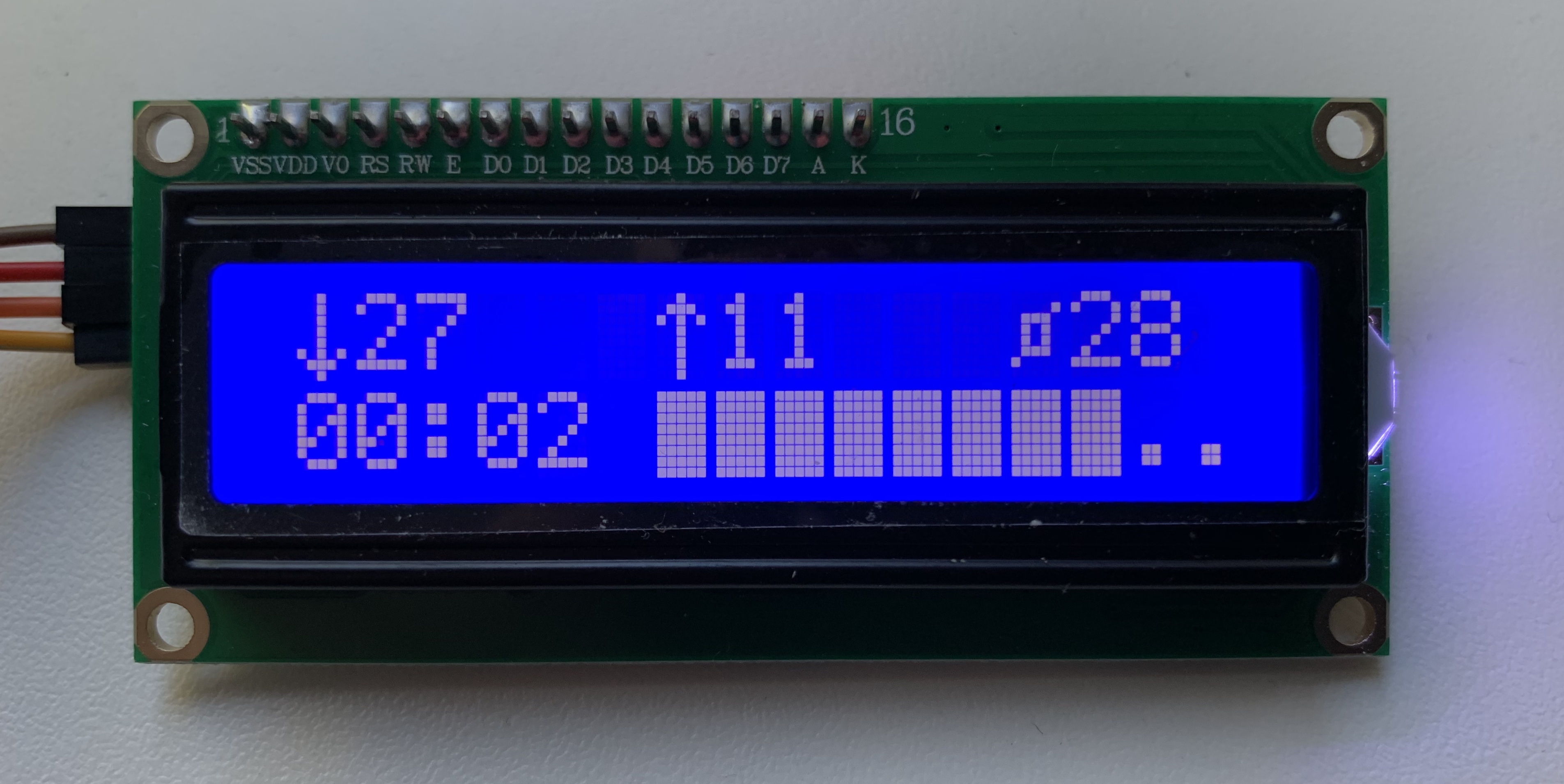
To install clone this repository and run
sudo ./install.shThe device will reboot after completed.
The script was developed for a 16x2 I2C display, which can be found for cheap on Amazon.com. For wiring setup, please check the wiki.
To run the script, execute
python3 run-speedtest-display.pyTo print all available options, use
python3 run-speedtest-display.py --helpCredits go to https://github.com/the-raspberry-pi-guy/ on teaching how to communicate with i2c
🖥️ Raspberry Pi 4 Model B - 4GB - https://www.cytrontech.vn/p-raspberry-pi-4-model-b-4gb?tracking=vnfb 🔌 Nguồn USB type C 15W Raspberry Pi - https://www.cytrontech.vn/p-official-rpi-15w-5v-3a-psu-usb-c-eu-plug-white?tracking=vnfb 👉 Thẻ nhớ microSD MakerDisk 32GB - https://www.cytrontech.vn/p-raspberry-pi-approved-makerdisk-microsd-with-rpi-os?tracking=vnfb 🖥️ Màn hình LCD 1602 I2C - https://www.cytrontech.vn/p-i2c-1602-serial-lcd-for-arduino-and-rpi?tracking=vnfb
https://www.facebook.com/CytronTech.vn/posts/204007351730817 Hiển thị tốc độ Internet từ speedtest lên màn hình I2C 🖥️ Trong video này, chúng ta sẽ kết nối màn hình LCD 1602 I2C tới Raspberry Pi. Sau đó, chúng ta sẽ cài ứng dụng speedtest-display để kiểm tra tốc độ Internet và hiện nó lên màn hình LCD. Để có tốc độ kiểm tra chính xác nhất, bạn hãy sử dụng Raspberry Pi 4 có cổng gigabit Ethernet. Ngoài ra, bạn cũng có thể sử dụng Pi Zero hoặc Pi 3 nhưng tốc độ sẽ speedtest sẽ thấp hơn thực tế.