

Rectangle is a free, open-source window management application for macOS that brings the snap-to-grid window positioning that power users expect from a productive desktop environment. macOS does not include built-in window snapping or tiling controls beyond basic full-screen mode, leaving users to manually drag and resize windows to arrange their workspace. Rectangle fills this gap with a comprehensive set of keyboard shortcuts and drag-based snap zones that position any application window into precise screen regions instantly.
The keyboard shortcut system covers every common window arrangement a Mac user needs. Move a window to the left half, right half, top half, or bottom half of the screen. Snap to any of the four corners as a quarter-screen tile. Expand to two-thirds or one-third of the screen width for asymmetric side-by-side layouts. Center a floating window on screen without resizing it. Send a window to a maximum size just below full-screen. Each of these actions executes in a single keyboard combination, transforming what previously required careful mouse dragging into an instant, repeatable operation.
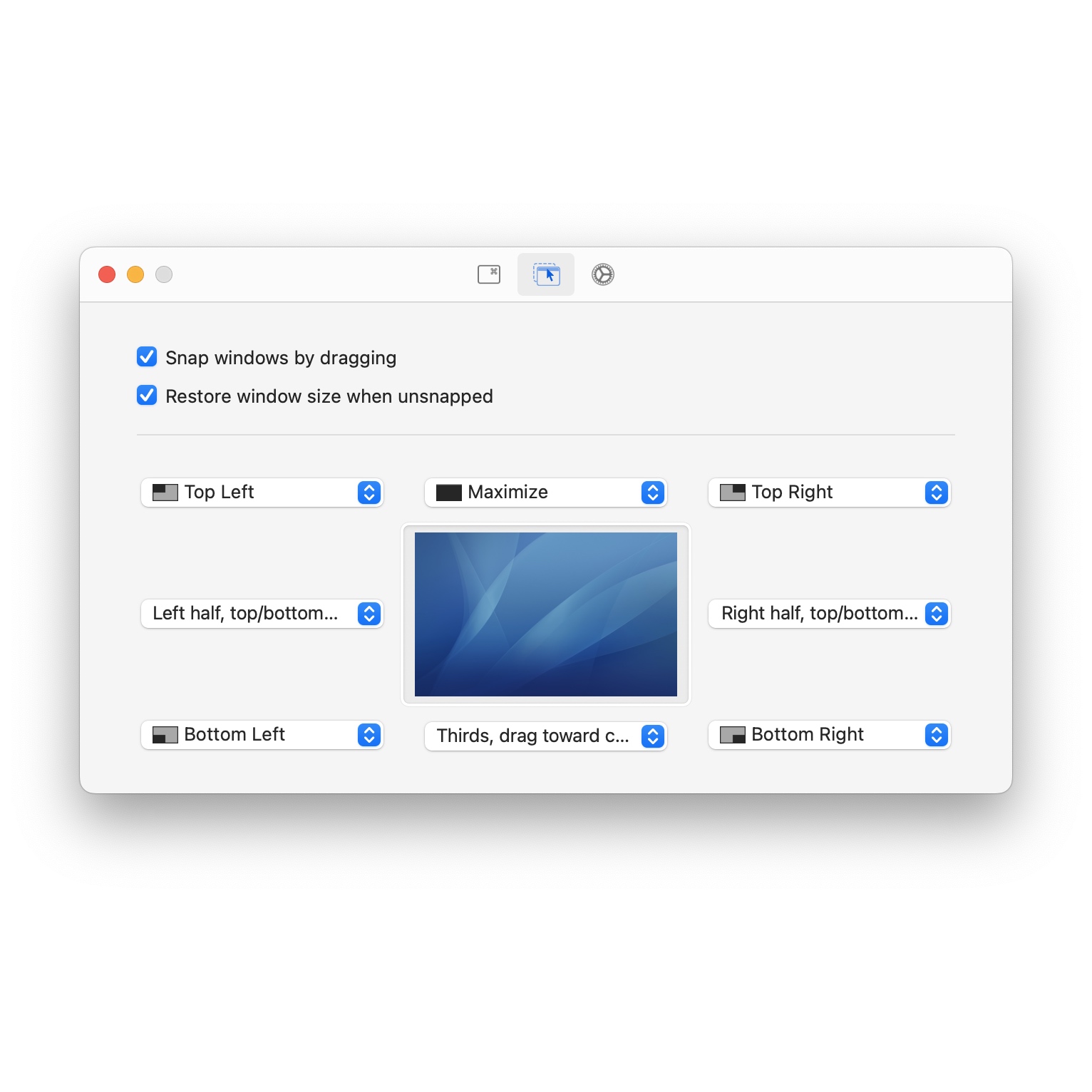
Drag-to-snap zones appear when a window is dragged toward a screen edge or corner. Approaching the left or right edge snaps the window to that half. Corners trigger quarter-screen positioning. The top edge triggers maximization. These snap regions work similarly to window snapping in Windows, giving users who prefer mouse-driven workflows the same speed advantage that keyboard shortcut users enjoy. Snap zone sensitivity is configurable, adjusting how close to an edge a window must be dragged before the snap preview activates.
Multi-monitor support extends all window management actions across connected displays. Move windows between monitors with a keyboard shortcut. Snap to zones on the secondary display without dragging across screens. Rectangle tracks each monitor's resolution and adjusts snap zone dimensions proportionally, so half-screen on a large external display uses the correct dimensions for that monitor rather than inheriting the built-in display's proportions. Display configurations with two, three, or more monitors all work without additional setup.
- Comprehensive keyboard shortcuts snap windows to halves quarters thirds and custom sizes without touching the mouse
- Drag-to-snap edge zones activate snap previews when windows approach screen edges and corners for mouse-driven tiling
- Quarter-screen corner snapping tiles windows precisely into any screen quadrant for four-app simultaneous layouts
- Asymmetric split ratios position windows at one-third and two-thirds screen width for unequal side-by-side arrangements
- Multi-monitor window movement sends windows to adjacent displays instantly via keyboard shortcut without cross-screen dragging
- Configurable snap sensitivity adjusts how close to an edge a dragged window must reach before snap zone preview activates
- Almost-maximize window action resizes windows to just below full-screen leaving the menu bar and dock always accessible
- Center window shortcut positions floating windows at screen center without altering their current width and height
- Open source and free available at no cost with publicly auditable code maintained by an active development community

Rectangle grew out of Spectacle, an earlier macOS window manager, and has since become the most widely recommended free window management solution for Mac. The application runs as a lightweight menu bar agent that stays completely out of the way until a window management action is triggered. No complex configuration is required to start benefiting from it — install, launch, and the default keyboard shortcuts are immediately functional.
For users coming from Windows or Linux desktop environments where window snapping is a standard system feature, Rectangle restores a workflow they rely on. For Mac-native users who have never experienced snap-based window management, it introduces a way of organizing screen space that quickly becomes indispensable.