Add metadata to tutorials for better appearance in the Tutorial tab #32


Description

I love this collection of tutorials!
There are a few things that you can do to make them a little easier to explore in RStudio. The IDE provides a Tutorial tab to explore tutorials in installed packages. Currently DOSStoolkit tutorials appear like this in that pane:
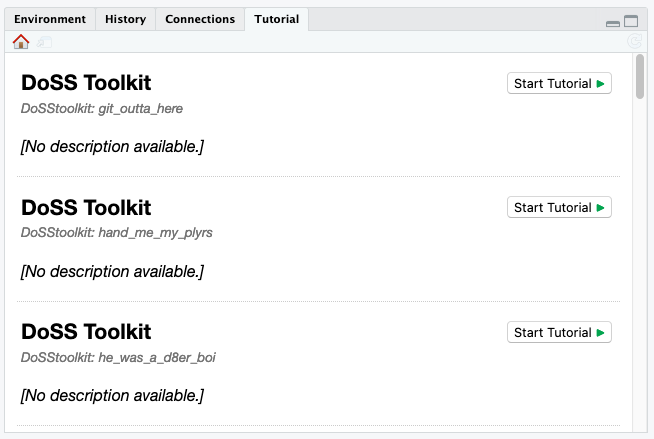
You can improve their appearance by:
-
Sorting the tutorials by prepending an index at the front of the directory name, e.g.
00-hello_world,01-operating_in_an_error_prone_world, etc.Unfortunately, this does change the command to run the tutorial —
learnr::run_tutorial("00-hello_world", package = "DoSStoolkit")— but you could also provide a wrapper function in this package to find and add the correct prefix and to calllearnr::run_tutorial()behind-the-scenes. -
Swapping the
titleandsubtitlefield so that the title of the tutorial appears in bold in the tutorial list. -
Copying the list of module content into the description field.
This can be markdown formatted, so you can just copy the list straight from the README:
title: "Hello World!"
subtitle: "DoSS Toolkit"
date: "25 May 2021"
output:
  learnr::tutorial:
    allow_skip: true
runtime: shiny_prerendered
description: |
  -   Why I love R, by Liza Bolton.
  -   Setting up RStudio, by Annie Collins.
  -   Getting to know what is what - console, terminal, etc, by Annie
      Collins.
  -   A fun hello world exercise, by Annie Collins.
  -   Another fun hello world exercise, by Shirley Deng.
  -   R Weekly newsletter, R Ladies, R meetups, by Annie Collins.
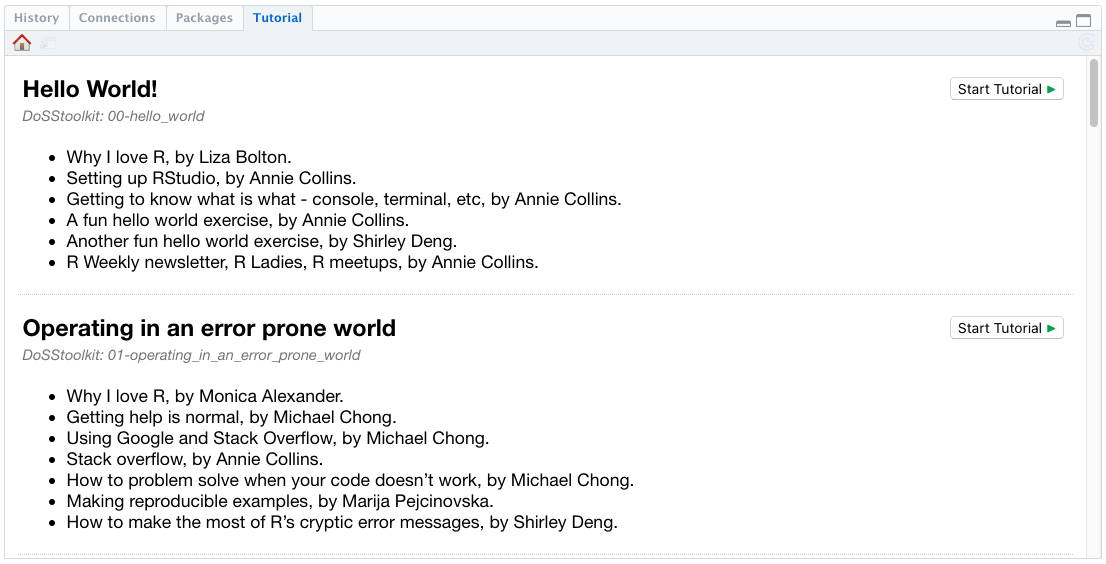
After making the above changes, the tutorials will appear in the Tutorial tab like this: