Repository navigation
Terminal UI
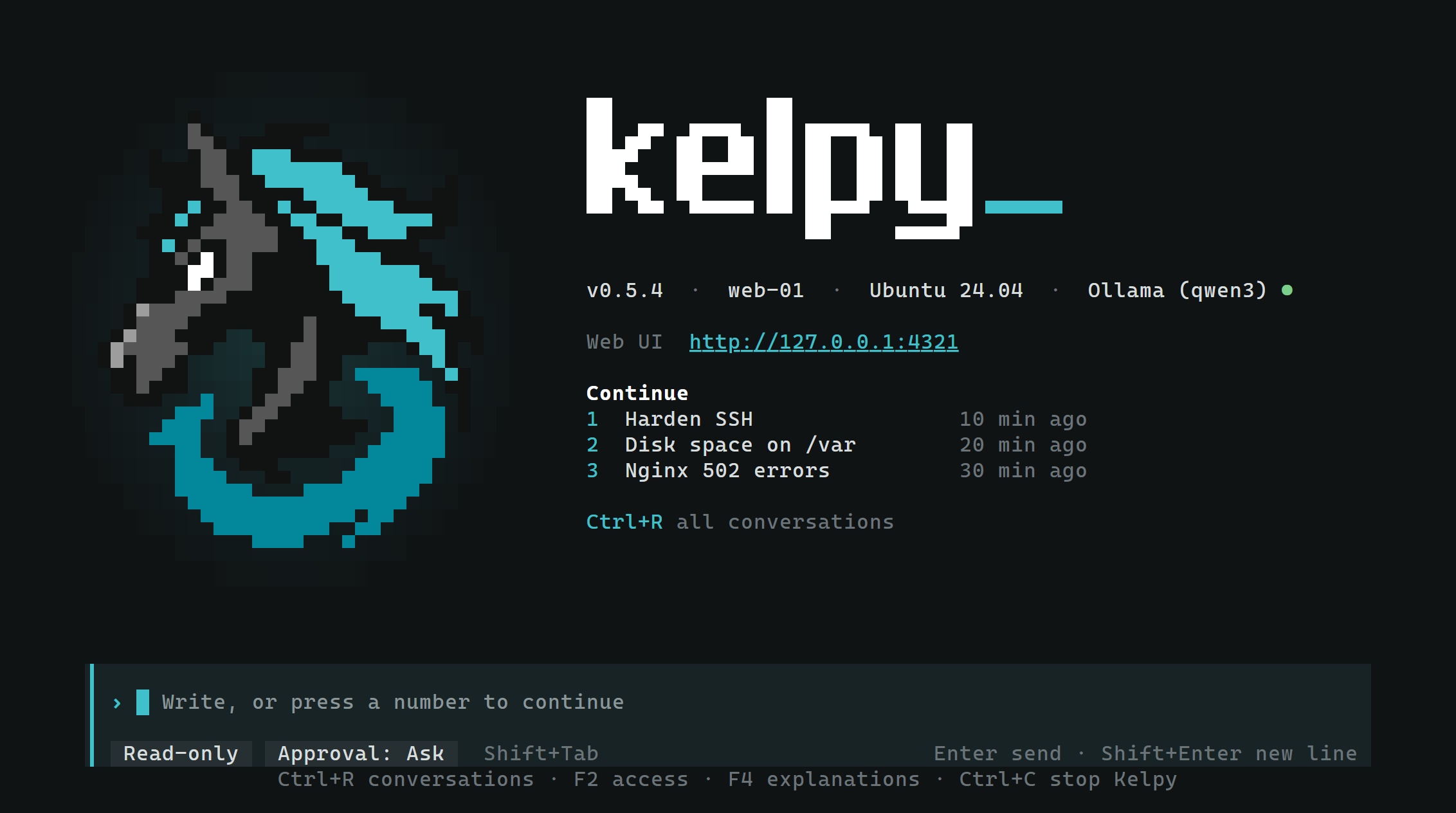
In an interactive terminal, kelpy shows the terminal UI in place of the start-up lines, beside the Web UI it opens
in the browser. kelpy tui opens the terminal UI of the Kelpy already running for this home, from another terminal
or SSH session; closing it leaves Kelpy running. With none running, it starts Kelpy as kelpy does. Without a
terminal, such as from cron, Kelpy prints the start-up lines instead.
The terminal UI and the Web UI show the same conversations: a message sent in one shows in the other as the answer is written. Plans, the Command log, files, secrets and the provider settings are in the Web UI.
On a light terminal
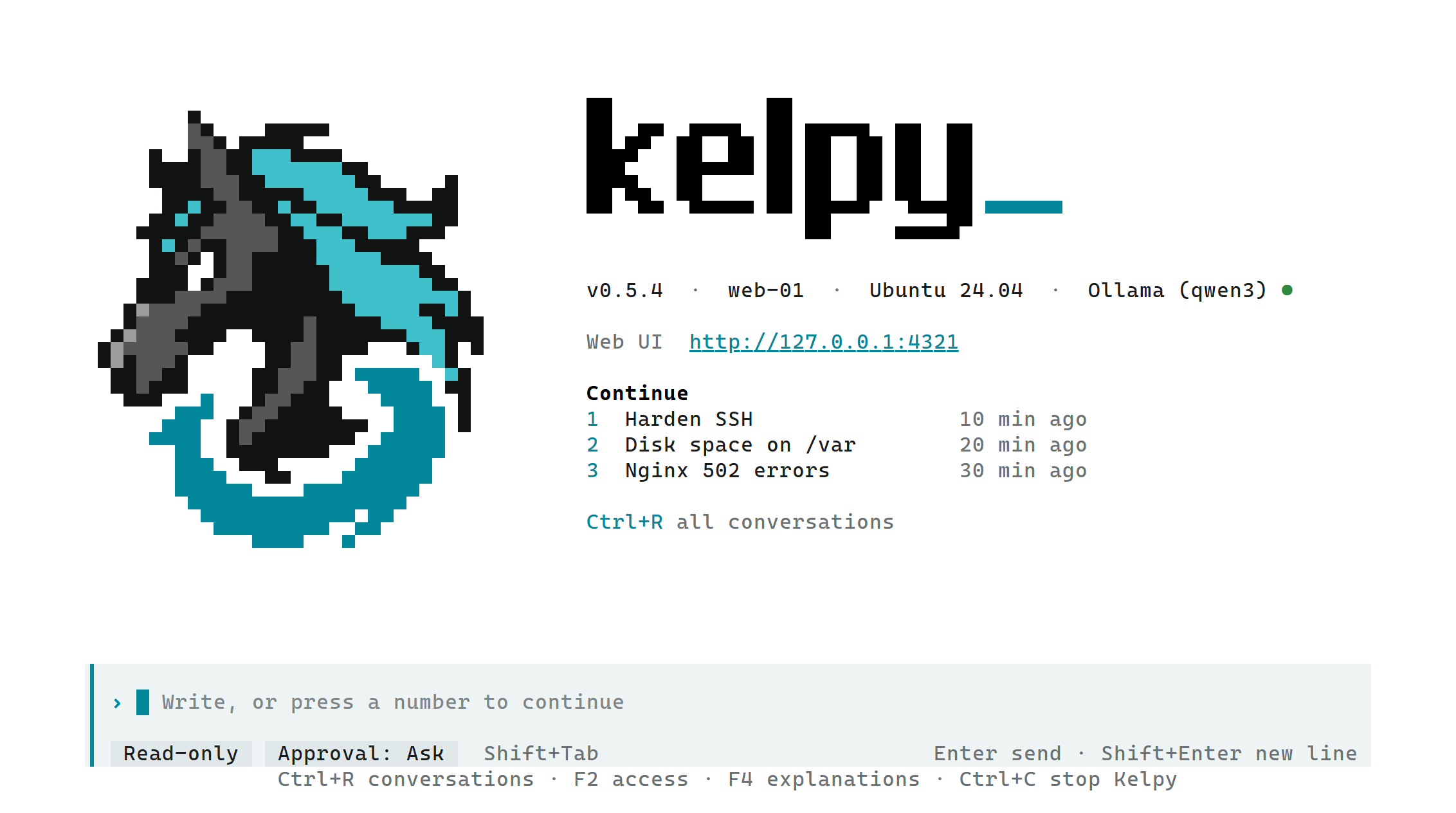
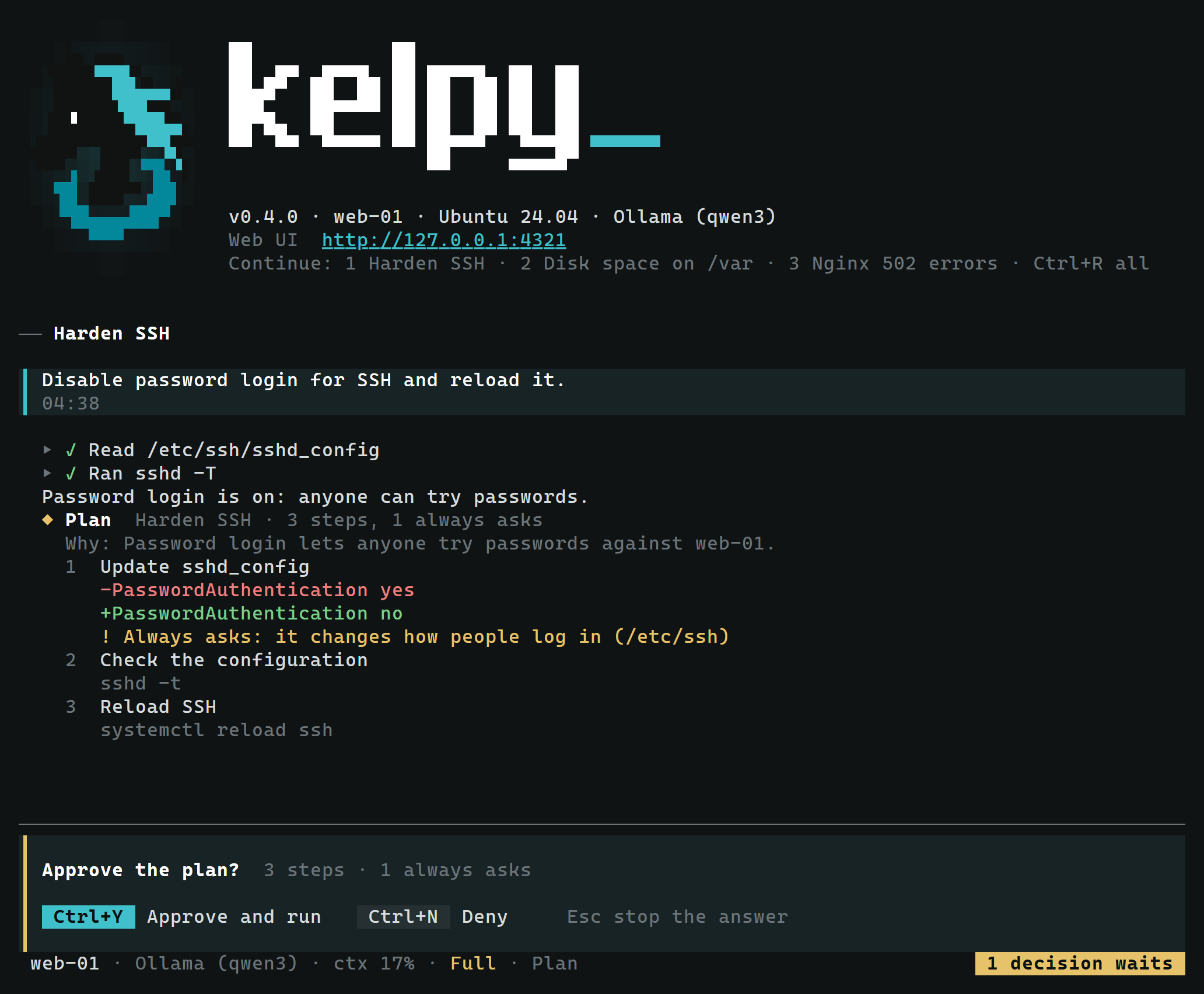
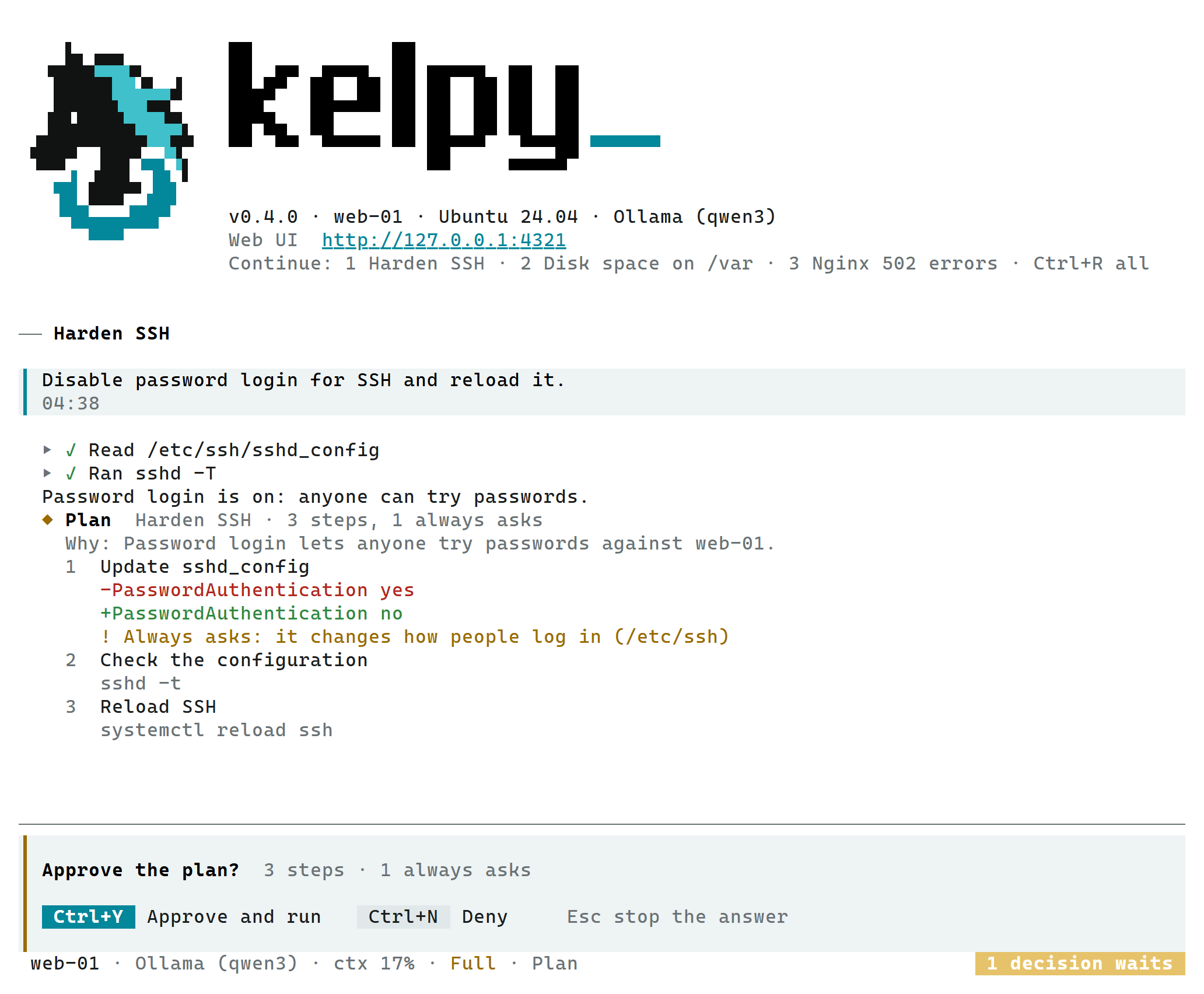
The start screen shows Kelpy's mark beside its name, the version, the server, the AI provider, the Web UI's link, what else to know (the code, the home, the account, the vault, over SSH the tunnel command) and the three most recent conversations. Press 1, 2 or 3 to continue one, Ctrl+R to list them all, or write a message to start a new one.
The Web UI's link is a real link in Windows Terminal and most terminals: Ctrl+click opens it (Cmd+click on macOS). Ctrl+O opens the Web UI in the browser, signed in, from any screen, and in the classic Command Prompt too, which has no links. Over SSH neither is offered: the browser would be the server's; use the tunnel command shown instead.

On a light terminal

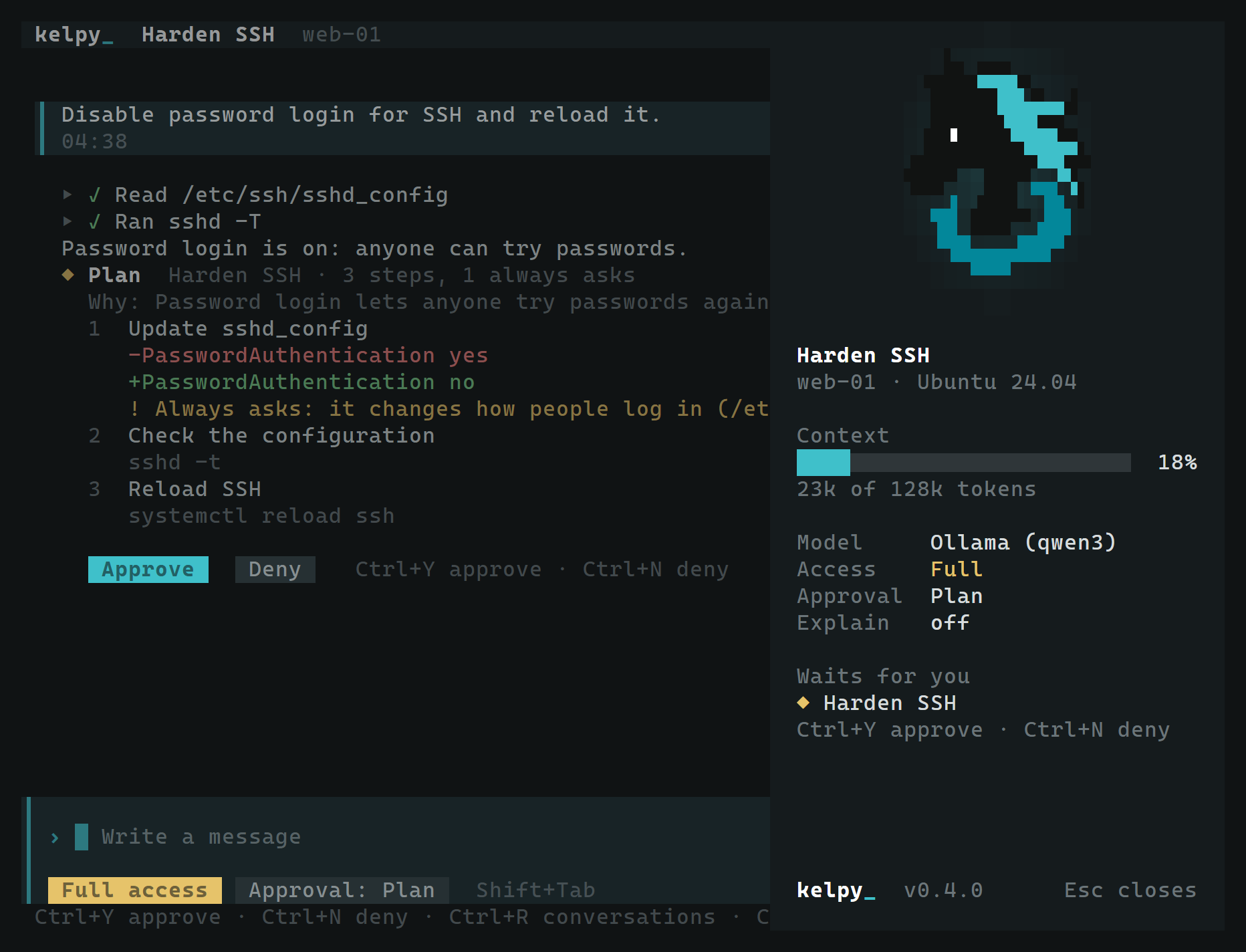
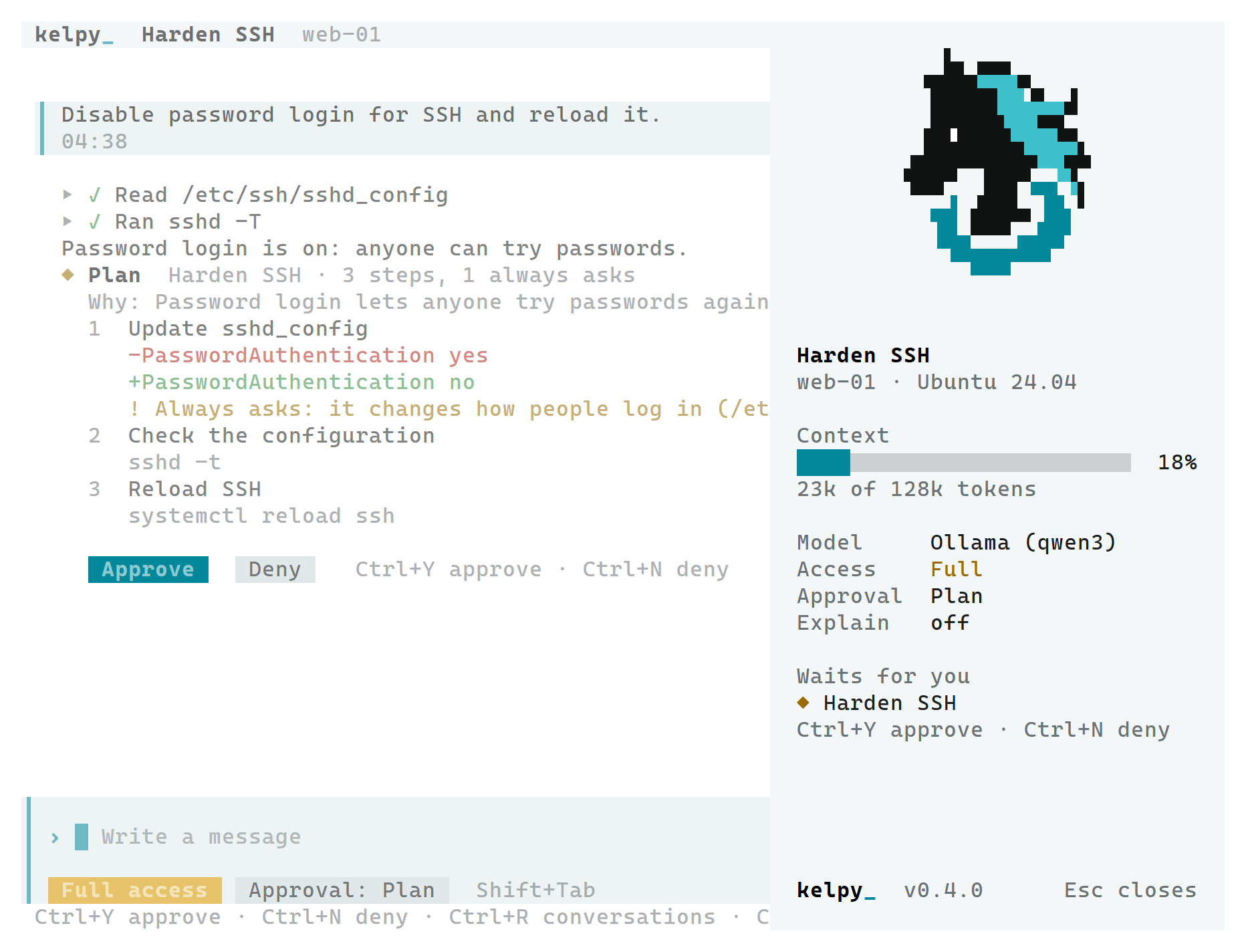
Each action Kelpy took shows as one line. What waits for a decision shows whole: the reason, the command or the change, each step of a plan and why it always asks. Ctrl+Y approves it, Ctrl+N denies it. Each of your messages shows the time it was written. The message box at the bottom shows the conversation's System access and Approval mode; Shift+Tab, F2 and F4 change them (see System access).
On a terminal 120 columns wide or more, a side panel beside the conversation shows its state: how much of the model's context the latest answer took, the model, System access, Approval mode, Explanations and what waits for you. Ctrl+B hides it.

On a light terminal

On a narrower terminal, a header shows the conversation, the server, the context and the model, and Ctrl+B opens the panel over the conversation; Esc closes it.
On a light terminal
On a light terminal
Over SSH, or with --inline, the terminal UI does not take the whole screen. The start banner and the conversation
are written once into the terminal's own history, where they scroll and copy as any text and stay after Kelpy ends.
Only a footer is redrawn: what is being written, the message box or the decision waiting, and a status line with
the server, the model, the context and the modes. --fullscreen takes the whole screen over SSH too.
This applies to an SSH session on the server and to the terminal UI of Kelpy's own SSH server (see Remote access).
Kelpy asks the terminal its background and draws in dark or light colours to match; --theme dark or
--theme light sets it where the terminal does not answer. Where the terminal shows only the 256 colours of the
common palette, as often over SSH, Kelpy's mark is drawn in them; with 16 colours, Kelpy's name shows without the
mark.
| Key | Action |
|---|---|
| Enter | Send the message; the first message of a new conversation creates it |
| Shift+Enter, Alt+Enter | Start a new line in the message (Shift+Enter where the terminal tells it from Enter) |
| Up, Down | Bring back the messages sent in the open conversation; Down goes forward again to what you were writing |
| 1, 2, 3 | On the start screen, open that recent conversation |
| Ctrl+R | List the conversations: Enter opens one, n starts a new one, Esc goes back |
| Ctrl+O | Open the Web UI in the browser, signed in (not over SSH) |
| Esc | Stop the answer being written; close the panel or the list |
| Ctrl+Y, Ctrl+N | Approve or deny the action waiting for a decision |
| Shift+Tab, F3 | Change the Approval mode of the open conversation |
| F2, F4 | Change System access, Explanations of the open conversation |
| Ctrl+B | Hide or show the side panel; on a narrower terminal, open it over the conversation |
| PgUp, PgDn | Scroll the conversation |
| Ctrl+C | Quit: the terminal UI that started Kelpy stops it, after asking if an answer is being written |
The line at the bottom shows the keys that apply at the moment, as many as fit.