An Umbraco backoffice dashboard that helps you find unused document and data types across your site. Includes block list and block grid component detection.
- Searches through your content tree to find document types that aren't used by any content nodes
- Finds inner content nodes that reference a specific document type (e.g. for nested content or block list components)
- Save your progress and come back to it later with the "Save in Tool" feature
- Works with both SQL Server and SQLite
| Umbraco | .NET | Supported |
|---|---|---|
| v13–v14 | net8 | ✓ |
| v15–v16 | net9 | ✓ |
| v17 | net10 | ✓ |
- Install via NuGet https://www.nuget.org/packages/DigitalWonderlab.DeclutterTypes/latest
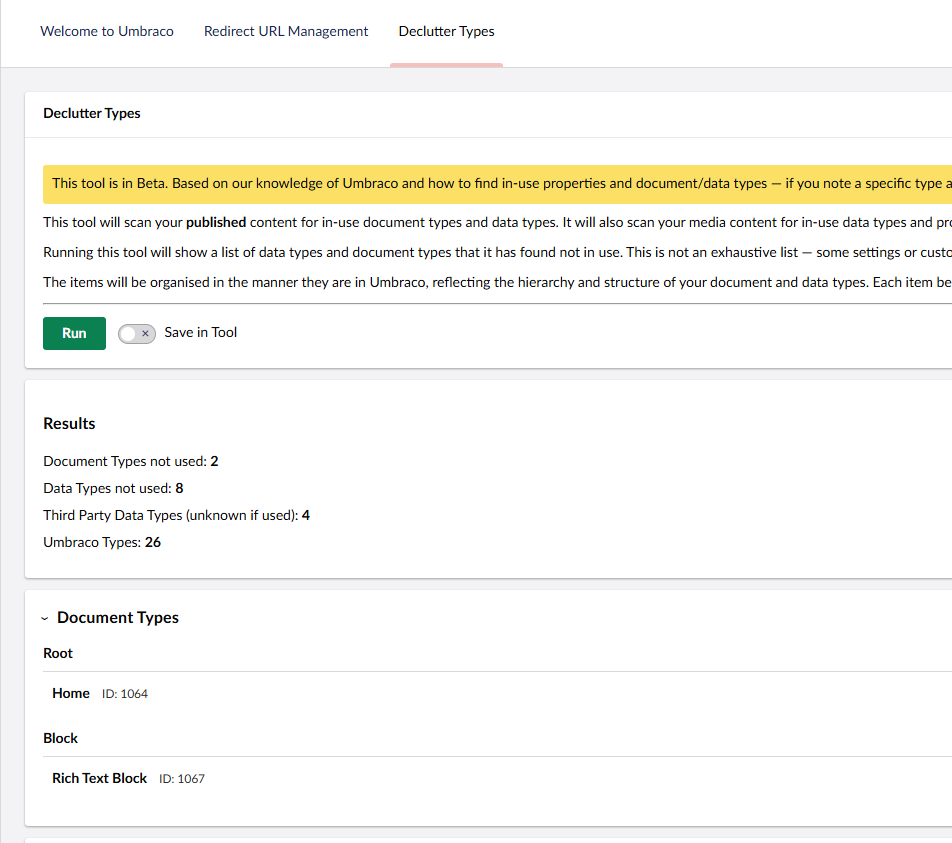
- Go to Content and click the Declutter Types tab
Once installed, navigate to the Content section in the Umbraco backoffice. A Declutter Types dashboard tab will appear.
- Click Run to scan your published content
- Review the results — unused document types and data types are listed by category
- Enable Save in Tool to persist the results between visits
- Click Open in Umbraco on any item to navigate directly to it, verify its usage, and delete if desired
- This tool scans published content only
- Some types may appear unused but still be referenced in customised views or settings — always verify before deleting
- Third Party Data Types are listed separately as their usage cannot always be determined from property values alone
- To report an issue or suggest a feature please use the GitHub issue tracker - https://github.com/SamR-DWL/DigitalWonderlab.DeclutterTypes/issues

MIT — free to use.