Paraline v2.0.0

The Ultimate "Audio Visualization Studio" Update
Welcome to Paraline v2.0.0! This is the largest milestone release in the project's history. We have transitioned Paraline from a simple desktop overlay into a highly advanced, secure, and power-efficient audio visualization suite.
Version 2.0.0 introduces two stunning new themes (Aurora Drift and Side Braids), a completely overhauled Settings Dashboard, deep Windows OS Integrations, Secure Preset Management, and next-gen resource-saving systems like Focus Mode and Silent Idle Throttling.
📸 Visual Showcases & Screenshots
The Settings Window :


The Tray Menu:

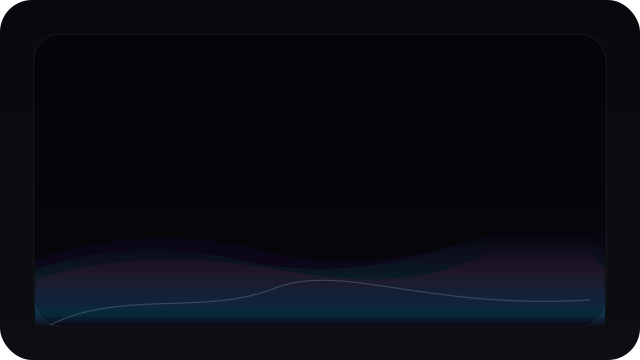
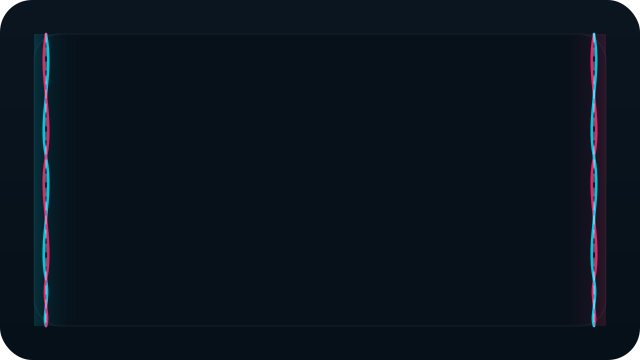
The New Themes:
| 🌌 Aurora Drift Theme | 🎀 Side Braids Theme |
|---|---|
 |
 |
🌟 Major Highlights & Feature Spotlights
🎨 1. Two Beautiful New Premium Themes
- 🌌 Aurora Drift: A cinematic, wave-based aurora visualizer. Choose between Ambient, Cinematic, and Vivid glow styles, and fine-tune your parameters with dedicated intensity, height, and speed controls.
- 🎀 Side Braids: An elegant double-braided flow visualizer framing your screen. Highly customizable flow directions, braid widths, spacing gaps, thickness, and motion dynamics.
🔋 2. Next-Gen Performance & Battery-Saving Technology
Paraline now runs cooler and lighter than ever, designed to sit in the background without affecting your gaming performance:
- 🤫 Intelligent Silent Idle Throttling: Automatically monitors your system audio. If silent for more than 4 seconds, the rendering loop drops down to 12 FPS to save CPU/GPU cycles. It instantly reactivates at full speed the millisecond music starts!
- 🧠 Focus Mode: Automatically suspends/pauses visual rendering when your computer is idle or when you are AFK using Electron's
powerMonitor.getSystemIdleTime(). - 📉 Frame Rate Limiting & V-Sync: Toggle V-Sync or set hard FPS targets (30, 60, 120, 144, or fully uncapped). Use Battery Saver Mode to lock performance to 30 FPS.
- ⚡ Shadow & Border Optimizations: Completely overhauled theme rendering pipelines to minimize GPU overhead and reduce draw calls.
🎛️ 3. Redesigned Settings Dashboard & Glassmorphic UI
We have completely retired the old inline settings overlays:
- 🗂️ Clean Tabbed Navigation: Easily jump between General, Themes, Customization, Performance, and Advanced Settings.
- 🍎 Custom Glassmorphism Context Menu: Redesigned tray menus with premium macOS-inspired glassmorphic visuals, quadrant-based repositioning, and Windows taskbar overflow support.
- 🔄 Isolated Theme Resets: Resetting individual theme parameters is now isolated, meaning you can reset your active theme without wiping out your global configurations.
⚙️ 4. Advanced Time-Based Theme Automation
Schedule your desktop's mood! Our new background Automation Agent dynamically transitions between daytime and nighttime themes depending on the time of day, optimizing local caching layers to prevent theme loading lag.
💾 5. Secure Theme Profile Manager (Import/Export)
You can now backup, share, and import your custom presets!
- Export your customized configurations as
.jsonprofile files. - 🔒 Security Hardened: Includes robust JSON schema validation, strict file size checks, and protection against prototype pollution to ensure imported presets are 100% safe to load.
🔌 6. Seamless Windows OS Integration
- 🌈 Real-Time Accent Color Sync: Automatically pull, extract, and match active Windows accent colors dynamically in real-time.
- 🚀 Startup Launch Toggle: Enable auto-starting Paraline when you sign in on Windows, manageable via the dashboard or tray toggle.
- 🏷️ Crisp Native Title Bar Icons: Replaced Electron's default window logos with Paraline's crisp, multi-resolution branded icons across title bars, Alt-Tab lists, and the taskbar.
🛠️ Detailed Changelog
🚀 New Features & Enhancements
- Added
Aurora Driftvisualizer theme with robust rendering properties. - Added
Side Braidsvisualizer theme with detailed custom widths and spacing inputs. - Added dedicated tabbed Settings Dashboard UI.
- Added Theme Profile Manager with visual Import/Export commands.
- Added Focus Mode (AFK resource-saving suspend).
- Added 12 FPS silent idle throttling loop.
- Added time-based automation configuration agent.
- Added real-time Windows Accent color sync.
- Added Auto-Start toggle for Windows logins.
- Added crisp, high-definition native
.icotitle-bar branding. - Added compact glassmorphic "Scroll to Top" button to landing site.
- Added comprehensive "System Requirements" page and navigation link to landing site.
🔒 Security & Stability Hardening
- URL Scheme Validation: Implemented strict scheme validation before calling Electron's
shell.openExternal()to block arbitrary remote execution exploits. - Prototype Pollution Protection: Added validation routines on profile names during import to prevent
Object.prototypepollution. - Audio Bridge Safety Timer: Added cleanup and fallback timers to keep the visualizer UI stable if the C# Audio helper disconnects.
- Upload Safety: Enforced file size checks and strict sanitization rules on imported JSON settings profiles.
🐛 Bug Fixes & Refactorings
- Fixed custom color pickers falling back to black; color gradients now persist reliably across restarts.
- Fixed theme resetting behavior to restrict defaults to the active profile only.
- Fixed context menu positioning overlap in Windows overflow system tray panels.
- Refactored theme automation settings and wired up IPC bridge pathways.
- Cleaned up redundant inputs like
braidRotationto optimize the configuration schema.
📚 New Documentation
We have expanded our resources for creators and contributors:
- 🎨 Theme Development Guide: A comprehensive, step-by-step developer walkthrough for scripting your own custom visual themes.
- 🔧 Troubleshooting Guide: Detailed procedures for configuring audio drivers, managing inputs, and resolving C# audio bridge captures.
📦 Installer Details
- Installer Artifact Name:
Paraline-Setup-2.0.0.exe - Configuration Schema: Backwards compatible. It will automatically migrate your older configs to the new
2.0.0formats.
❤️ A Huge Thank You to Our Contributors!
This massive release was made possible by the incredible developers, testers, and designers in the community. Thank you for helping shape the future of desktop audio visualization!
🥰 Free Wallpapers created for Paraline Users by me 🥰 :


