This is a [WIP] configuration gui app for labwc without any real plan or Acceptance Criteria. It was merely written to help change themes for the purposes of testing labwc during development. Don't expect too much 😄
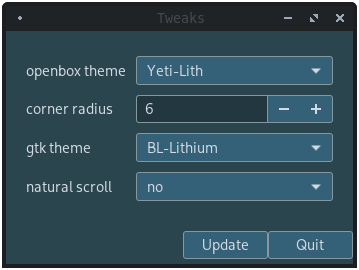
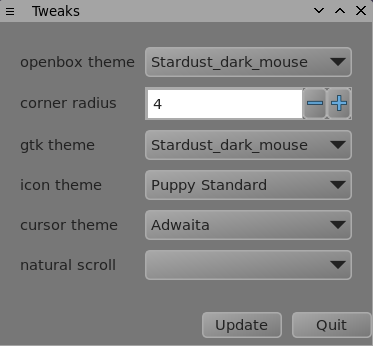
If you install labwc-gtktheme.py and set labwc-theme to GTK it'll automatically sync with the selected GTK theme.
- Add way to set config directory via command argument
- Initial Implementation
- Cleanup
- Add way to set config directory via GUI
- Set up menu
- Add indicator to GUI
- Finish Documentation
To set the config directory, please invoke labwc-tweaks with the -c or --config option followed by the path to the custom config directory.
labwc-tweaks -c/--config "CONFIGDIR"
- Please note that this only affects configuration changes that are stored in the "CONFIGDIR/rc.xml" or the "CONFIGDIR/environment" file.
- For information on what settings are stored in these files, please check labwc's configuration documentation online at https://labwc.github.io/labwc-config.5.html or in the manual with
man labwc-config. - If run without the -c/--config command, the default configuration directory, "{XDG_CONFIG_HOME:-$HOME/.config}/labwc" is used as the configuraion directory.
- For information on what settings are stored in these files, please check labwc's configuration documentation online at https://labwc.github.io/labwc-config.5.html or in the manual with
meson build
ninja -C build
ninja -C build install
This installs the binary to /usr/local/bin and data files to their respective locations.
If you find it a useful tool and want to expand its scope, feel free.
(Original Source, not fork)
