This project was developed as a practical test for the full-stack development internship selection process at APOLLO SOLUTIONS. The goal is to provide an elegant and intuitive design for managing products, categories, and sales in a fictional retail system, SmartMart.
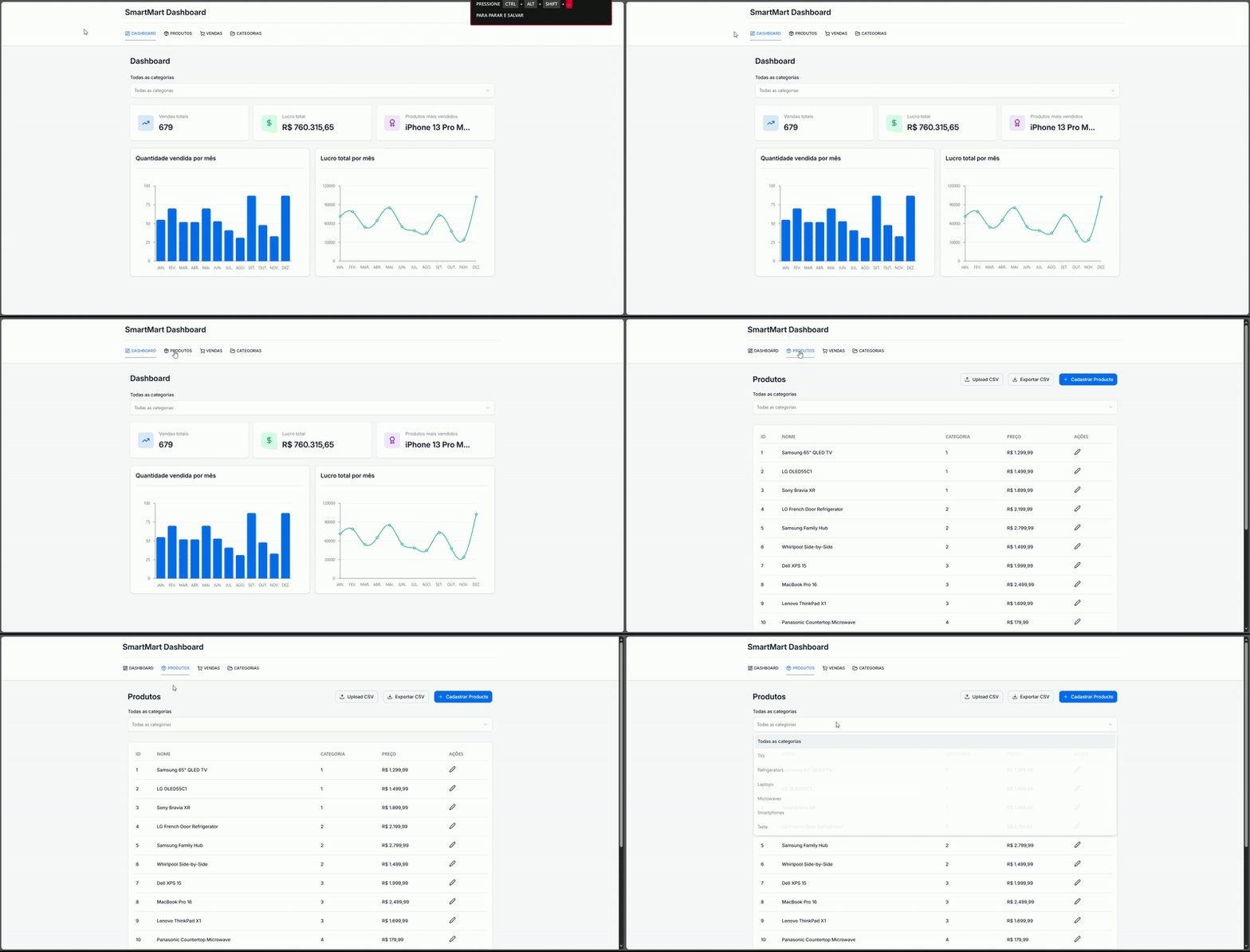
SmartMart is a product and sales management dashboard, designed to provide a clear and detailed overview of your business performance. With it, you can register products, import data in bulk, view sales, profits, and much more.
This project was built with the following technologies:
- Frontend:
- Styling:
- State and Data Management:
- Tables and Charts:
- Forms:
- Dashboard:
- Graphs of sales quantity and profit per month.
- Cards with total sales, total profit, and the best-selling product.
- Data filtering by category.
- Products:
- Manual registration of new products.
- Export of products via a CSV file.
- Product listing with sales and profit information.
- Categories:
- Registration of new categories.
- Listing of existing categories.
- Sales:
- Detailed view of all sales.
Follow the instructions below to run the project in your local environment.
- Clone the repository:
git clone https://github.com/usuario/smartmart.git
- Navigate to the project directory:
cd smartmart - Install dependencies:
or
npm install
yarn install
To start the development server, run the following command:
npm run devOpen http://localhost:5173 (or the port indicated in your terminal) in your browser to see the application.
The project is organized as follows:
├── src
│   ├── api
│   ├── components
│   ├── config
│   ├── hooks
│   ├── layout
│   ├── lib
│   └── types
├── public
├── .gitignore
├── package.json
├── README.md
└── ...
src/api: API call functions for categories, products, and sales.src/components: Reusable components such as buttons, modals, and tables.src/config: Environment configurations.src/hooks: Custom hooks for fetching and managing data.src/layout: Main page components, such as Dashboard, Products, Sales, and Categories.src/lib: Utility functions.src/types: TypeScript type definitions.
This project is licensed under the MIT License.