Welcome to ScriptMime's official repo for recommended scripts. We encourage you to get the most out of Autohotkey. We provide the source code if you want to make the script your own AND the executable program (already built for you).
Use this script to start and stop all your scripts.
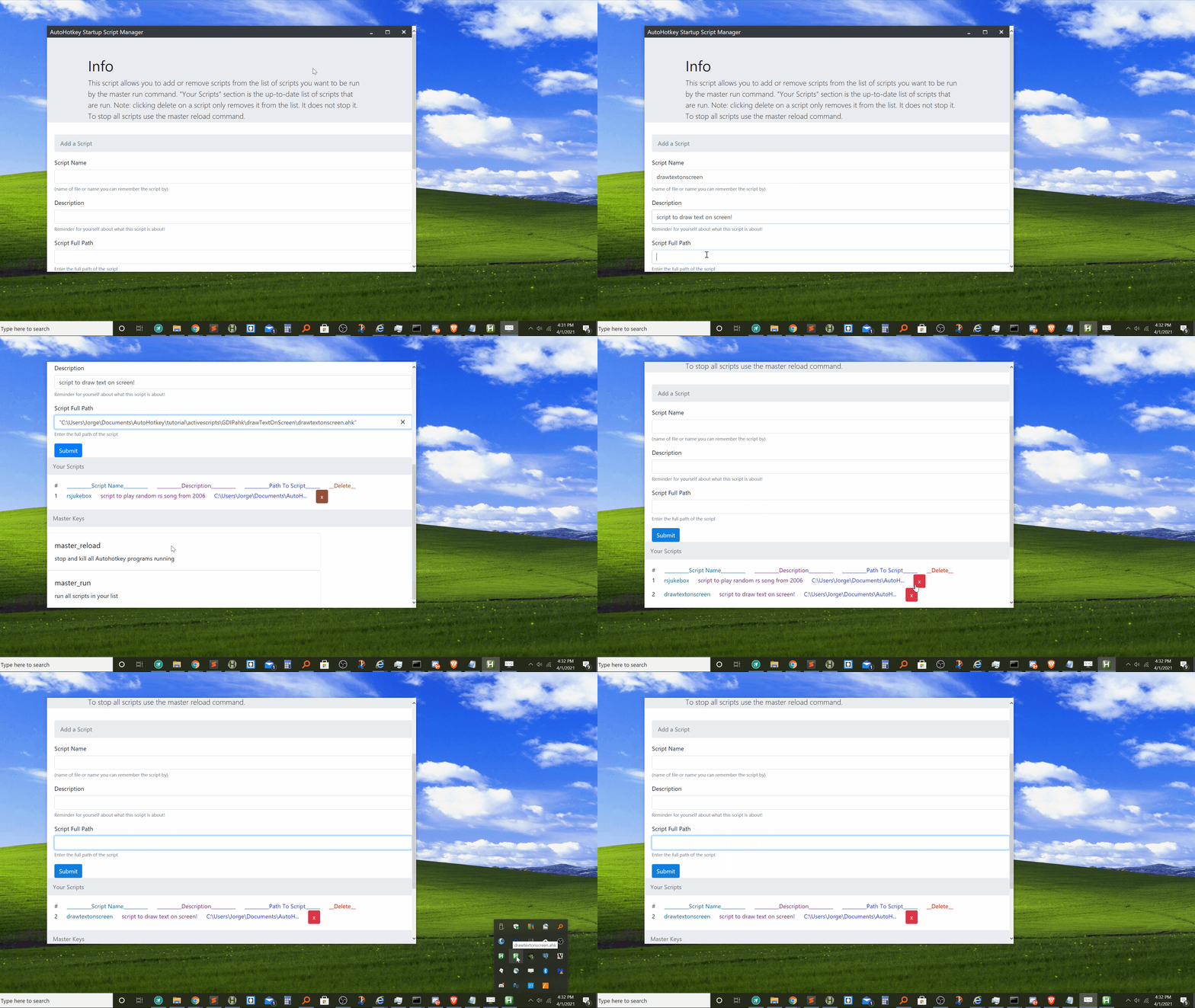
- Simply open the user interface tool by clicking on the executable or compiling the .ahk file.
- Add a name, description and the full path of the script and click Submit. Do this for all the scripts you want managed. Your scripts will be saved!
- Use "master_run" command to run all the scripts in your list at any time. Changing this to something else can be done in the source code.
- Use "master_reload" command to kill all scripts running ,except your master script, at any time. Changing this to something else can be done in the source code.
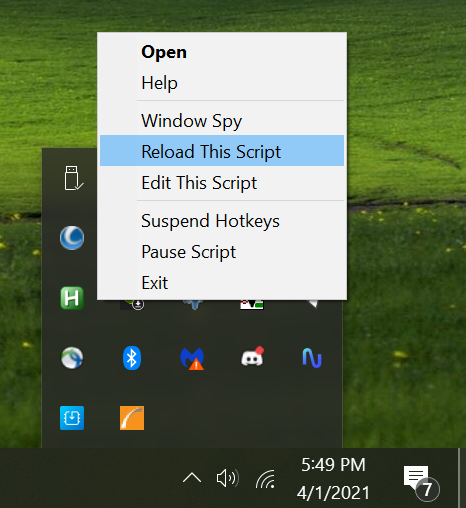
- If you close the user interface, you can find the icon in your system tray, right click it, and select "Reload This Script" to launch it again.
- Put this script in your Startup folder so it runs every time you turn on your computer!
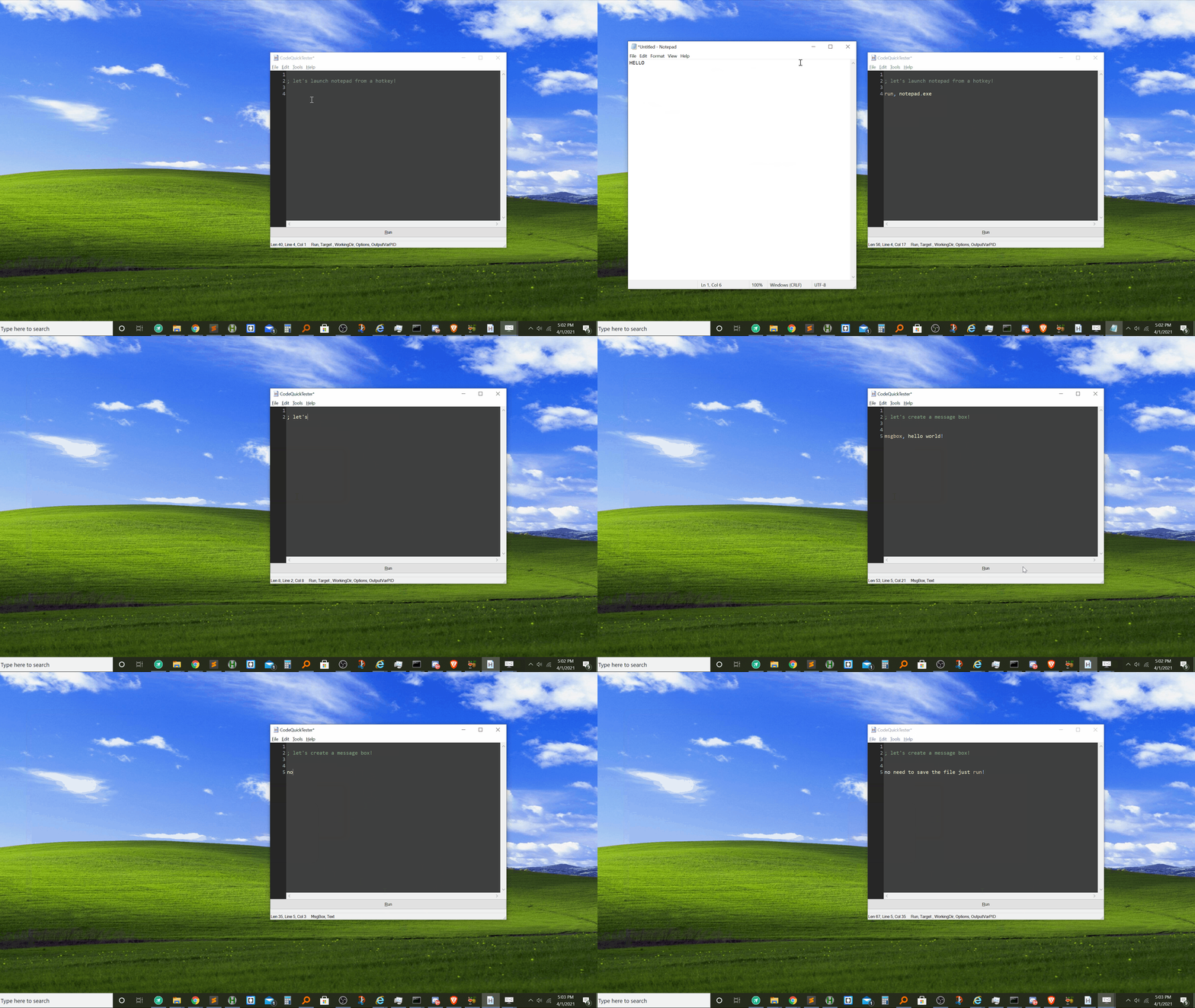
This is an editor with a "Run" button that lets you paste code into it and use a script without having to save it!
GeekDude is a member of the autohotkey community with fabulous scripts like this one. CodeQuickTester is an open-source editor with full autohotkey syntax and many features. See GeekDude's github page for more info. Use it to run code you find on ScriptMime!
- Launch CodeQuickTester.
- Paste code.
- Click run.
- (optional) save your script if you decide to keep it.