

Seelen UI is a modern desktop customization tool for Windows that refreshes your workspace with sleek panels, widgets, and workflow-focused controls.
Download Seelen UI to transform your desktop with a sleek, customizable shell for Windows, built for cleaner navigation, modern layouts, and smoother daily workflows. Explore seelen ui themes, personalize panels and widgets, and give your PC a polished interface that feels fast, focused, and yours.
Seelen UI is built for users who want a cleaner desktop without replacing Windows entirely. It focuses on layout, access, appearance, and workflow, making seelen ui windows 11 searches especially relevant for people who want a modern shell experience on current PCs. Whether you found seelen ui github, seelen ui download, or a seelen ui review, the goal is the same: a more organized desktop that feels personal and efficient.
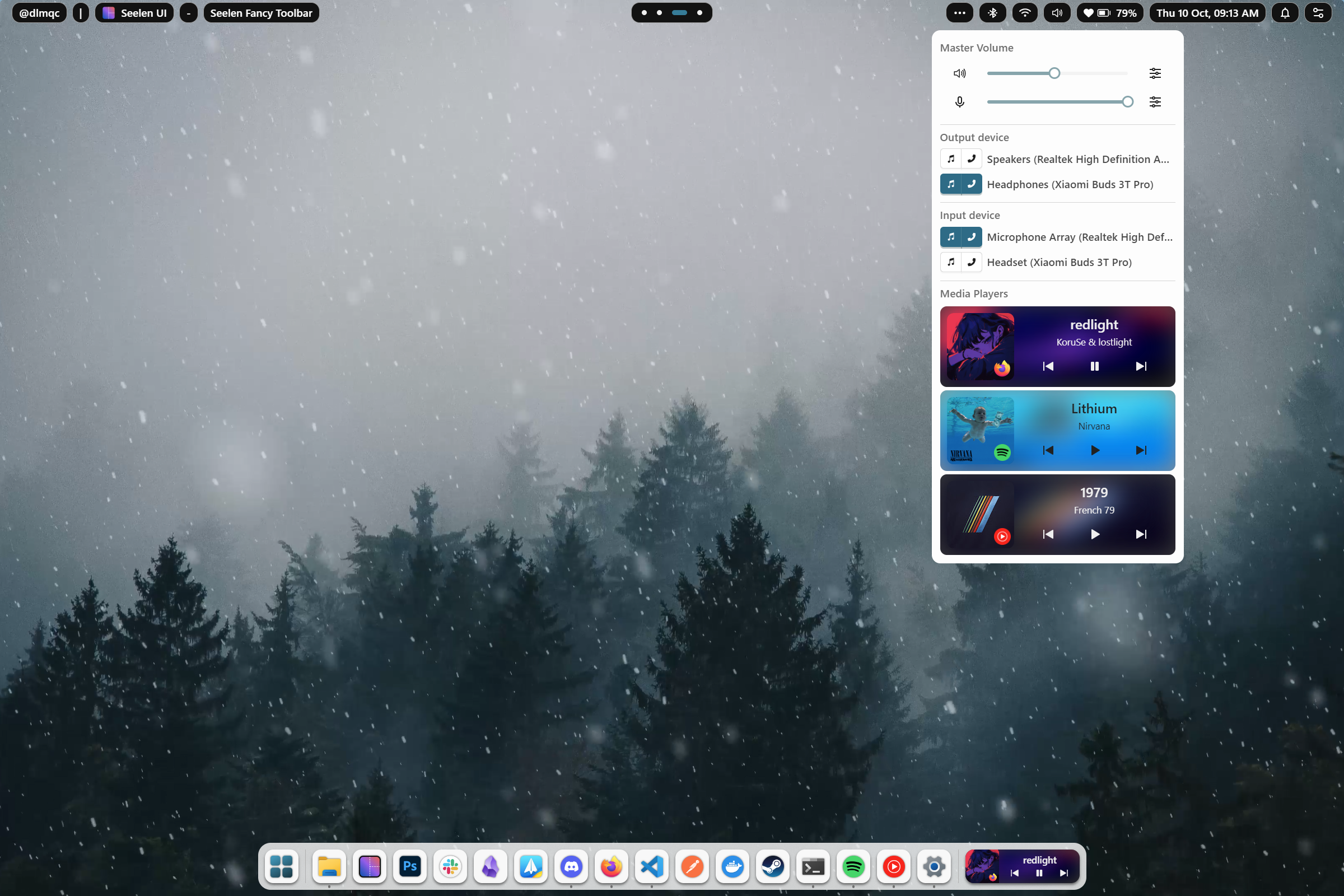
Seelen UI gives users a flexible way to adjust how the desktop looks and behaves. The experience is centered on seelen ui customization, including panels, widgets, visual layouts, and workspace controls that make everyday navigation smoother. If you are exploring seelen ui wallpaper options or browsing seelen ui themes, the app fits naturally into a full desktop refresh.
The shell is also useful for users comparing seelen ui alternative tools. Instead of focusing on one isolated feature, Seelen UI combines visual polish with practical controls for launching apps, organizing windows, and improving access to common actions. People searching how to use seelen ui often start with appearance settings, then move into workflow improvements such as taskbar behavior and desktop organization.
A typical setup begins with seelen ui install or seelen ui setup, then moves into choosing layouts, adjusting widgets, and refining how the desktop responds during normal use. Seelen UI can support a minimal workspace, a more information-rich dashboard, or a balanced configuration for people who switch between work, browsing, media, and communication.
The seelen ui taskbar experience is especially important because many users want faster access without clutter. Seelen UI helps create a desktop that feels consistent from startup to shutdown, while still allowing room for seelen ui wallpaper choices, theme changes, and layout experiments. Users who search seelen ui tutorial or how to use seelen ui can build confidence by changing one area at a time.
- Custom desktop shell components designed for a cleaner Windows workspace
- Theme controls for users exploring seelen ui themes and visual layouts
- Wallpaper-friendly styling for seelen ui wallpaper and desktop personalization
- Taskbar and panel options connected to seelen ui taskbar workflows
- Setup paths useful for seelen ui download, seelen ui install, and seelen ui setup
- Community discovery through seelen ui reddit and seelen ui github references
| Component | Minimum | Recommended |
|---|---|---|
| OS | Windows 10 (64-bit) | Windows 11 (64-bit) |
| RAM | 4 GB | 8 GB or more |
| Storage | 500 MB free space | SSD with extra room for themes |
| CPU | Dual-core processor | Modern quad-core processor |
| Graphics | Integrated graphics | Updated Windows graphics drivers |
Seelen UI works well for Windows users who want a polished desktop without losing familiar app compatibility. It is a strong fit for people searching seelen ui windows, seelen ui desktop, or seelen ui windows 11 because it focuses on improving the environment users already know rather than forcing a completely different operating model.
It also suits users who enjoy experimenting with appearance and usability. If your searches include seelen ui customization, seelen ui themes, seelen ui wallpaper, or seelen ui safe, you likely want both visual control and confidence before changing your desktop shell. Even misspelled searches like seleen ui usually point to the same interest: finding a modern Windows interface layer that is practical, clean, and customizable.
If Seelen UI does not launch as expected, check that Windows is updated, required runtime components are installed, and security settings are not blocking the app. Users researching seelen ui setup or seelen ui install should restart after installation and confirm that desktop shell permissions are available.
For users asking how to uninstall seelen ui, the safest route is to close the app, use the standard Windows app removal process, and restart the PC afterward. If custom layouts remain, reset related shell or startup settings before reinstalling. People checking seelen ui reddit or seelen ui github may also find community notes about updates, configuration files, and version-specific fixes.
Seelen UI continues to attract attention because it combines desktop design with practical workflow improvements. Searches such as seelen ui review, seelen ui alternative, and seelen ui safe show that users are comparing trust, usability, and long-term comfort before adopting a new Windows shell.
For the best experience, treat Seelen UI as an evolving desktop environment. Start with seelen ui download, follow a seelen ui tutorial if you want guided setup, then refine panels, widgets, and appearance over time. With careful seelen ui customization, Windows can feel cleaner, faster to navigate, and better matched to your daily routine.
Seelen UI, seelen ui wallpaper, seelen ui windows 11, how to uninstall seelen ui, seelen ui themes, how to use seelen ui, seelen ui reddit, seelen ui alternative, seleen ui, seelen ui download, seelen ui github, seelen ui setup, seelen ui install, seelen ui tutorial, seelen ui windows, seelen ui desktop, seelen ui customization, seelen ui taskbar, seelen ui review, seelen ui safe