
A modern, open-source LocalSend solution designed for seamless peer-to-peer file sharing within local networks. This LocalSend software eliminates the need for cloud uploads or external servers, providing encrypted, high-speed transfers between mobile and desktop devices. With LocalSend, users regain control over their data privacy while enjoying the simplicity of drag-and-drop sharing.
LocalSend is a free, open-source file transfer utility built for users who prioritize security, speed, and cross-platform compatibility. Unlike traditional messaging apps or cloud services, LocalSend works entirely over your local Wi‑Fi or LAN, keeping your files private and unlimited in size. The software uses a modern REST API and HTTPS encryption to ensure that every transfer remains secure from endpoint to endpoint.
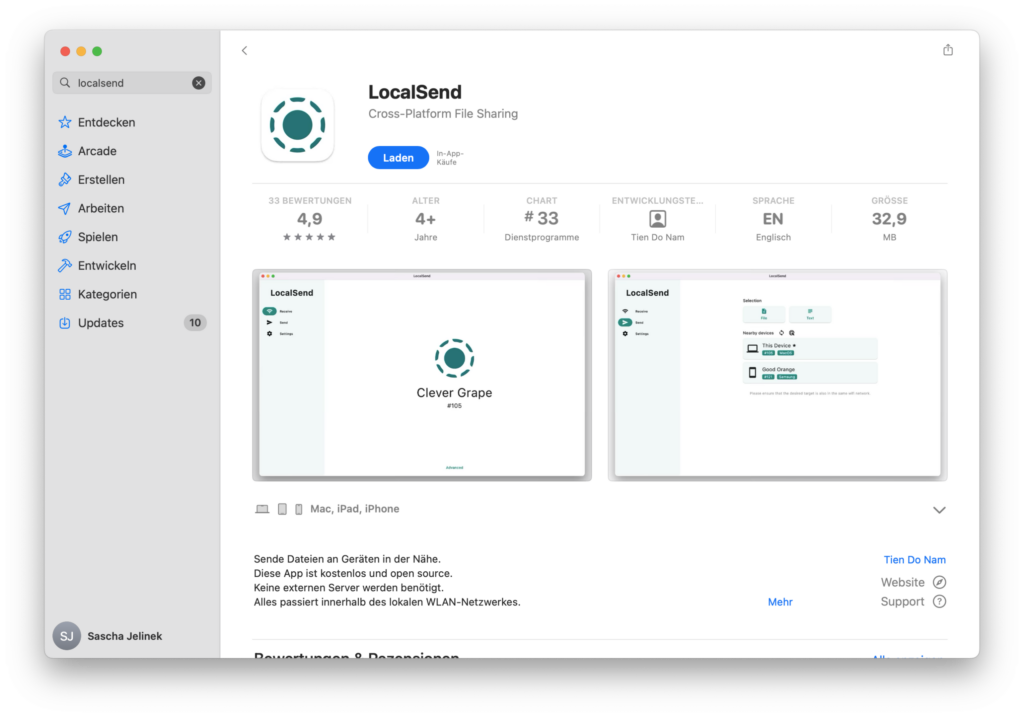
LocalSend supports all major operating systems: Android, iOS, macOS, Windows, and Linux. Whether you need to share a single photo or an entire folder of documents, LocalSend provides a clean, intuitive interface that requires no account registration, no internet connection, and no configuration. Just open LocalSend, select your files, and choose the receiving device. The software automatically discovers nearby devices running LocalSend and establishes a direct, encrypted channel for instant transfer.
For IT professionals, developers, and privacy-conscious users, LocalSend offers complete transparency with its open‑source codebase. You can audit the code, modify it, or even host your own LocalSend server. The software also includes advanced features like automatic device discovery, multi‑file selection, folder preservation, and clipboard sharing. LocalSend is regularly updated with community feedback, ensuring long‑term reliability and feature growth.
By choosing LocalSend, you avoid common pitfalls of proprietary file‑sharing tools: no data mining, no size limits, no throttling, and no third‑party servers. LocalSend puts the power back into your local network.
- Visit the official LocalSend releases page or your device’s app store.
- Install LocalSend on all devices you wish to connect (Android, iOS, Windows, macOS, Linux).
- Launch LocalSend on each device – they will automatically discover each other.
- Select files or folders on the sender device using LocalSend’s interface.
- Choose the target device from the list and start the transfer.
- On the receiver side, LocalSend will prompt you to accept or decline the incoming files.
- After transfer, files are saved locally – no cloud storage involved.

The diagram above illustrates how LocalSend discovers peers on the same subnet, negotiates encrypted channels, and transfers files directly without routing through external servers. LocalSend maintains a stateless design, making it lightweight and resilient even on unstable networks.
- Encrypted Peer Discovery – LocalSend automatically finds nearby devices without broadcasting sensitive data.
- Cross-Platform Performance – Use LocalSend on Android, iOS, Windows, macOS, and Linux simultaneously.
- No Internet Required – LocalSend works entirely over local Wi‑Fi or Ethernet.
- Unlimited File Size – Transfer huge video projects or disk images using LocalSend without compression.
- Folder Structure Preservation – LocalSend keeps subfolders and filenames intact.
- Clipboard Sync – Share text links or code snippets via LocalSend’s clipboard tool.
- Open Source & Auditable – Review LocalSend’s codebase and contribute improvements.
- Automatic Resume – If a transfer drops, LocalSend can resume from the last chunk.
- QR Code Pairing – Quickly connect new devices to LocalSend without manual IP entry.
- Background Operation – LocalSend continues receiving files even when the app is minimised.
| Component | Minimum | Recommended |
|---|---|---|
| OS | Windows 10 / macOS 11 / iOS 14 / Android 8 / Linux (any modern distro) | Windows 11 / macOS 14 / iOS 16 / Android 13 |
| Processor | Dual-core CPU | Quad-core CPU |
| RAM | 2 GB | 4 GB or more |
| Network | 100 Mbps LAN | Gigabit Wi‑Fi or Ethernet |
| Storage | 100 MB free space | SSD recommended for large transfers |
- Background device discovery without user interaction
- Instant QR code pairing for headless devices
- Customizable save locations per device profile
- Multi‑language interface (over 30 languages supported by LocalSend)
- Command‑line integration for power users of LocalSend
- Drag‑and‑drop from file explorer directly into LocalSend
- Notification center integration on all platforms
LocalSend cross-platform file transfer, LocalSend open source sharing, LocalSend encrypted local network, LocalSend Android iOS Windows macOS Linux, LocalSend peer-to-peer software, LocalSend no internet file transfer, LocalSend private folder sync, LocalSend QR code pairing, LocalSend unlimited file size, LocalSend clipboard sharing, LocalSend automatic device discovery, LocalSend resume interrupted transfer, LocalSend background receiving, LocalSend REST API, LocalSend HTTPS encryption, LocalSend stateless design, LocalSend multi‑language support, LocalSend drag‑and‑drop sharing, LocalSend community software, LocalSend no account required, LocalSend local Wi‑Fi sync, LocalSend Ethernet transfer, LocalSend open source audit, LocalSend self‑hosted server, LocalSend lightweight sharing tool, LocalSend instant file exchange, LocalSend cross‑device compatibility, LocalSend secure home network tool, LocalSend office file distribution, LocalSend developer utility.