
Turn any Google Form into a phone call
Problem • Solution • Tech Stack • Getting Started • Deployment
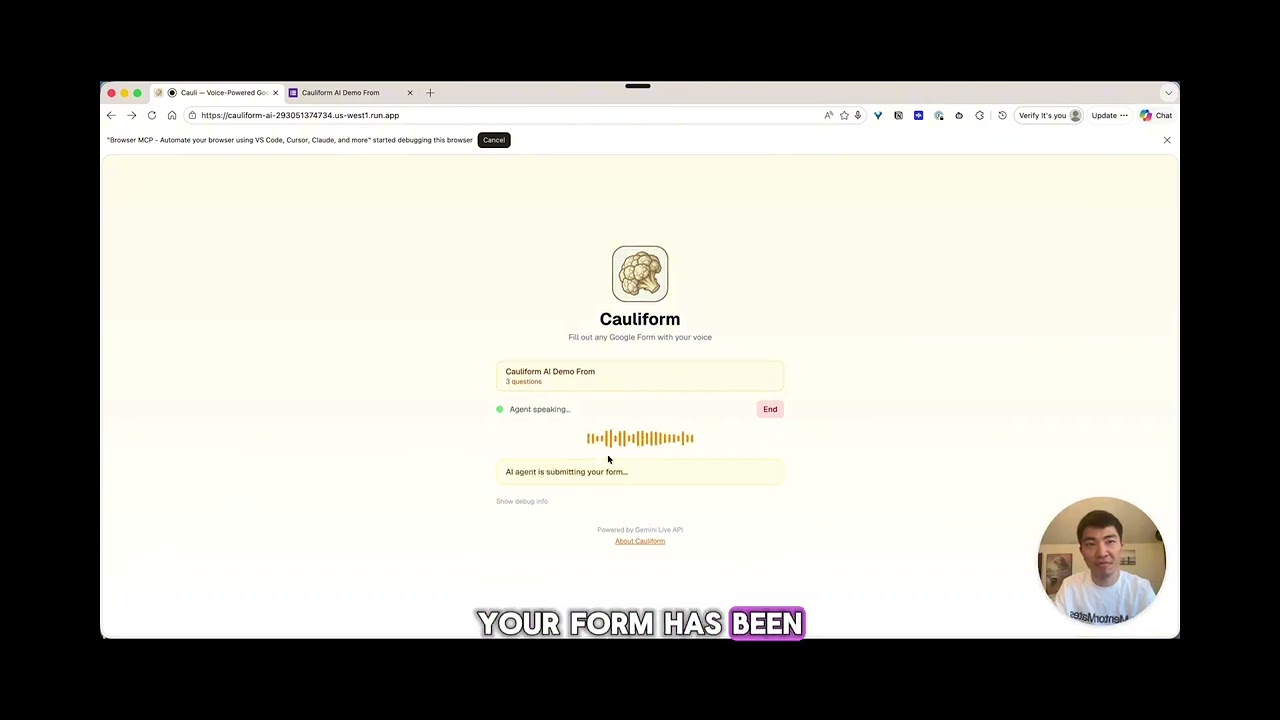
Cauliform is an AI-powered voice agent that transforms Google Forms into natural phone conversations. Simply paste a Google Form link, receive a call, and complete the form hands-free while walking, driving, or multitasking.

The system connects the user's browser to Gemini Live API via WebSocket for real-time voice conversation. Cloud Run hosts the Next.js backend with API routes for form parsing, profile management, and form submission. Firebase Firestore stores two collections:
user_profiles— Keyed by phone number, stores common responses (name, email, company, job title) extracted from past form submissions. On future calls, these are injected into Gemini's system prompt so the agent can confirm known answers instead of re-asking.call_sessions— Logs every form interaction (form URL, title, answers, status, timestamp), enabling cross-form intelligence and call history tracking.
When a user fills out Form A and provides their name and email, those fields are automatically saved. When they later fill out Form B (a completely different form), the agent already knows their info and says "I have your name as Chinat Yu — is that still correct?"
Confirmation step: Before any form is submitted, the agent summarizes all collected responses and explicitly asks "Should I submit this form?" The form is only submitted when the user confirms with "yes", "submit", or "go ahead." This is enforced at two levels — the Gemini system prompt requires confirmation before calling the submit_form tool, and the frontend only triggers the submission API when the tool call is received. No form is ever submitted without the user's explicit verbal approval.
TinyFish (AI browser agent) handles the actual Google Form submission by automating the browser to fill and submit the form, keeping the form owner's workflow untouched.
Google Forms are everywhere—surveys, event registrations, feedback forms, applications. Yet filling them out requires your full attention: you need to stop what you're doing, pull out your device, and manually type responses. This creates friction that leads to abandoned forms, incomplete responses, and missed opportunities.
For users with disabilities, limited mobility, or those constantly on the move, traditional form-filling is even more challenging.
Cauliform leverages Google's Gemini Live API to create a real-time voice agent that:
- Parses any Google Form link you provide
- Calls you directly on your phone
- Asks each question conversationally
- Confirms your responses before submission
- Submits the completed form automatically
Fill out forms while walking to your car, during your commute, or while cooking dinner—no screens required.

- Voice-First Experience: Natural conversational interface powered by Gemini Live API
- Real-Time Interaction: Handles interruptions gracefully, just like talking to a human
- Smart Profile Memory: Remembers common responses (name, email, etc.) across forms
- Multi-Format Support: Handles text responses, multiple choice, checkboxes, and long-form paragraphs
- Attachment Handling: For file uploads, receive a text/email prompt to submit attachments
- Confirmation Flow: Reviews all responses before final submission
- Accessibility-First: Designed for users who prefer or require voice interaction
| Component | Technology |
|---|---|
| AI/ML | Gemini Live API, Google GenAI SDK |
| Voice/Telephony | Twilio Voice API (WIP — phone call flow under development) |
| Frontend | Next.js 14, React, TypeScript, Tailwind CSS |
| Backend | Next.js API Routes |
| Cloud Infrastructure | Google Cloud Run |
| Database | Firebase Firestore |
| Resend / SendGrid | |
| Authentication | Google OAuth (optional) |
The voice agent follows a structured pipeline: identify user → parse form → conduct call → confirm → submit → notify.
flowchart LR
    A[📱 User Input] --> B{Known User?}
    B -->|Yes| C[Load Profile]
    B -->|No| D[Create Profile]
    C --> E[Parse Form]
    D --> E
    E --> F[📞 Initiate Call]
    F --> G[🤖 Gemini Agent]
    G --> H[Ask Questions]
    H --> I[Confirm Answers]
    I --> J[✅ Submit Form]
    J --> K[📧 Send Email]
sequenceDiagram
    participant U as User
    participant C as Cauliform
    participant G as Gemini Live
    participant F as Google Forms

    U->>C: Paste form URL + phone
    C->>C: Lookup/create user profile
    C->>F: Parse form questions
    C->>U: 📞 Phone call

    loop Each Question
        G->>U: Ask question (pre-fill if known)
        U->>G: Speak answer
        G->>C: Store response
    end

    G->>U: "Confirm your answers..."
    U->>G: "Yes, submit"
    C->>F: Submit responses
    C->>U: 📧 Confirmation email
    G->>U: "Done! Goodbye!"
Phone number is the primary identifier. The agent learns and remembers common responses:
| Field Type | Example Question | Saved As |
|---|---|---|
email |
"What's your email?" | john@example.com |
fullName |
"What's your name?" | John Smith |
company |
"Where do you work?" | Acme Corp |
jobTitle |
"What's your role?" | Software Engineer |
┌─────────────────────────────────────────────────────────────────┐
│                     FRONTEND (Next.js PWA)                       │
│  ┌─────────────────┐  ┌─────────────────┐  ┌─────────────────┐  │
│  │  Landing Page   │  │  Call Status    │  │  Success Page   │  │
│  │  URL + Phone    │  │  Live Updates   │  │  Confirmation   │  │
│  └─────────────────┘  └─────────────────┘  └─────────────────┘  │
└─────────────────────────────────────────────────────────────────┘
                                │
                                ▼
┌─────────────────────────────────────────────────────────────────┐
│                    BACKEND (Google Cloud Run)                    │
│  ┌──────────────┐  ┌──────────────┐  ┌──────────────┐           │
│  │ /parse-form  │  │ /start-call  │  │  /webhook    │           │
│  └──────────────┘  └──────────────┘  └──────────────┘           │
└─────────────────────────────────────────────────────────────────┘
                                │
        ┌───────────────────────┼───────────────────────┐
        ▼                       ▼                       ▼
┌──────────────────┐  ┌──────────────────┐  ┌──────────────────┐
│  Firebase        │  │  Gemini Live API │  │     Twilio       │
│  Firestore       │  │  Voice AI Agent  │  │  Phone Calls     │
│  ─────────────   │  │  ─────────────   │  │  ─────────────   │
│  • User Profiles │  │  • Real-time STT │  │  • Outbound call │
│  • Known Answers │  │  • Real-time TTS │  │  • Audio stream  │
│  • Call Sessions │  │  • Conversation  │  │  • Webhooks      │
└──────────────────┘  └──────────────────┘  └──────────────────┘
                                │
              ┌─────────────────┴─────────────────┐
              ▼                                   ▼
┌──────────────────────┐            ┌──────────────────────┐
│    Google Forms      │            │    Email Service     │
│    Parse & Submit    │            │    Confirmation      │
└──────────────────────┘            └──────────────────────┘
- Node.js 18+
- Google Cloud account with billing enabled
- Twilio account with Voice capabilities
- Google AI Studio API key (Gemini)
# Clone the repository
git clone https://github.com/ShadowEsu/Cauliform-AI.git
cd Cauliform-AI

# Install dependencies
npm install

# Set up environment variables
cp .env.example .env.localEdit .env.local with your API keys:
# Google AI (Gemini)
GOOGLE_AI_API_KEY=your_gemini_api_key_here
GOOGLE_CLOUD_PROJECT=your_gcp_project_id

# Twilio Voice
TWILIO_ACCOUNT_SID=your_twilio_account_sid
TWILIO_AUTH_TOKEN=your_twilio_auth_token
TWILIO_PHONE_NUMBER=+1234567890

# Firebase (optional)
NEXT_PUBLIC_FIREBASE_API_KEY=your_firebase_api_key
NEXT_PUBLIC_FIREBASE_PROJECT_ID=your_project_id

# App Configuration
NEXT_PUBLIC_APP_URL=http://localhost:3000# Start the development server
npm run dev
# Open http://localhost:3000We provide a one-click deployment script for Google Cloud Run:
# Make the script executable
chmod +x deploy.sh

# Deploy to Cloud Run
./deploy.sh YOUR_PROJECT_ID us-central1
The script will:
- Enable required GCP APIs
- Build and push the Docker image
- Deploy to Cloud Run
- Output your service URL
# Build the Docker image
docker build -t gcr.io/YOUR_PROJECT/cauliform .

# Push to Container Registry
docker push gcr.io/YOUR_PROJECT/cauliform

# Deploy to Cloud Run
gcloud run deploy cauliform \
  --image gcr.io/YOUR_PROJECT/cauliform \
  --platform managed \
  --region us-central1 \
--allow-unauthenticated- Set environment variables in Cloud Run console
- Update
NEXT_PUBLIC_APP_URLto your Cloud Run URL - Configure Twilio webhook URL to:
https://YOUR_URL/api/webhook
- Open Cauliform in your browser
- Paste a Google Form link
- Enter your phone number
- Answer the call and complete the form conversationally
- Confirm your responses when prompted
- Done! The form is submitted automatically
- Students: Register for events, complete course surveys, submit feedback—all while walking to class
- Professionals: Fill out expense reports, HR forms, or client surveys during commute
- Accessibility: Voice-first interface for users with visual impairments or motor difficulties
- Busy Parents: Complete school forms, medical questionnaires, or community surveys hands-free
- Field Workers: Submit reports and checklists without stopping work
src/
├── app/
│   ├── page.tsx                 # Landing page
│   └── api/
│       ├── parse-form/          # Google Form parser
│       ├── start-call/          # Twilio call initiation
│       └── webhook/             # Twilio callbacks
├── lib/
│   ├── types.ts                 # TypeScript definitions
│   ├── gemini.ts                # Gemini API wrapper
│   ├── firebase.ts              # Firebase configuration
│   └── form-parser.ts           # Form parsing logic
└── components/                  # React components
Track users by phone number and remember their data over time using Firestore.
Firebase Config:
- Project ID:
cauliform-ai-d836f - API Key:
AIzaSyBovx3wV8lTZrNzcg4rCb1qcvxljoUhjuA - Auth Domain:
cauliform-ai-d836f.firebaseapp.com
What to store per user (keyed by phone number):
phoneNumber— primary identifiername,email,age, etc. — learned from past form responsesknownResponses— map of field patterns to saved values (auto-fill future forms)sessions[]— history of completed form sessions (form title, answers, timestamp)formsCompleted— countlastActiveAt— timestamp
How it connects:
- When a call/conversation starts, look up user by phone number in Firestore
- Pre-fill known answers (e.g., name, email) and confirm with user
- After form submission, save new responses to user profile
- Next time the same user fills a form, agent says: "I have your name as Alice — should I use that?"
Files to implement:
src/lib/user-profile.ts— CRUD operations for user profiles- Update
src/hooks/useGeminiLive.ts— pass known answers to system prompt - Update
src/app/api/submit-form/route.ts— save responses after submission
- PRD.md - Product Requirements Document
- IMPLEMENTATION_PLAN.md - Technical Implementation Guide
Category: Live Agents - Real-time voice interaction using Gemini Live API
This project is built for the Gemini Live Agent Challenge hackathon, focusing on breaking the "text box" paradigm with immersive, real-time voice experiences.
| Criteria | Weight |
|---|---|
| Innovation & Multimodal UX | 40% |
| Technical Implementation | 30% |
| Demo & Presentation | 30% |
| Name | Role | Background |
|---|---|---|
| Preston | Full Stack Developer | Web apps, front-end, minimal design |
| Chinat Yu | Full Stack Developer | Hackathon winner (TreeHacks), experienced builder |
MIT License - see LICENSE for details.
Built with Gemini Live API for the Gemini Live Agent Challenge 2026