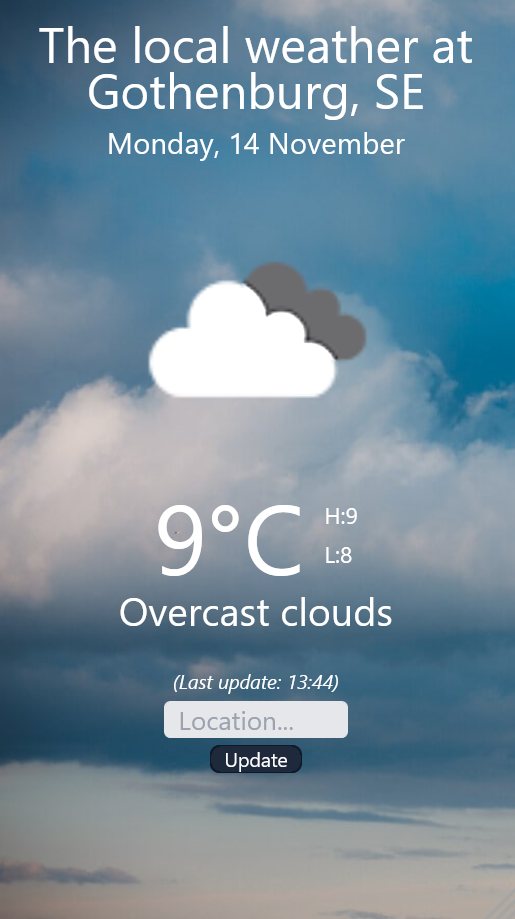
This is a small weatherapp project, showing how weatherdata can be fetched and displayed on the front-end using the openweathermap API. https://openweathermap.org/
TailwindCSS is used for the front-end styling.
Features:
- Responsive
- Updates on pageload, or manually using the update button.
- Shows local date.
- Shows timestamp for the latest update.
- Shows current temperature, and min/max temperature.
- Weatherdescription.
- Dynamic weathericons and backgrounds, based on the weather icondata received.
- Primitive searchfunction.
- Clone the repo
- Enter your own Openweather API key at the top in
main.jsconst API_KEY = "ENTER YOUR API";
- Run Live Server
If you want to edit the styling, you will need to run a script to make the CSS/TailwindCSS work properly
npm run tailwind(NPM packages are already included, and should not be needed to install)
Go to "src" folder, rightclick on index.html and choose "Open with Live Server"
As default, "Halmstad" is preselected as location at start. (To change this, edit main.js at the top)
Enter a location and click the update button. Data will now be fetched for the request.
In some cases, the result of the request will not be as expected, and that is partially because of limitations in the current versioon of the app, but also because of limitations of the API itself.
The API will do its best to try to match the input, and the more specific you are the better the result in most cases. It´s also more likely you will get a correct match on a bigger location, if there are several with the same name.
If the input is very messy, an error will be seen in the app, asking for a new input. The error will also bee seen in the console.