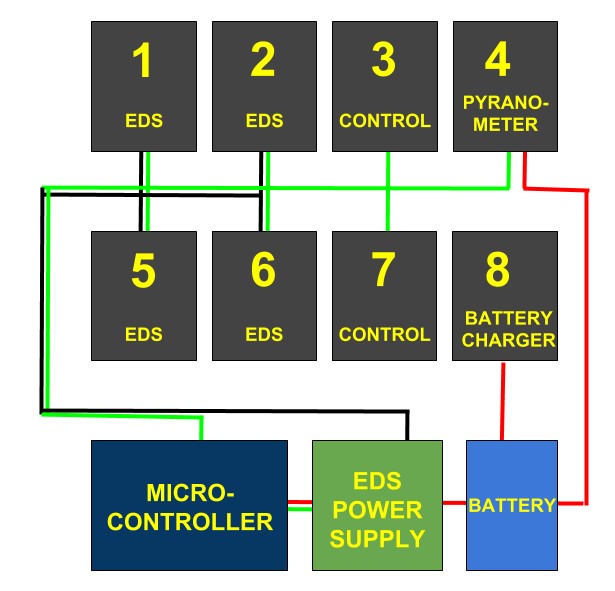
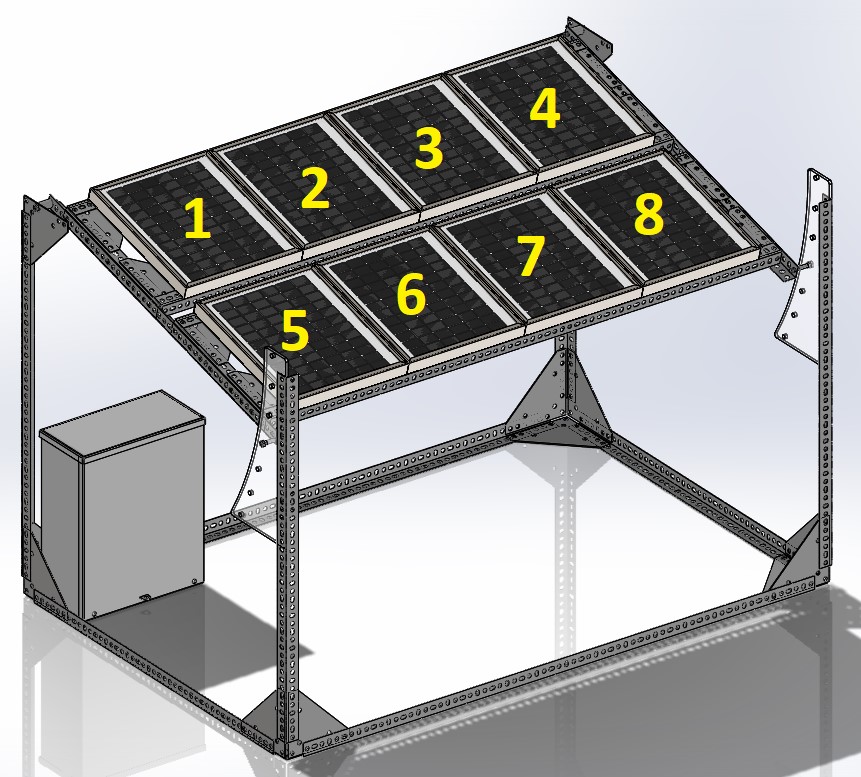
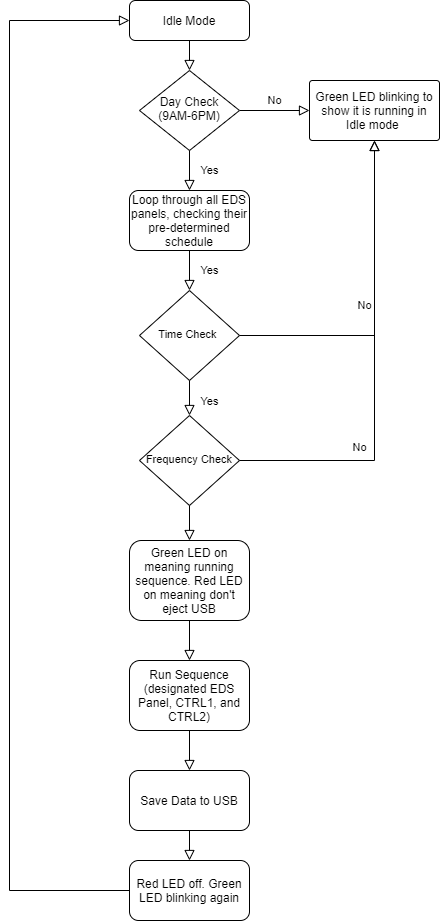
To assess the effectiveness of the Field Test Unit (FTU), the setup needs to gather data from the EDS panels (panel with EDS film) and the CTRL panels (panel without EDS panels). This repository holds the main Python scripts which is run on the FTU's RasPi (Raspberry Pi).
The FTU measures the following parameters:
- Temperature [C°]
- Humidity [%]
- Voc = Open Circuit Voltage [V]
- Isc = Short Circuit Current [A]
Based on those parameters, the RasPi computes the following files and saves it on a USB drive:
- Pout = Output Power [W]
- GPOA = Global Plane of Array Irradiance [W/m2]
- PR = Performance Ratio [%]
- SR = Soiling Ratio [%]
- Clone the github repository
git clone https://github.com/BUSolarLab/EDSFieldController
- Install Dependancies From Bash Script
chmod +x eds_setup.sh
sudo ./eds_setup
copy eds_bones.js to the desktop rename to "eds.js"
create "usb_names.txt" file in desktop and input "xxxx-xxxx usb name" into text file
- Setup systemctl so code will run on boot
Explanation coming soon
- Instructions assume Raspbian is already downloaded and installed on the RasPi
- Enable SPI and I2C to use the sensors
- Enable VNC and SSH for ease in testing
- Ben Constantine
- Brian Mahabir
- Aditya Wikara