aQuery is a fast, small, and feature-rich C# library that based on Windows Automation API. It makes things like Windows control traversal and manipulation much simpler with an easy-to-use API that works across variety of desktop control like C++ control, windows forms or even WPF. With a combination of versatility and extensibility, aQuery has changed the way that people write automation on Windows application.
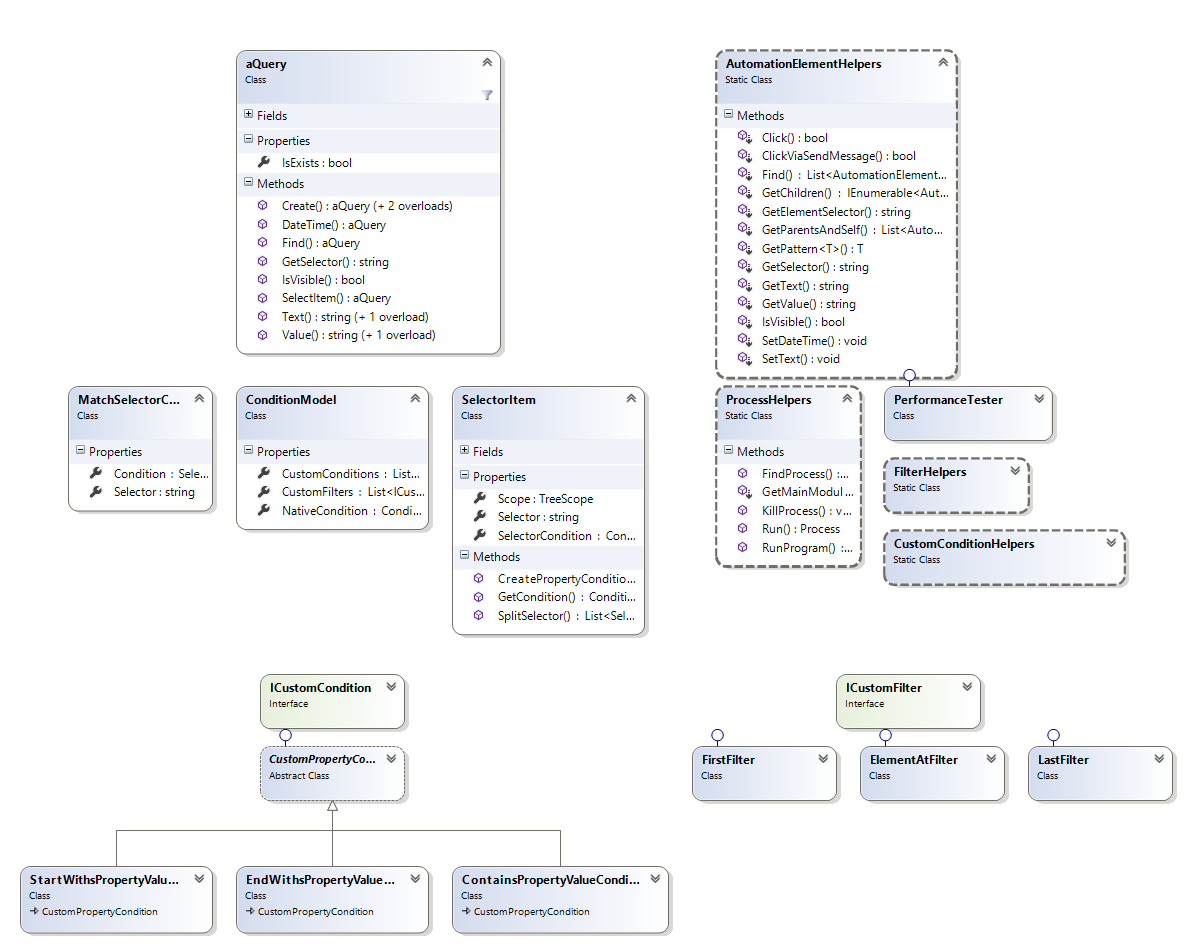
Here is the simplest form of aQuery syntax. The following statement use aQuery to select window element with ProcessId equals 1234
// Syntax of C# 6.0
using static aQuery.aQuery;

var window = a("window[ProcessId=1234]");
After you can retrieve element from given context (default context is desktop), you can manipulate it via built-in methods like the following statements.
// Trigger click via InvokePattern
window.Click();*InvokePattern represents controls that initiate or perform a single, unambiguous action and do not maintain state when activated.
As you know, the hardest part of automating application on Windows desktop is selecting control. Normally, application isn't designed to be queried. Control structure doesn't look simple just like normal web page.
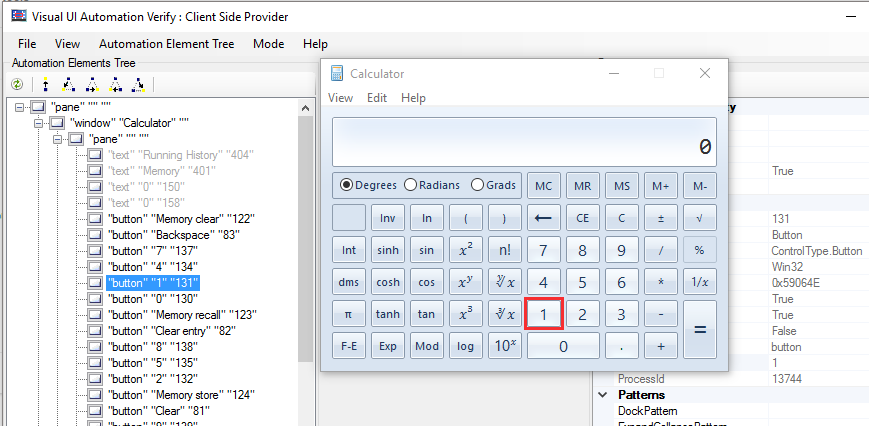
Most of control properties that we can retrieve via AutomationElement doesn't unique. We cannot select control by using only one property.
So I decide to simplify this process by creating aQuery (AutomationElement wrapper) that can query element with jQuery-syntax like command. This is the syntax that currently supports by aQuery.
'{Name Property}' {LocalizedControlType}[{PropertyName}={PropertyValue}]:{filterName}({filterValue})
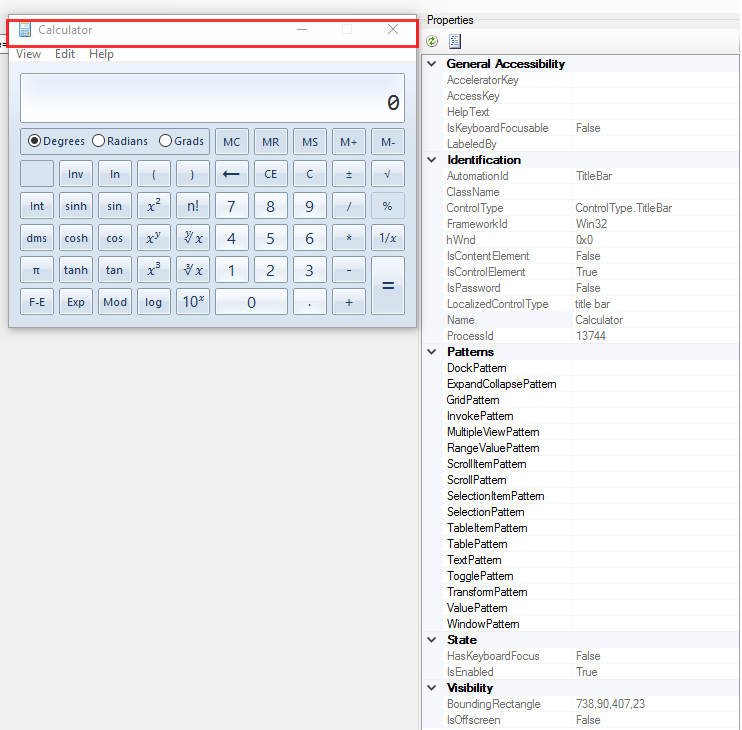
For selecting title bar of Calculator, you can use one of the following selectors if it doesn't duplicate with other controls.
"'Calculator'"specify only Name property"title bar"specify only LocalizedControlType property"'Calculator' title bar"specify by Name and LocalizedControlType properties[AutomationId=TitleBar][ControlType=ControlType.TitleBar]specify by some propertiestitle bar:firstspecify byLocalizedControlTypeproperty and get the first one
For more example, please look at source code of aQuery.Amibroker project. It contains a lot of useful code for using aQuery.