Web Interface
The web server serves two SPAs on the same port (default 8080), sharing one "field terminal"
theme (amber on dark, mono readouts):
-
/admin— the admin dashboard (password-protected) — this page. -
/— the public Field Console — see Public Field Console.
A Field Console link in the admin header jumps to the public site, and the public footer links
back to /admin.
Log in with WEB_ADMIN_PASSWORD. After 5 failed attempts an IP is locked out for 15 minutes.
The dashboard uses a persistent tab bar — Dashboard · Players · Discord · Game Settings · Settings — sharing the Field Console's look (click the logo to return to the Dashboard). A Field Console link opens the public site.
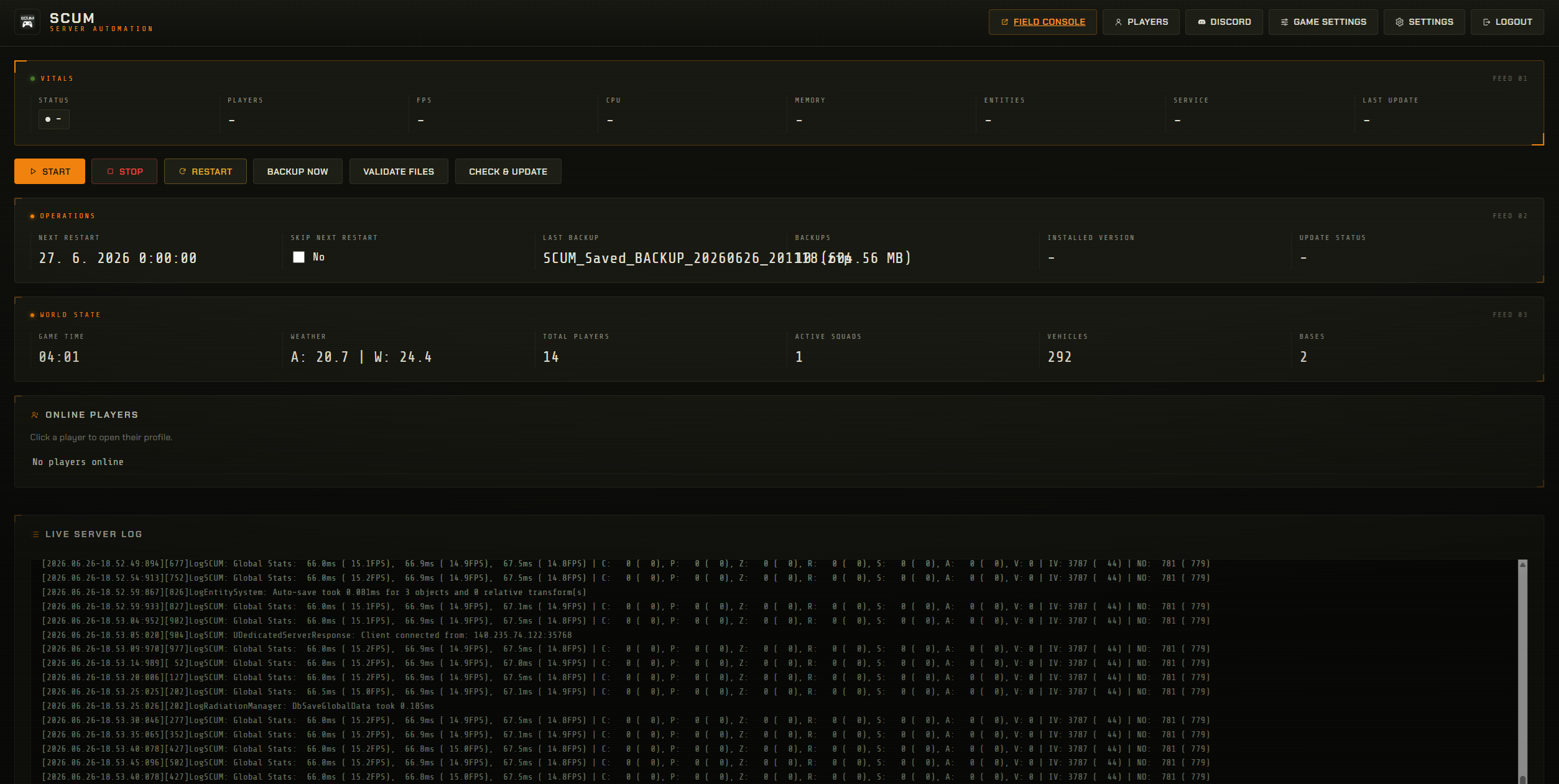
- Vitals — state, players, server FPS, system CPU & RAM (used/total), entities, service status.
- Controls — Start / Stop / Restart / Backup now / Validate files / Check & update.
- Operations — next restart (incl. pending manual restarts), skip-next-restart toggle, last backup, backup stats, installed version, update status.
- World State — game time, weather, total players, active squads, vehicles, bases.
- Online players — click a name to open that player in the Players screen.
- Live server log — streamed over WebSocket (admin-only; not exposed publicly).
- Search by name, Steam ID (17 digits) or IP address.
- Click a result → full profile. The admin sees everything:
- All combat/survival stats (with icons), Steam ID, IP, last login/logout, online state, Discord link.
- Skills & attributes (grouped by attribute).
- Bank account & cards — balance, gold, cash, account number, and each card's type, PIN, daily withdraw/deposit limits and renewals.
- Squad — name, score and members; click a member to open their profile.
- Ban (with an optional note) or Unban. See Player Management & Bans.
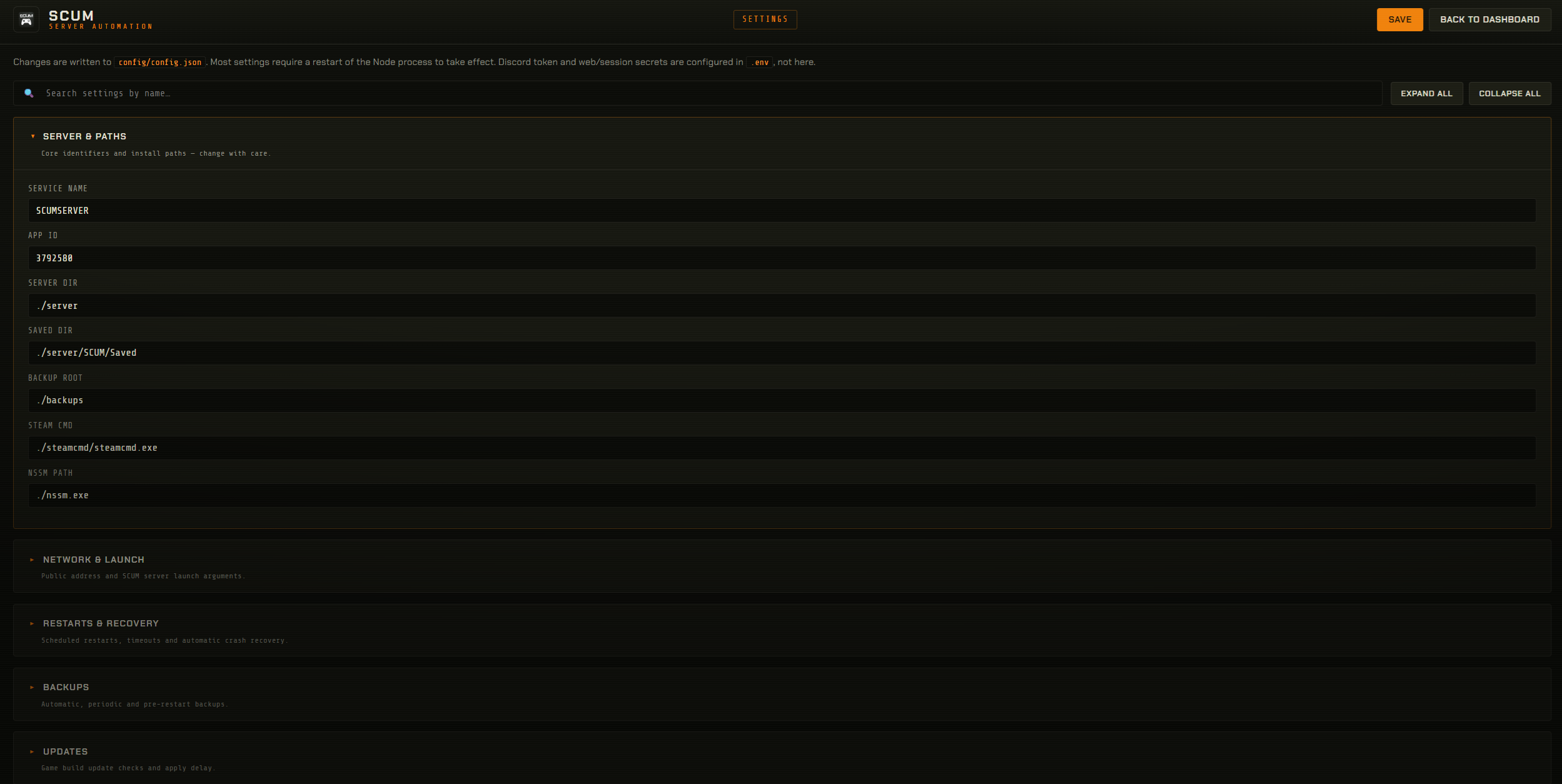
Every config/config.json option, grouped into collapsible categories with search and expand/
collapse — each field shows a one-line description of what it does. Saving rewrites config.json;
launch-argument changes are pushed to the NSSM service. Includes the web.fieldConsole toggles
that control the public Field Console (online-players list + per-tab visibility).
-
ServerSettings.inieditor with correct field types and descriptions from a community reference. - User lists — admin / banned / exclusive / whitelisted (
*.iniline lists). - Raw-JSON editors for
EconomyOverride.json,RaidTimes.json,Notifications.json.
Post / update the account-linking panel to a channel and view linked accounts (click a linked row → that player's profile).
The dashboard uses Socket.IO. Sensitive streams (log:line, full status:update, notification,
install:progress) are emitted only to the authenticated admin room — anonymous sockets never
receive them.
- Admin routes are behind session auth; the public API is separate.
- Optional
web.adminAllowlistadds an IP allowlist on top of the password. - Set
web.bindAddressto a private interface if you only want admin on the LAN/VPN.