Repository navigation
Currencies
Besides items, players can add up to three currencies to their offer. Each one appears in the window only when it's available.
| Currency | Needs | Notes |
|---|---|---|
| Money | Vault and an economy plugin (EssentialsX, CMI and others) | Uses your economy's formatting, cents included |
| Experience | nothing | Whole levels only |
| Points | PlayerPoints | Whole points only |
If Vault is installed but no economy plugin registered with it, the console says so on startup and money is simply not shown.
Left click on a currency opens a field. Players can type:
-
1500,1 500,1500.50or1500,50 -
2.5k,1m,1b(Russianк,м,бwork too)
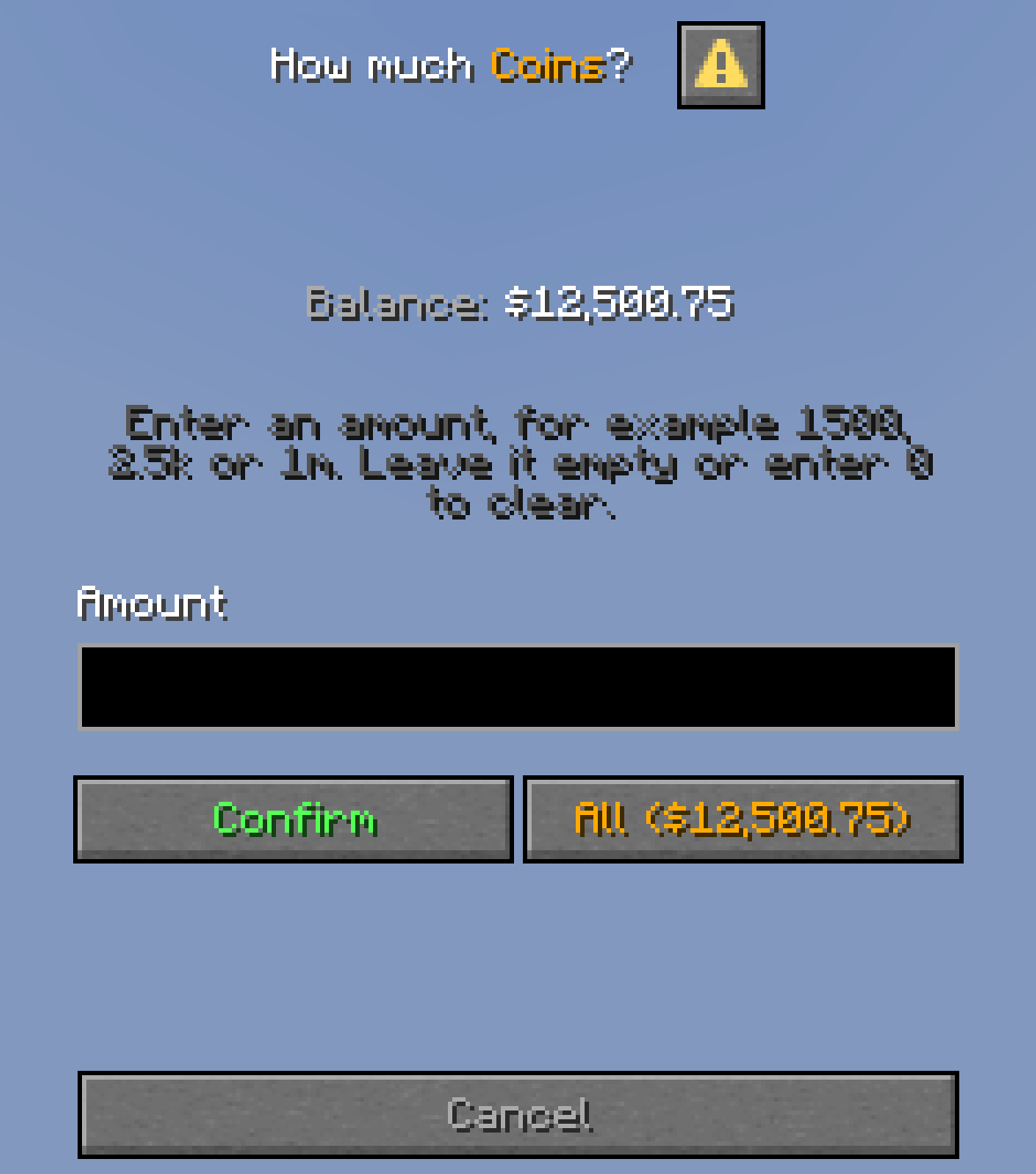
The All button puts in the whole balance. Leaving the field empty or typing 0 clears the amount.
These versions don't have dialogs yet, so the amount is typed into an anvil instead:
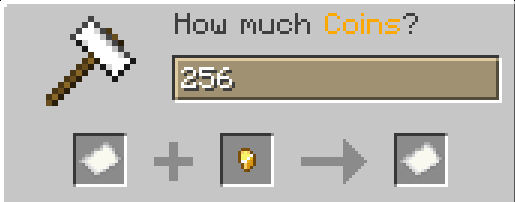
- the name field at the top is where the amount goes
- the paper on the left shows the balance and the hint when you hover it
- the gold nugget is the All button
- the paper on the right confirms
- closing the window (Esc) cancels
The items in the anvil are only buttons. Players can't take them, and they disappear when the window closes.
A player can't offer more than they have. The balance is checked again right before the exchange, so spending the money elsewhere during the trade won't work.
Some economy plugins have a balance limit. If the receiver can't get the amount, the trade stops, all balances are put back and the window stays open.
For everyone, in config.yml:
currencies:
  playerpoints:
    enabled: false
For some players only, with permissions, see Permissions.