Repository navigation
History and storage
/trade history opens a list of the player's trades, newest first. Hover over a trade to see a short summary, click it to see both offers in full.
Staff with intrade.history.others can open anyone's history: /trade history <player>. It works for offline players too, if they have traded at least once.
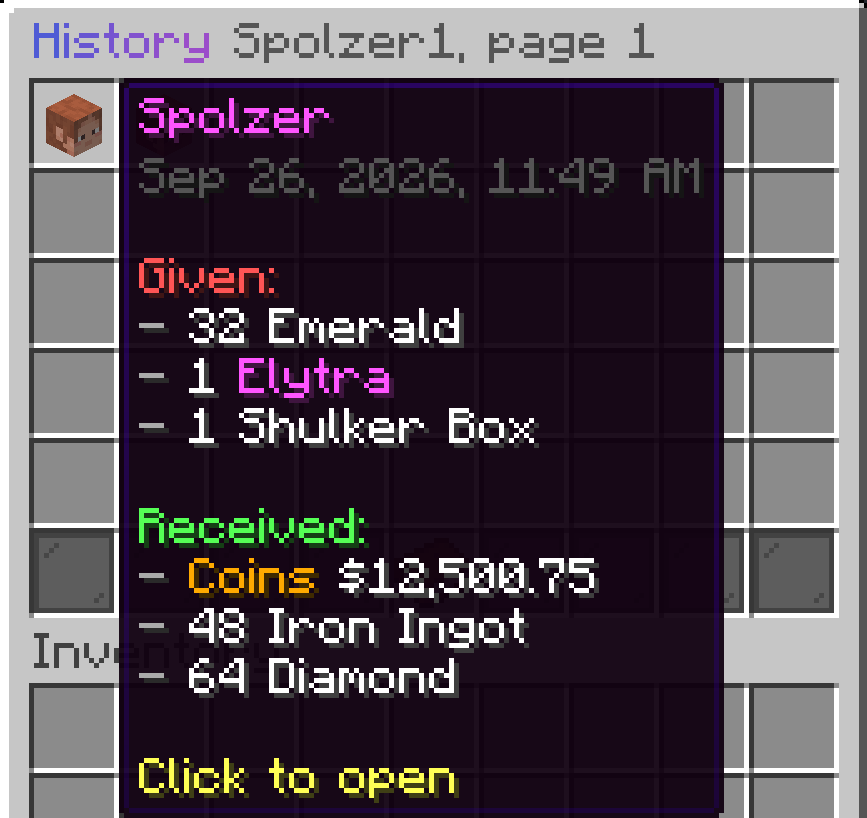
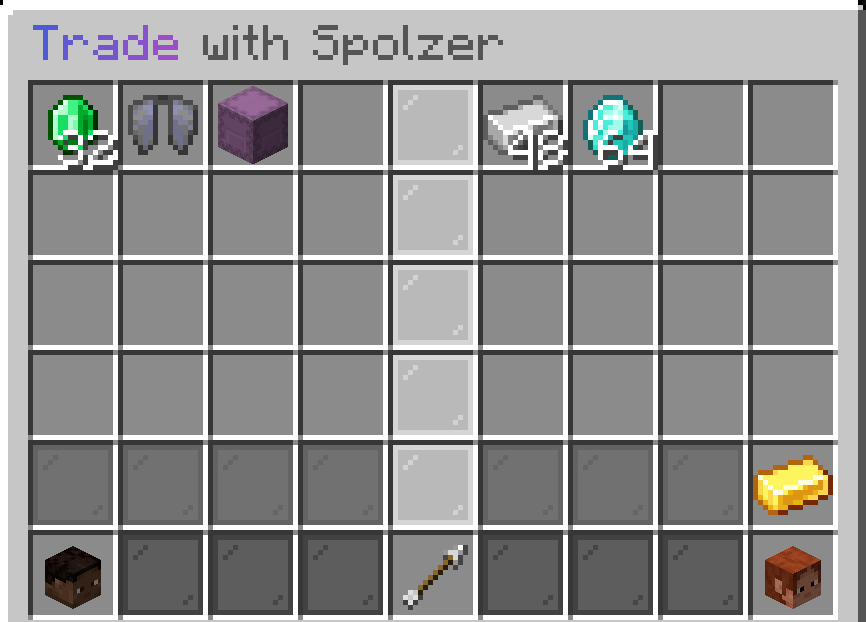
Trades older than history.keep-days (90 by default) are deleted on startup. The trade counts used by Placeholders are stored separately and are never deleted.
Sometimes items can't be given back right away: the inventory is full, the player left, or died during a trade. Such items are kept for the player and returned:
- automatically when the player joins or respawns,
- or with
/trade claimafter freeing up some space.
While a trade is open, its items are in neither player's inventory. InTrade writes every change of an offer to the database before the items move, and the player's data file remembers which saved offer it matches. After a crash or a forced stop, exactly that offer is returned when the player joins, so items are neither lost nor doubled. The console shows Returned the items of an interrupted trade of <player> to trade mail.
By default everything is stored in plugins/InTrade/trades.db. It needs no setup and is fine for a single server.
Use MySQL or MariaDB if you want to keep data in your existing database or share it between servers:
storage:
  type: mysql
  server-id: survival
  mysql:
    host: localhost
    port: 3306
    database: minecraft
    user: minecraft
    password: "secret"
Restart the server after changing storage. Tables are created automatically, all of them start with intrade_.
Give every server its own server-id (survival, skyblock, ...) and point them to the same database. If a second server starts with an id that a running server already uses, InTrade on it stays disabled and the console says so. After a crash the same server takes its id back, it only waits about 15 seconds on startup to make sure the old instance is really gone.
- Shared: trade history, trade counts, the top.
-
Per server: items of open trades and items waiting for
/trade claim. A player gets them back on the server where the trade happened.
If your servers run different Minecraft versions, items traded on a newer version can't be displayed on an older one. Such trades show up in the history without items.
Existing data is not moved when you switch from SQLite to MySQL.