Maintained by SproutSeeds. Research stewardship: Fractal Research Group (frg.earth).
A macOS-first, local-first streaming document reader for .pdf, .docx, .txt,
and .md files.
It is designed to start speaking quickly from the first chunk, then keep playback continuous by preparing later chunks in the background.
- Does not ship a shared ElevenLabs key; cloud voices are opt-in per user.
- Uses local text-to-speech by default (
sayon macOS, with optionalpyttsx3fallback for the CLI). - Reads with understanding in
smartmode instead of spelling every character. - Prefetches chunks so playback remains continuous.
- Supports optional ElevenLabs speech output when you want cloud voices.
The app experience is macOS-first. The menu-bar app, login agent, global selection hotkey, and right-click Services integration are macOS features.
The document reader engine is still a Python CLI and may work on Linux or Windows with compatible speech dependencies, but the packaged app workflow is supported on macOS.
Install the npm bootstrapper, then install the managed macOS app agent:
npm install -g read-docs
read-docs install
read-docs status
read-docs install copies the runtime into ~/.doc-reader-managed, prepares its
Python environment, registers a LaunchAgent, starts the menu-bar app, and installs
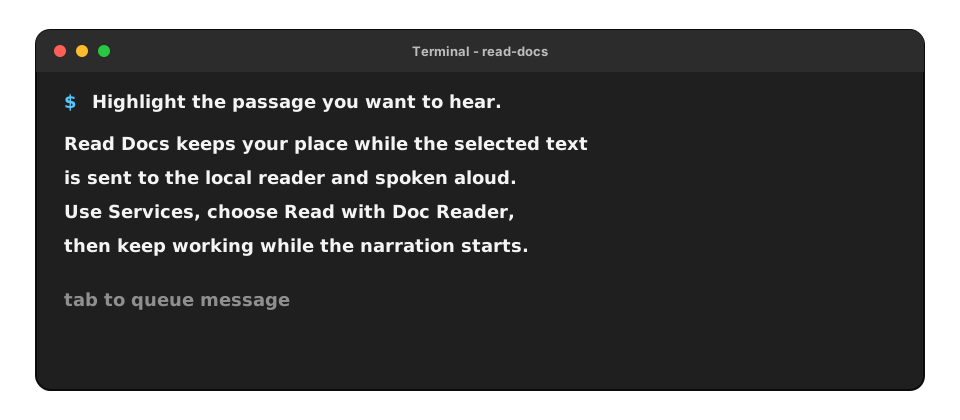
the Read with Doc Reader Services item for highlighted text.
Current native-wrapper builds require Apple's Command Line Tools because the app bundle is compiled locally during install:
xcode-select --installUseful app commands:
read-docs start
read-docs stop
read-docs restart
read-docs status
read-docs uninstall- Create and activate a virtual environment.
- Install dependencies.
- Run the reader.
python3 -m venv .venv
source .venv/bin/activate
pip install -r requirements.txt
python -m doc_reader /path/to/file.pdf --mode smart --style balanced --verboseThis repository is configured for the public npm package read-docs.
The unscoped doc-reader package name is already owned by another maintainer, so the
official SproutSeeds package uses the available global npm name read-docs.
The npm package is a bootstrapper and control surface for the managed app. Running
read-docs with no arguments shows the available app and CLI commands; it does not
directly run the Python tray from the package install location.
Install globally:
npm install -g read-docsPass a document path to use the command-line reader instead of the menu-bar app:
read-docs /path/to/file.pdf --mode smart --style balanced --verboseFrom the repo root:
./run-doc-readerThis command will:
- Create
.venvif needed - Install/update dependencies when
requirements.txtchanges - Launch the menu-bar app directly from the source checkout
Optional fallback TTS engine:
./.venv/bin/python -m pip install pyttsx3The package does not include an ElevenLabs API key. For cloud voices, provide your
own key with ELEVENLABS_API_KEY or paste it into the tray panel. Keys entered in
the tray are stored only in local OS settings for that computer; clear the field
and press Enter to remove the saved key.
CLI with environment variables:
export ELEVENLABS_API_KEY=\"your_api_key_here\"
export ELEVENLABS_VOICE_ID=\"your_voice_id_here\"
./run-doc-reader --speech-backend elevenlabs
CLI with explicit flags:
./run-doc-reader \
  --speech-backend elevenlabs \
  --elevenlabs-voice-id your_voice_id_here \
  --elevenlabs-model-id eleven_multilingual_v2 \
  --elevenlabs-output-format mp3_44100_128
App usage:
- Open the panel from the menu bar icon.
- Choose a document, read clipboard text, or paste text into the reader window.
- Open
Settings...to choose system speech or ElevenLabs. - Paste an ElevenLabs API key into settings and load voices if you want cloud voices.
- Click
Stop Readingfrom the menu bar item to stop active playback.
The supported app path is:
read-docs installFor local development, you can also run the Python menu-bar module directly:
python -m doc_reader.trayWhat it gives you:
- Native menu-bar app shell (
Doc Reader.app) instead of a Python Dock app. Open Doc Readerfor pasted text reading.Choose Document...for.pdf,.docx,.txt,.md, and.markdown.Read Clipboardfor quick text playback.Stop Readingfor active playback.Settings...for full/smart mode, system speech, and ElevenLabs voice setup.- ElevenLabs API keys stored in the macOS Keychain.
- Right-click Services integration for highlighted text.
The older PySide tray module remains in the source tree as a development fallback, but the npm app path uses the native macOS wrapper.
Install a native Services entry so highlighted text can be read from right-click menus:
read-docs installIf the app agent is already installed and you only need to refresh the Services
entry, run read-docs install-service.
Then in any app:
- Highlight text.
- Right click.
- Choose
Services -> Read with Doc Reader.
This Services flow does not use synthetic keystrokes.
Remove it later with:
read-docs uninstall-serviceThe app agent is registered by:
read-docs installThis installs a managed app copy at ~/.doc-reader-managed and registers a
LaunchAgent. Run read-docs restart after package updates to refresh that managed
copy and restart the app.
Disable later:
read-docs disable-startup--mode smart: Speaks key ideas from each chunk (default).--mode full: Speaks cleaned source text.
--style concise: very short key points--style balanced: moderate detail (default)--style detailed: more context per chunk
Pipeline architecture:
- Extract text progressively from the input file.
- Chunk text into early-small then steady-sized segments.
- Prepare speech-ready narration for each chunk.
- Queue prepared chunks while the current chunk is being spoken.
The first chunk target is smaller (--first-chunk-words) so audio starts quickly; later chunks use --chunk-words for steadier flow.
python -m doc_reader file.docx \
  --mode smart \
  --style detailed \
  --speech-backend auto \
  --rate 190 \
  --voice Samantha \
  --first-chunk-words 95 \
  --chunk-words 240 \
  --queue-size 10
Dry-run without speaking:
python -m doc_reader notes.md --dry-run --verbose.doc(legacy Word) is not supported yet; convert to.docxfirst.- PDF quality depends on extractable text in the file (scanned PDFs need OCR first).
Contributions are welcome. Please see CONTRIBUTING.md for setup, PR guidelines, and security reporting.