JavaScript was invented by Brendan Eich in 1995.
JavaScript is a dynamic programming language that's used for web development, in web applications, for game development, and lots more. It allows client-side scripts to interact with the user and make dynamic pages. It is an interpreted programming language with object-oriented capabilities.
If we want to perform any sequence of steps,calculation or implement any algorithm then we use JavaScript to do that.
- JavaScript can add new HTML and change existing HTML from DOM.
- It can even react to any events (actions).[Response from server,keyboard press,mouse movement]
- It can also manage the AJAX requests (GET or POST request). Ajax Request: Asynchronous JavaScript And XML used to change the content of a page dynamically without reloading it.
- JavaScript can get and set cookies and use local storage.
- JavaScript cannot read or write to and from computer hard disk without user permissions.
- The browser does not allow the JavaScript of any website to collect the AJAX information of the other website because it generates the error of the same origin policy.
- To summarize, JavaScript can only access the permitted resources but cannot access your documents on personal computers. These strict policies are developed to make sure that your computer is safe.
- The most important thing that makes it a unique language is, it has a complete integration of HTML and CSS. They provide it with a lot of extra support.
- Also it provides the use of simple APIs (Application Programming Interface).
- It also supports the major modern browsers which are enabled by default. If you turn off the feature of JavaScript in the browser, you cannot access any website.
The Document Object Model (DOM) is a programming interface for web documents. It represents the page so that programs can change the document structure, style, and content. The DOM represents the document as nodes and objects; that way, programming languages can interact with the page.
A web page is a document that can be either displayed in the browser window or as the HTML source. In both cases, it is the same document but the Document Object Model (DOM) representation allows it to be manipulated. As an object-oriented representation of the web page, it can be modified with a scripting language such as JavaScript.
For example, the DOM specifies that the querySelectorAll method in this code snippet must return a list of all the
elements in the document
Java is a dynamic type language. Means we don’t need to specify the data type. The set of types in the JavaScript language consists of primitive values and objects.
1.Primitive Values(All types except objects define immutable values)
- Boolean type
- Null type
- Undefined type
- Number type
- BigInt type
- String type
- Symbol type
A string is a sequence of one or more characters that may consist of letters, numbers, or symbols. Strings in JavaScript are primitive data types and immutable, which means they are unchanging.
We can define a string in JS by using “ ” and ‘ ‘ both.
When we need to use “ “ inside a string we define the string using ‘ ‘ and vice versa.


Length is an ECMAScript(ES1) feature. Used to return the length of an object.

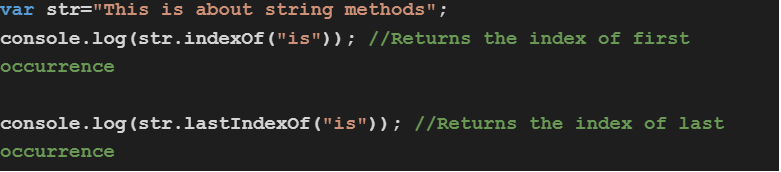


ONLY DIFFERENCE BETWEEN slice AND substring IS: slice TAKES NEGATIVE VALUE ,WHERE substring DOESN’T ALLOW NEGATIVE VALUE.
5.substr(start index,length/no of character needed) : get the substrig from starting index to no of character (including start index->total 6)








== only check values
=== check values as well as data type
ex:
if(12=='12') -> true
if(12==='12') ->false
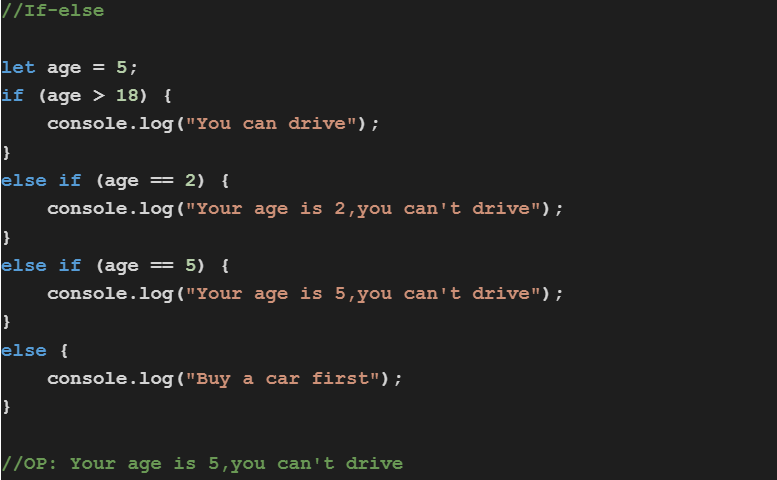
Conditional statements are used to perform different actions based on different conditions.
In JavaScript we have the following conditional statements:
- Use if to specify a block of code to be executed, if a specified condition is true.
- Use else to specify a block of code to be executed, if the same condition is false
- Use else if to specify a new condition to test, if the first condition is false
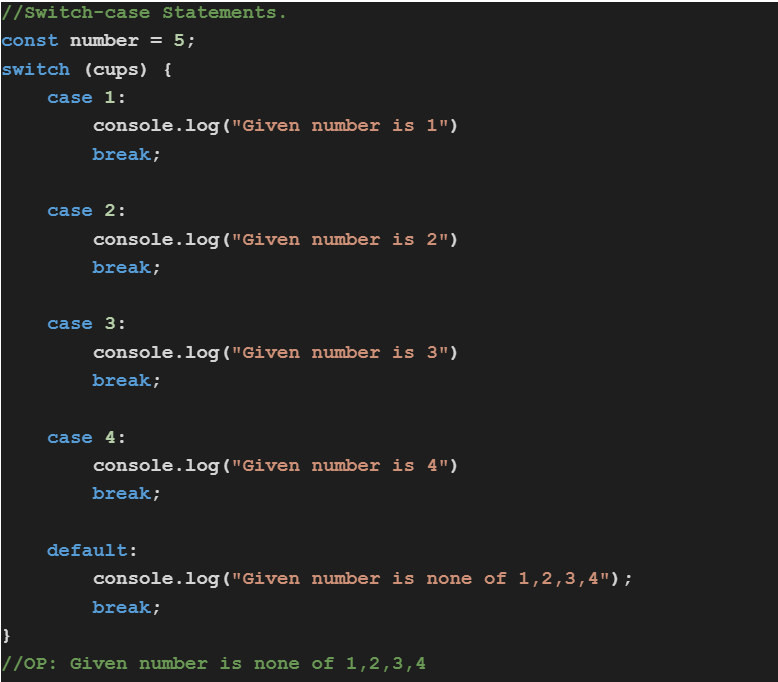
- Use switch to specify many alternative blocks of code to be executed
The object class represents one of JavaScript’s data types. It is used to store data in the form of key and value pairs.
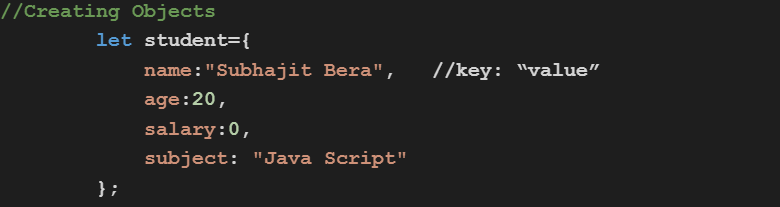
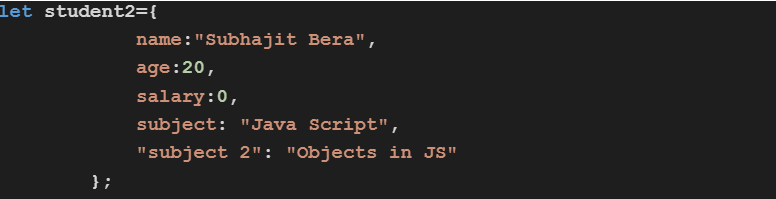
In this above example we create object student manually.

If we want to create a key using more than one word(using space inside a name) then we need to put the key name inside a double quotation “ ”. Otherwise it will give an error.
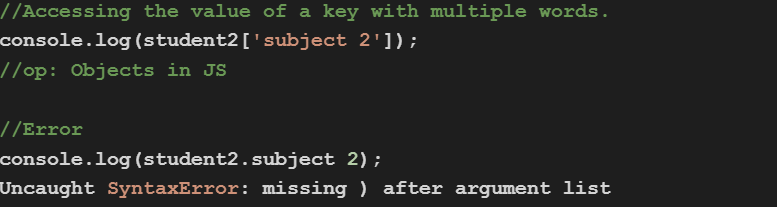
If we want to access the value of “student 2” then we have to use the 2nd method of accessing otherwise it will give syntax errors.

Array is a special type of object. In JavaScript arrays can contain various types of data together.









A JavaScript function is a block of code designed to perform a particular task. A JavaScript function is executed when "something" invokes it (calls it).
- A JavaScript function is defined with the function keyword, followed by a name, followed by parentheses ().
- Function names can contain letters, digits, underscores, and dollar signs (same rules as variables).
- The parentheses may include parameter names separated by commas:(parameter1, parameter2, ...)
- The code to be executed, by the function, is placed inside curly brackets: {}


This function would get executed when someone calls or invokes it.
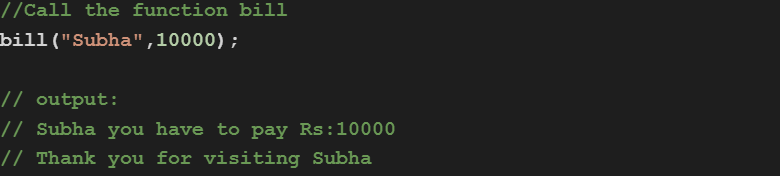
Function bill doesn’t return anything.
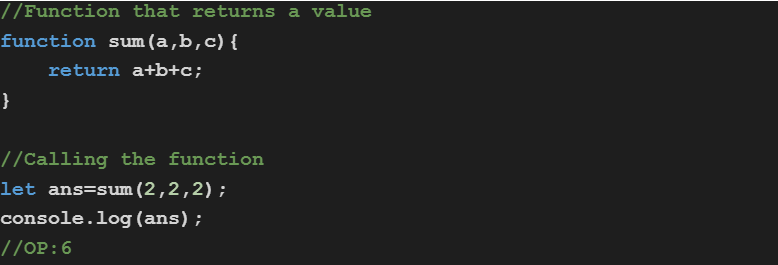
Default function parameters allow named parameters to be initialized with default values if no value or undefined is passed.
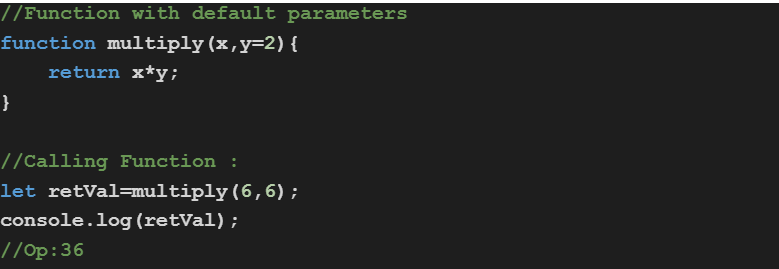
If we do not pass the value of y, in that case the default value of parameter y will be taken.


var: Scope of var is by default global.Doesn’t give any error if we declare a variable multiple times (same name). Which may lead to a problem in a program.
But if we declare the var inside any function, then its scope will remain under that function.

let : We can’t declare a variable multiple times using let(unless it is declare inside a block or function).If we declare it inside any function or block, then its scope will remain under that function or block.It is preferred to use let upon var.
1

2

3

4

5

const : Value can’t change once declared.


- The alert() method displays an alert box with a specified message and an OK button.
- It is often used to make sure information comes through to the user.
- The alert box takes the focus away from the current window and forces the browser and forces the browser to read the message.
- Do not overuse this method, as it prevents the user from accessing other parts of the page until the box is closed.
- alert() doesn’t return anything.

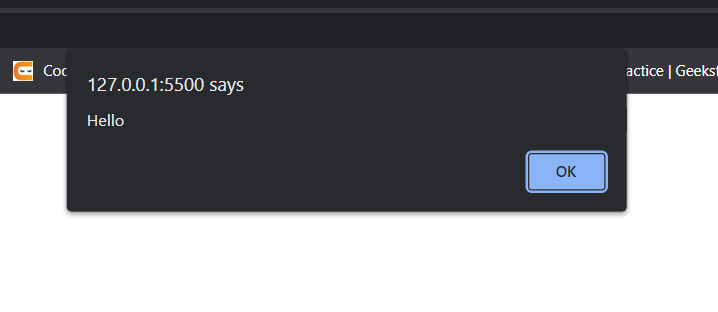
- The prompt() method displays a dialog box that prompts the user for input.
- When a prompt box pops up, the user will have to click either "OK" or "Cancel" to proceed.
- The prompt() method returns the input value if the user clicks "OK", otherwise it returns null.
- Do not overuse this method. It prevents the user from accessing other parts of the page until the box is closed.
- propt() bt default value is String , if we want to take a number as input then we have to perform type converstion:

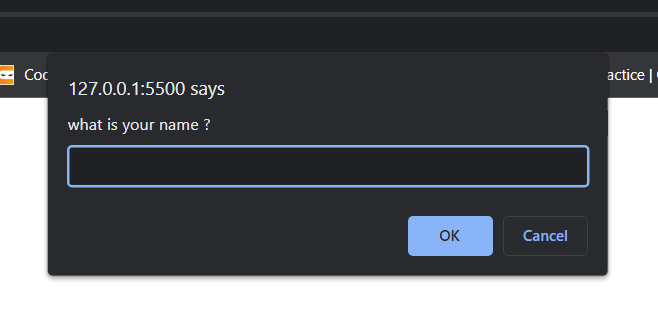
Here Guest is the default argument.

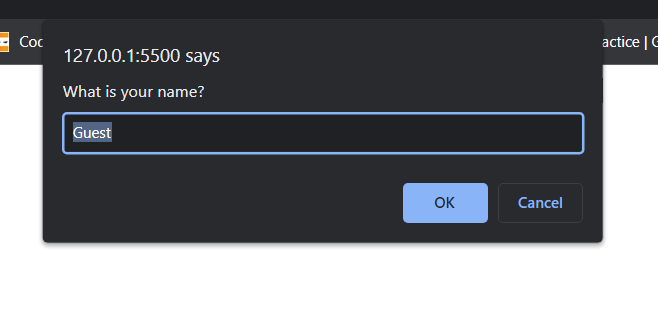
Many browsers (i.e:Internet Explorer) do not allow prompt() without default argument. In that case at least add “” if you do not want any default value.

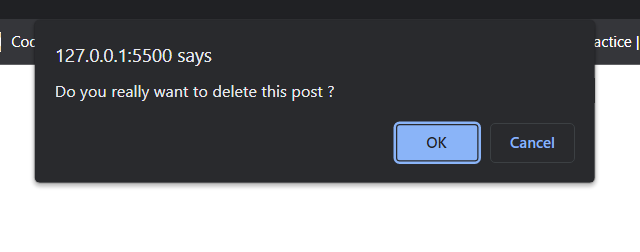
- The confirm() method displays a dialog box with a message, an OK button, and a Cancel button.
- A confirm box is often used if you want the user to verify or accept something.
- A confirm box takes the focus away from the current window, and forces the user to read the message.
- Do not overuse this method. It prevents the user from accessing other parts of the page until the box is closed.
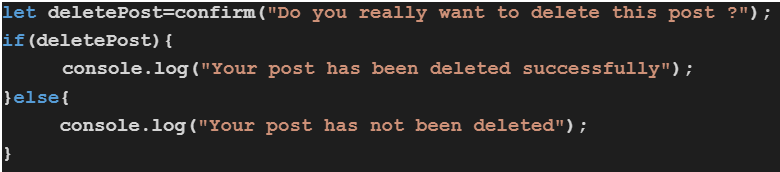
- The confirm() method returns true if the user clicked "OK", otherwise false.

Loops can execute a block of code a number of times. In order to run the same code over and over again, each time with a different value, loops are more preferable.
For loop ,loops through a block of code a number of times.

- Expression 1 is executed (one time) before the execution of the code block.
- Expression 2 defines the condition for executing the code block.
- Expression 3 is executed (every time) after the code block has been executed.

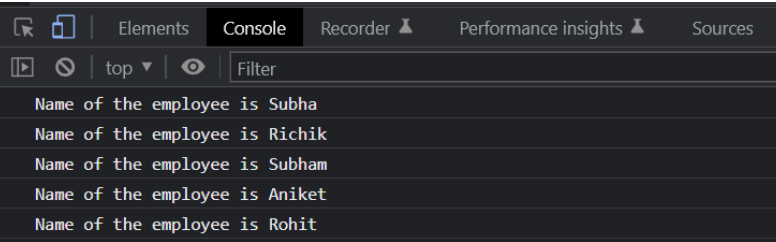
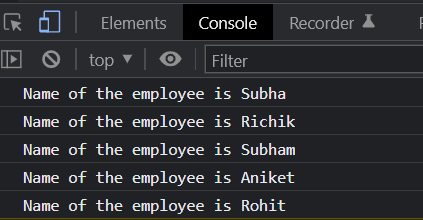
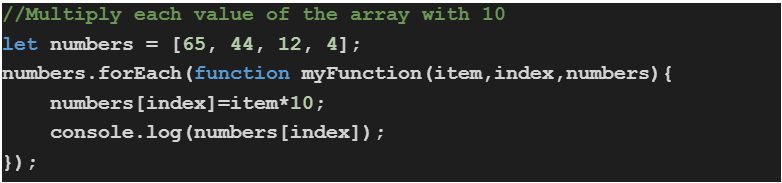
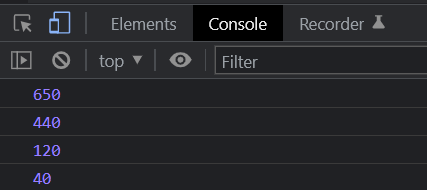
The forEach() method calls a function for each element in an array. The forEach() method is not executed for empty elements.

- function() :A function to run for each array element.
- currentElement : The value of the current element.

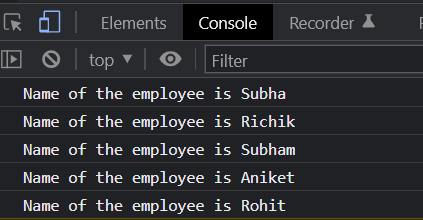
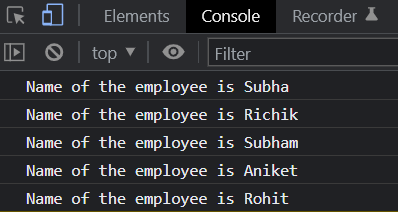
Defining function separately and then use that with forEach() loop:

The JavaScript for of statement loops through the values of an iterable object. It loops over iterable data structures such as Arrays, Strings, Maps, NodeLists and many more.


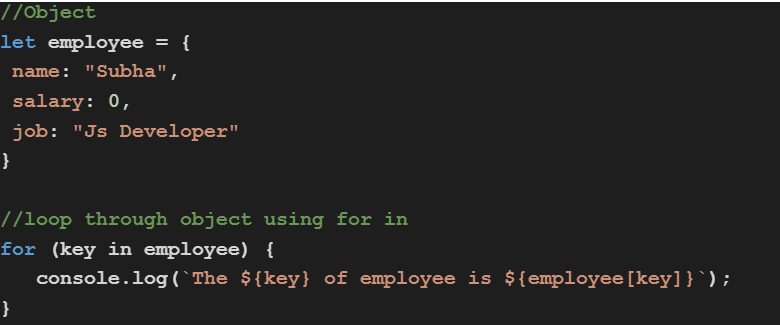
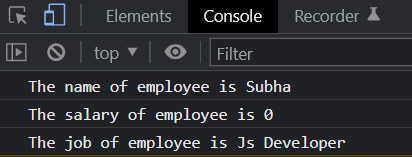
The JavaScript for in statement loops through the properties of an Object.

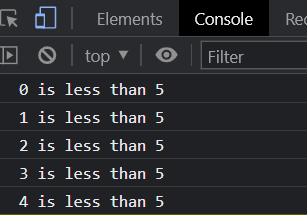
The while loop loops through a block of code as long as a specified condition is true.

The do while loop is a variant of the while loop. This loop will execute the code block once, before checking if the condition is true, then it will repeat the loop as long as the condition is true.

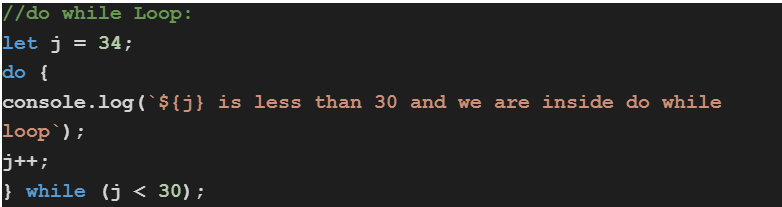
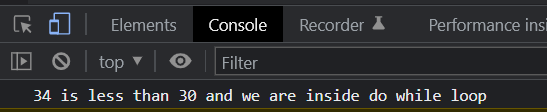
do while loop at least run one time. That’s why its printing
“34 is less than 30 and we are inside do while loop” one time.
1.Inline Js:

2.Internal JS:

3.External JS:

The Document Object Model (DOM) is a programming interface for web documents. It represents the page so that programs can change the document structure, style, and content. The DOM represents the document as nodes and objects; that way, programming languages can interact with the page.
Until now our websites have been static If we want our web site to be interactive, then we need to be able to change parts of the web site on the fly.So that means, when a user clicks on a button, we'll need to respond to that by changing the content or the appearance of our website. But once our web site is live on the Internet, we can't sit there and wait for the user to click on things on our web site and then update the HTML and CSS code, and then reload their web page.That's impossible.
Now this is the problem that the DOM or the Document Object Model solves. It basically catalogs the web page into individual objects that we can select and manipulate.
The task of converting an HTML file into the DOM is done by the browser when you load up the web page. And what it does is that it turns each of these elements and their associated data into a tree structure with a whole bunch of objects that you can select and manipulate.

Accessing body using DOM

Accessing head using DOM

Accessing whole html using DOM

Here it showing text->which basically refers the space between body and it's first div element

Accessing first div present inside using DOM

Accessing element using id and class name

..........
The window object represents a window in browser.Window is the object of browser.It is not the object of javascript.An object of window is created automatically by the browser.The javascript objects are string, array, date etc.
Some of the frequently used window object methods are :
- alert() : Displays an alert box with a message and an OK button.
- prompt() : Displays a dialog box to get input from the user.
- confirm() : Displays a dialog box with a message and an OK and a Cancel button.
- open() : Used to open a new window.
- close() : Close the current window.
- setTimeout() : Calls a function or evaluates an expression after a specified number of milliseconds.
- clearTimeout() : Clears a timer set with setTimeout().
- setInterval() : Calls a function or evaluates an expression at specified intervals of milliseconds.
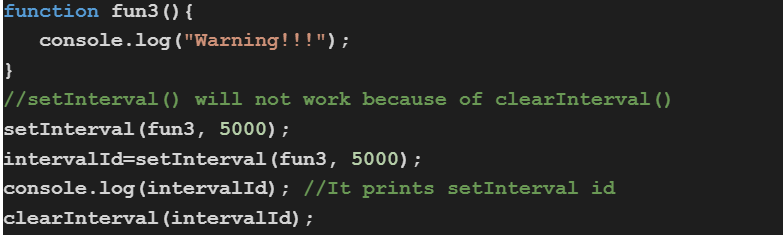
- clearInterval() : Clears a timer set with setInterval().
We have already seen about alert(),prompt() and confirm() in detail. Let's explore about other methods in detail :



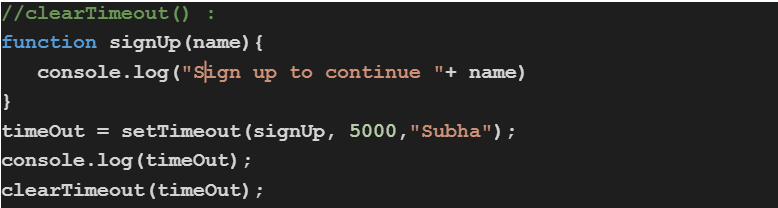
If a user visits our website and we want to ask a user to sign up after 10 seconds but the user already signed up before 10 seconds ,for this type of scenario we can use clearTimeout() to clear the timer set with the setTimeout() method.
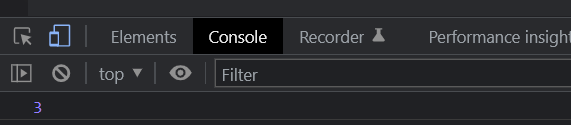
To clear a timeout, we use the id returned from setTimeout().Because of that function associated with setTimeout() method will not run.
setInterval() : Calls a function or evaluates an expression at specified intervals of milliseconds.The setInterval() method continues calling the function until clearInterval() is called, or the window is closed.
If we want to execute a function multiple times and at a specific interval of time then ,it is preferable to use setInterval() instead of setTimeout().
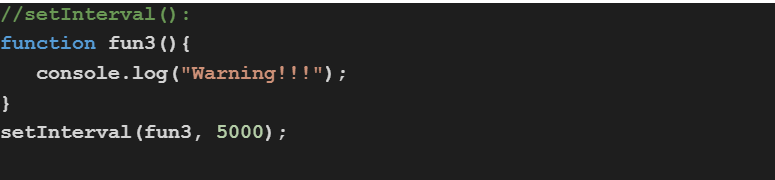
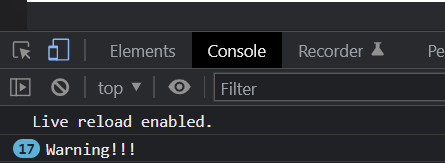
fun3 runs 17 times and it will keep running until clearInterval() is called, or the window is closed.
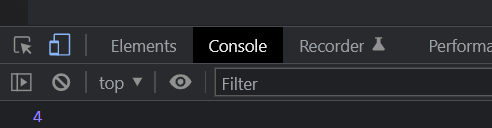
To clear an interval, we use the id returned from setInterval() method.
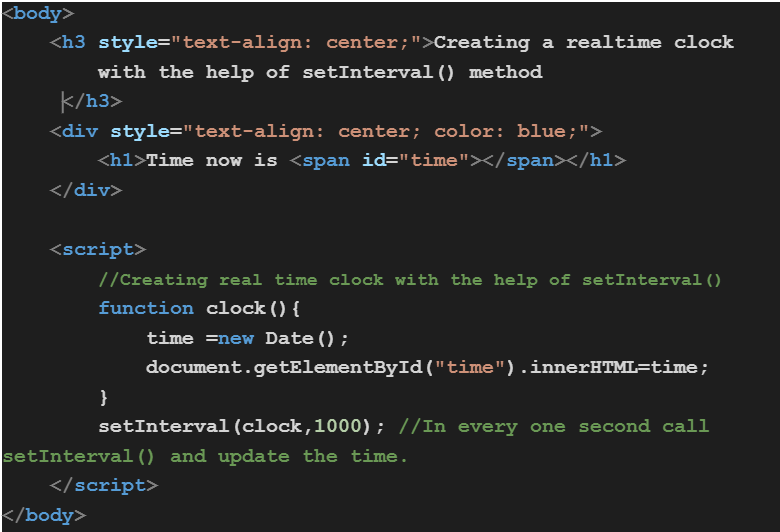
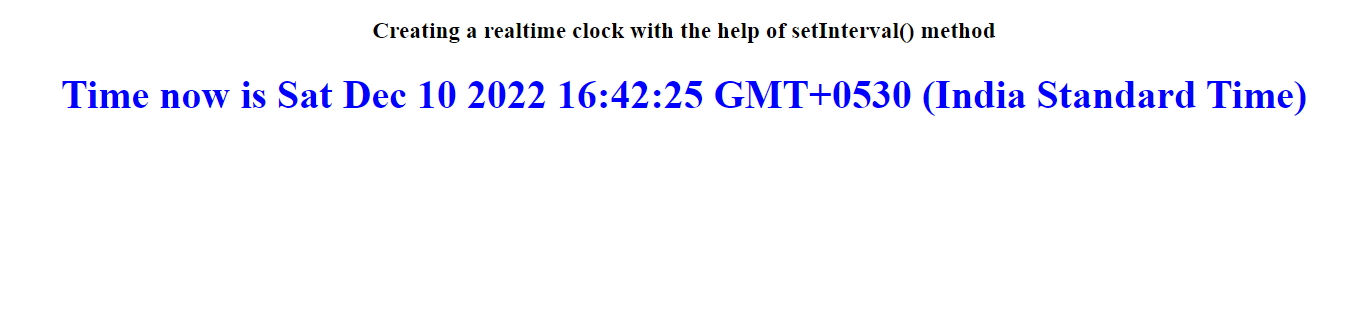
Java Script has a built-in Date object.It stores the date, time and provides methods to get and set day, month, year, hour, minute and seconds.Date objects are static.
###Creating Date Object:
Date objects are created with the new Date() constructor.
 Creating a Date object without arguments shows the current date and time.

- new Date(date string)
- new Date(year,month)
- new Date(year,month,day)
- new Date(year,month,day,hours)
- new Date(year,month,day,hours,minutes)
- new Date(year,month,day,hours,minutes,seconds)
- new Date(year,month,day,hours,minutes,seconds,ms)
- new Date(milliseconds)
JavaScript counts months from 0 to 11.
0: January
11: December
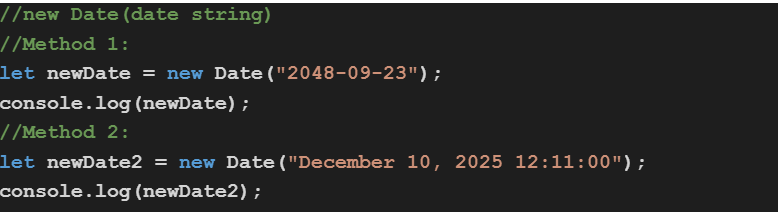



From Date object,we can easily get the current date and time with the help of Get Date methods.
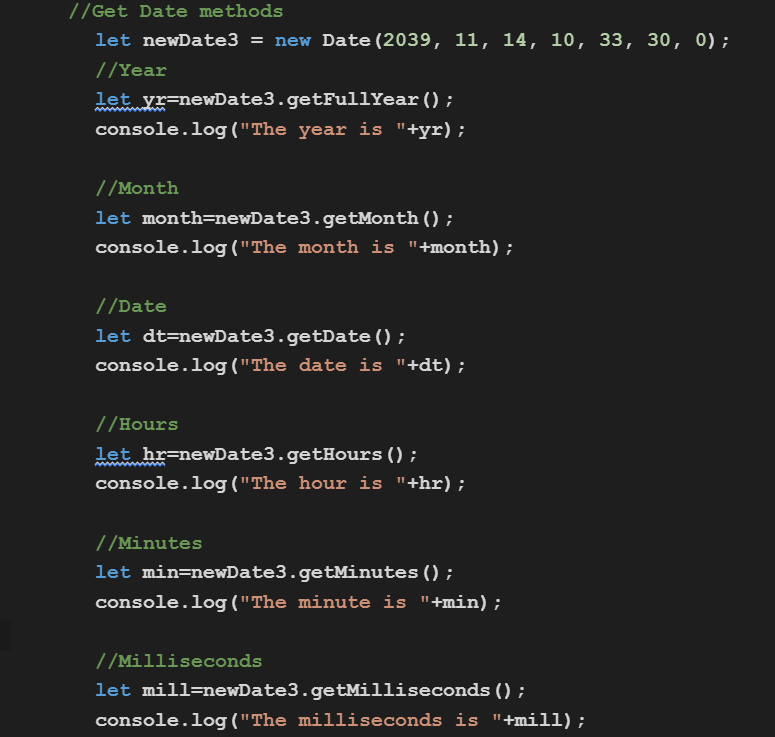
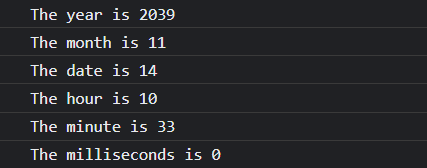
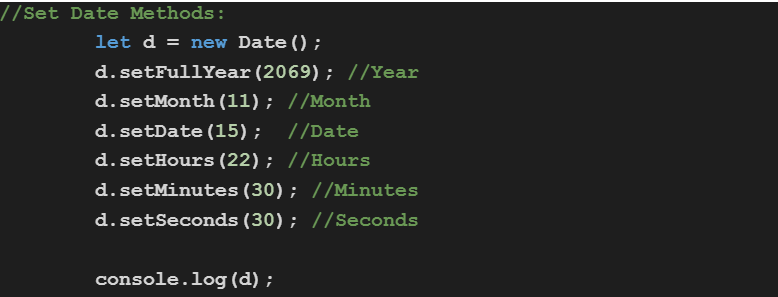
Set Date methods allow us to set date values of a Date Object i.e : years, months, days, hours, minutes, seconds, milliseconds .

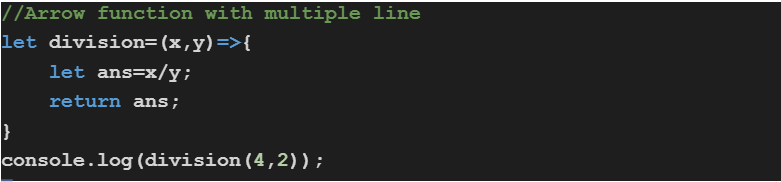
An arrow function expression is a syntactically compact alternative to a regular function expression,although without its own bindings to this, arguments, super or new.target keywords. Arrow function expressions are ill-suited as methods, and they cannot be used as constructors.
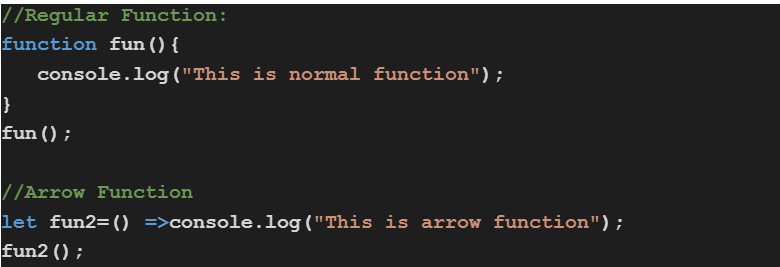
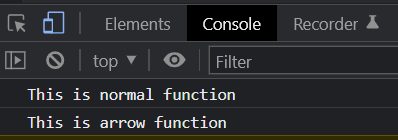
- If the arrow function has one argument ,we don't have to put brackets.
- If the function has only one statement, we can remove the brackets and the return keyword.


Incase of a regular function , this keyword has its scope inside the function where it calls. Means it refers to the variable inside the function where it is called. But arrow function does not have its own this.Incase of arrow function this keyword always represents the object that defined the arrow function.