In this project, YOLOv8 algorithm was used for video-object detection task specifically on weed grass, trained on Dataset. Inference on video data was performed using Convolutional Neural Network (CNN) and was showcased using Flask Framework. A custom pretrained YOLOv8 model was utilized, which can be downloaded from the official YOLO Website
Here's an example of how the original images look:
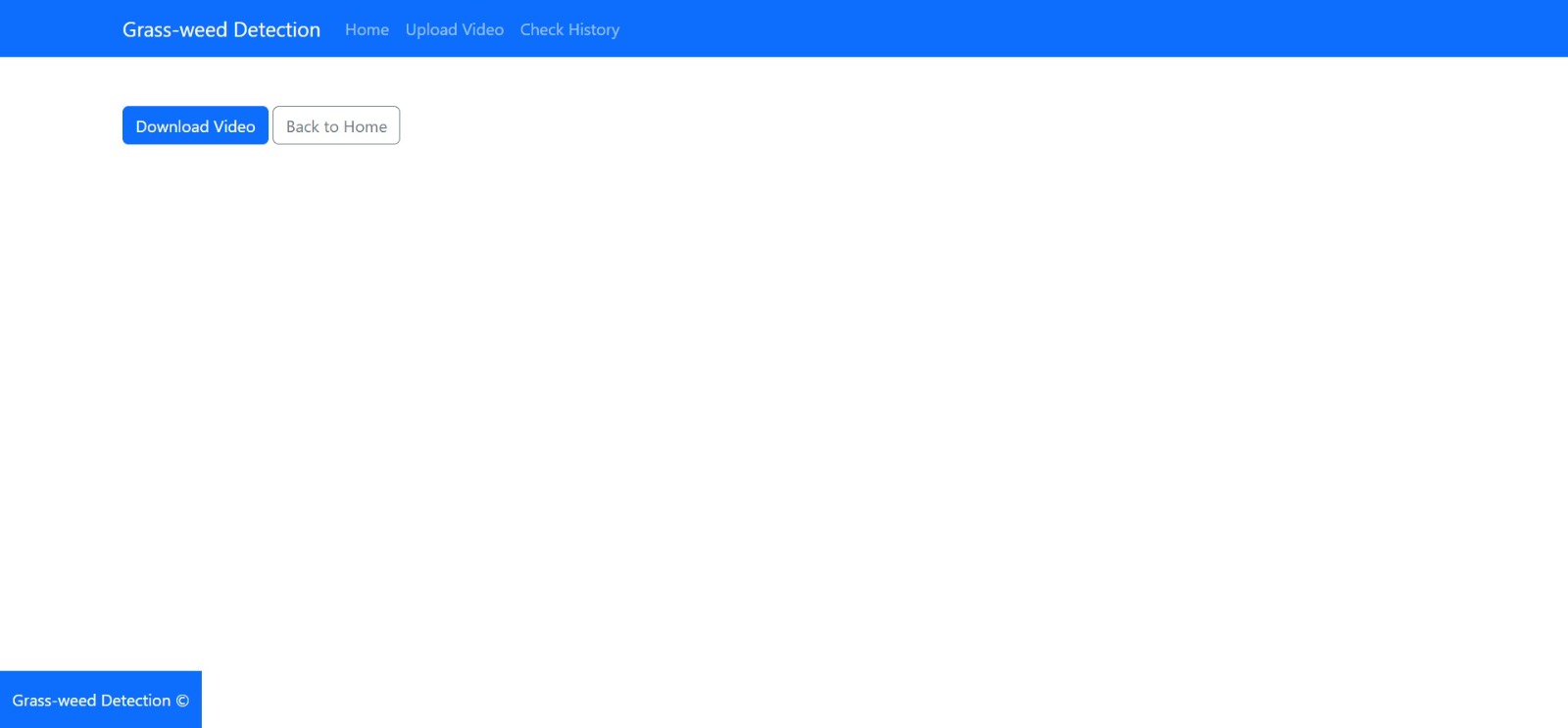
Here the screenshots are of a Web-app created in Flask Framework, here the idea was to upload a video, run a object detection model and the download that, Even there's an option to view the history of all the videos.


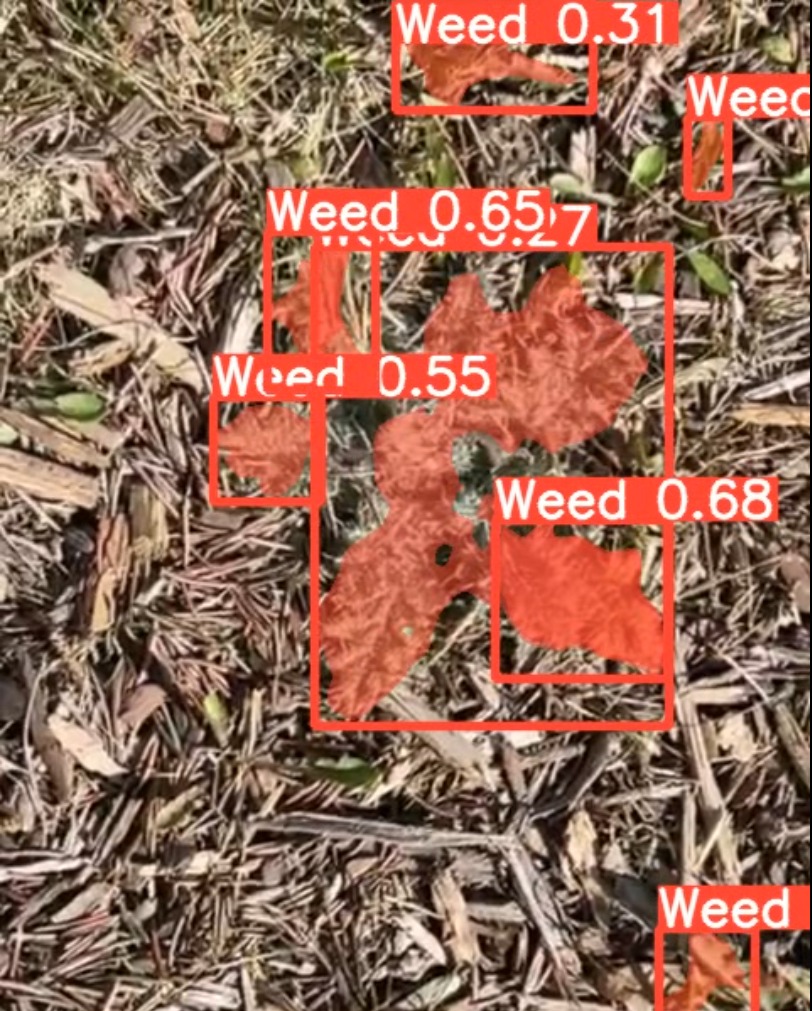
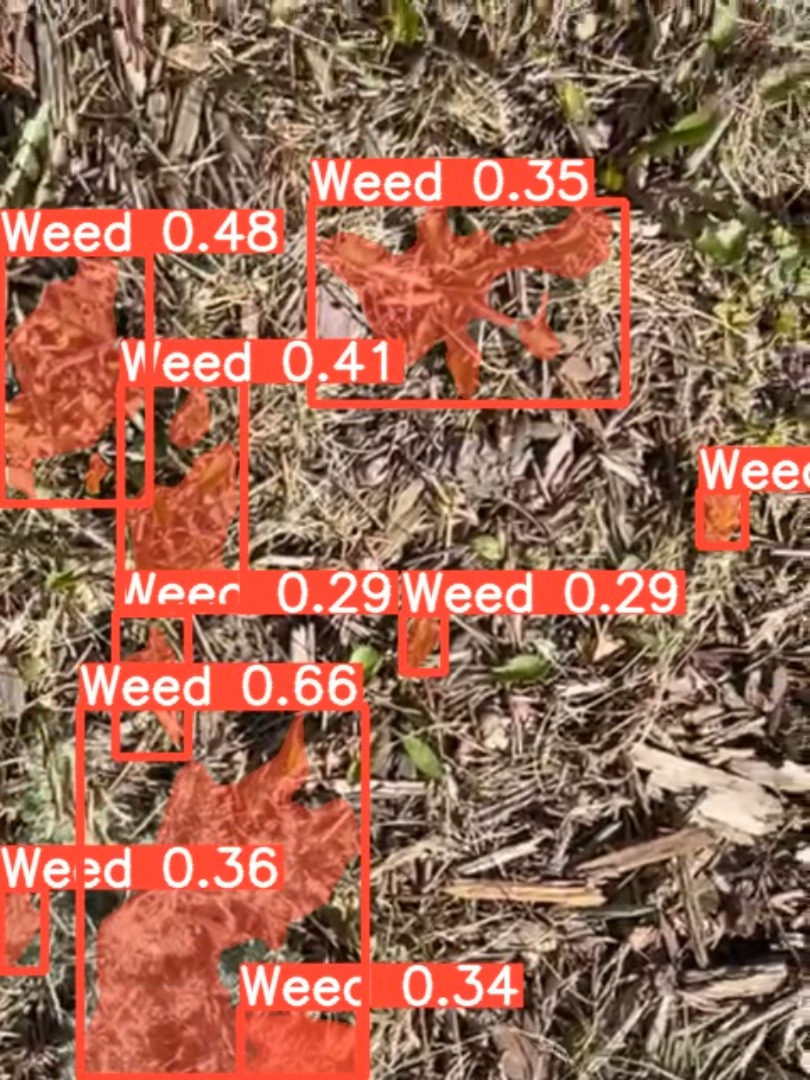
This is the screenshot of an output video, where the model is detecting the weed from the other type of grass by bounding boxes.
To run the model, it is recommended that you have the following system requirements:
- CPU: A modern multi-core CPU (e.g., Intel Core i5, i7, or AMD Ryzen 5, 7)
- GPU (Optional, but recommended for faster model inference): NVIDIA GPU with CUDA support (e.g., NVIDIA GeForce GTX 10-series, RTX 20-series, or 30-series)
- RAM: At least 8GB (16GB or more recommended)
- Disk space: Sufficient disk space to store the project files, model weights, and video files
- Operating System: Windows, macOS, or Linux (Ubuntu or other distributions)
- Python: Python 3.6 or higher (Python 3.8 or 3.9 recommended)
- Web browser: Latest version of Google Chrome, Mozilla Firefox, Microsoft Edge, or Safari
- Flask: Latest version for web application development
- YOLOv8m: Latest version for object segmentation
- Ultralytics YOLO library: Latest version for using YOLOv8m in Python
- Other required Python libraries and dependencies, such as NumPy, OpenCV, and Torch
It's important to note that the actual system requirements may vary depending on the size and complexity of the videos you are processing. For large-scale or high-resolution video processing, you might need more powerful hardware, such as a high-end GPU and additional RAM
YOLOv8 requirements: It automatically installs, if the error comes than run the following Command in Terminal before starting anything Usage: pip install -r requirements.txt
Flask requirements (Run the Command in Terminal before starting anything) pip install Flask flask-bootstrap flask-wtf
Base ------------------------------------------------------------------------
- gitpython>=3.1.30
- matplotlib>=3.3
- numpy>=1.18.5
- opencv-python>=4.1.1
- Pillow>=7.1.2
- psutil # system resources
- PyYAML>=5.3.1
- requests>=2.23.0
- scipy>=1.4.1
- thop>=0.1.1 # FLOPs computation
- torch>=1.7.0 # see https://pytorch.org/get-started/locally (recommended)
- torchvision>=0.8.1
- tqdm>=4.64.0
- protobuf<=3.20.1 # ultralytics/yolov5#8012
- Flask>=2.1.0
Logging ---------------------------------------------------------------------
- tensorboard>=2.4.1
- clearml>=1.2.0
- comet
Plotting --------------------------------------------------------------------
- pandas>=1.1.4
- seaborn>=0.11.0
Export ----------------------------------------------------------------------
- coremltools>=6.0 # CoreML export
- onnx>=1.12.0 # ONNX export
- onnx-simplifier>=0.4.1 # ONNX simplifier
- nvidia-pyindex # TensorRT export
- nvidia-tensorrt # TensorRT export
- scikit-learn<=1.1.2 # CoreML quantization
- tensorflow>=2.4.1 # TF exports (-cpu, -aarch64, -macos)
- tensorflowjs>=3.9.0 # TF.js export
- openvino-dev # OpenVINO export
Deploy ----------------------------------------------------------------------
- setuptools>=65.5.1 # Snyk vulnerability fix
- tritonclient[all]~=2.24.0
Extras ----------------------------------------------------------------------
- Google Collab # interactive notebook
- albumentations>=1.0.3
- pycocotools>=2.0.6 # COCO mAP
The Dataset used in this project is for weed detection that contains images of crops with and without weeds. The dataset contains 1,008 annotated images, where each image is labeled as either "weed" or "not weed". The images were captured using a smartphone camera and contain varying lighting conditions, angles, and backgrounds.
The dataset could be used to train a machine learning model to detect weeds in crops. This could be useful for farmers to identify and remove weeds from their crops, which can help increase yield and reduce crop loss. The dataset may also be used for research purposes in the field of computer vision and image analysis.
Weed are annotated in YOLO v8 PyTorch format.
The following pre-processing was applied to each image:
Auto-orientation of pixel data (with EXIF-orientation stripping) The following augmentation was applied to create 3 versions of each source image:
Equal probability of one of the following 90-degree rotations: none, clockwise, counter-clockwise Random shear of between -15° to +15° horizontally and -15° to +15° vertically Random brigthness adjustment of between -25 and +25 percent
- Unzip this folder after downloading
- Open this file location in CMD/Power-Shell/Terminal
- Give command: python app.py
- After it generates Debugger PIN, open Chrome and link http://127.0.0.1:5000 to use it.