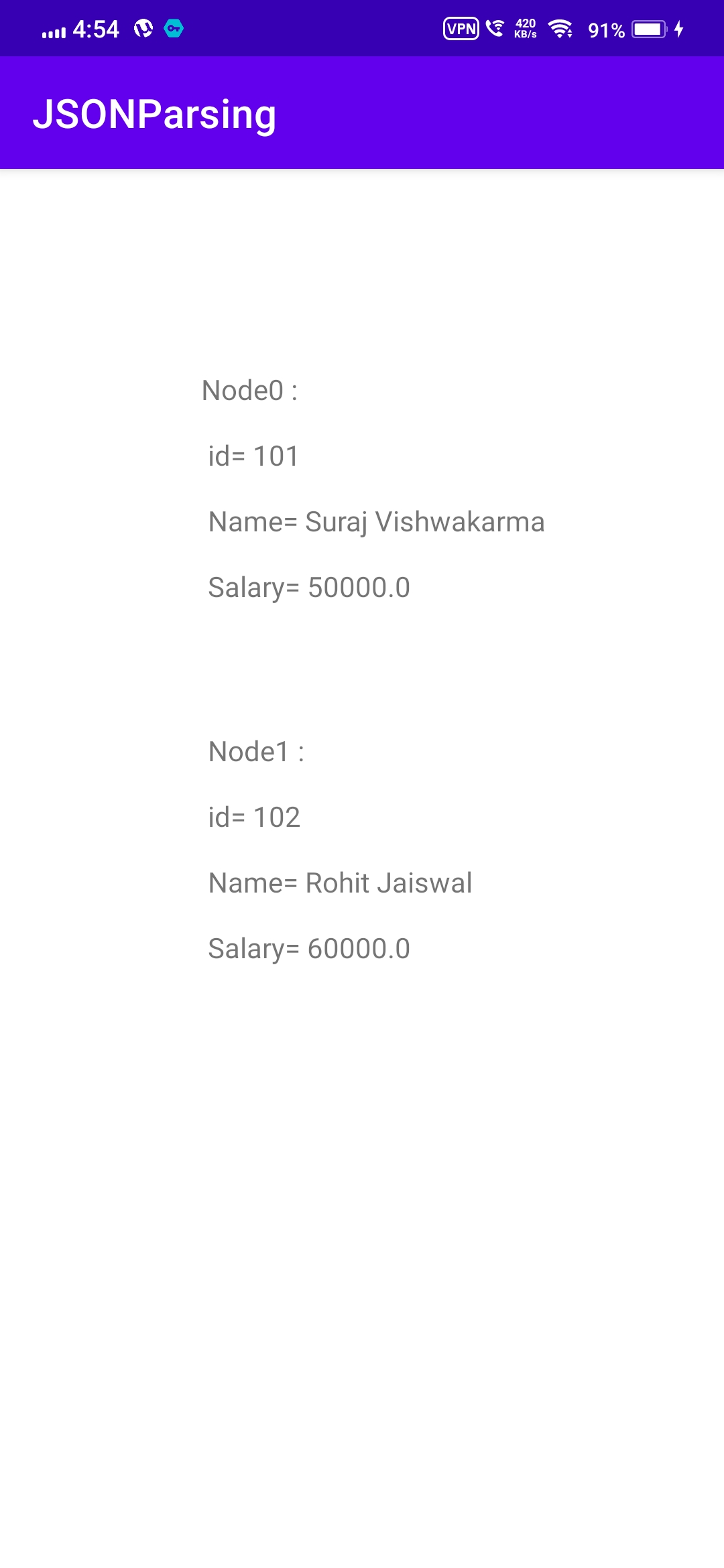
The "[" (square bracket) represents the json array.
                 { "Employee" :
                   [
                     {"id":"101","name":"Sonoo Jaiswal","salary":"50000"},
                     {"id":"102","name":"Vimal Jaiswal","salary":"60000"}
                   ]
                  }
activity_main.xml
                <RelativeLayout

                xmlns:androclass="http://schemas.android.com/apk/res/android"
                xmlns:tools="http://schemas.android.com/tools"
                android:layout_width="match_parent"
                android:layout_height="match_parent"
                tools:context=".MainActivity" >

                <TextView
                android:id="@+id/textView1"
                android:layout_width="wrap_content"
                android:layout_height="wrap_content"
                android:layout_alignParentLeft="true"
                android:layout_alignParentTop="true"
                android:layout_marginLeft="75dp"
                android:layout_marginTop="46dp"
                android:text="TextView" />

                </RelativeLayout>
MainActivity.java file
      package com.example.jsonarray;

      import androidx.appcompat.app.AppCompatActivity;

      import org.json.JSONArray;
      import org.json.JSONException;
      import org.json.JSONObject;
      import android.os.Bundle;
      import android.widget.TextView;

      public class MainActivity extends AppCompatActivity {

      @Override
      protected void onCreate(Bundle savedInstanceState) {
      super.onCreate(savedInstanceState);
      setContentView(R.layout.activity_main);


      TextView output = (TextView) findViewById(R.id.textView1);

      String strJson="{ \"Employee\" :[{\"id\":\"101\",\"name\":\"Suraj Vishwakarma\",\"salary\":\"50000\"}," +
                                    "{\"id\":\"102\",\"name\":\"Rohit Jaiswal\",\"salary\":\"60000\"}] }";

      String data = "";
      try {
        // Create the root JSONObject from the JSON string.
        JSONObject  jsonRootObject = new JSONObject(strJson);

        //Get the instance of JSONArray that contains JSONObjects
        JSONArray jsonArray = jsonRootObject.optJSONArray("Employee");

        //Iterate the jsonArray and print the info of JSONObjects
        for(int i=0; i < jsonArray.length(); i++){
            JSONObject jsonObject = jsonArray.getJSONObject(i);

            int id = Integer.parseInt(jsonObject.optString("id").toString());
            String name = jsonObject.optString("name").toString();
            float salary = Float.parseFloat(jsonObject.optString("salary").toString());

            data += "LIST "+i+" : \n\n id= "+ id +" \n\n Name= "+ name +" \n\n Salary= "+ salary +" \n\n\n\n\n ";
        }
        output.setText(data);
        }   catch (JSONException e) {e.printStackTrace();}
      }
    }