Repository navigation
Web UI
Configuration page of VdMot Controller
Here you can configure network settings, the control protocol, valve names and their temperature linkage, motor relevant parameters, calibration options and more.
Also you can restart the system and clear flash memory.
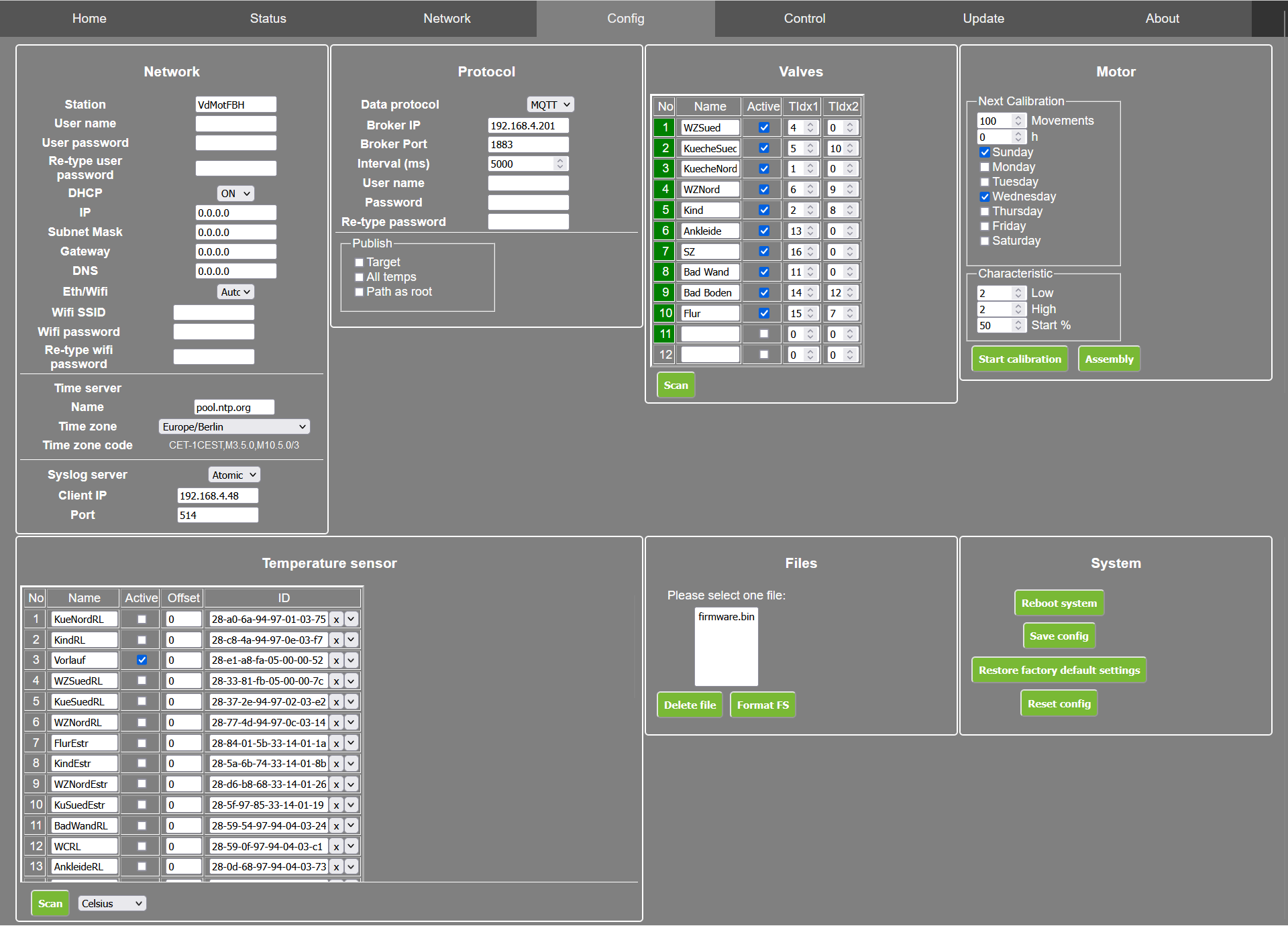
- No - Number of valve as it written on the PCB.
- Name - Here you can give the valve a speaking name.
- Active -
- TIdx1 - Choose the number of the 1-wire temperature sensor which should be linked to the valve as first linked sensor.
- TIdx2 - Choose the number of the 1-wire temperature sensor which should be linked to the valve as second linked sensor.
-
Next Calibration
- Movements - After choosen movements, a valve is newly calibrated by the controller. Every valve has it's own counter.
- h - After choosen hours, all valves are newly calibrated by the controller.
- Days - Choose the days, when all valves should be newly calibrated by the controller. Calibration happens at midnight.
-
Characteristic
- Low - Detection threshold for end stop when closing. Calculates as follows: Low Value x Mean Current of valve = Threshold. E.g.: 2,0 * 21 mA = 42 mA threshold for detecting the endpoint when closing.
- High - Detection threshold for end stop when opening. Calculates as above value.
- Start % - Set point of valves after startup of controller and initial calibration of the valves, even without external control signals.
Control page
-
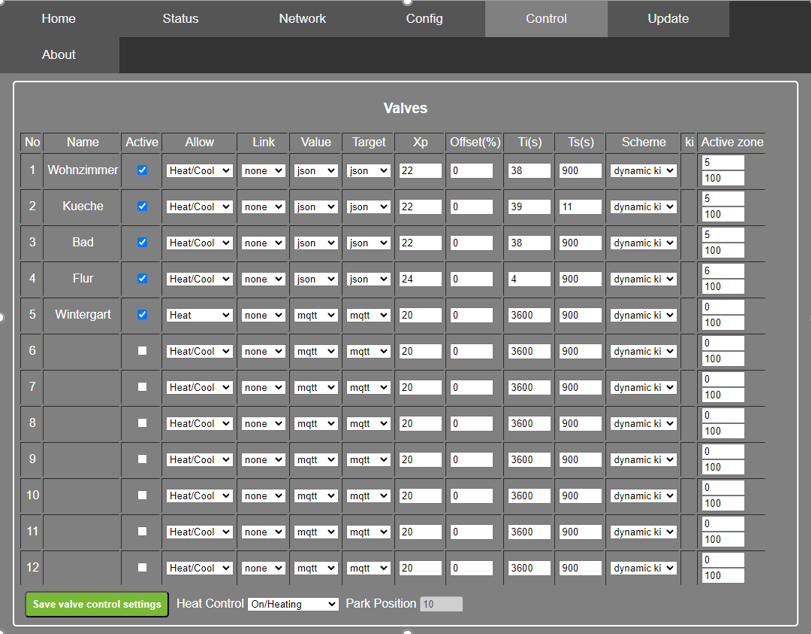
No - Number of valve as it written on the PCB.
-
Name - Here you can give the valve a speaking name.
-
Active - Set the valve to be controlled
-
Allow - Possible selection Heat/Cool, Heat, Cool . If Heat Control is set to On/Heating and the valve is allowed to Heat/Cool or Heat, then the pi-controller controls the valve with the parameters, otherwise the valve is set to the min value of active zone.
Heat-Control Allow Valve On/Heating Heat/Cool Control On/Heating Heat Control On/Heating Cool go low active zone On/Cooling Heat/Cool Control On/Cooling Heat go low active zone On/Cooling Cool Control -
Link - Link valves together if there are several heat circuits in one room.
-
Value - Source of values
-
Target - Source of targets
-
XP - Proportional band of the pi-controller kp = 100/xp
-
Offset - Enter an offset of the valve , this value will be added to the calculated one.
-
Ti - Integral part of the pi - control algorithm (in seconds)
-
Ts - Sampling time in seconds. This is the time the next calulation will be executed.
-
Scheme - Type of pi - calculation : dynamic ki the integral part is calculated with the difference of value and target / static ki the integral part is always static
-
ki - Integral part of the pi-controller (only used , if Scheme is selected static ki
-
Active Zone - Define the active zone of the valve. (closed|opened)
-
Heat Control - Possible selection : Manual | On/Heating | On/Cooling | Off/Park Position.
- Manual : The pi-controller is off, you can set the valves in the status page
- On/Heating : The pi-controller is on, a positive difference of target-values opens the valves
- On/Cooling : The pi-controller is on, a negative difference of target-values opens the valves
- Off/Park Position : The pi-controller is on, but doesn't control. The valves are set to the park position
-
Save control settings - Saves the settings without reboot.