Repository navigation
v1.1

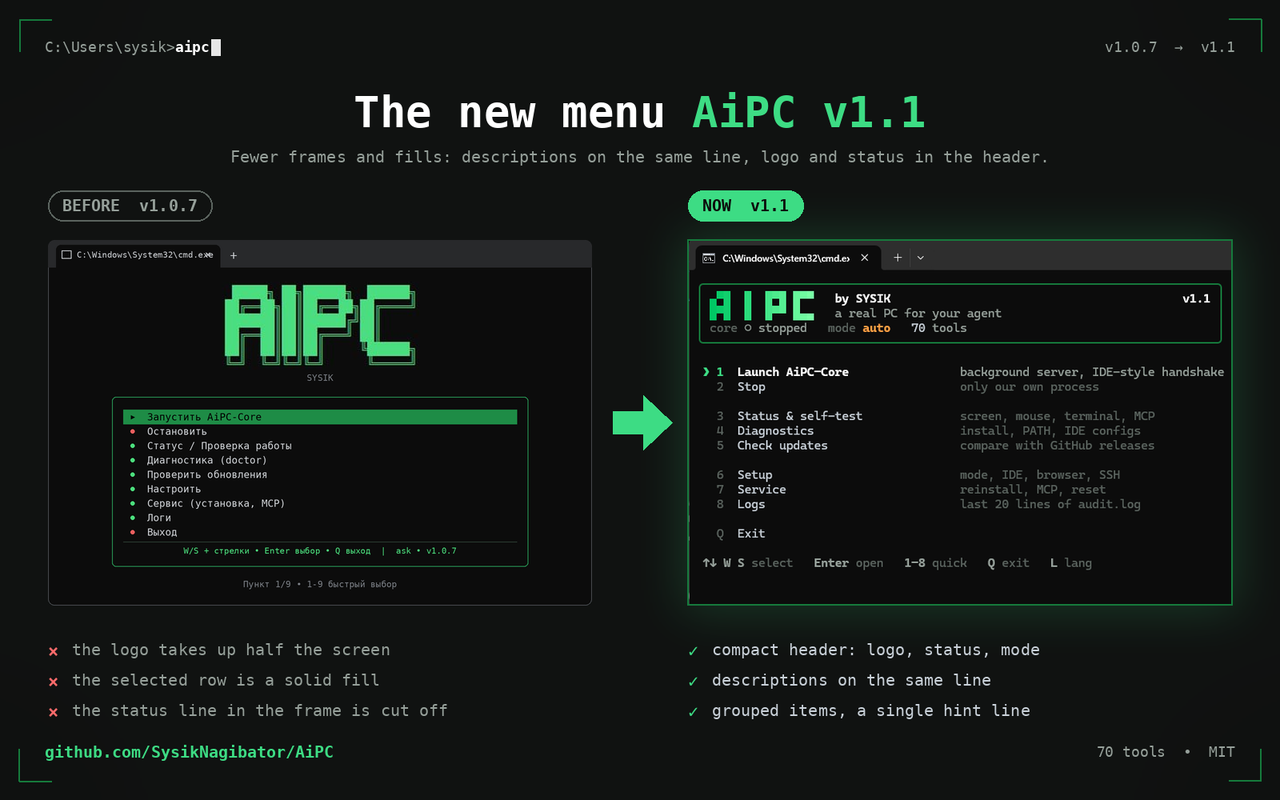
AiPC 1.1 by SYSIK
Local MCP server + terminal menu: gives Claude and other AI assistants eyes and hands on your PC — screen, mouse, keyboard, windows, files, terminal, browser.
What's new in 1.1
- New terminal menu: 76-character block, dark green theme, Russian and English, adapts to console width
- 70 tools: screenshots and UI tree, mouse and keyboard, windows, files, network, system information, sound
- Security: human confirmation of dangerous actions (10/60 minute timers), deny lists of paths and commands, secret masking, audit log
- Windows, macOS and Linux: POSIX clipboard, configs for 19 IDEs per OS, auto-update from the menu
- New application logo
Installation
Windows: download AiPC_Win_1.1.exe, run it, select "Configure" in the menu — MCP will be added to the IDE automatically.
macOS / Linux: download the binary for your OS, do chmod +x and run it in the terminal; MCP for IDE is installed via pip install aipc-sysik.
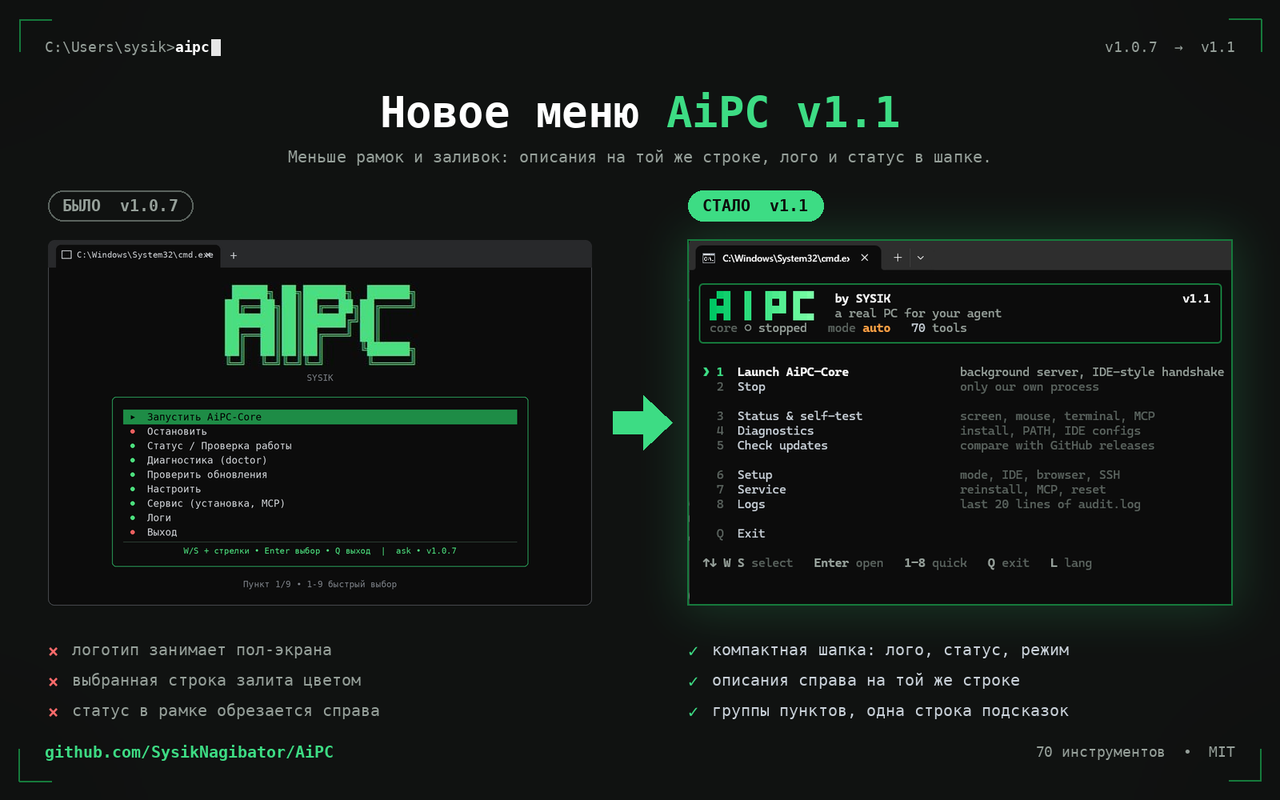
AiPC 1.1 by SYSIK
Локальный MCP-сервер + терминальное меню: даёт Claude и другим ИИ-ассистентам глаза и руки на твоём ПК — экран, мышь, клавиатура, окна, файлы, терминал, браузер.
Что нового в 1.1
- Новое терминальное меню: блок 76 символов, тёмно-зелёная тема, русский и английский, адаптация под ширину консоли
- 70 инструментов: скриншоты и UI-дерево, мышь и клавиатура, окна, файлы, сеть, системная информация, звук
- Безопасность: подтверждение опасных действий человеком (таймеры 10/60 минут), deny-листы путей и команд, маскирование секретов, аудит-лог
- Windows, macOS и Linux: POSIX-буфер обмена, конфиги 19 IDE под каждую ОС, автообновление из меню
- Новый логотип приложения
Установка
Windows: скачай AiPC_Win_1.1.exe, запусти, в меню выбери «Настроить» — MCP пропишется в IDE сам.
macOS / Linux: скачай бинарь под свою ОС, сделай chmod +x и запусти в терминале; MCP для IDE ставится через pip install aipc-sysik.