Custom unity tool that allows easy setting up and transitioning of multiple Cinemachine virtual cameras.
- Easily create and setup multiple virtual cameras
- Transition between cameras without FSM triggers
- Create prefab linked virtual cameras in scene allowing mass changes to cameras and properties
You can add this library to your project using the Package Manager.
Go to the package manager and click on "Add package from git URL". From there, add this URL:
https://github.com/TD-but/CinemachineManager.git
CineCameraManager.Instance.SwitchTo(id);| Parameter | Type | Description |
|---|---|---|
id |
integer |
Required. Unique ID of camera to transition to |
-
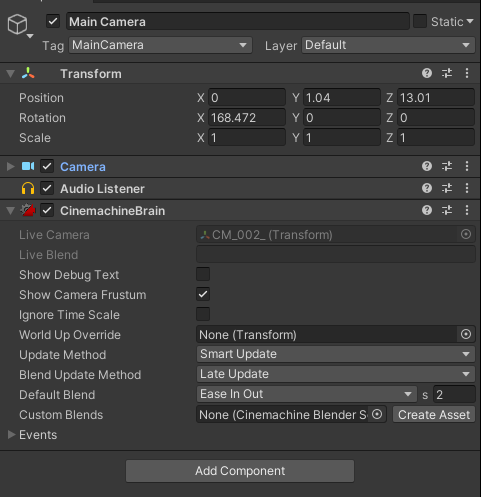
Add Cinemachine Brain Component to MainCamera in scene.
-
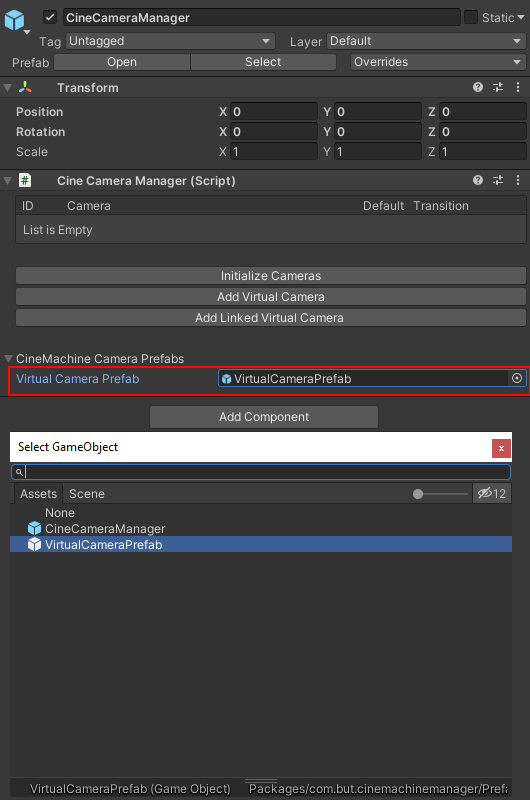
Add Cinemachine Manager script or get prefab from package/CinemachineManager/Prefabs folder
-
If you have added new script component to a gameobject then set the virtual camera prefab reference