
A free, open-source private SoundTouch cloud streaming service and application replacing the deactivated Bose Cloud Service to maintain 100% of the smart speaker functionality of your SoundTouch Speakers and Wireless Link. Physical Presets Included!
It runs locally on your network (NAS, PC, or Home Assistant add-on) and intercepts and actively manages the complex server handshakes required to keep your SoundTouch Speakers authenticated and functional — delivering the same phone-free audio streaming capabilities as the original SoundTouch Application and Speakers.
For the technical architecture and design decisions behind these features, see the Technical Documentation.
- Application settings are being reinitialized. Startup detects the old settings format and backs it up to
settings.json.bak. Make any changes as desired on first boot — scheduled plays, admin PIN, and other preferences start fresh. - New
.envschema. Startup copies a fresh.envtemplate into your directory and backs up your old file. Re-enter your values into the new.env. Don't reuse your old.envfile - New
bose-soundtouch-hybrid.ymlrequired. Download the current version. Don't reuse an old copy. - Application settings are being reinitialized. Startup detects the old settings format and backs it up to
settings.json.bak. Make any changes as desired on first boot — scheduled plays, admin PIN, and other preferences start fresh. - Full upgrade steps: see Installations below.
(Full descriptions of all features below in Application Key Features. This is quick "What's new".)
- ✅ Extended Physical Presets — 12 total preset slots via double-tap, up from 6
- ✅ Native Home Assistant Add-on
- ✅ Fully automated Bose Cloud injection sequence — no USB stick, no manual firmware step
- ✅ Automated Speaker Detection — network scan finds every speaker on boot, no manual IP entry
- ✅ Multiple speaker groups with selectable master
- ✅ ST10 stereo pairing
- ✅ Preset Hover Preview — see what's assigned to a preset before pressing it
- ✅ Descriptive Presets — an always-visible alternative to Hover Preview: preset buttons show their assigned name directly.
- ✅ Scheduled Play and Power Off at set times, plus a Power Off Timer to auto-off after playing, and scheduled maintenance (nightly audits/restarts)
- ✅ Optional Admin PIN lock for Tools/Admin pages
- ✅ Configurable search tabs sourced from your Music Assistant providers
- ✅ Podcasts & audiobooks in search and library
- ✅ Dynamic real-time lost-preset detection & auto-heal
- ✅ Preset debugging watchdog
- ✅ Automatic MASS player-config enforcement on boot, plus a manual trigger on the Tools page
- ✅ MASS recent-items cache warming for instant Library "Recent" loads
- ✅ Smarter MASS integration: cached auth token reuse + three-path restart cascade — native HA Supervisor, Docker socket, or long-lived HA token for split installs
- ✅ Physical remote-control HiJacks re-enables Bose-deactivated pause/play, next/prev buttons
- ✅ Persistent, disk-backed auto-resume presets — survive container rebuilds, not just app restarts
✨ V3 Enhancements (historical — click to expand)
- ✅ Custom URL Streaming Library Integration: Moved the "play custom URL stream" function to the Library Manager and added the ability to assign custom streams directly to favorites and physical speaker presets.
- ✅ Advanced Global and Favorites Search: Expanded the search functionality with additional filters, including the ability to perform provider-specific searches.
- ✅ Auto-Resume Presets: Speakers now remember if a preset was active when powered off and will automatically resume that specific preset upon the next power-on.
- ✅ In-App Update Notifications: Automatically checks for new releases and displays a notification banner within the UI when a new version is available.
- ✅ Live Console Logging: Integrated a real-time server log viewer directly into the System Tools page.
- ✅ Streamlined GHCR Deployment: Transitioned from manual repository cloning to a pre-built GitHub Container Registry image. The system now automatically generates required configuration templates on first boot and performs startup configuration and version validation checks.
- ✅ Improved State Synchronization: Completely replaced backend REST API polling with a more efficient, stable, and event-driven WebSocket architecture for improved speaker state and audio stream tracking.
- ✅ Music Assistant Native DLNA Metadata: Takes advantage of Music Assistant's improved DLNA streaming by reading track metadata directly from the audio stream. The original API-based fetch has been streamlined into a lightweight "Watchdog" function that executes as a fallback only when needed.
- ✅ Music Assistant Smart Startup & Version Checks: On boot, the app now verifies the Music Assistant version and automatically launches the container if it detects it isn't running.
-
100% Local Control — application and speaker credentials, playback, preset logic all stay on your own LAN. No Bose cloud dependency or external servers.
-
Complete App Replacement: One responsive web app for Desktop and Mobile replacing the SoundTouch app entirely — streaming, speaker maintenance, initial setup, factory resets, and WiFi provisioning, all in one place.
-
Fully Automated Bose Cloud Injection — the entire cloud-redirect and preset setup sequence runs automatically on first boot. No USB stick, no manual firmware step — nothing to do on a previously configured or factory-reset speaker but let it join.
-
12 Physical Presets, Not 6 — double-tap any of the six buttons to unlock six more (1→11, 2→22, and so on), all mapped to your SoundTouch Hybrid Library (powered by Music Assistant).
-
Automatic Speaker Detection — a network scan finds every SoundTouch speaker on first boot and every reboot after. No manual IP entry, no speaker list to maintain.
-
Hardware-Native Multi-Room Grouping — uses the speakers' own near-zero-latency master/slave hardware instead of software sync, across multiple independent groups at once, each with its own selectable master.
-
ST10 Stereo Pairing — pair two ST10 units together as a true stereo left/right pair.
-
Expanded Music Universe: Bridges your speakers to modern streaming via Music Assistant
 — Spotify, Apple Music, YouTube Music, local NAS files, Plex, Jellyfin, internet radio, podcasts, and audiobooks — searchable through one global, provider-agnostic search across your entire library.
 -
Physical Remote Control Hijacks — Pause/Play and Next/Prev works again over DLNA, and Pause/Play over AirPlay, augmenting the volume, power, and preset controls that never stopped working.
-
DLNA and AirPlay, Both Fully Supported — side by side, your choice per speaker.
-
Preset Hover Preview: On desktop, hover over any preset button on the Remote Control page to see a quick preview — artwork, name, and source — of what it's assigned to before pressing it. Toggleable from the Tools page.
-
Descriptive Presets: An always-visible alternative to Preset Hover Preview — each preset button shows its assigned name directly on the Remote Control page.
-
Real-Time Preset Self-Healing — if a speaker's presets get wiped (a known legacy-firmware degraded WiFi failure mode), they're detected and re-injected automatically, no restart required.

-
Scheduled Automation: Set speakers to power on and start playback at a scheduled time — every day, or weekdays and weekends separately, with an optional volume override — schedule them to power off at a set time, or arm a Power Off Timer (optionally one-time, disabling itself after it fires) to automatically power off a set number of minutes after they turn on — plus optionally run nightly speaker audits and/or scheduled app restarts — with or without a full reboot.
-
On Demand External Trigger: Configure a speaker's preset (and optional volume) as an "On Demand" entry on the Scheduled Play page, then trigger it from outside the app — e.g. a Home Assistant automation — via a simple webhook, with no separate integration to install. See the Technical Documentation for setup details.
-
Optional Admin PIN Lock: Restrict the Tools and Admin pages behind a PIN — useful on a shared household network where you don't want everyone able to change system settings.
-
Configurable Search Tabs: Library search tabs are dynamically sourced from your active Music Assistant providers — choose which appear, and in what order.
-
Preset Debugging Watchdog: Opt-in, per-speaker logging of cloud/session events, for diagnosing a problem speaker without turning on full verbose logging everywhere.
-
On-Demand Config Enforcement: The same automatic Music Assistant player-config audit that runs at boot can be triggered manually from the Tools page — no restart required to fix drift.
-
MASS Recent-Items Cache Warming: Prefetches recently-played items from Music Assistant on boot, so the Library page's "Recent" view loads instantly instead of waiting on a cold query.
-
Live Console Logging: A real-time server log viewer built directly into the Tools page — no SSH or
docker logsneeded to see what the app is doing. -
In-App Update Notifications: Automatically checks for new releases and shows a banner in the UI when one's available.
-
Streamlined Deployment: Ships as a pre-built GitHub Container Registry image — no manual repo cloning. Configuration templates and validation checks run automatically on first boot.
-
Event-Driven State Sync: Speaker state and playback tracking run on a WebSocket architecture rather than REST polling, for faster, more reliable updates.
-
Resilient Music Assistant Integration: Reuses a cached MASS auth token instead of re-authenticating on every call, restarts MASS automatically through whichever path fits your setup (native HA Supervisor, Docker socket, or a long-lived HA token for split installs), reads track metadata natively from the DLNA stream, and verifies MASS's version/health on every boot.
- Backend: Custom Node.js server acting as the "Audio Engine" (Music Assistant ) and local Bose Cloud Simulation ☁️.
- Frontend: Responsive Web App deployable to any browser.
- Connectivity: Direct IP control over Bose WebSockets & XML API.
- Deployment: Standalone Docker (NAS/PC) or as a native Home Assistant Supervisor add-on — same backend either way, see Installations.

☁️ Bose Cloud Simulation and Hybrid Features — technical deep dive (click to expand)
- Full BMX Registry and MargeID handshakes
- Dynamic account profile generation
- Source Providers Authorization (e.g.,
11,LOCAL_INTERNET_RADIO) - Automated injection of Hybrid Preset Physical Buttons (1-6)
- Automated Cloud Redirect Setup (points speakers to local server)
- Factory-reset speaker detection and setup
- Gabbo System Bus (Port
8080) websocket backdoor access - Automated UI setup bypass (Language → Name → Account Binding → Seal)
- Permanent NVRAM persistence flag generation (
<setupState state="SETUP_LEAVE" />)
- Dummy radio base URL generation (streaming check bypass)
- DRM streaming token mocks
- Boot-loop prevention (Account deletion trap)
- Telemetry and analytics blocking
- Firmware update bypass
- Factory reset request spoofing (Fake
201 Created) - Device rename and profile sync spoofing
- Real-time speaker identity fetching (MAC, Serial, Name)
- Local identity caching to handle heavy network traffic
- Failsafe request dropping (protects busy speakers from accidental preset wipes)
Full V4 Demo Video Coming Soon!
Demo Videos playlist on YouTube.
Historical Demo Videos (click to expand)
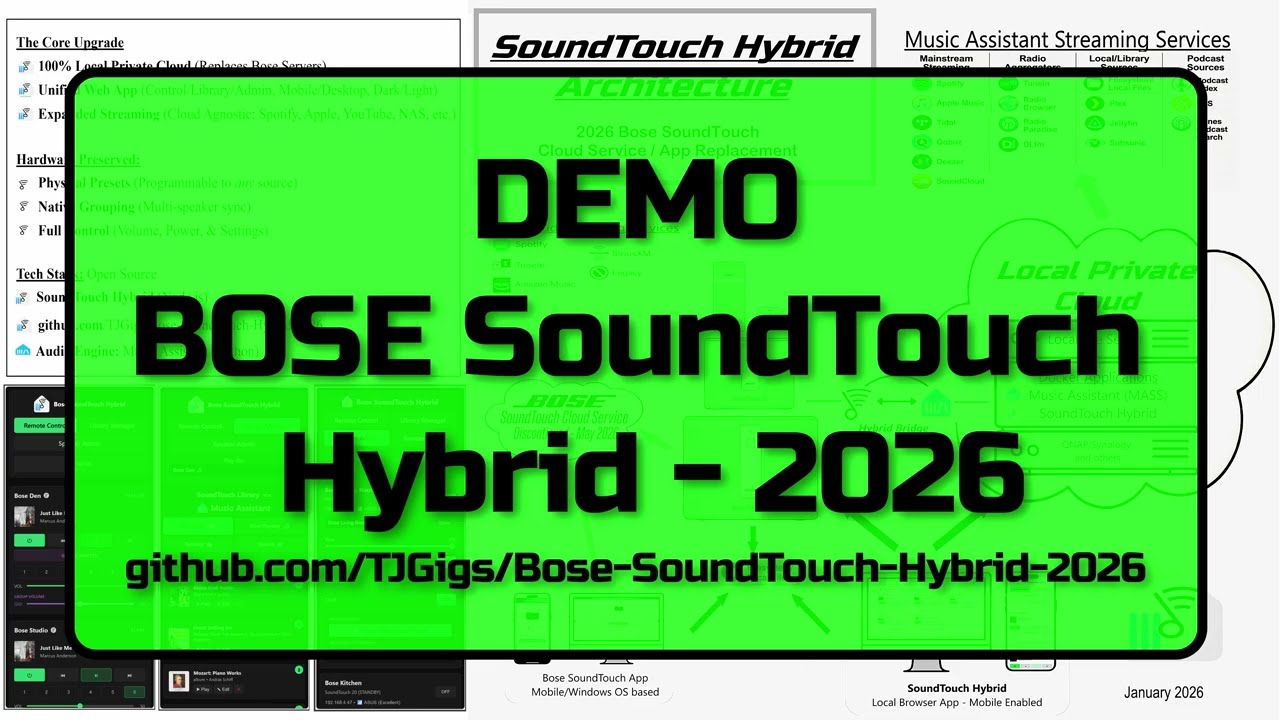


You must verify your SoundTouch speakers and streaming providers are fully working inside of Music Assistant before installing SoundTouch Hybrid.
Install Music Assistant (MASS): version 2.9.9 or later is required
-
For installation instructions and troubleshooting, use Music Assistant Help — setup, providers, speaker testing, playback issues, etc.
- See MASS GitHub and MASS Website
- If you're running MASS as its own standalone Docker container (not the Home Assistant add-on),
mass_docker.ymlandmass_package.jsonin theexamplesfolder are provided as a reference for one working configuration. Your setup may differ.
-
Initial Setup: Once MASS is installed, go to its web interface and create your login. Bose SoundTouch Hybrid supports either way of authenticating to MASS:
- Username / Password: your MASS login.
- Auth Token: a long-lived access token generated from MASS's own Settings page
-
Add/Configure Player Providers: Add the DLNA provider. If desired also add AirPlay provider.
- DLNA is the recommended "Preferred Output Protocol" for SoundTouch Hybrid, based on experience with greater stability and responsiveness:
- It's the original protocol built into the SoundTouch speakers' internal OS; AirPlay was added later as a software add-on.
- SoundTouch Hybrid's self-healing, latency management, and state sync logic are all optimized for DLNA.
- The physical remote-control capability and hijacks are more complete with DLNA, including next/prev track and a more responsive pause/play.
- AirPlay is supported. It does provide continuous live track-title updates on the speaker's LED display, whereas Music Assistant's DLNA stream currently only updates the speaker's LED display for the first track of a multi-track stream.
-
Add/Configure Music Sources: Add your streaming providers (Spotify, TuneIn, local NAS, etc). Uncheck any options to sync/import/cache the source into the local Music Assistant database. This ensures your providers are live rather than copied to a local cache.
-
Configure Players (Speakers): For each SoundTouch speaker Music Assistant discovers, set its "Preferred Output Protocol" to DLNA (recommended) or AirPlay. Change it from the Auto-Select default.
- SoundTouch Hybrid enforces Preferred Output Protocol-specific required settings on startup and can also be triggered manually on the Tools page.
- SoundTouch Hybrid uses Music Assistant only as the backend streaming engine. Once it's set up, there's no need to go back into its UI. MASS features like speaker grouping, automations, and favorites aren't used by SoundTouch Hybrid; leave them disabled.
-
Very Important: Confirm Music Assistant itself can play audio to every speaker and from every provider, and that you actually hear it on each speaker. Do this completely independent of Bose SoundTouch Hybrid. If Music Assistant can't reach a speaker, SoundTouch Hybrid can't either.
- Redirect to Local Cloud: Happens automatically on first boot — no USB stick, no manual firmware step. Confirmed in the console/Pre-Flight log.
- Speaker Discovery: Runs automatically on first boot and re-syncs on every subsequent boot — you never manually look up, enter, or edit a speaker list. Discovery scans the same subnet as your Music Assistant server by default. If your speakers are on a different subnet/VLAN (e.g. Home Assistant routed separately from your speakers), set Speaker Scan Subnet below to override it.
- A static IP address for each speaker is recommended, however, dynamic speaker IP addresses are supported.
-
Create Directory & Download the Compose File: Create a folder named
bose-soundtouch-hybridon your NAS or server. Downloadbose-soundtouch-hybrid.ymlfrom this repository into it. -
Configure the Volume Path & Timezone: Open
bose-soundtouch-hybrid.ymland edit the following:- Volume path Use the mount method that matches how you're deploying:
- Method A — Plain Docker Compose / CLI (default, already active):
- ./:/app/configmounts the same folder the compose file lives in. No changes needed if you rundocker composefrom that folder. - Method B — NAS GUI (QNAP Container Station, Synology, Portainer, etc.): these interfaces don't know where you saved the file on disk. Comment out Method A's line (add a
#in front of it), then uncomment the Method B line and replace/your/actual/absolute/path/herewith the real absolute path to yourbose-soundtouch-hybridfolder on the NAS. Only one method can be active at a time.
- Method A — Plain Docker Compose / CLI (default, already active):
- Timezone — under
environment:, changeTZ=America/Los_Angelesto your own timezone. Find your exact format at nodatime.org/TimeZones.
- Volume path Use the mount method that matches how you're deploying:
-
Initial Deploy: Launch the container to generate your configuration files.
- NAS/GUI: import
bose-soundtouch-hybrid.ymlinto your container manager (Container Station, Portainer, etc.) and deploy. - Command line:
docker compose -f bose-soundtouch-hybrid.yml up -d - The container downloads the image, writes its config files into your folder, and pauses waiting for you to fill in
.env. -

-

- NAS/GUI: import
-
Configure
.env: Open the generated.envand fill in:- APP_IP — this server's own LAN IP. MASS_IP / MASS_PORT — your Music Assistant server's IP (port defaults to 8095).
- SCAN_SUBNET (optional) — leave blank for almost every setup. Only set this if your speakers are on a different subnet/VLAN than MASS_IP — the discovery scan can't find them automatically in that case. Enter the speakers' own subnet as a CIDR block, e.g.
192.168.1.0/24. - Authentication — either MASS_TOKEN (an auth token generated from Music Assistant's own Settings page), or MASS_USERNAME + MASS_PASSWORD. Provide one method, not both.
- MASS_CONTAINER_NAME — required so SoundTouch Hybrid can restart Music Assistant automatically when needed:
- Standalone MASS Docker container: the container's actual name (commonly
music-assistant-server, or whatever you named it). - MASS running inside Home Assistant: click Music Assistant in the HA sidebar, then copy everything after the port number and slash from the browser's address bar — e.g.
http://<ha-ip>:8123/d5369777_music_assistant→d5369777_music_assistant. If HA/MASS runs on a separate machine from SoundTouch Hybrid, also set HA_TOKEN (a Home Assistant long-lived access token) and HA_PORT.
- Standalone MASS Docker container: the container's actual name (commonly
-
Restart the Container: Once
.envis filled in, restart to launch SoundTouch Hybrid.- NAS/GUI: click Restart on the container.
- Command line:
docker compose -f bose-soundtouch-hybrid.yml restart - Watch the console log. It lists every speaker it found and confirms your Bose Cloud redirect happened automatically (no USB stick, no manual firmware step).
-
Install the Web App: On your phone, open
http://<YOUR_SERVER_IP>:3000/control.htmland tap "Add to Home Screen" to add the SoundTouch Hybrid icon and link to your home screen.
Before you install: Music Assistant must already be installed and fully working — see "Setting up Music Assistant" above.
- In Home Assistant: Settings → Add-ons → Add-on Store → ⋮ → Repositories, add:
https://github.com/TJGigs/Bose-SoundTouch-Hybrid - Find Bose SoundTouch Hybrid in the store and click Install.
- Open the Configuration tab before starting it:
- Music Assistant Username / Password Your MASS Username and Password. Both are required if not using a Music Assistant Auth Token.
- Music Assistant Auth Token An alternative to the Username / Password. Both methods are fully supported; provide one or the other, not both.
- App IP / Music Assistant IP — leave both blank, The add-on auto-detects the host address. Only set Music Assistant IP if MASS runs on a separate machine or VM.
- Speaker Scan Subnet (optional) — leave blank for almost every setup; only needed if your speakers are on a different subnet/VLAN than Home Assistant. Enter the speakers' own subnet as a CIDR block, e.g.
192.168.1.0/24. - Assigned App Port — Home Assistant automatically assigns this add-on a free port; it's shown here read-only, for reference only. Any value typed into this field is ignored. There's nothing to configure and nothing that can conflict with another port on your Home Assistant host.
- Start the add-on. On first boot it scans your network and finds your SoundTouch speakers automatically.
- Open the add-on's panel from the Home Assistant sidebar and use the Open Web UI button, or go directly to
http://<your-HA-host-IP>:<port>/control.html, using the port shown in Assigned App Port. - Install the Web App: On your phone, open
http://<YOUR_SERVER_IP>:<port>/control.htmland tap "Add to Home Screen" to add the SoundTouch Hybrid icon and link to your home screen.