How to create inactive relationships #405

Replies: 1 comment 1 reply

|
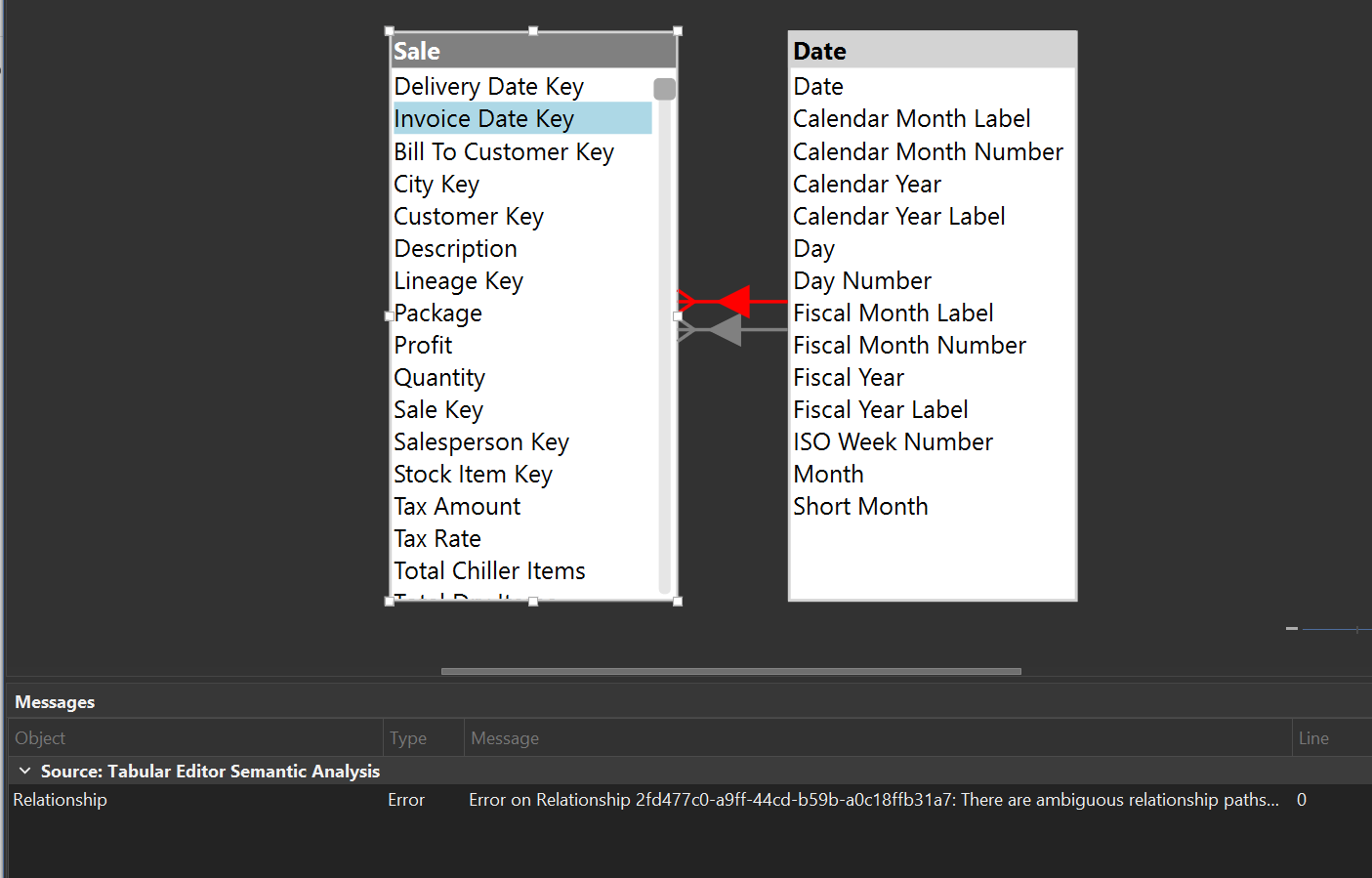
How are you creating the relationship in TE3? It looks like we have a bug, in that the ambiguous relationship error does not disappear immediately when the relationship is deactivated. However, if the relationship is created as inactive, or another model modification is made later, the error should disappear.
The bug shouldn't prevent you from saving the model, as this error is just Tabular Editor's own analysis of the model. If there are no actual errors, then you should still be able to save/deploy the model to Analysis Services / Power BI without any issues. |

|
I was creating the relationship using the "Create relationship" 'wizard' selecting each table and which columns map to each other. I will proceed with creating the secondary relationships and saving to see if that saves correctly. |


Uh oh!
There was an error while loading. Please reload this page.
I am working on a model that was original created in Power BI desktop and had secondary/inactive relationships from columns in one table to a column in another table; primary, these are instances where I have multiple date columns on a table that I want to use in measures with the 'userelationship' function. When I created the inactive relationships in Power BI Desktop and imported to TE3, it is no issue - they are greyed out in the relationship table and not throwing an error. But when I try to create a new inactive relationship in TE3 directly and deactivate the relationship, TE3 greys out the relationship but also throws an error saying there is an ambiguous relationship between the tables. Is there something I need to do to allow for this relationship?
All reactions