The following instructions lay out how to settup the Baseball Predictor App. If there are issues while following these instructions, please contact one of the contributors of this project for assistance.
- If the python/pip commands listed within these instructions are not working, replace “python” and “pip” with “python3” and “pip3” respectively.
- To download and setup this project, you must first have python along with pip (the package manager for python) installed on your device.
- If you do not have python, please follow this link to download it https://www.python.org/downloads/.
- After installing python, ensure pip installed along with your package and is working properly by running the command “pip --version” in the command line (most IDE’s have a built-in command line, if not, use your system’s command line).
After ensuring python and pip are installed, follow these step-by-step instructions to download this project:
- Create a directory to store the project files in wherever suites you.
- Go to https://github.com/TanHess/AI-Algorithms-Project
- Click the green “Code” button on the page
- Click the “Download Zip” button
- Move the downloaded zip file to your directory you created earlier
- Unzip the project
- Use either the command line or an IDE with a command line to navigate to the project directory.
- Once in the project directory within the command line, run the command “pip install -r requirements.txt”
- After installing the dependencies, run the command “python main.py” to run the web application.
- Travel to localhost:5000 (127.0.0.1:5000) in a browser to view the web application.
- To stop the application, use the terminal you started it from and simultaneously press “control-c”
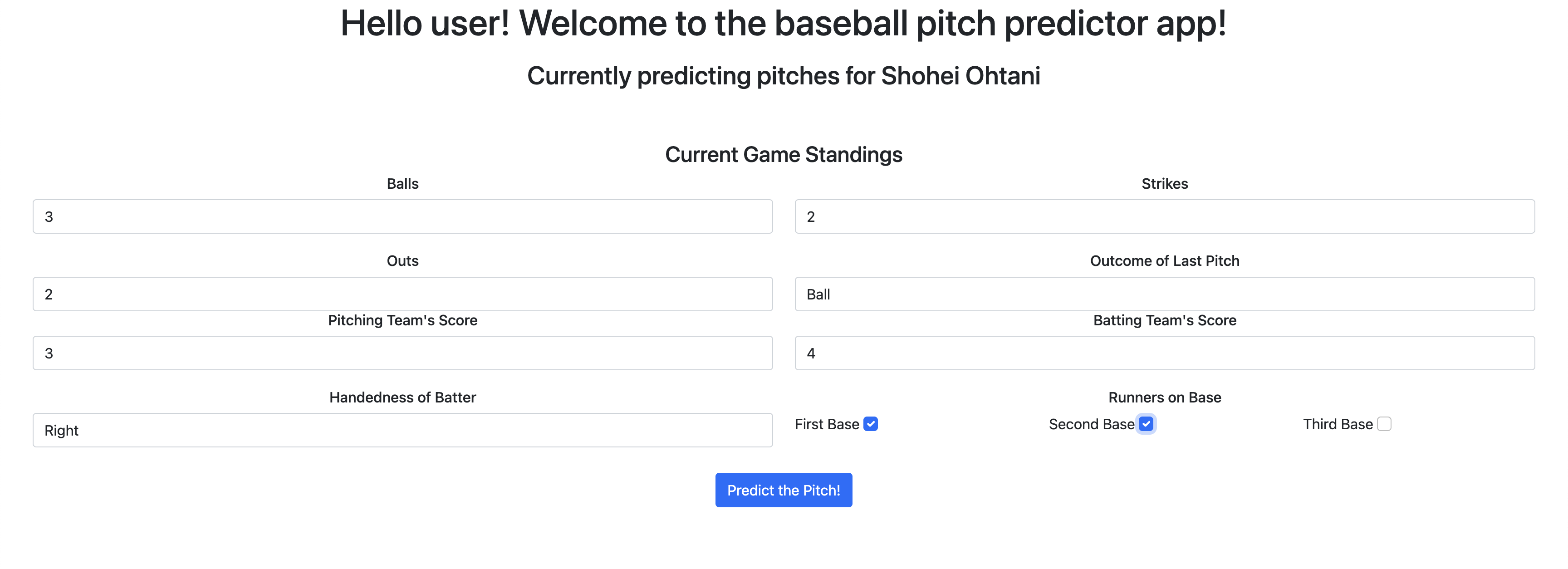
When you arrive at the web page hosting the GUI for the Baseball Predictor, you will be met with a screen like this:
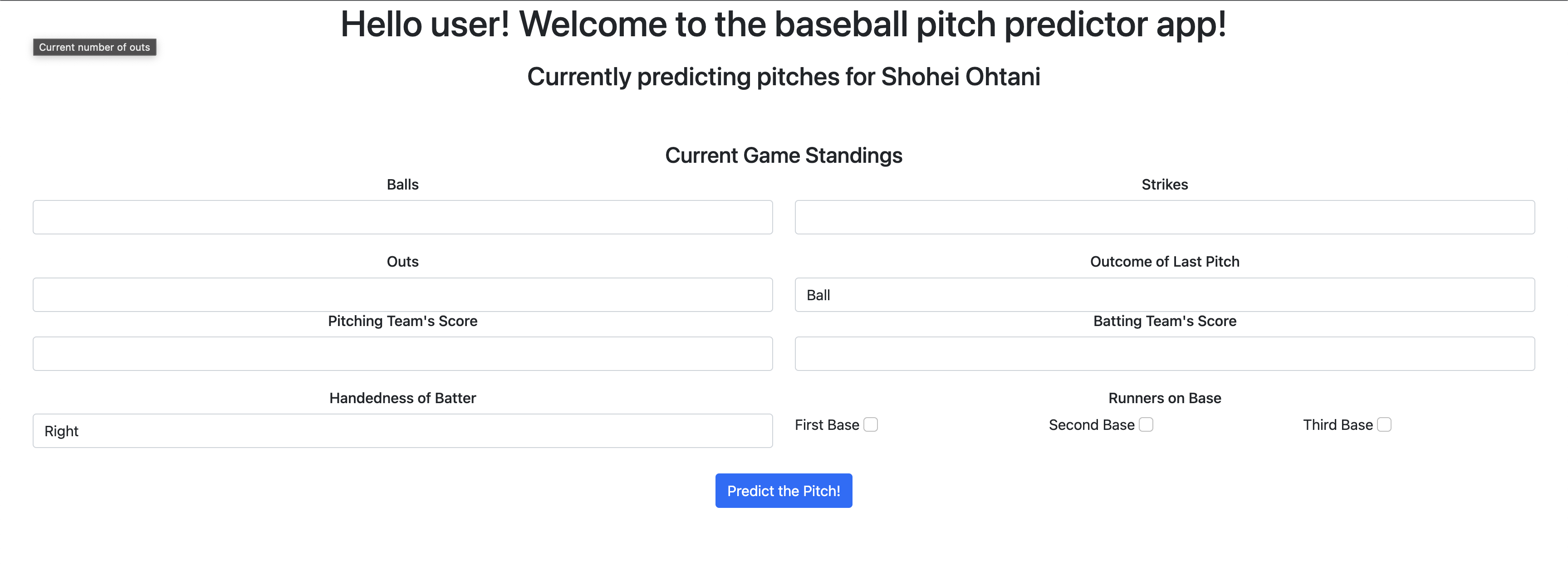
To use the pitch predictor, enter the appropriate information in each field. If you are uncertain what a field means, hover your cursor over the title of the field for a tooltip further explaining what to enter:
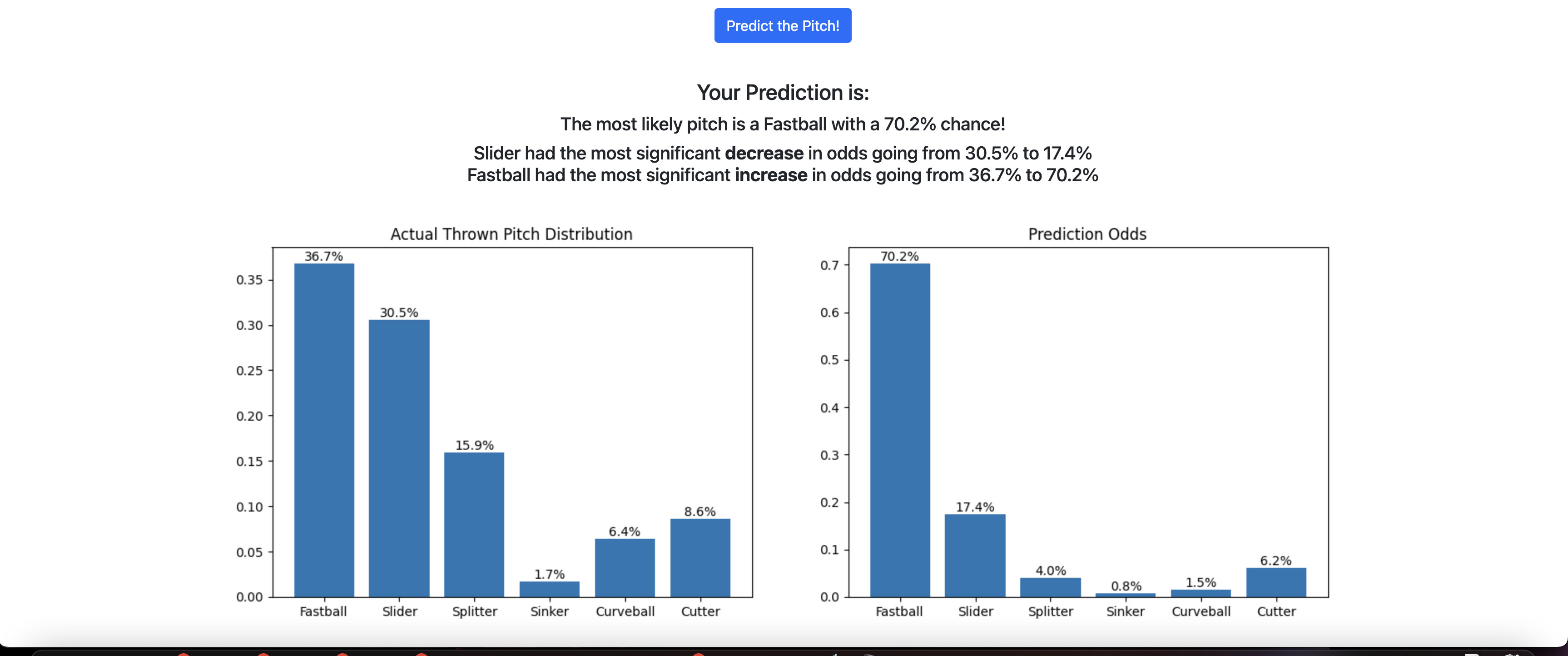
Finally, after entering the current standings to the pitch predictor, click "Predict the Pitch" to recieve your result. The given result will indicate the distrubution of pitches the Pitcher has thrown during their career (left graph), as well as the odds of each of those pitches for the current scenario (right graph/prediction). Additionally, the Pitch Predictor will display the most likely pitch, the pitch that most significantly increased in likelyhood of being thrown, and the pitch that most significantly decreased in likelyhood of being thrown (based on the distribution of actual thrown pitches).