Browser-based Microsoft 365 security investigation tool with application-based authentication.
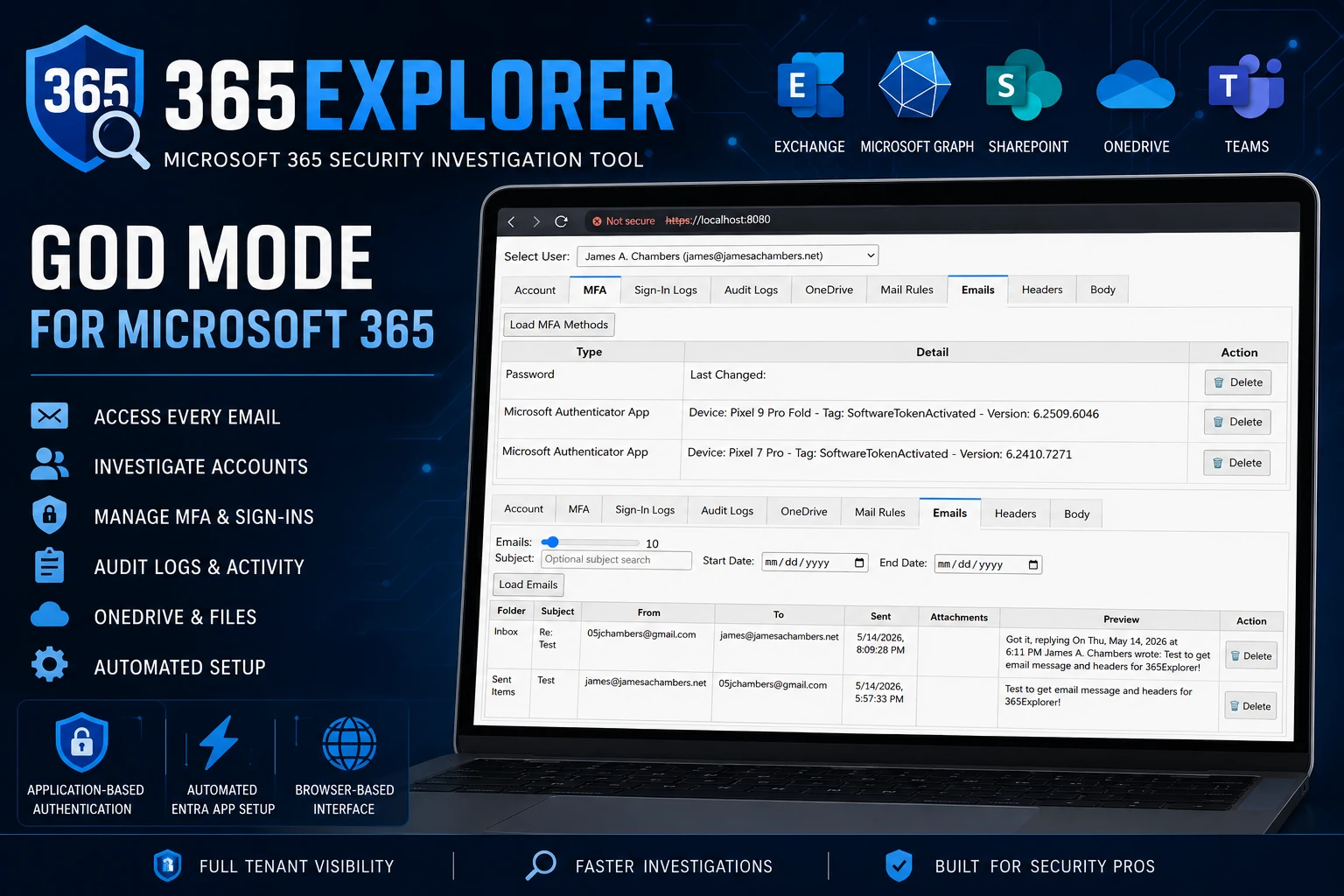
365Explorer gives administrators "God Mode" access to their Microsoft 365 tenant for security investigations. It runs a local web server with a browser-based UI, powered by certificate-based application authentication to Microsoft Graph and Exchange Online.
Designed for security investigators who need to access tenant-wide data that would otherwise require E5 licensing or painstaking manual setup through the Entra portal.
Make sure to read my full blog post here to further understand the tool and it's capabilities: https://jamesachambers.com/365explorer-browser-based-powershell-tool-for-365-security-investigations/
- Automated setup - Creates the Entra application registration, assigns all required permissions, and grants admin consent automatically. No manual portal configuration needed.
- Application-based auth - Uses a self-signed certificate for certificate-based authentication, enabling access beyond what delegated admin rights allow.
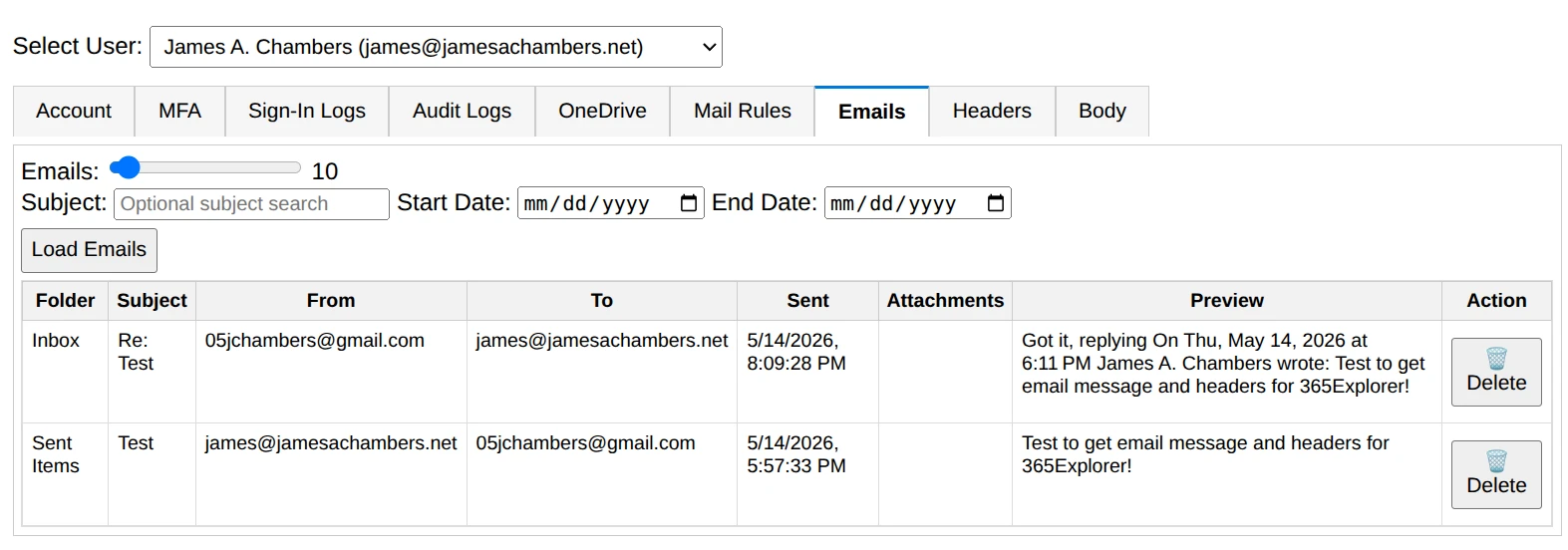
- Access every email in the tenant - Browse, search, view headers and body content, and delete emails from any user mailbox without E5 licensing.
- Browser-based UI - Local web interface served over HTTPS on
localhost:8080with multi-threaded support. - Auto-update - Checks the PowerShell Gallery for new versions each time it runs.
| Tab | Description |
|---|---|
| Account | Account attributes from Exchange and Microsoft Graph. Quick-action buttons for blocking/allowing sign-in and signing out all sessions. Shows current licensing and assigned plans. |
| MFA | Inspect and remove suspicious authenticators registered on compromised accounts. One-click delete for attacker-added methods. |
| Sign-In Logs | Query tenant sign-in activity. Requires at least one Entra ID P1 license in the tenant (does not need to be assigned to the admin user). |
| Audit Logs | Search the Unified Audit Log (free, must be enabled once per tenant). The module attempts to enable it automatically if not already active. Note: data takes 8+ hours to begin populating after enabling. |
| OneDrive | Browse all OneDrive for Business files across the tenant. Supports downloading and deleting files (moved to recycle bin). |
| Mail Rules | View and remove mail rules for any user. Malicious rules are a common indicator of email compromise. |
| Emails | Browse emails for a selected user with subject search and date-range filtering. Retrieve 1–200 emails per query. Delete emails with a button. |
| Headers | Display raw message headers for the selected email. Useful for analyzing phishing attempts or malicious email delivery. |
| Body | Render the body content of a selected email. |
Install-Module 365Explorer# Launch the web interface
Invoke-365Explorer
# Remove the application registration from your tenant
Remove-365Explorer
# Disconnect and reset all module state
Reset-AppGraphThat's it — Invoke-365Explorer handles everything: installing dependencies, creating the Entra app registration, generating a certificate, granting permissions, and starting the web server.
- PowerShell 5.1+ (PowerShell 7+ recommended for parallel task execution)
- Global Administrator role in your Microsoft 365 tenant
- Windows or Linux - Yes, it works great on Linux too, as do the Microsoft Graph and ExchangeOnlineManagement modules
- Entra ID P1 license (optional) - Required for sign-in logs. A single P1 license anywhere in the tenant is sufficient; it does not need to be assigned to the admin user. Plans like Microsoft 365 Business Premium, E3, and E5 include this.
The module automatically installs and manages the following:
- Pode - Web framework for the browser-based UI (installed on first run if missing)
- Microsoft.Graph - Microsoft Graph API access (v2.28.0+)
- ExchangeOnlineManagement - Exchange Online PowerShell (v3.8.0+)
- PowerShellGet - Package management (v2.2.5+)
- On first run, the module generates a self-signed certificate stored in
%Temp%\365Explorer.pfx. - It creates an Entra application registration named
365Explorer - PowerShell Administration Toolwith the certificate attached. - All required Microsoft Graph, Exchange, and SharePoint application permissions are assigned and admin consent is granted.
- The module authenticates as the application (app-only context) using certificate-based auth.
- On subsequent runs from the same machine, the existing certificate is reused to speed up startup.
The certificate is machine-specific (stored in %Temp%). If multiple administrators need concurrent access, share the certificate file from one admin's Temp folder to the others. Without sharing, each machine will create its own certificate and re-register the application.
- Sign-In Logs require Entra ID P1 - Without at least one P1 license in the tenant, sign-in log fields will display "Missing P1". The logs remain accessible through the Entra portal manually.
- Unified Audit Log takes time to activate - If you receive a "Bad Request" when querying audit logs, the feature has not finished enabling. It typically takes 8+ hours after activation.
- Exchange must be enabled - If Exchange Online is disabled on your tenant, Exchange-related tabs will be unavailable but the rest of the tool will function normally.
This module is open source. The source is available on GitHub.
James A. Chambers - jamesachambers.com