This repository contains our project for Computação Multimedia subject at FCT, in the year 2021/2022.
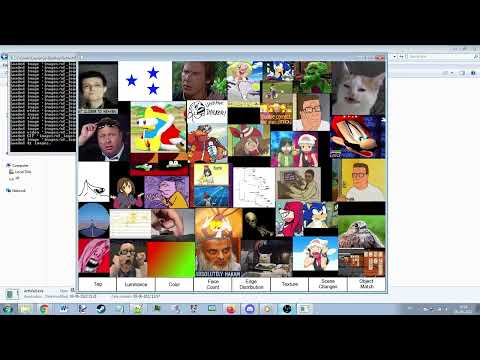
This project consists of a dynamic image and video viewer. You select a directory and all the images and video in said directory will be displayed on screen, repositioning and scaling themselves dynamically.
- To build, you will need a copy of Visual Studio 2019 or later, as well as a copy of Open Frameworks.
- Download or clone this repository, and place it inside openFrameworks/apps/myApps.
- Ensure you install the ofxCv addon as well.
- Run the Visual Studio solution file and compile it.
- Upon running the executable, you will be displayed with a black screen and the words
Press CTRL + O to open a directory with images/video. Press CTRL + O and browse to a folder to open it. - If this is the first time opening the folder, it might take a while as the program generates the metadata.
- Once metadata has been generated/loaded, all the images and video in the directory will appear on the screen, and begin to grow and reposition themselves to fit.
- You can left click on an image/video to put it into focus, where it will grow and push other files away. Click on another image/video to highlight a different file, or select on empty space to deselect the current image/video.
- Images can be dragged around by holding left click.
- If the highlighted object is a video, video playback options will appear if the mouse is currently hovering over the video.
- On the bottom you have a wide selection of filters which you can apply to the objects.
- You can right click on an image to open a context menu which will allow you to open the file, or edit and view its metadata.
- Pressing space bar will pause all physics.