Workspace Overview
The overview is the starting surface for an open workspace. It keeps the saved context or cluster group, namespace scope, and resource kinds visible while fetching live cluster state.
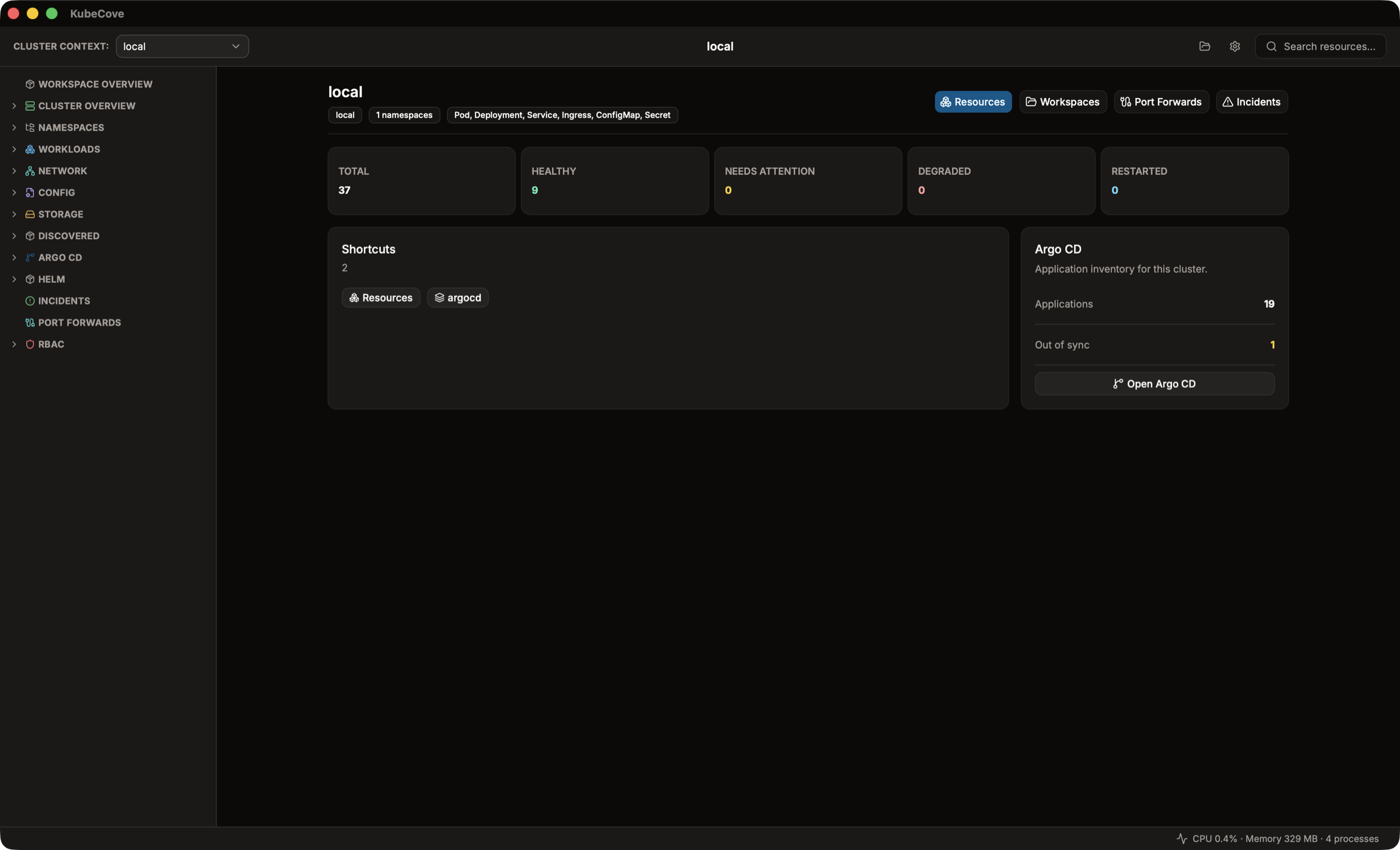
Resource Health counts live resources in the saved scope:
- Total
- Healthy
- Needs attention
- Degraded
- Restarted
When attention, degraded, or restarted resources exist, use the incident shortcuts to open the matching incident queue. A resource-load failure is shown as partial data rather than treated as healthy.
If saved scope is no longer available, the overview identifies the missing primary context, cluster-group members, namespaces, or kinds. It does not silently widen a namespace-scoped workspace; available scope continues to load.
The Operations section keeps four scoped routes available:
- Resources opens the resource browser in the saved workspace scope.
- Workspaces returns to the launcher.
- Port Forwards opens saved and active forward management.
- Incidents opens the incident queue.
Use the resource browser to narrow further, inspect details, or open an incident from a specific resource.
Shortcuts are generated from saved scope and can open Resources, selected namespaces, comparisons, or an Argo application. Pinned lists resources you explicitly saved. Recent lists explicitly opened namespaces, applications, and resources; it keeps up to eight distinct entries.
A cluster group produces a context comparison shortcut. Two or more selected namespaces produce a namespace comparison shortcut. The comparison cards show the live health split for each side.
The GitOps panel detects Argo CD and Flux in the primary context. When detected, it shows:
- Argo CD application count and out-of-sync count
- Flux resource count
Select Open GitOps to inspect the inventory. Detection or inventory failures remain visible as partial failures; they do not imply an empty inventory. See GitOps: Argo CD and Flux for transport and operation boundaries.