- Overview
- Warning
- Supported Devices
- Setup
- Get Device Supported
- How To Change Keycodes
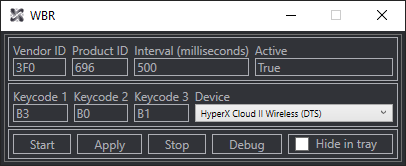
- Preview
- Technologies
Reprogram any button on (most) wireless headsets to perform up to 3 custom actions (default: Pause, Skip, Replay).
Original button functions (e.g., mute) still trigger because they're handled onboard. Only use this tool if you’re okay with losing the original behavior.
(Windows only)
- HyperX Cloud II Wireless (DTS version)
- HyperX Cloud III Wireless
- Corsair Virtuoso XT
- Download and run
WBR.exe - Press
Debug - Reconnect your device
- Select your device
- Finished!
To make other peoples lives easier, please be so kind and share your presets.json (located at %appdata% -> WBR) by submitting an Issue!
- Download and run
WBR.exe - Press
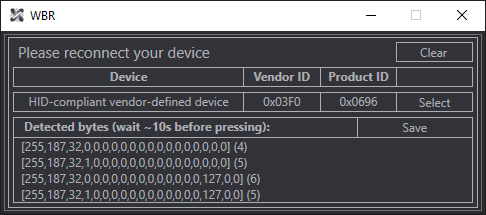
Debug - Reconnect your device
- Select your device
- Wait 5-10s after replugging
- Press the desired button on your headset multiple times (as a precaution, to account for occasionally changing "click signatures")
- Make sure the output looks reasonable, then press
Saveand enter a custom preset name - Select the preset from the drop-down menue.
- Finished!
Use this MSDN list to find desired keycodes. Enter them in the program, then click Apply and Start.
- C#
- WPF (.NET 8.0, Visual Studio)
- HIDLibrary