Repository navigation
Ride HUD
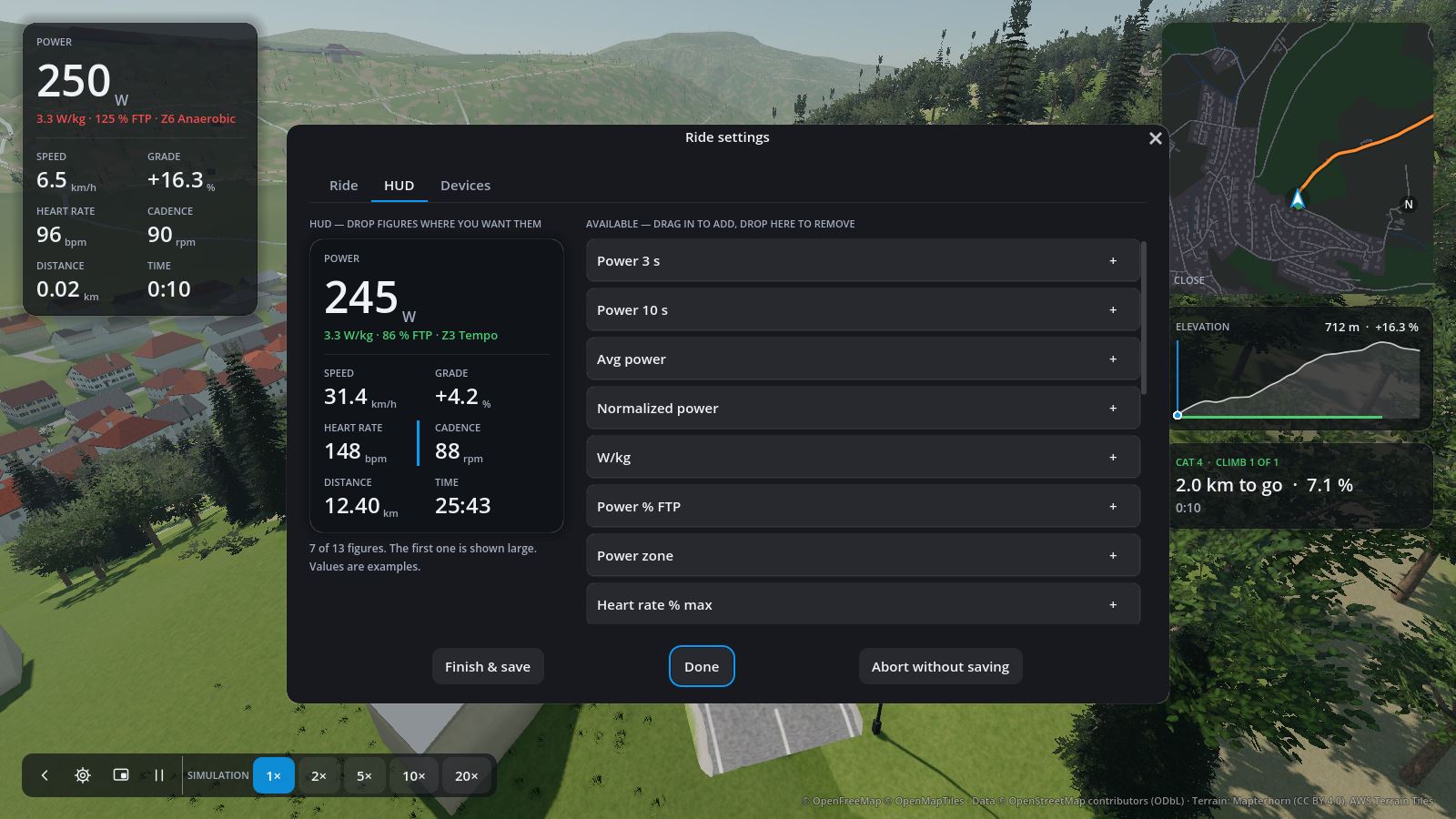
The figures on the left of the ride screen are yours to choose, per rider. Edit them in Rider settings → HUD, or with Settings → HUD during a ride.
- Drag a figure into the HUD; a blue line shows where it lands. + adds it at the end.
- Drag figures within the HUD to reorder them, or back to the list to remove them.
- The first figure is shown large. Up to 13 figures in total.
| Figure | Meaning |
|---|---|
| Power, Power 3 s, Power 10 s | Instant power, or averaged over 3 or 10 s; from your power meter if you have one |
| Avg power, Normalized power | Over the ride so far |
| W/kg, Power % FTP, Power zone | Power relative to your weight and FTP |
| Heart rate, Heart rate % max, Heart-rate zone | From your heart-rate strap |
| Cadence | Pedal revolutions per minute, from the source you chose |
| Gear | The virtual gear (1–24) |
| Speed, Avg speed | Virtual speed |
| Distance, To go | Ridden so far, and left to the finish |
| Time, Time to go | Since the start (without pauses), and estimated to the finish |
| Elevation, Climbed, Ascent to go | Altitude, climbing done and still ahead |
| Grade, Next 500 m | Gradient here, and averaged over the next 500 m |
| Intensity, TSS, Work | Intensity factor, training stress score, kilojoules |
Time to go assumes 75 % of your FTP at first and your average power once you have ridden a while.