Home
rts-utils wiki
Please note, script_downloader has been replaced by the new process below.
- Copy the contents of rtsutils_init.py
- Create a new script in the CWMS CAVI/HEC-RTS called rtsutils_init
- Paste the contents of Step 1 into the new script, saving the script.
- Run rtsutils_init (recommend running with console output to in case of errors)
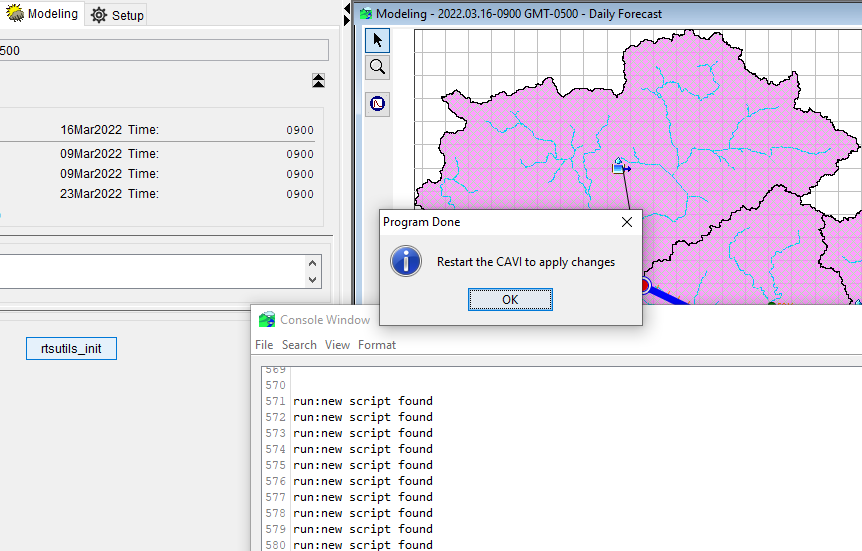
Upon successful setup completion, you should see the following:
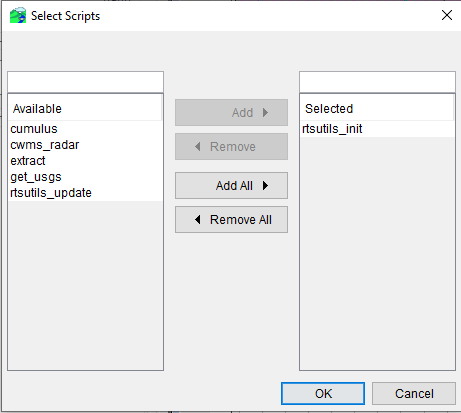
After restarting the CAVI, you should now have the following scripts available:
- Initialization of the rtsutils package provides a script (rtsutils_update.py) to update changes in the
rts-utilsrepo - Running rtsutils_update.py executes a
Goimplementation ofgit pullupdating the local copy of any changes - The user is presented with a message dialog returning results but it is good practice to review the
Console Output
Successful execution with repository up-to-date
2022/03/16 11:16:29 Service up: https://github.com
2022/03/16 11:16:29 Initiating 'git' command
2022/03/16 11:16:30 Repository already up-to-date