Python-first report compiler that turns raw data into stunning,
interactive React dashboards — zero frontend knowledge required.




📖 Documentation • Screenshots • Quickstart • Installation • Block Reference • Examples • Architecture • Development
Don't take our word for it — see what HolySheet generates:
🌙 Dark Theme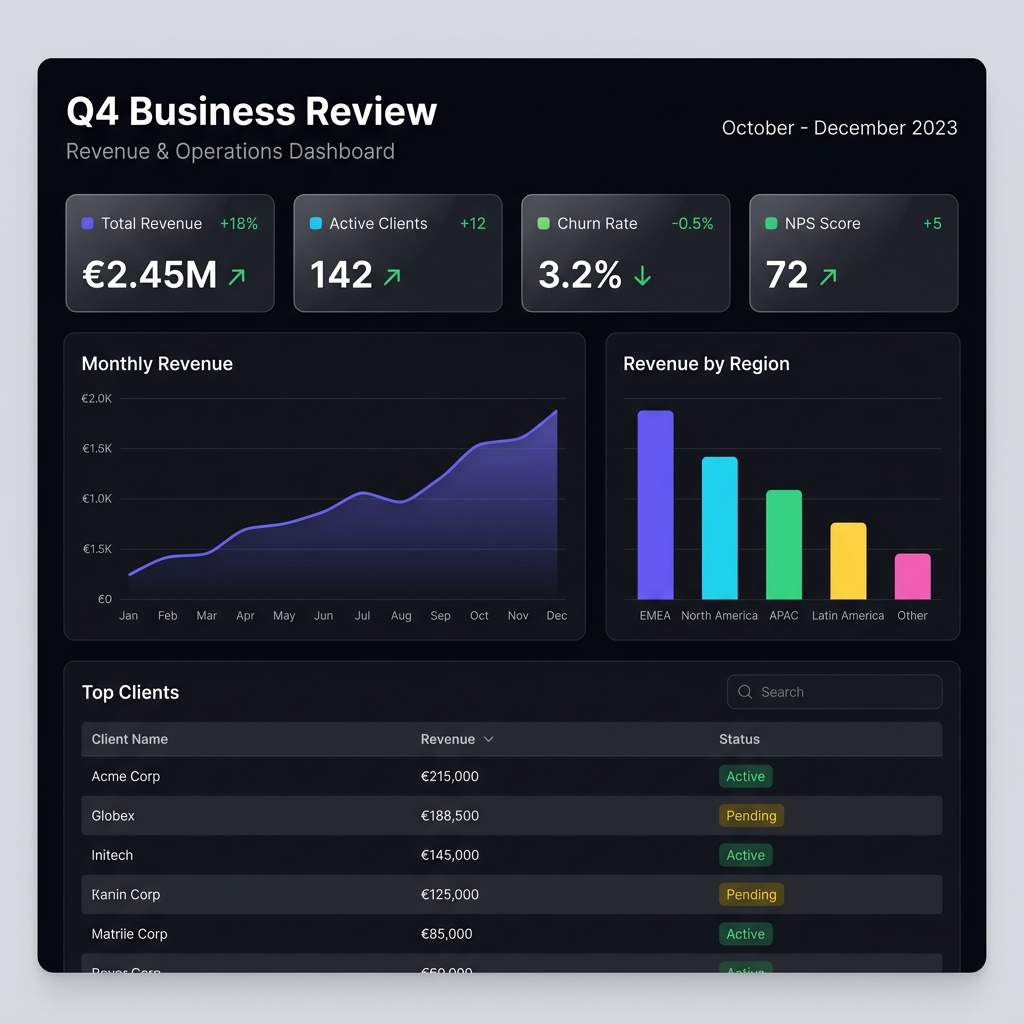
|
☀️ Light Theme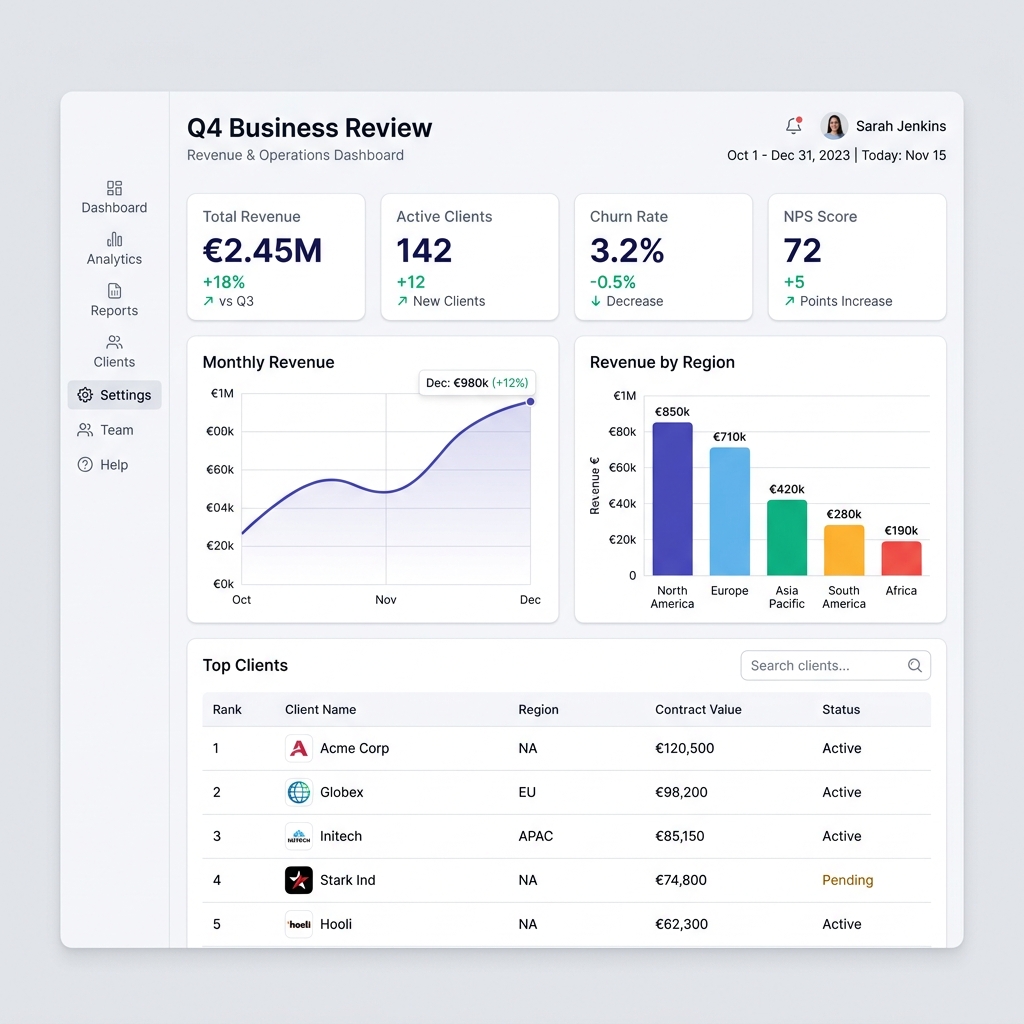
|
👔 Executive Theme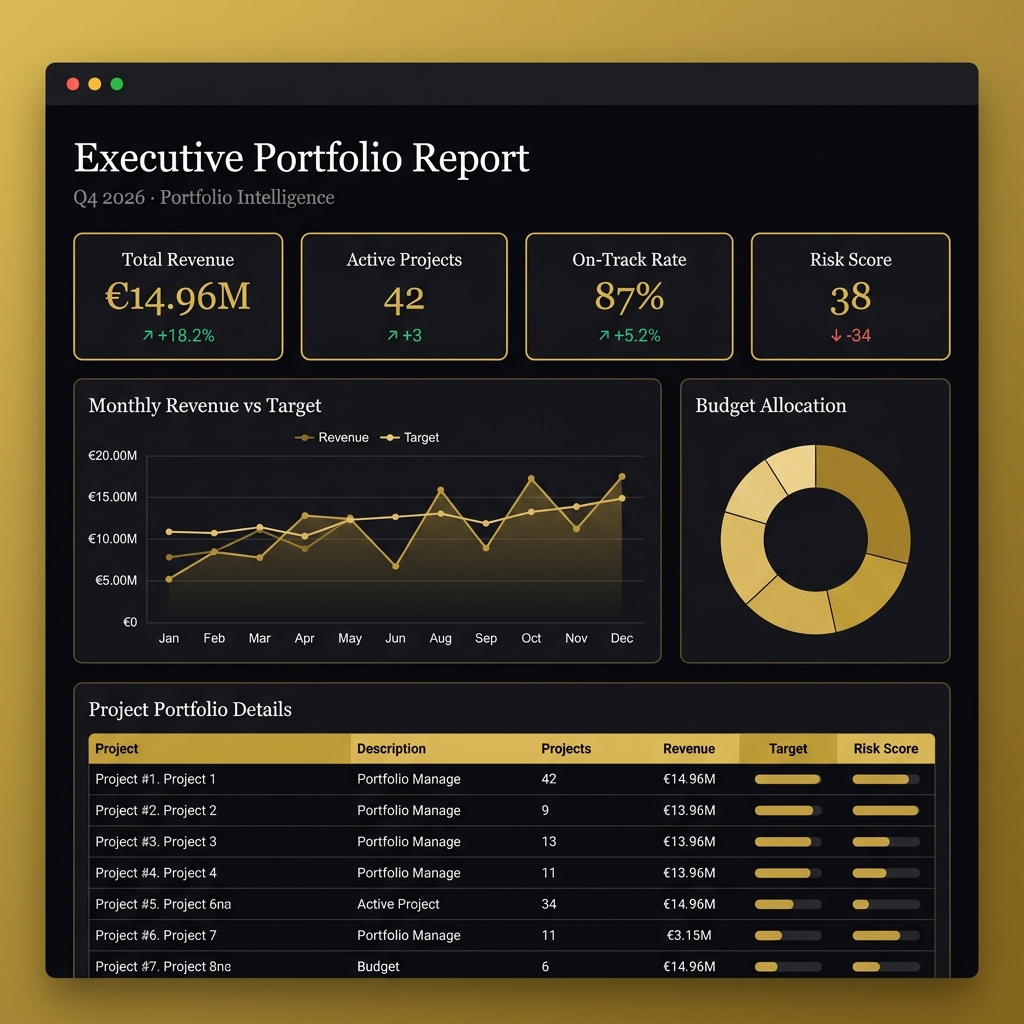
|
All dashboards above are generated from Python code — zero frontend knowledge required.
Each is a single, self-contained HTML file that opens in any browser.
📊 Basic Report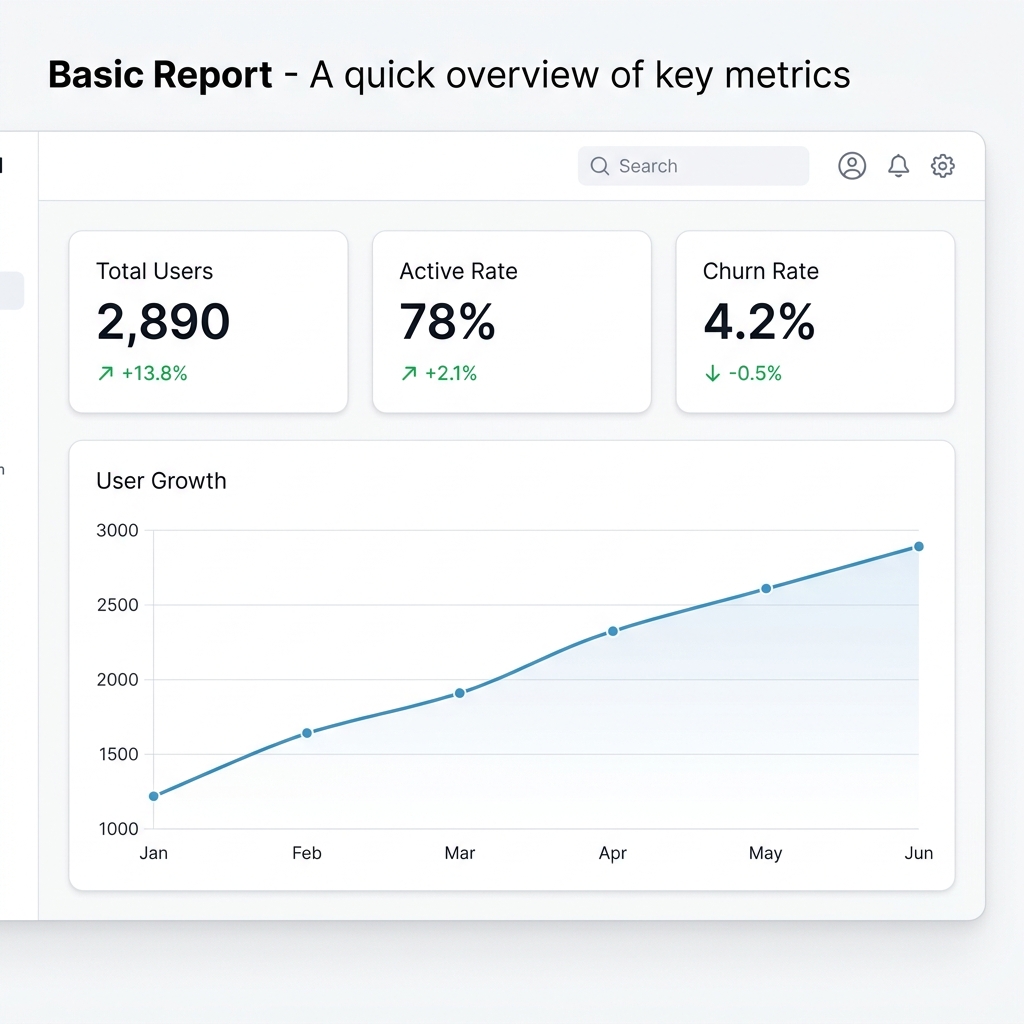 KPI cards + line chart · Light theme |
💼 Sales Analytics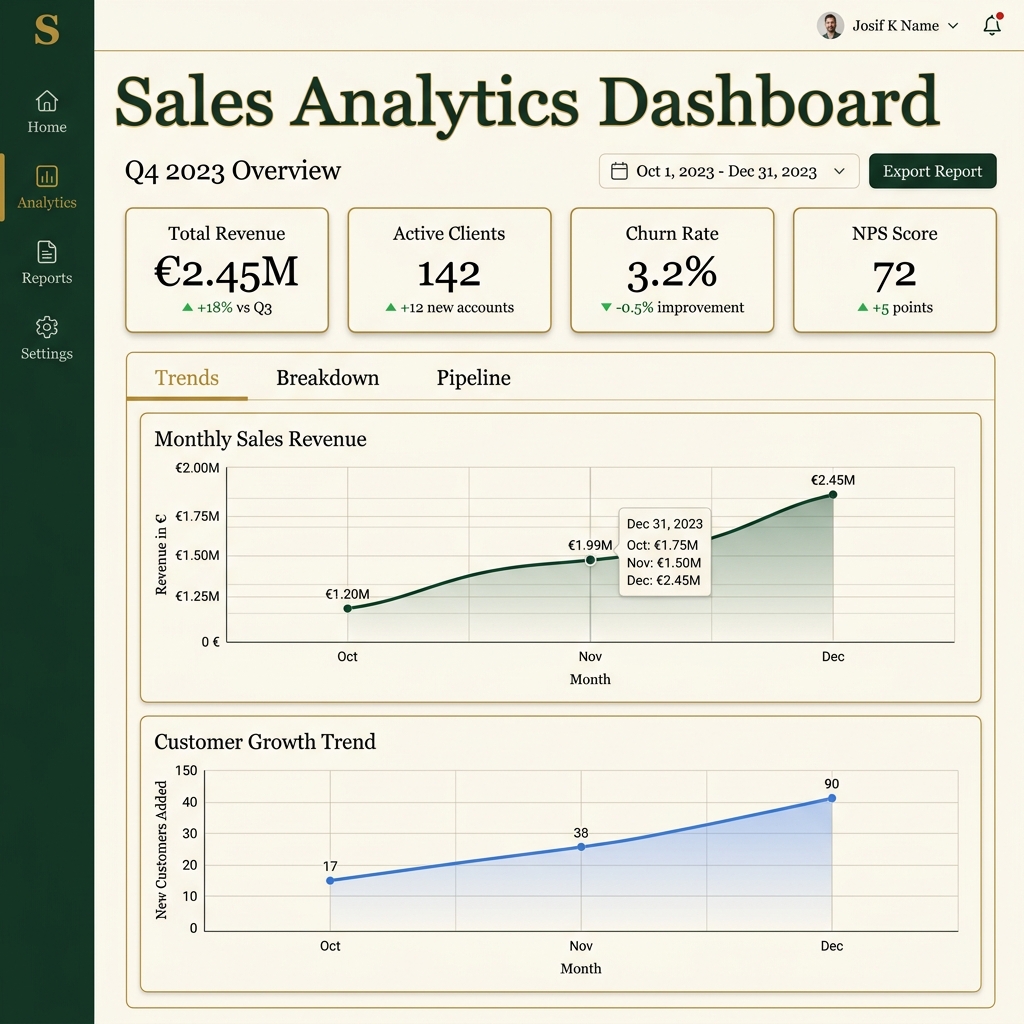 Tabbed charts + KPIs · Executive theme |
🏢 Portfolio Report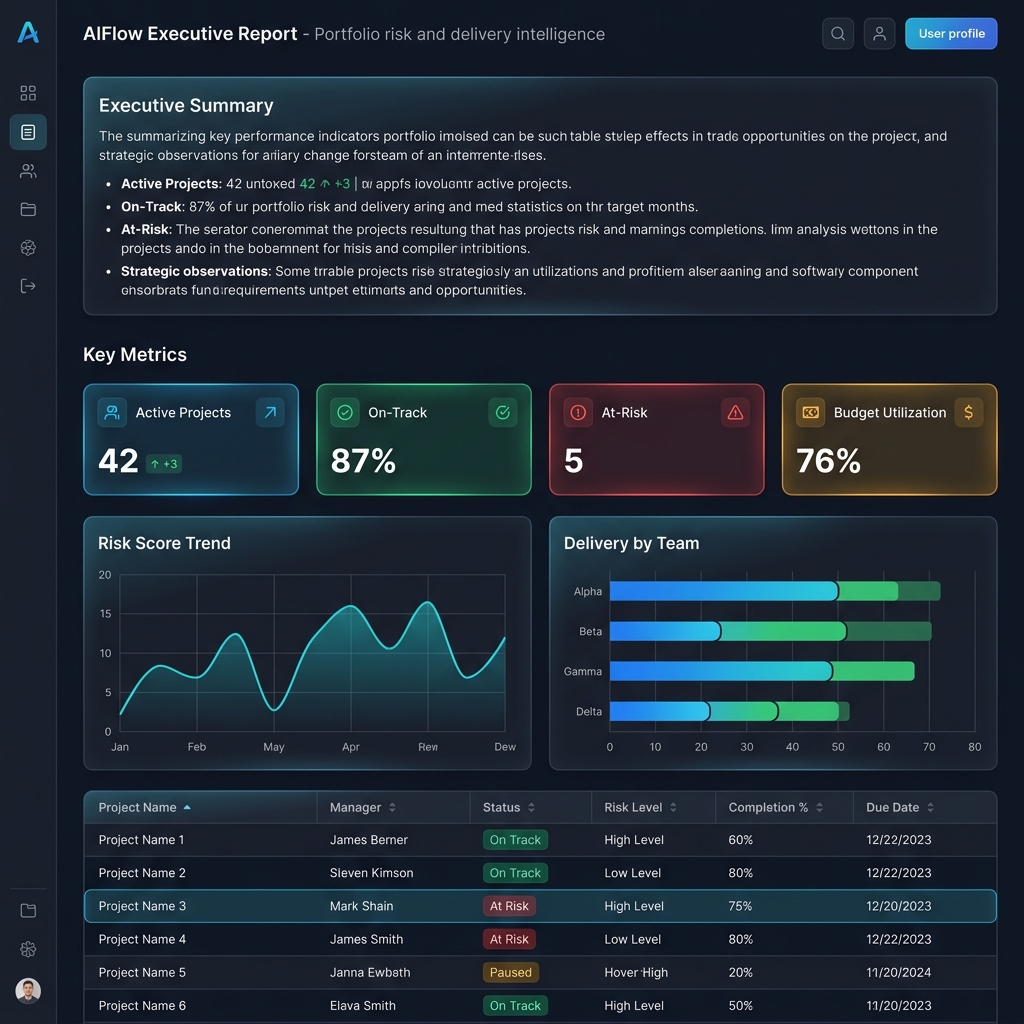 Columns layout + data table · Dark theme |
🚀 Full Showcase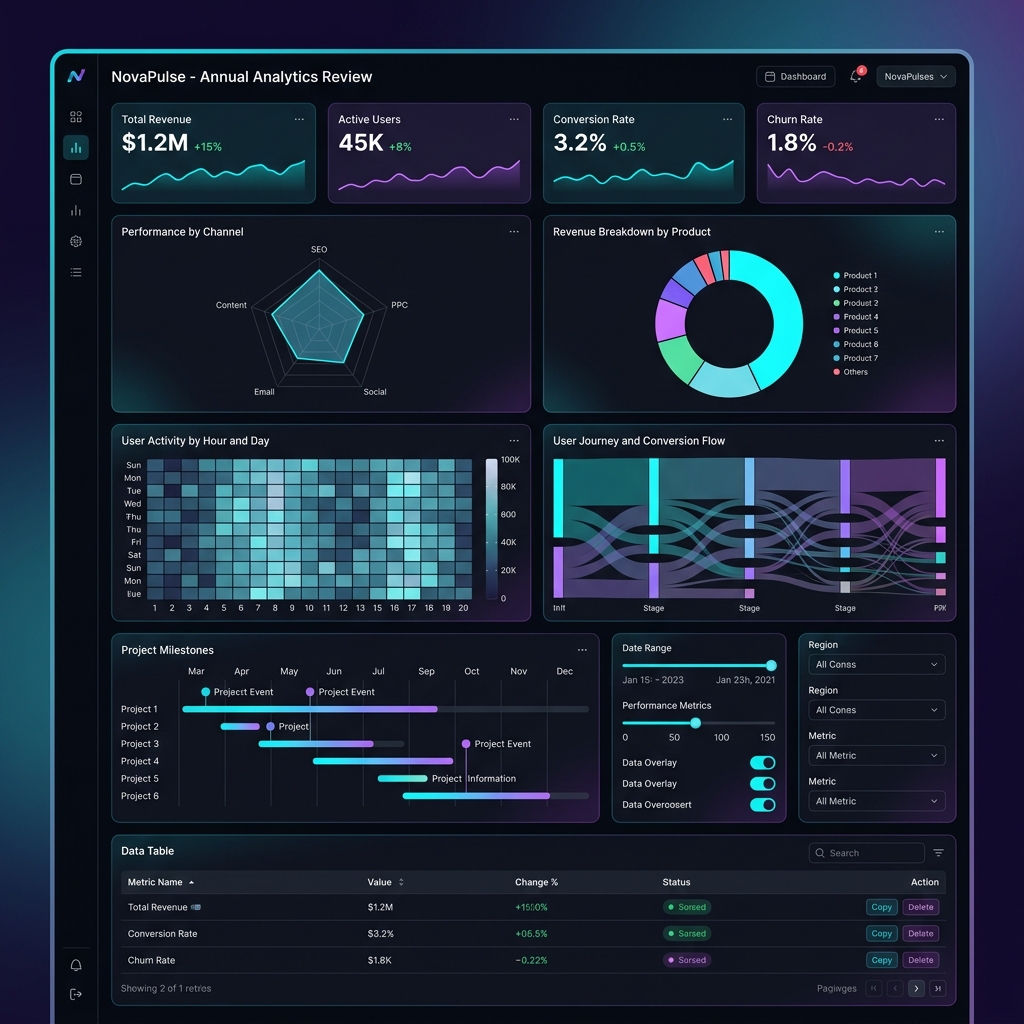 37 blocks, all chart types · Dark theme |
HolySheet generates stunning, self-contained, interactive HTML dashboards powered by React + Apache ECharts — without requiring Node.js, npm, or any frontend tooling.
Write your dashboard in Python. Get a gorgeous interactive report as a single HTML file.
No server. No dependencies. Just open it in a browser. Holy Sheet, that's easy!
- 🧱 57 block types — 18 charts, 6 metrics, 14 content/data, 8 layout, 9 interactive, AI insights + SQL
- 🎨 3 premium themes — Dark, Light, and Executive with full design systems
- 📦 Single-file export — One
.htmlfile (~1.5 MB) with everything embedded - 🐼 Any data source — Pandas, Polars, dicts, lists, Google Sheets
- 🤖 AI-powered insights — OpenAI, Anthropic, Google Gemini integration
- 🔐 Enterprise features — Password protection, expiring reports, PDF export
- 🔧 Developer tools — CLI, hot-reload dev server, linting, report diff
- 📱 Responsive & PWA — Works on mobile, supports offline mode
from holysheet import Report, KPI, LineChart, DataTable

report = Report(title="Executive Portfolio Report", theme="dark")

report.add(KPI(label="Revenue", value=1_250_000, unit="€", delta="+12%", status="positive"))
report.add(LineChart(title="Revenue Trend", data=revenue_df, x="date", y="revenue"))
report.add(DataTable(title="Projects", data=projects_df))

report.export_html("report.html") # ← That's it. Open in any browser.| 😩 The Problem | 😇 The HolySheet Way |
|---|---|
| Dashboards require complex frontend setup | Zero frontend knowledge needed |
| Reports need a running server | Self-contained HTML files — open anywhere |
| Visualization libraries produce basic charts | Enterprise-grade React UI with interactive ECharts |
| Sharing reports is painful | Single HTML file — email it, Slack it, embed it |
| Python-to-dashboard tools look dated | Modern Material UI design with dark/light/executive themes |
| Data wrangling across libraries | Native Pandas, Polars, dict, and list support |
pip install holysheetfrom holysheet import Report, KPI, LineChart, BarChart, PieChart, DataTable, Section
report = Report(
title="Q4 Business Review",
subtitle="Revenue & Operations Dashboard",
theme="dark",
author="Data Team",
)
# KPI cards — they auto-arrange in a responsive grid
report.add(KPI(label="Total Revenue", value=2_450_000, unit="€", delta="+18%", status="positive"))
report.add(KPI(label="Active Clients", value=142, delta="+12", status="positive"))
report.add(KPI(label="Churn Rate", value=3.2, unit="%", delta="-0.5%", status="positive"))
report.add(KPI(label="NPS Score", value=72, delta="+5", status="positive"))
# Charts — pass any DataFrame or list of dicts
report.add(LineChart(title="Monthly Revenue", data=revenue_data, x="month", y="revenue"))
report.add(BarChart(title="Revenue by Region", data=region_data, x="region", y="revenue"))
report.add(PieChart(title="Revenue Split", data=split_data, name="category", value="amount"))
# Searchable, paginated data table
report.add(DataTable(title="Top Clients", data=clients_data, columns=["name", "revenue", "status"]))
# Export → a single portable HTML file
report.export_html("q4_review.html")open q4_review.html # macOS
xdg-open q4_review.html # Linux
start q4_review.html # WindowsThe HTML file is fully standalone — no server, no internet, no Node.js. Send it via email, upload to S3, embed in Confluence — it just works.
# Core (zero extras)
pip install holysheet

# With Pandas support
pip install holysheet[pandas]

# With PDF export
pip install holysheet[pdf]

# With AI insights (OpenAI / Anthropic / Google)
pip install holysheet[ai]

# With cloud publishing (S3 / GCS)
pip install holysheet[cloud]

# With Google Sheets data source
pip install holysheet[gsheets]

# Everything
pip install holysheet[all]
Requirements:
- 🐍 Python 3.11+
- 🚫 No Node.js required
- 🚫 No frontend build step
- 🚫 No running server
Core dependencies: pydantic v2 · jinja2 · orjson · loguru · click
HolySheet ships with 57 block types organized into seven categories.
🖼️ Block Preview — Charts & Data Tables
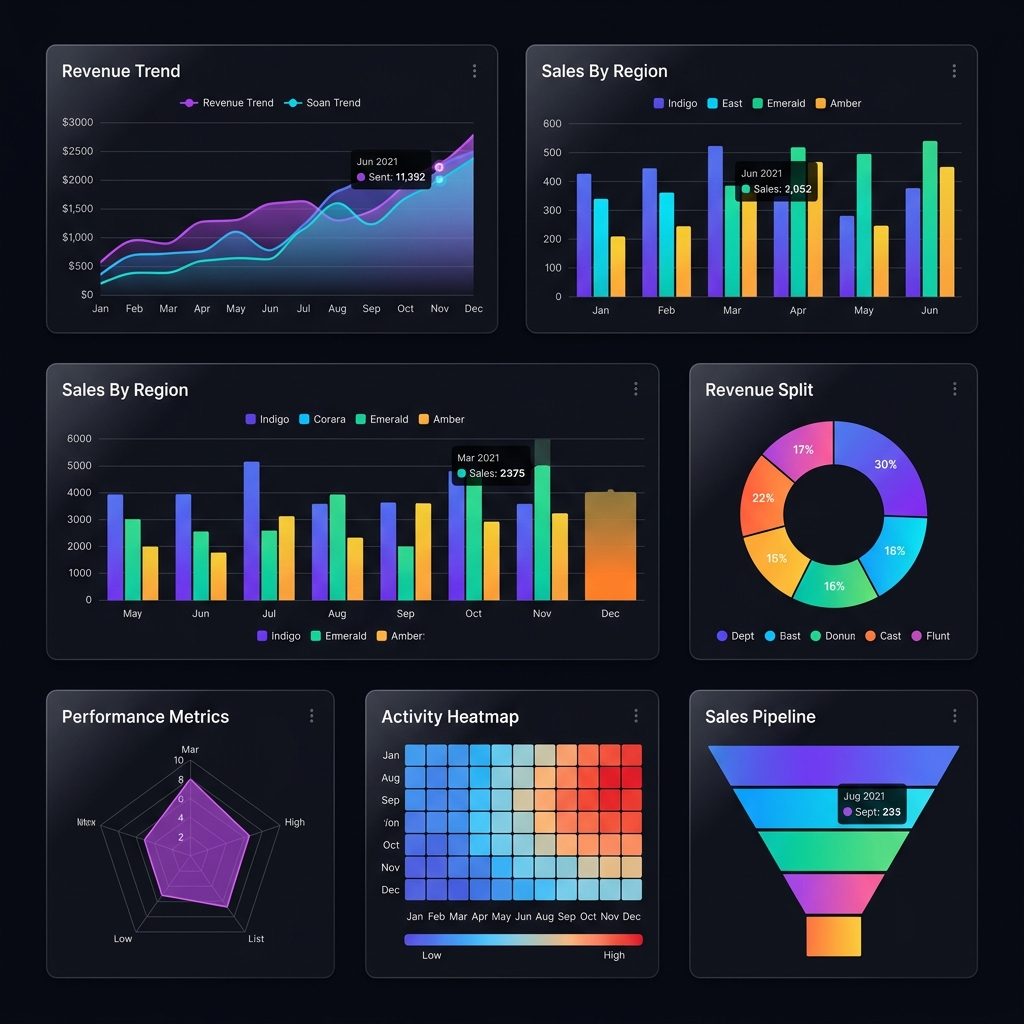 18 chart types: line, bar, pie, radar, heatmap, funnel, and more |
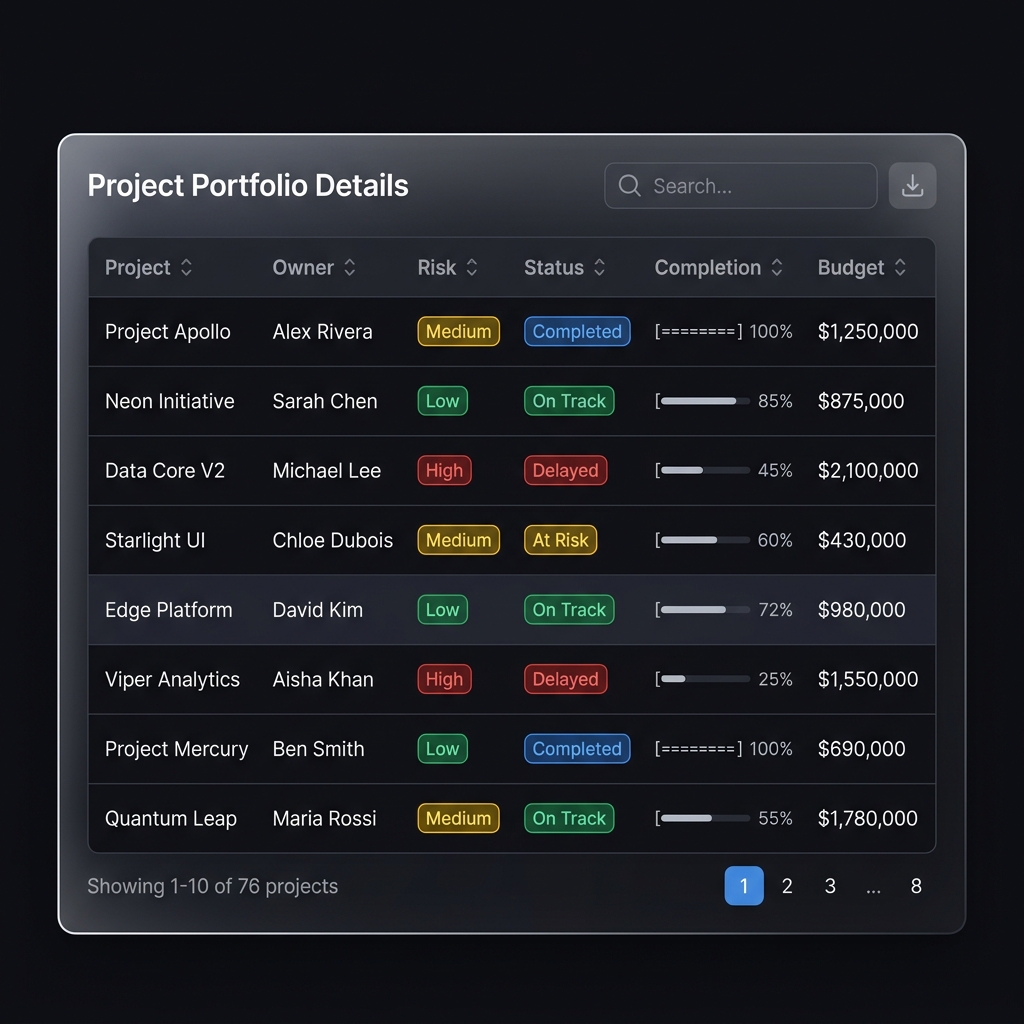 Interactive tables with search, sort, pagination & conditional formatting |
🖼️ Block Preview — KPI Cards Across Themes
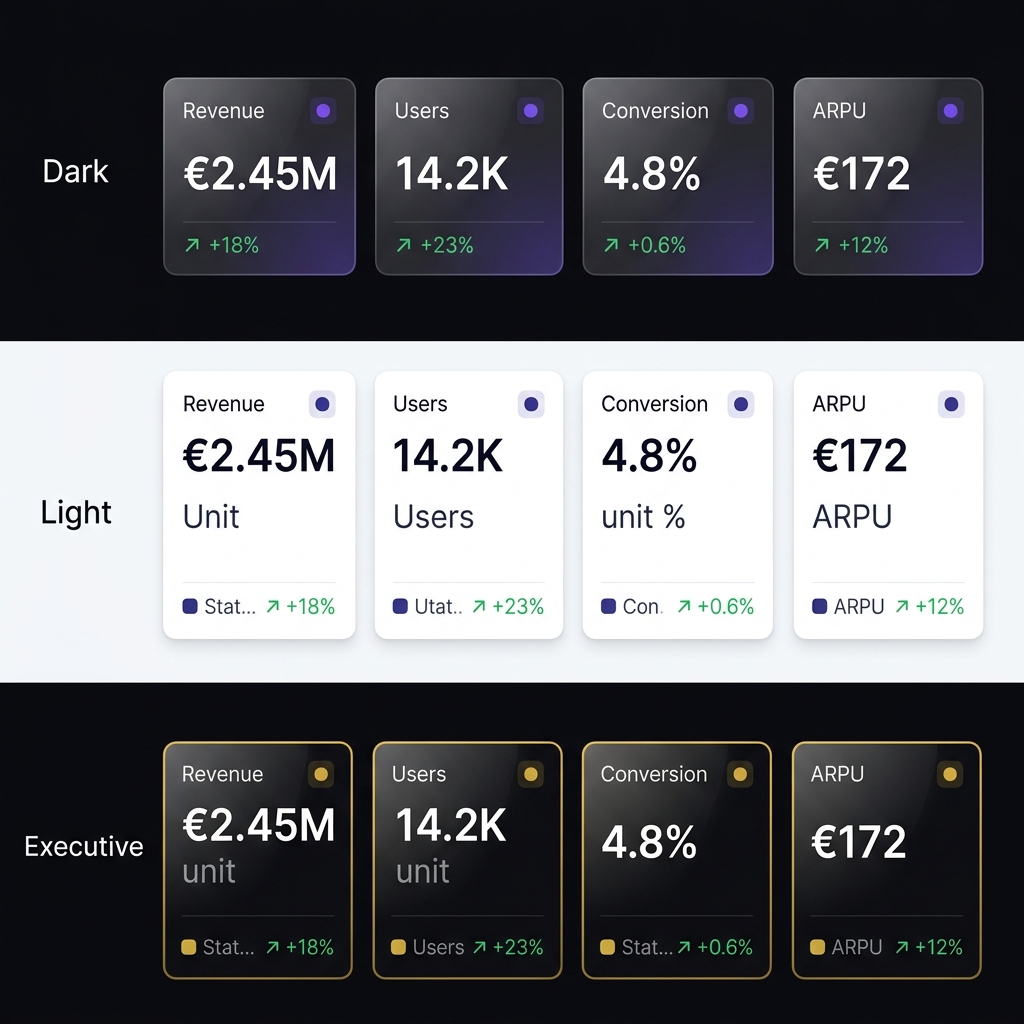
KPI cards automatically adapt to your chosen theme
| Block | Description | Key Props |
|---|---|---|
LineChart |
Multi-series line chart | data, x, y, series, annotations |
AreaChart |
Filled area chart | data, x, y, series, annotations |
BarChart |
Grouped/stacked bar chart | data, x, y, series, annotations |
PieChart |
Pie / donut chart | data, name, value |
ScatterChart |
Scatter / bubble plot | data, x, y, size, category |
RadarChart |
Radar / spider chart | data, indicators |
GaugeChart |
Speedometer gauge | value, min, max, thresholds |
FunnelChart |
Conversion funnel | data, name, value |
TreemapChart |
Hierarchical treemap | data, name, value, category |
HeatmapChart |
2D heatmap with color gradient | data, x, y, value |
CandlestickChart |
Financial OHLC chart | data, x, open, close, low, high |
SankeyChart |
Flow / energy diagram | nodes, links |
WaterfallChart |
Waterfall / bridge chart | data, category, value |
BoxPlotChart |
Statistical box plot | data, categories |
MapChart |
Geographical scatter | data, lat, lng, value, name |
GanttChart |
Project timeline 🆕 | tasks [{name, start, end, progress}] |
DAGChart |
Directed acyclic graph 🆕 | nodes, edges, layout |
CorrelationMatrix |
Correlation heatmap 🆕 | matrix, labels |
| Block | Description | Key Props |
|---|---|---|
AIInsight |
LLM-powered data narrative 🆕 | data, provider, prompt, api_key |
GoogleSheet |
Google Sheets data source 🆕 | spreadsheet_id, sheet_name, range |
SqlBlock |
Client-side SQL queries 🆕 | query, data, output |
| Block | Description | Key Props |
|---|---|---|
KPI |
Key metric card with delta + tooltips | label, value, unit, delta, status, tooltip_detail |
Metric |
Compact inline metric | label, value, unit, icon |
ProgressBar |
Progress indicator | label, value, max, color |
StatComparison |
Side-by-side comparison | title, items |
Scorecard |
Conditional color metric grid 🆕 | data, columns, thresholds |
DataProfile |
Auto-EDA summary cards 🆕 | columns [{name, dtype, count, ...}] |
| Block | Description | Key Props |
|---|---|---|
DataTable |
Searchable table + conditional formatting | data, columns, formatting, downloadable |
Markdown |
Rich text content | content |
CodeBlock |
Syntax-highlighted code | code, language, title |
Image |
Image display | src, alt, caption |
Alert |
Callout / notification | severity, title, message |
Timeline |
Vertical event timeline | events [{date, title, description}] |
Callout |
Styled quote / highlight | content, author, variant |
JsonViewer |
Interactive JSON tree | data, collapsed_depth |
UserCard |
Team member card | name, role, avatar_url, stats |
StatusList |
Status indicators list | items [{label, status, value}] |
InfoList |
Key-value pair display | items [{key, value, icon}] |
Sparkline |
Tiny inline chart | data, color, show_area |
NarrationBlock |
Voice narration (Web Speech API) 🆕 | text, autoplay |
| Block | Description | Key Props |
|---|---|---|
Section |
Group blocks with a heading | title, description, children |
Columns |
Multi-column responsive grid | children, widths |
Tabs |
Tabbed content panels | tabs (list of {label, children}) |
Divider |
Visual separator line | label, variant |
Accordion |
Collapsible content panels | panels (list of {title, children}) |
Stepper |
Process / wizard steps | steps [{label, description, status}] |
TagList |
Colored tag/badge chips | tags [{label, color}] |
Compare |
Side-by-side comparison layout 🆕 | left_label, right_label, left_children, right_children |
| Block | Description | Key Props |
|---|---|---|
Slider |
Range slider input | label, min, max, default_value |
NumberInput |
Numeric input field | label, default_value, step |
Toggle |
On/off switch | label, default_value |
Dropdown |
Select from options | label, options, default_value |
TextInput |
Text / textarea input | label, placeholder, multiline |
CheckboxGroup |
Multiple checkboxes | label, options, default_values |
RadioGroup |
Single-select radio buttons | label, options, default_value |
Embed |
Iframe embed | url, height, aspect_ratio |
Video |
HTML5 video player | src, poster, controls |
Three built-in themes ship out of the box:
report = Report(title="Report", theme="dark")       # 🌙 Deep dark, vibrant accents
report = Report(title="Report", theme="light")      # ☀️ Clean, professional, airy
report = Report(title="Report", theme="executive")  # 👔 Premium serif with rich greens
Each theme defines a complete design system: colors, typography (Inter / Georgia), spacing, shadows, and an 8-color chart palette.
|
🌙 Dark Glassmorphism cards, vibrant accents Ideal for internal dashboards |
☀️ Light Clean, professional, print-ready Ideal for client-facing reports |
👔 Executive Gold accents, serif typography Ideal for board presentations |
from holysheet import Report, KPI, Markdown, Alert

report = Report(title="System Status", theme="dark")

report.add(Alert(severity="success", title="All Systems Operational", message="Last checked: 2 minutes ago"))
report.add(KPI(label="Uptime", value=99.97, unit="%", status="positive"))
report.add(KPI(label="Response Time", value=142, unit="ms", status="neutral"))
report.add(KPI(label="Error Rate", value=0.03, unit="%", delta="-0.01%", status="positive"))
report.add(Markdown(content="Monitored endpoints: **API**, **Auth**, **CDN**, **Database**"))

report.export_html("status.html")from holysheet import Report, KPI, LineChart, BarChart, DataTable, Section, Columns, Markdown
report = Report(
title="AIFlow Executive Report",
subtitle="Portfolio risk and delivery intelligence",
theme="executive",
author="Strategy Team",
)
# Executive summary
report.add(Markdown(content="""
## Executive Summary
Portfolio health remains strong with 42 active projects delivering on schedule.
Risk-adjusted returns are trending positively, with a 12% improvement in delivery confidence.
"""))
# Note: Variables like risk_df, team_df, projects_df should be your DataFrames
# KPI grid inside a section
report.add(Section(
title="Key Metrics",
children=[
KPI(label="Active Projects", value=42, delta="+3", status="positive"),
KPI(label="On-Track", value=87, unit="%", status="positive"),
KPI(label="At-Risk", value=5, status="negative"),
KPI(label="Budget Utilization", value=76, unit="%", status="neutral"),
],
))
# Side-by-side charts
report.add(Columns(children=[
LineChart(title="Risk Score Trend", data=risk_df, x="date", y="score"),
BarChart(title="Delivery by Team", data=team_df, x="team", y="delivered"),
]))
# Detailed data
report.add(DataTable(
title="Project Details",
data=projects_df,
columns=["project", "owner", "risk", "status", "completion"],
))
report.export_html("executive_report.html")from holysheet import Report, Tabs, LineChart, BarChart, PieChart, FunnelChart
report = Report(title="Sales Analytics", theme="dark")
report.add(Tabs(tabs=[
{
"label": "📈 Trends",
"children": [
LineChart(title="Monthly Sales", data=sales_df, x="month", y="total"),
LineChart(title="Customer Growth", data=growth_df, x="month", y="customers"),
],
},
{
"label": "📊 Breakdown",
"children": [
BarChart(title="Sales by Region", data=region_df, x="region", y="sales"),
PieChart(title="Product Mix", data=product_df, name="product", value="revenue"),
],
},
{
"label": "🔄 Pipeline",
"children": [
FunnelChart(title="Sales Funnel", data=funnel_df, name="stage", value="count"),
],
},
]))
report.export_html("sales_analytics.html")🖼️ Example Output — Sales Dashboard (Executive Theme)
Generated by examples/sales_dashboard.py — a single self-contained HTML file
💡 More examples in the
examples/directory — including a full showcase with every block type.
report.export_html("report.html")Generates a single, self-contained HTML file (~1.5 MB) with embedded React, CSS, and data. Zero external dependencies. Open directly in any browser.
report.export_folder("dist/")Generates a deployable folder structure:
dist/
  index.html       ← Entry point
  assets/
    app.js         ← React bundle
    app.css        ← Styles
  report.json      ← Dashboard spec
Ideal for hosting on a web server, S3, or CDN.
report.export_pdf("report.pdf", landscape=True, margin="0.5in")Requires Playwright (pip install holysheet[pdf]) or Chrome/Chromium.
report.export_json("report.json")Exports just the dashboard specification as JSON. Useful for debugging, version control, or feeding into external rendering pipelines.
HolySheet auto-detects and converts data from multiple formats:
# ✅ List of dicts
data = [{"name": "Alice", "score": 95}, {"name": "Bob", "score": 87}]

# ✅ Dict of lists
data = {"name": ["Alice", "Bob"], "score": [95, 87]}

# ✅ Pandas DataFrame
import pandas as pd
data = pd.DataFrame({"name": ["Alice", "Bob"], "score": [95, 87]})

# ✅ Polars DataFrame
import polars as pl
data = pl.DataFrame({"name": ["Alice", "Bob"], "score": [95, 87]})
All formats are normalized to records internally via holysheet.data.to_records().
# Validate a report spec
holysheet validate report.json

# Serve a report locally (opens browser)
holysheet serve report.json

# Hot-reload dev server — auto-refreshes on Python script changes
holysheet dev my_report.py --port 8000

# Lint a report for best practices
holysheet lint my_report.py --strict

# Compare two report versions
holysheet diff old_report.json new_report.json

# Show version
holysheet version

# Publish to S3 or Google Cloud Storage
holysheet publish report.html -t s3://my-bucket/reports/q4.html --public
holysheet publish report.html -t gs://my-bucket/reports/q4.htmlfrom holysheet import Report, Theme
brand = Theme(name="acme", primary="#FF6B00", background="#0A0A0F", font="Satoshi")
report = Report(title="Acme Report", theme=brand)report.add_page("Overview", [KPI(label="Revenue", value="$1.2M")])
report.add_page("Details", [DataTable(title="Breakdown", data=df)])report.add(LineChart(
title="Revenue", data=df, x="month", y="revenue",
annotations=[{"x": "Mar", "text": "Product Launch", "color": "#22d3ee"}]
))report.add_filter("region", type="dropdown", options=["NA", "EU", "APAC"])report.show() # Renders inline in Jupyter notebookreport.export_html("secure.html", password="s3cret") # AES-256 encrypted
Report(title="Temp", expires="2025-12-31") # Auto-expiresfrom holysheet.templates import SalesDashboard, ExecutiveSummary, OpsMonitor
blocks = SalesDashboard(data={"kpis": {"revenue": "$1.2M", "deals_won": 42}})report.add(LineChart(
title="Server Latency", data=metrics, x="time", y="latency_ms",
anomaly_detection=True, # Auto-detect and annotate outliers
))from holysheet import AIInsight
report.add(AIInsight(title="Key Findings", data=df, provider="openai"))from holysheet import SqlBlock
report.add(SqlBlock(
query="SELECT region, SUM(revenue) FROM data GROUP BY region",
data=sales_df,
))from holysheet import NarrationBlock
report.add(NarrationBlock(text=report.auto_narrate()))Python API → Pydantic v2 Schema → JSON Spec → React Renderer → HTML Dashboard
HolySheet operates in two distinct phases:
- You define blocks using the Python API
- HolySheet validates everything with Pydantic v2 models
- Generates a versioned JSON dashboard specification
- Injects the spec into a prebuilt React application
- Exports a self-contained HTML file via Jinja2 templates
- Browser opens the HTML file (no server needed)
- React reads the embedded dashboard spec from
<script id="report-data"> - Renders each block through a component registry (
type→ React component) - Charts become interactive via Apache ECharts
- Tables support real-time search and pagination
The key insight: The React app is prebuilt and bundled inside the Python package. End users never need Node.js, npm, or any frontend tooling.
HolySheet/
  src/holysheet/           # Python package
    __init__.py            #   Public API (20 block types + Report)
    blocks.py              #   Pydantic v2 block models
    schema.py              #   Report schema model
    report.py              #   Main Report class + export methods
    data.py                #   Data normalization (pandas/polars/dict/list)
    exporters.py           #   HTML / folder / JSON exporters
    themes.py              #   Theme system (light / dark / executive)
    exceptions.py          #   Custom exception hierarchy
    cli.py                 #   Click-based CLI (validate, serve, version)
    renderer/              #   Prebuilt React assets (JS + CSS)
    templates/             #   Jinja2 HTML templates

  frontend/                # React source (development only)
    src/
      components/          #   React block components
      theme.ts             #   MUI theme definitions
      registry.tsx         #   Block type → component mapping
      types.ts             #   TypeScript interfaces

  tests/                   # Python test suite
  examples/                # Example scripts
- Python 3.11+
- Node.js 18+ (frontend development only)
- Make
git clone https://github.com/UnicoLab/HolySheet.git
cd HolySheet

# Full development setup (frontend + Python)
make dev

# Or step by step:
make frontend-install   # Install frontend npm dependencies
make frontend-build     # Build React app → src/holysheet/renderer/
make install # Install Python package in editable modemake test # Run Python test suite
make lint # Lint with ruff
make typecheck # Type-check with mypy (strict mode)
make format # Auto-format with ruff
make build # Build distributable wheel + sdist
make clean # Clean all build artifactsHolySheet uses python-semantic-release with conventional commits:
| Prefix | Effect |
|---|---|
feat: |
Minor version bump |
fix: / perf: |
Patch version bump |
BREAKING CHANGE: |
Major version bump |
- 📊 Advanced chart types (Sankey, Gantt, DAG, Correlation Matrix)
- 🔍 Interactive filters and global filter bar
- 📑 Multi-page tabbed report navigation
- 🎨 Custom theme API + enterprise branding
- 🔐 Password-protected & expiring reports
- 📥 CSV download buttons on tables & charts
- 📓 Jupyter notebook integration
- 🎯 Chart annotations (vertical lines, point markers)
- 📽️ Presentation mode (sections as slides)
- 🌗 Dark/Light theme toggle in viewer
- 🏗️ Report templates (SalesDashboard, ExecutiveSummary, OpsMonitor)
- 🔧 Hot-reload dev server + report linting + report diff CLI
- 🤖 AI narrative blocks (AIInsight with OpenAI / Anthropic / Google)
- 📄 PDF export (Playwright / Chrome)
- 🗄️ SQL Block (client-side query engine)
- 🔊 Voice narration (Web Speech API)
- 📈 Anomaly detection on charts (IQR + MAD)
- ☁️ Cloud publish CLI (S3 / GCS)
- 📊 Google Sheets data source
- 🔄 Cross-block reactive filtering
- 📜 Virtual scrolling for large tables
- 🗺️ Report navigator (minimap)
- 📱 PWA mode + responsive layouts
- 📊 PowerPoint export
- 🧩 Custom React component injection
- 💬 Local chatbot over report data
Contributions are welcome! Here's how to get started:
- Fork the repository
- Create a feature branch:
git checkout -b feat/amazing-feature - Write your changes with tests
- Check everything passes:
make lint && make typecheck && make test - Commit with conventional commits:
feat:,fix:,docs:, etc. - Open a Pull Request
See the Contributing Guide for detailed instructions.
MIT License — see LICENSE for details.
Built with ❤️ by UnicoLab
Holy Sheet, that's a beautiful dashboard! 🙌
PyPI · Documentation · Issues · Discussions