BudgetWise is a personal finance app that helps users track income and expenses while planning their money more intentionally. Along with quick transaction logging, it allows users to allocate money into categories, reserve funds for future needs, and monitor spending patterns over time. The app focuses on clean UX, fast interactions, and practical budgeting tools to make financial discipline simple and sustainable.
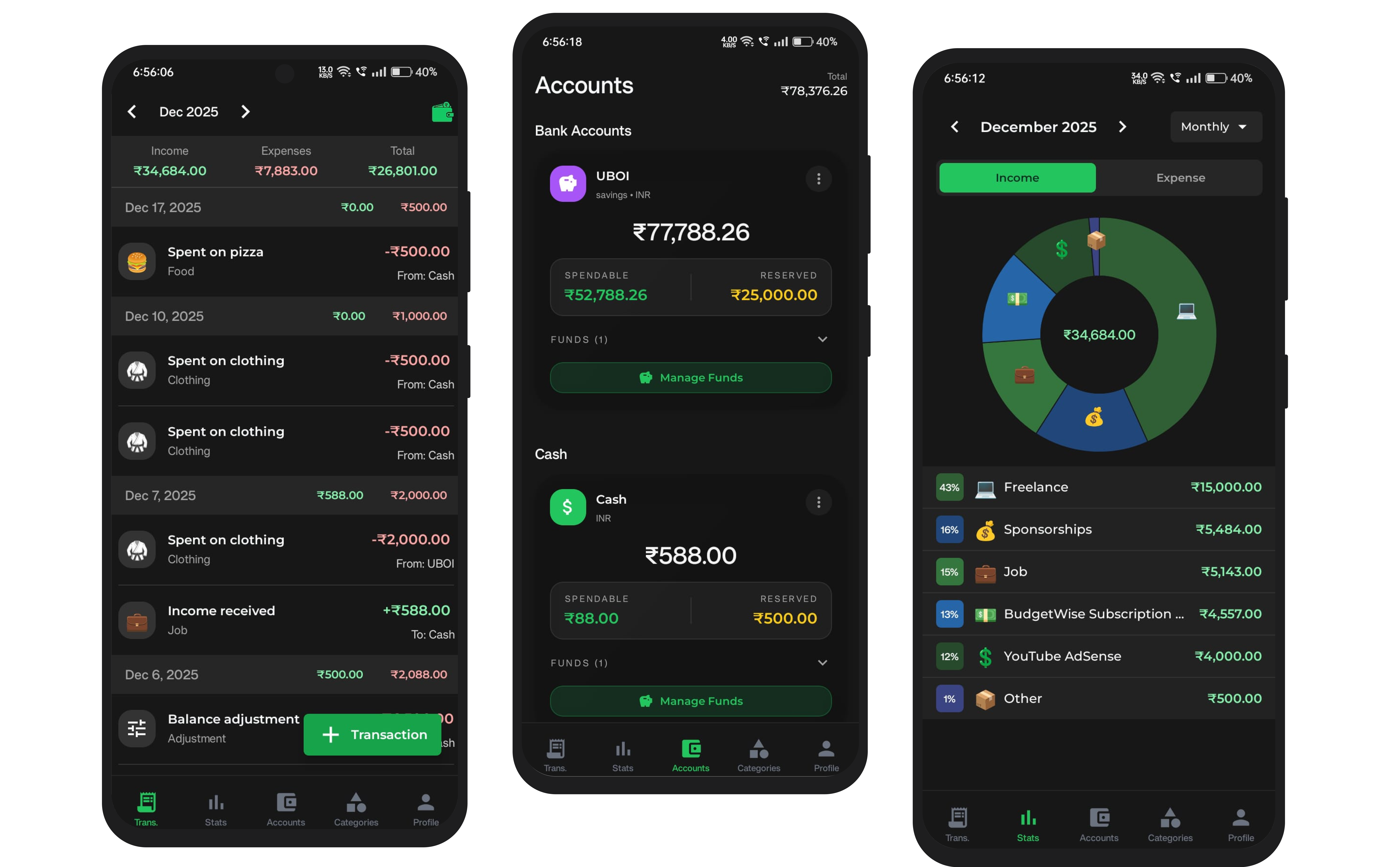
BudgetWise is a personal finance application designed to help users take control of their finances through intuitive transaction tracking, category-based budgeting, and spending analytics. The app provides a clean, fast interface for logging transactions, managing multiple accounts, and visualizing income and expense patterns to support better financial decision-making.
BudgetWise was built for users who want to:
- Track their daily income and expenses with ease
- Plan and allocate funds across different spending categories
- Reserve money for future needs while maintaining visibility
- Monitor spending patterns over time to build better financial habits
- Manage multiple accounts (bank accounts, cash) in one place
- Quick Transaction Logging: Fast and intuitive transaction entry for income and expenses with support for multiple accounts
- Category-Based Budgeting: Allocate funds into spending categories to plan and control expenses
- Fund Reservation: Reserve money for future needs while keeping it visible in your account balance
- Multi-Account Management: Track balances across bank accounts and cash with spendable and reserved fund breakdowns
- Spending Analytics: Visual breakdowns of income and expenses with pie charts and percentage distributions to identify spending patterns
- Data Persistence & Sync: Implement cloud backup and multi-device synchronization to ensure data is never lost and accessible across devices
- Advanced Reporting: Add monthly/yearly comparisons, trend analysis, and exportable financial reports (PDF/CSV)
- Recurring Transactions: Support for scheduled transactions, bill reminders, and subscription tracking
- Security Enhancements: Add biometric authentication, PIN protection, and encrypted local storage for sensitive financial data
- Budget Goals & Alerts: Implement budget limits per category with notifications when approaching or exceeding limits
-
Install dependencies
npm install
-
Start the app
npx expo start
In the output, you'll find options to open the app in a
- development build
- Android emulator
- iOS simulator
- Expo Go, a limited sandbox for trying out app development with Expo
- Expo - React Native framework
- TypeScript - Type-safe JavaScript
- React Native - Mobile app framework
- Supabase - Backend as a Service
To learn more about developing your project with Expo, look at the following resources:
- Expo documentation: Learn fundamentals, or go into advanced topics with our guides.
- Learn Expo tutorial: Follow a step-by-step tutorial where you'll create a project that runs on Android, iOS, and the web.