Basic filtering
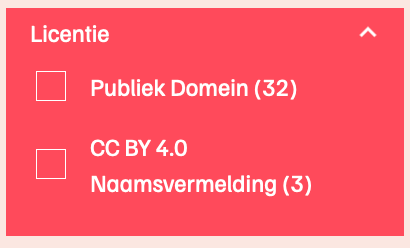
Each filter option (e.g., "license") can filter search results based on pre-defined fields (e.g., "sdo:license"), looking at corresponding node values (e.g., "public domain").
Important
The values field is retrieved automatically, and can remain empty in the settings file.
Add/remove filter options in config/settings.ts (under filtering/filterOptions):
filtering: {
  filterOptions: {
	type: {
	  label: 'Soort',
	  fieldIds: typePredicates,
	  values: [],
	  hideValueIds: [...hideFilterOptionValueIds],
	},
	parents: {
	  label: 'Is onderdeel van',
	  fieldIds: [
		...parentPredicates,
		'https://hetutrechtsarchief.nl/def/isDescendentOf',
	  ],
	  values: [],
	  hideValueIds: [...hideFilterOptionValueIds],
	},
	license: {
	  label: 'Licentie',
	  fieldIds: ['https://schema.org/license'],
	  values: [],
	},
  },
}The fieldIds value is used to consider multiple predicates for a single filter.
As an example: the "Type" filter might refer to both the rdf:type and wd:P31 node fields.
The potential values for each filter are automatically retrieved using elastic in the updateFilterOptionValues function in the Filter Service (services/search/filter.service.ts), which is why the values field in the Settings file is empty by default.
If there are certain values you want to prevent from showing up, please add the IRIs in the hideValueIds field.
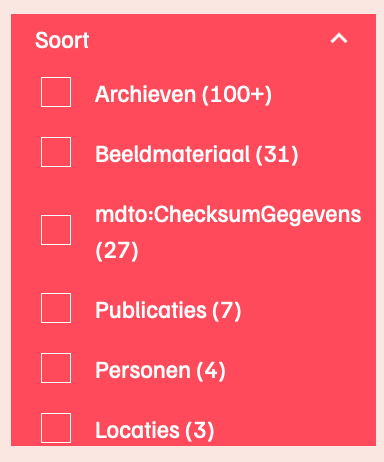
As an example, to hide mdto:ChecksumGegevens in the image below:
hideValueIds: ['http://www.nationaalarchief.nl/mdto#ChecksumGegevens']