Rendering files
If you want to render certain objects as files, e.g., for the foaf:depiction predicate, you can add a FileRendererComponent entry to the renderComponents/[RenderMode.ByPredicate] field in config/settings.ts:
[RenderMode.ByPredicate]: [
  {
    component: FileRendererComponent,
    predicates: ['http://xmlns.com/foaf/0.1/depiction'],
    requiresExplicitRendering: true
  }
]
Note
The FileRendererComponent is not a 'regular' predicate render component (see Rendering custom components for a predicate), but used elsewhere throughout the codebase as well. Because of this, its input properties do not match the expected default data structure, which means we need to explicitly define how to pass data to the File Renderer in the NodeTableCellComponent, which is where all predicate render components are rendered by default. To show that this component requires explicit manual configuration, we use the requiresExplicitRendering field.
By default, the FileRendererComponent has two main modes of rendering:
- Rendering inside a table cell, where it renders a simple download button by default.

- Rendering the file in a section next to the table, where a preview of the file is shown, either by using the Mirador IIIF viewer for images, or by first converting the file to a PDF (e.g. through Gotenberg) and then rendering it using PDF.js.
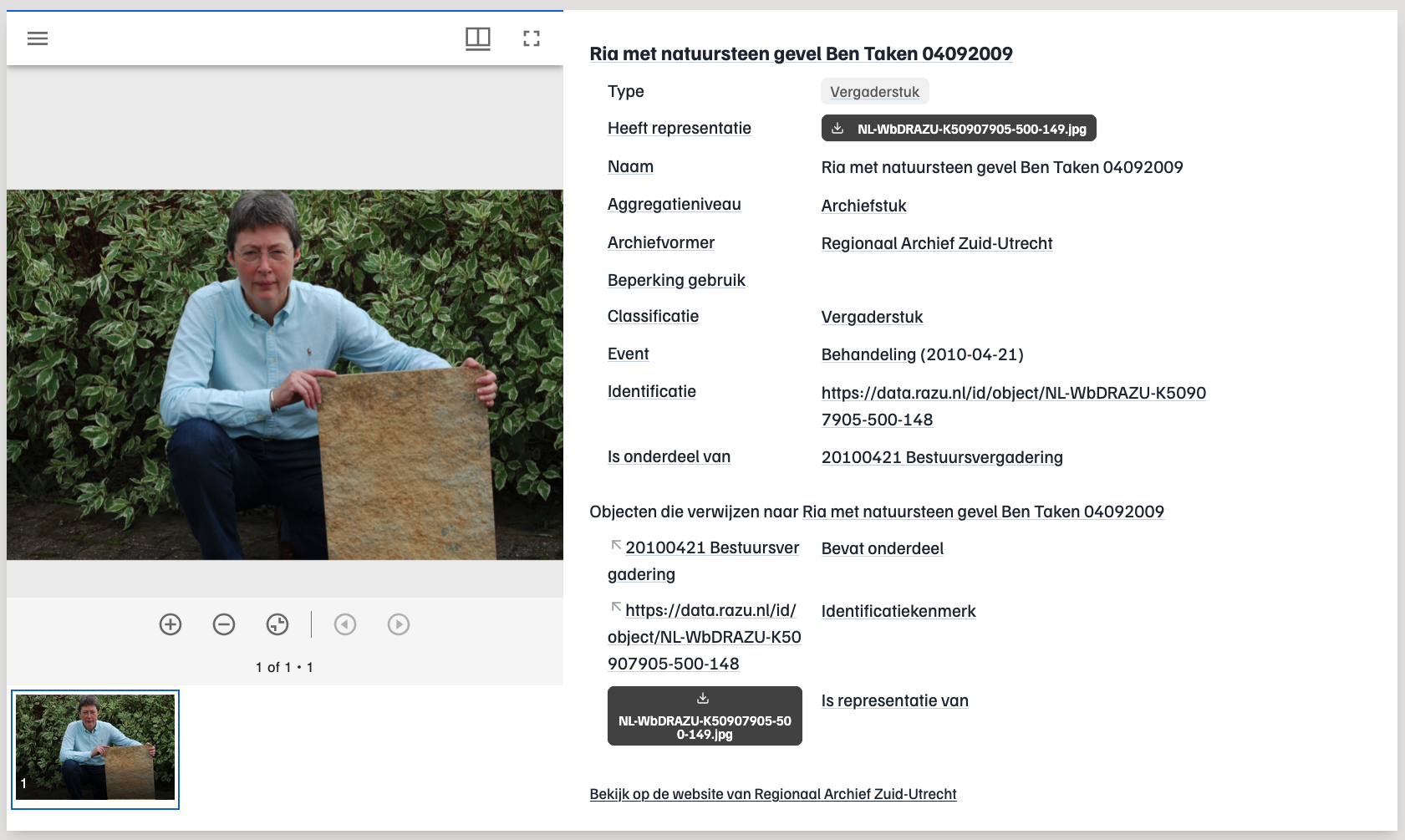
Note that the component automatically determines what file viewer to use based on the file's file extension.
When browsing through search hits, instead of instantiating many different viewers (a big performance hit, and typically too small to be of real use anyways), we instead render icons based on the file type, as configured in config/settings.ts, in the fileRenderingSettings field:
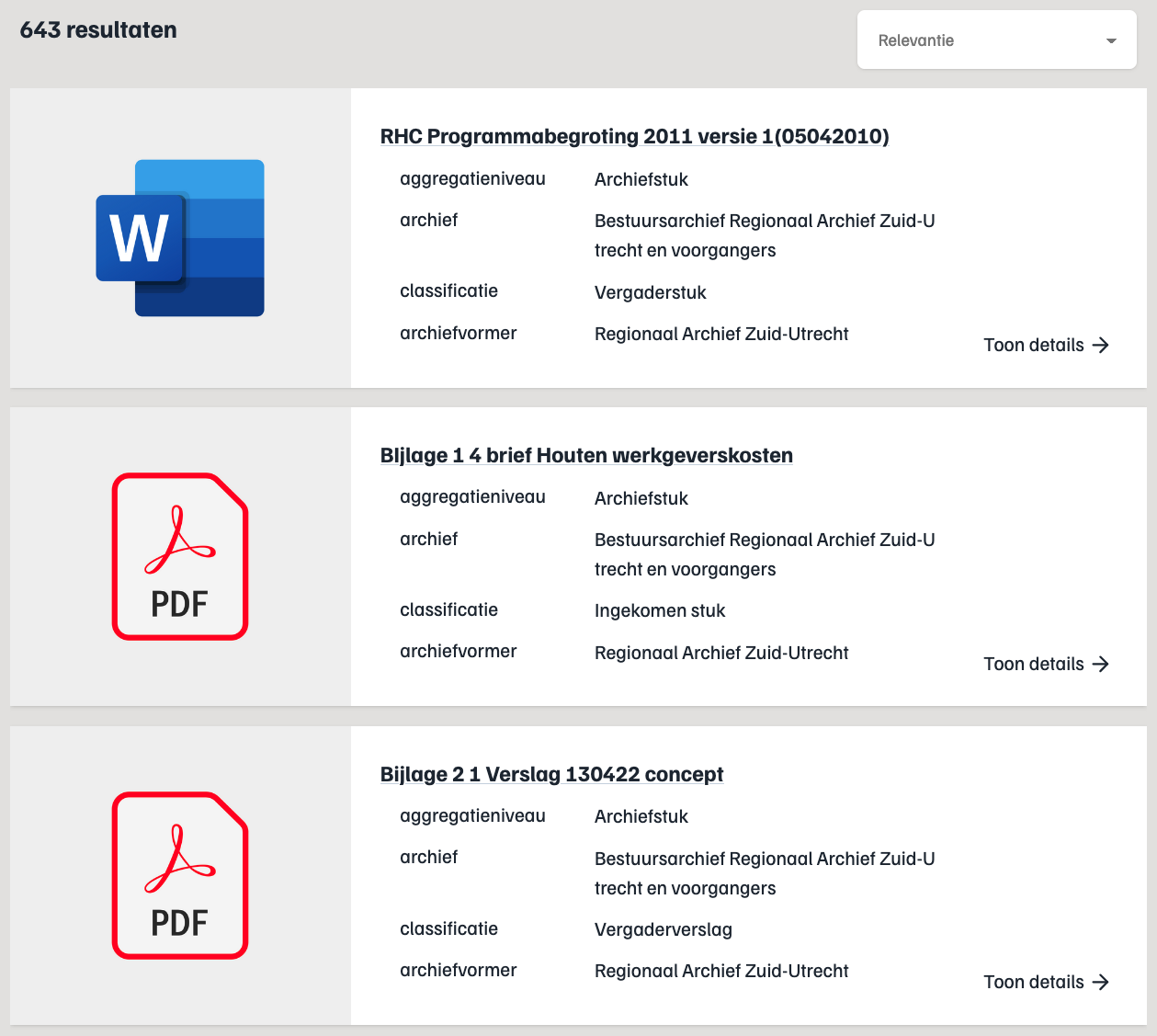
What is considered a 'file' predicate is configured in config/settings.ts:
- In the
predicateSettings, which defines what predicates to consider files, so the large preview section next to the table can be shown. - In the
renderComponentsSettings, which generally defines what components to render for a given predicate. In this case we use the FileRendererComponent to display the download button in the table cell.
Sometimes, the file you want to show to the user is not directly available on the root node, but instead one (or more) hops away.
To retrieve file data one (or more) hops away from the root node, please use the hopLinkSettings field:
{
    component: FileRendererComponent,
    predicates: [
        'https://data.razu.nl/def/ldto/heeftRepresentatie',
        'https://data.razu.nl/def/ldto/isRepresentatieVan',
    ],
    hopLinkSettings: {
        preds: ['https://data.razu.nl/def/ldto/URLBestand'],
        showOriginalLink: false,
    },
    requiresExplicitRendering: true
}