proton: Add option to disable DXVK for d3d9. #3513
Closed
Conversation
This file contains hidden or bidirectional Unicode text that may be interpreted or compiled differently than what appears below. To review, open the file in an editor that reveals hidden Unicode characters.
Learn more about bidirectional Unicode characters


Collaborator
|
I don't think this option has a lot of use. I think it would be better to report this to the DXVK devs, who can hopefully fix it quickly, so we won't need this option going forward. In the meantime, you can continue to use 4.11. |
Author
|
Understood. I'll raise this with the DXVK devs. |

Collaborator
|
We're aware of the issue but have not yet found a way to actually debug it. |
Author
|
Thanks @doitsujin. I found the open issue: |

Contributor
|
The underlying issue in DXVK should be fixed now. |
Sign up for free
to join this conversation on GitHub.
Already have an account?
Sign in to comment
4 participants


Add this suggestion to a batch that can be applied as a single commit.
This suggestion is invalid because no changes were made to the code.
Suggestions cannot be applied while the pull request is closed.
Suggestions cannot be applied while viewing a subset of changes.
Only one suggestion per line can be applied in a batch.
Add this suggestion to a batch that can be applied as a single commit.
Applying suggestions on deleted lines is not supported.
You must change the existing code in this line in order to create a valid suggestion.
Outdated suggestions cannot be applied.
This suggestion has been applied or marked resolved.
Suggestions cannot be applied from pending reviews.
Suggestions cannot be applied on multi-line comments.
Suggestions cannot be applied while the pull request is queued to merge.
Suggestion cannot be applied right now. Please check back later.
Whilst the main game of Elite Dangerous (the "client") uses D3D11, the launcher uses D3D9 (via WPF in dotnet40).
Unfortunately, DXVK doesn't appear to render the launcher correctly. For example, the 'PLAY' button (which launches the game) does not appear.
By disabling just D3D9 for DXVK, the launcher will render correctly but the main game will still run using DXVK.
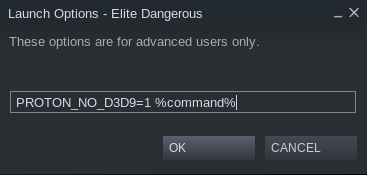
This patch introduces the option 'PROTON_NO_D3D9', which allows the disabling of just D3D9 rendering via DXVK.
Here's a couple of screen shots to better highlight the Elite Dangerous issue:
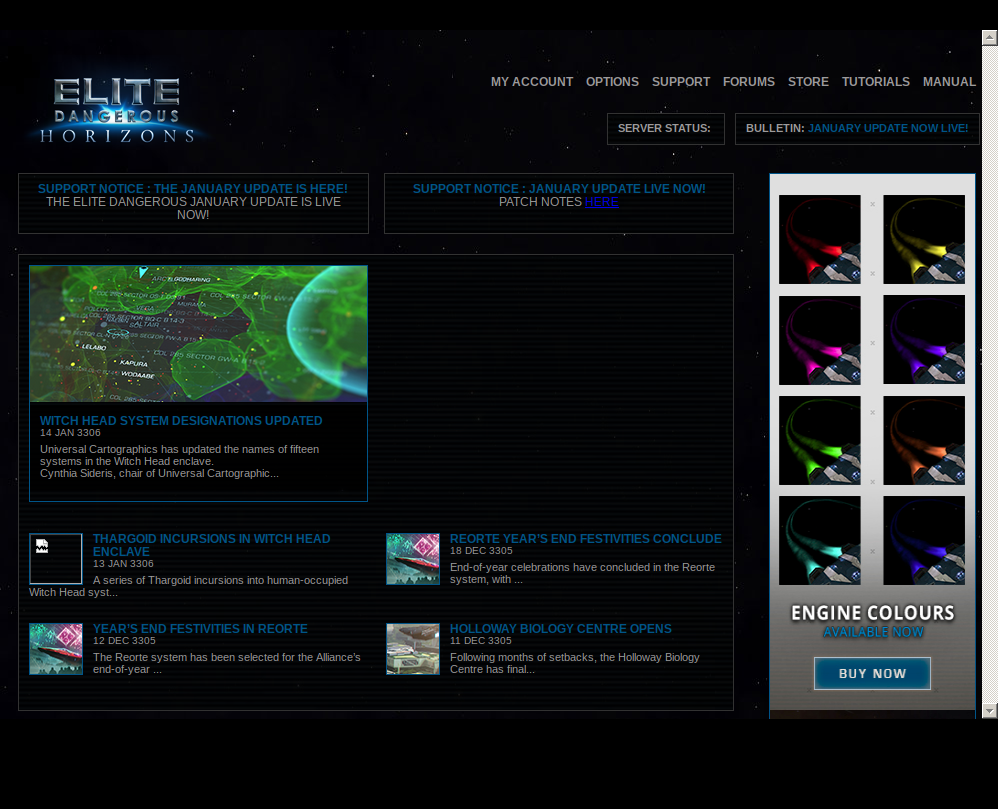
With DXVK rendering D3D9
After applying the suggested patch and using the following launch options: