Skip to content

Vishuvrm/FileAutomation

Folders and files

NameName
Last commit message
Last commit date

Latest commit


History

3 Commits


Repository files navigation

FileAutomation

This is the file automation GUI project written in python

Purpose:

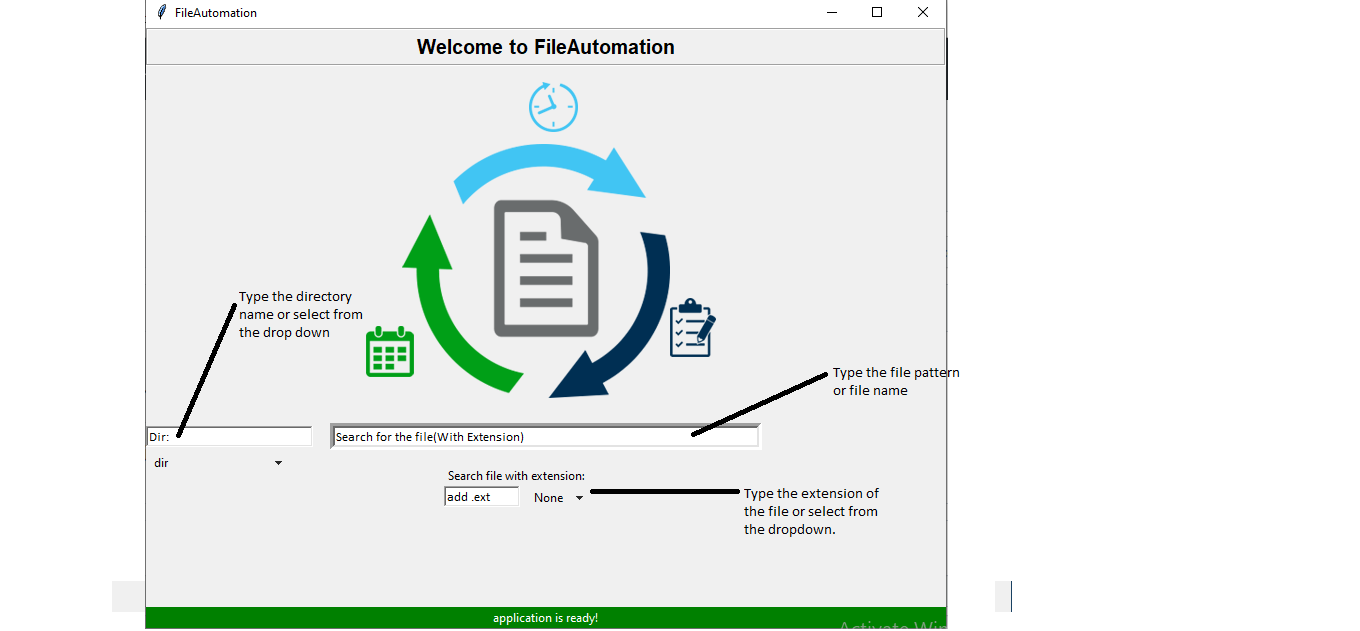
The main purpose of this app is to search for the required files and merge their contents into a single file.

image

Once all the details are filled, just press enter, and let the program search for all the files which matches your search.
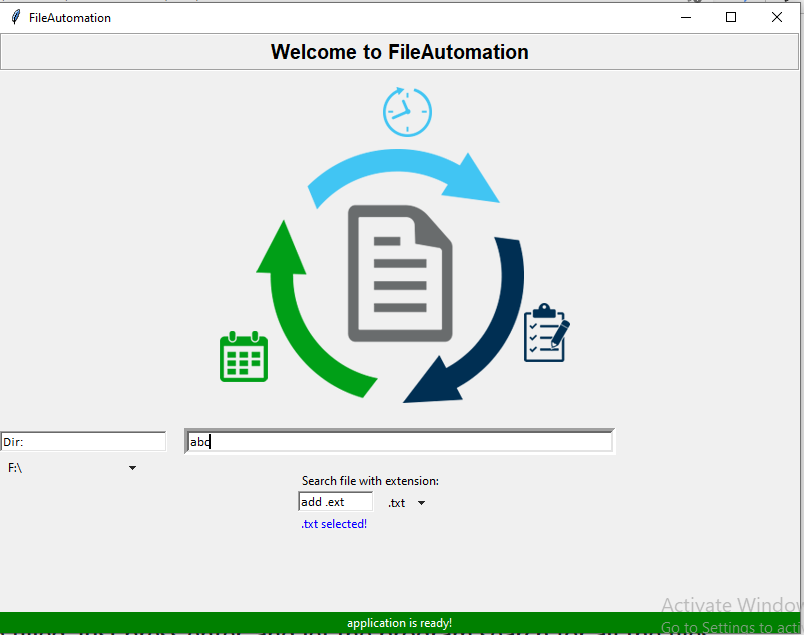
image

Once you press Enter, it will look in the F:\ drive for all the .txt files having abc in them...
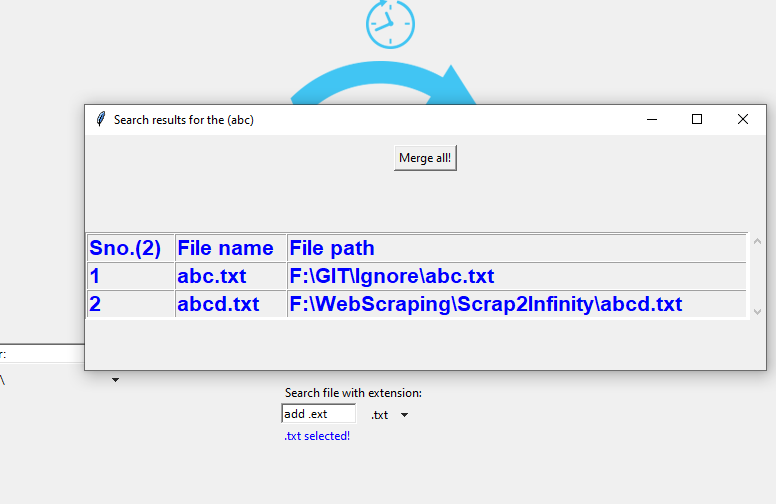
Once the search is completed, it will prompt the results window:

image

As you can see, it could found 2 .txt files in F:\ having abc in them.

  • Now, you can click the merge all butoon on the top to merge these files content into a single file.

  • As soon as you click the merge all button, a new window pops up: image
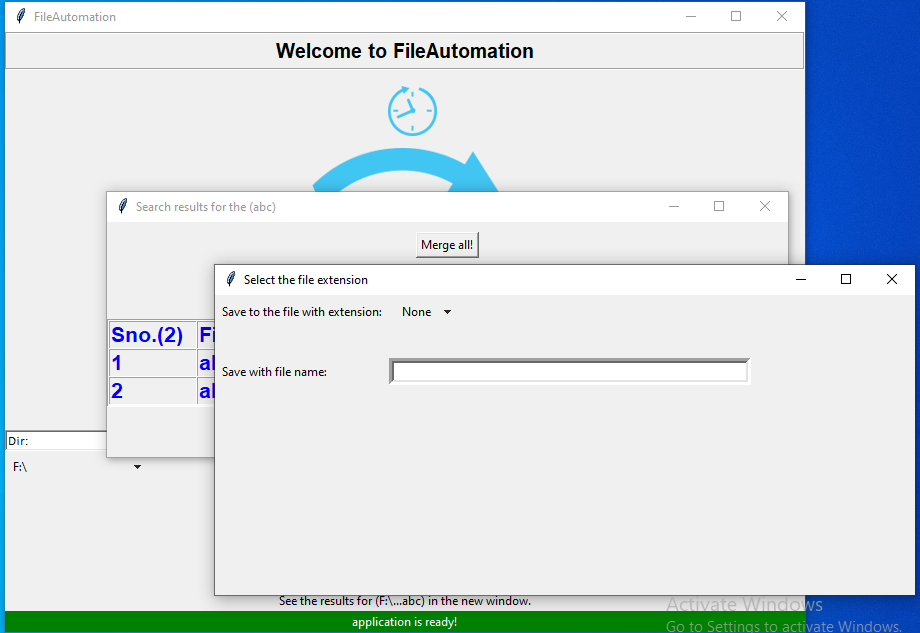
  • This window asks you for the file extension by which you want to save the file

  • And the name of the file.

  • Once you filled both, just press enter, and you get the following output: image

  • You get the option to open the file right away by just clicking the open button.

  • After clicking the Open button, merged.txt will open: image

  • We can see that abc.txt was empty, that's why no content is shown.

  • abcd.txt had some content, which you can see in the abcd.txt portion of merged.txt file.

NOTE: The application generates the log files in the folder in which the application is placed. You can see those log files to check for any rejected files or any other events if you think something unexpected has happened!

For each instance, the application generates a new log file in a dedicated folder, which the application takes care of by itself.

About

This is the file automation project python files

Resources

Stars

Watchers

Forks

Releases

No releases published

Packages

No packages published