-
Notifications
You must be signed in to change notification settings - Fork 1
IAH: INTERNET WAR | SINGLEPLAYER AI API
Default API Endpoint: http://127.0.0.1:6800/[request_name]
Use GET Requests to get something and POST to alter something.
GET Returns back string that represents Game Player State.
- STARTING
- LOADING
- MAIN_MENU_INTRO
- MAIN_MENU
- MODE_SELECTION
- HACKER_SELECTION
- HACKER_SELECT
- SANDBOX
- INGAME
- TPSCREEN
- GAMEOVER
POST Transition the Game Player to a certain State. {transition,transitionValue}
Transitions are needed when you want to navigate the main menus. For example, {"transition": "MAIN_MENU"} or to select ScriptKiddie {"transition": "HACKER_SELECT", "transitionValue" : 0}
Potential Hackers:
ScriptKiddie = 0, Java = 1, Ping = 2, Overflow = 3, Backstab = 4, Dns = 5, Deepthroat = 6, Sonic = 7, Scanner = 8, Contract = 9, DevOps = 10, Jack = 11, Whale = 12, Null = 13, Terror = 14, Troll = 15, Filter = 16, Pro = 17, Freelancer = 18, Node = 19, Toxic = 20, Prince = 21, Drama = 22, Liar = 23, Crab = 24, Block = 25, Pixel = 26, Senior = 27, WhiteHat = 28, BlackHat = 29, Spy = 30, Cookie = 31,
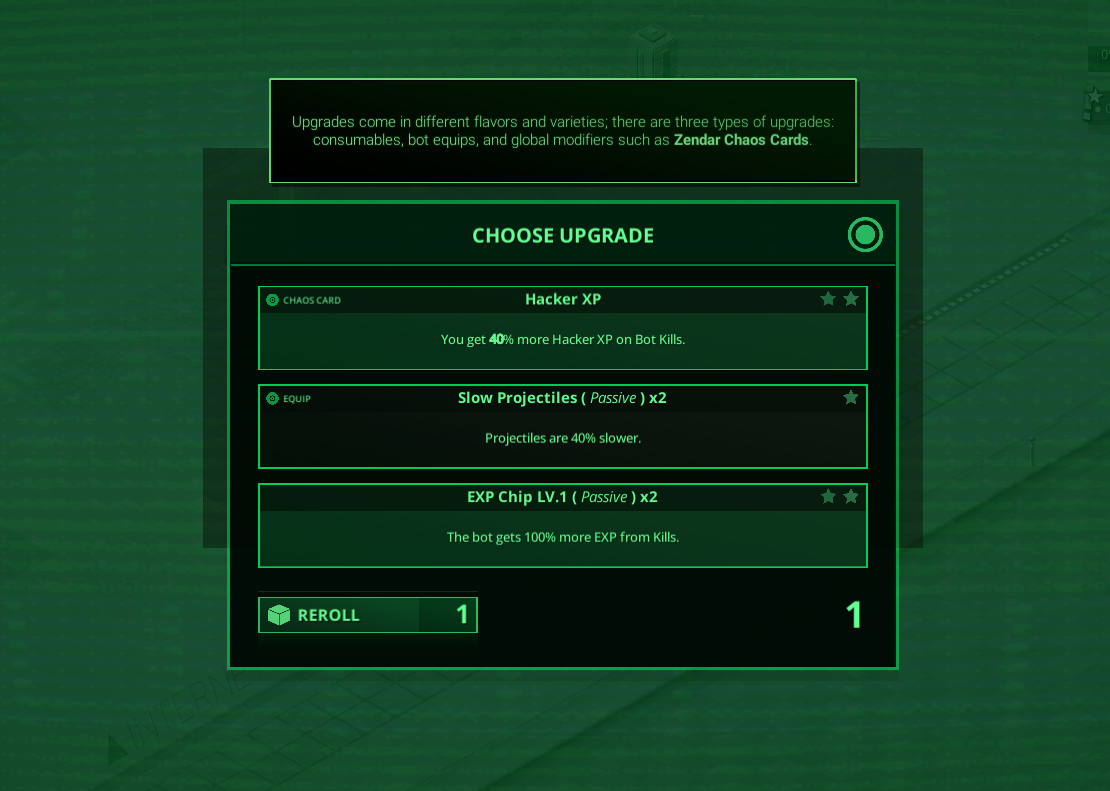
GET Return a container object with an array of objects representing Chaos or TP Card that you can select.
POST Choose a Chaos Card or TP Card. -> {"action", 0} -> Select First Card.
https://i.gyazo.com/8e375b3f859fd92626b783c364f39b7b.png
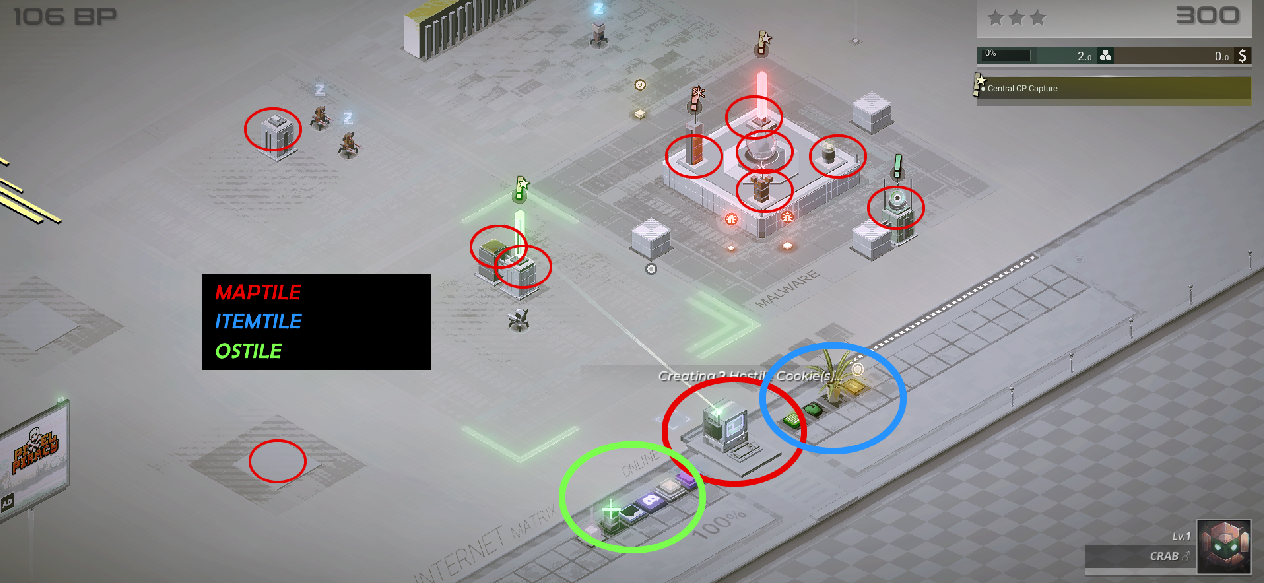
GET Return currently presents tiles in the game and data associated with them.
https://i.gyazo.com/07a5194cd6fcdb7a0008e3a5f52318dc.png
GET Return A* Node list if you want to do your own pathfinding algorithm.
GET Takes uniqueID and targetUniqueID, which are entityID's, and tries to create a ray cast from uniqueID to targetUniqueID. This is useful if you want to check if there is an obstacle before attempting to shoot.
GET Get Website Data from the Website Buffer. As you browse the Internet, your buffer becomes filled with websites.
https://i.gyazo.com/7c37847358cf7a8988cbfa0efb9c505c.png
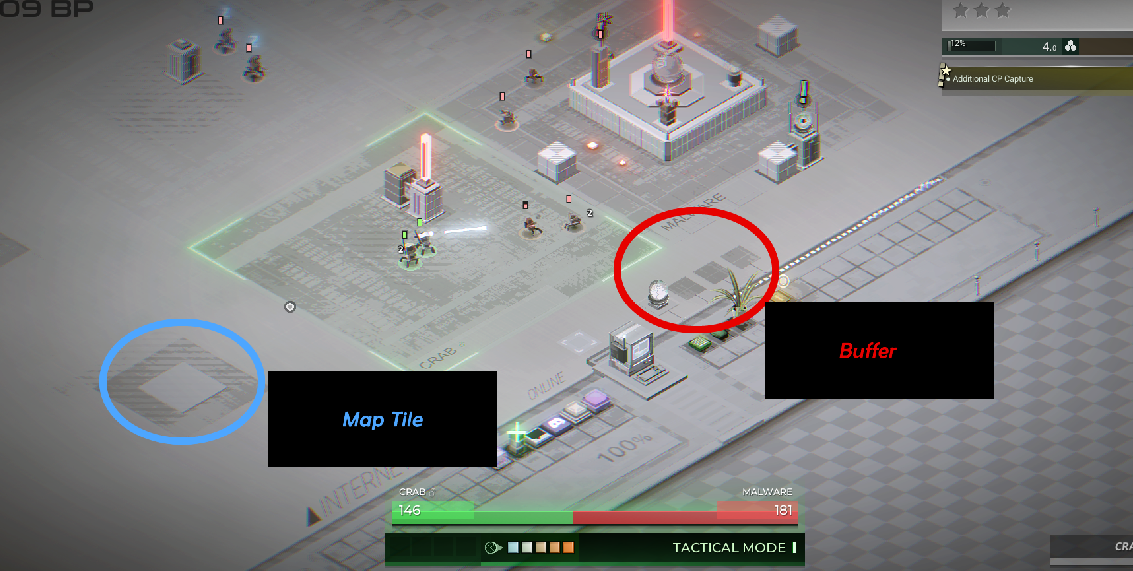
POST Takes bufferUniqueID, and tileUniqueID, this places website from the buffer to the map tile. It's like drag and drop.
GET/POST Initiate Level Up Sequence so that you can select Chaos or TP Cards.