CNN Triplet Training
All the necessary software scenarios for training and using the convolutional neural network model are available in our repository. Features of neural network training on image triplets helps to achieve high accuracy for small sets of training data
git clone https://github.com/WEBSTERMASTER777/TripletRecognitionSystem.git-- DIR WITH DATASET NAME:
--- Dir_class_1
--- Dir_class_2
...
--- Dir class_n
The architecture of our network is great for training on small datasets, examples of datasets on kaggle:
- https://www.kaggle.com/datasets/vbookshelf/rice-leaf-diseases?resource=download
- https://www.kaggle.com/datasets/batoolabbas91/flower-photos-by-the-tensorflow-team
pip install -r requirements.txt -f https://download.pytorch.org/whl/torch_stable.htmlStarting network training, all necessary configurations need to be configured in config/train_parameters.yaml
# fix random
random_seed: 7
cudnn_deterministic: True

# Number of classes to classify
num_classes: 5

# Path to the archive with data
data_zip_path: 'archive_full.zip'

# Path to the directory to save files
data_save_path: 'data/'

# Fraction of the test dataset
test_size: 0.2

# Number of sample per draw ( to increase probability to
#               contain valid triplets in a batch )
n_sample: 3

batch_size: 12

# Count of epochs:
epochs: 30

# Path to save the plot with embeddings
plot_embeddings_img: './PDD.png'

# Path to save model parameters
model_save_path: 'triplet_model_param.pt'

# Path to save optimizer parameters
optim_save_path: 'triplet_optim_param.pt'

# Colors of points on plot
point_colors: ['#00ffff', '#000000', '#0000ff', '#ff00ff',
          '#808080', '#008000', '#00ff00', '#800000',
          '#000080', '#808000', '#800080', '#ff0000',
          '#c0c0c0', '#008080', '#ffff00']

knn_metric: 'cosine'

#optimazer params
lr: 0.0001

weight_decay: 0.00005

#scheduler params

step_size: 7

gamma: 0.1
After filling in the configuration file, run script train.py. If you need slit dataset on train and test part put --split argument.
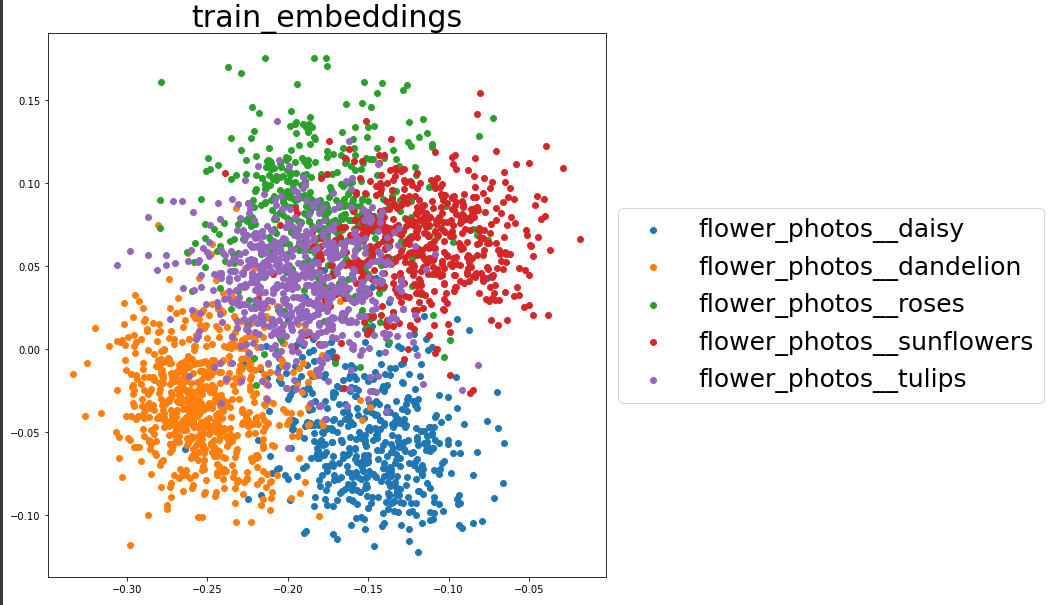
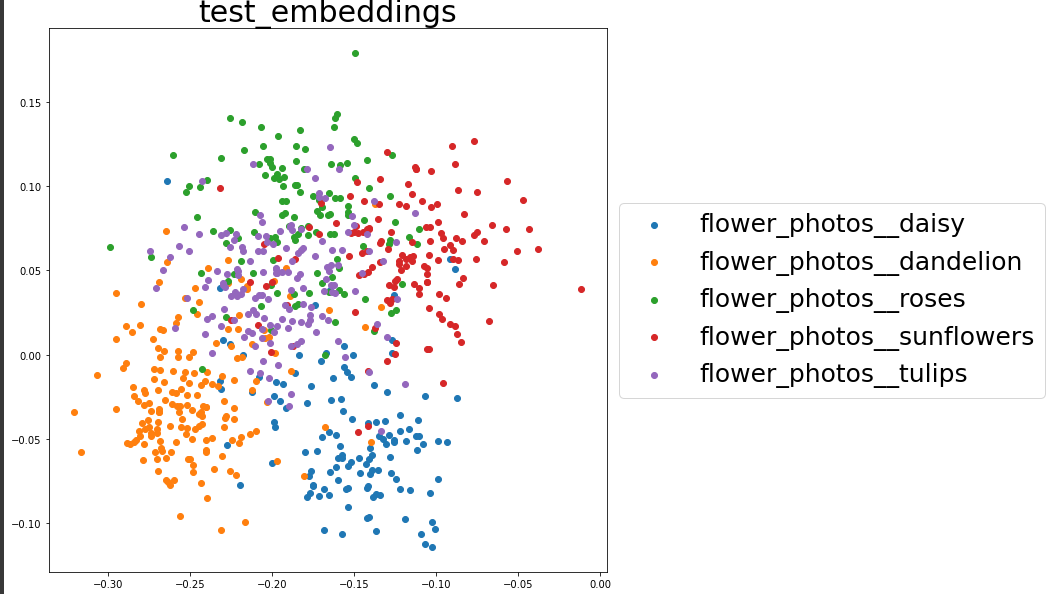
python train.py --split During the training process, images with the distribution of classes are saved plot_embeddings_img on config.
For train:
For test:
The weights of the model will be saved in the path specified in model_save_path.
After training the extractor model, you can start training the classifier model, and further assembling it all into one model.
To start learning, you need to run the script classifier_train.py
python classifier_train.pyAs a result of executing the script, three models appear in the root folder of the repository.
- classifier.pt - MLP classifier model
- model.pt - Trace CNN + MLP model
- mobilemodel.pt - Model for Android application
To get the predictions of the model, you need to use the script perceptron_script.py with config on config/script_percep_param.yaml
# Path to model
model: model.pt

# How many of the nearest points are required for the extraction
topn: 3

# Path to file with class names
class_names: classes2.txt

#Path to save prediction
prediction_savefile: data_file.json # or False if not save
Run script:
python perceptron_script.pyExample output:
        1 rice_leaf_diseases__Brown spot
        2 rice_leaf_diseases__Bacterial leaf blight
        3 rice_leaf_diseases__Leaf smut