Qmsg
- 最新版本:

插件描述: 一款优雅的原生 JS 页面消息提示插件,兼容性良好。
使用
pnpm i qmsg
// 或者
pnpm add qmsg
声明:
此插件非笔者原创,笔者对原项目使用ts进行重构,让开发者可以使用代码提示。以下为原插件来源信息:
- 原作者:或许吧(jesseqin)
- 转载地址:https://www.jq22.com/jquery-info23550
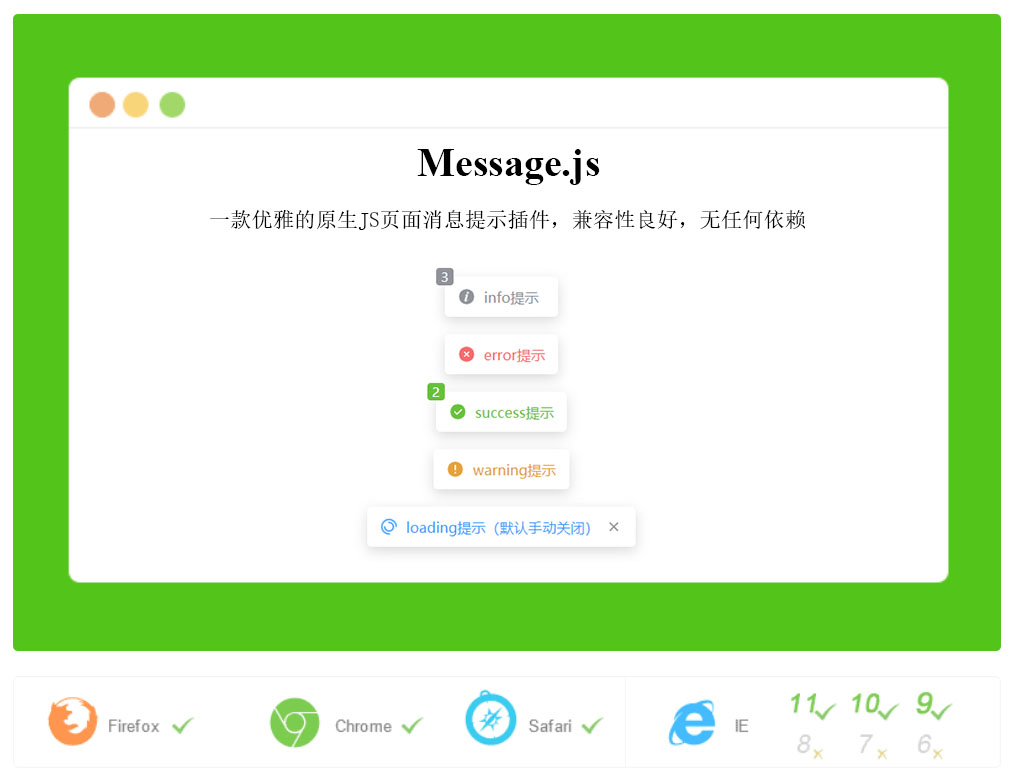
使用:
html 引入:
<!-- your html -->
<script src="https://fastly.jsdelivr.net/npm/qmsg@latest/dist/index.umd.min.js"></script>
<script>
  const configs = {};
  // configs 为配置参数,可省略
  Qmsg.info("这是提示消息", configs);
</script>
油猴引入
// @require https://fastly.jsdelivr.net/npm/qmsg@1.6.0/dist/index.umd.min.js全局配置
通过Qmsg.config({})来动态修改全局配置
Qmsg.config({
  showClose: true,
  timeout: 5000,
});
所有支持的配置信息如下:
| 参数名 | 类型 | 描述 | 默认 |
|---|---|---|---|
| parent | HTMLElement | Document | DocumentFragment | Node |
实例插入到页面的父元素 | document.body || document.documentElement |
| useShadowRoot | boolean | 是否使用 shadowRoot(内部插入实例元素) | true |
| shadowRootMode | "open" | "closed" |
shadowRoot 的模式 | "open" |
| animation | boolean | 是否使用弹出动画 | true |
| autoClose | boolean | 是否自动关闭 | true |
| listenEventToPauseAutoClose | boolean | 通过监听事件来判断是否(鼠标悬停|触摸进入)时暂停自动关闭,当(鼠标离开|触摸离开)时会自动重启自动关闭定时器 | true |
| listenEventToCloseInstance | boolean | 通过监听visibilitychange事件在来回切换标签页时自动关闭实例 |
true |
| content | string | 提示的消息内容 | 空 |
| isHTML | boolean | (同上)是否将内容作为 html 渲染 | false |
| position | string | 弹出位置 topleft、top、topright、left、center、right、bottomleft、bottom、bottomright(不区分大小写) |
top |
| maxNums | number | 页面中最多显示消息(autoClose: true)的数量 | 5 |
| onClose | Function | 关闭时的回调函数 | null |
| showClose | boolean | 是否显示关闭图标 | false |
| showIcon | boolean | 是否显示左边的图标 | true |
| showReverse | boolean | 是否使弹出方式逆反 | false |
| timeout | number | 自动关闭时,消息的持续显示时间,单位(ms) | 2500 |
| type | string | 弹出类型 | info |
| zIndex | number | z-index 的层级 | 50000 |
| style | string | 由于 Qmsg 在 ShadowRoot 内,需要更改 CSS 时,在这里设置即可级 | |
| customClass | string | 自定义的 className | |
| isLimitWidth | boolean | 是否限制宽度 | false |
| limitWidthNum | number | 限制宽度的数值 | 200 |
| limitWidthWrap | "no-wrap" | "wrap"| "ellipsis" |
当超出限制宽度时,是否换行还是显示为省略号 | "no-wrap" |
| consoleLogContent | boolean | Function | 是否在控制台打印信息 | false |
| afterRender | Funtion | 在实例初始化完毕后自动调用该函数 | null |
Qmsg 支持的方法
// 配置
Qmsg.config();
// 信息
Qmsg.info();
// 警告
Qmsg.warning();
// 错误
Qmsg.error();
// 成功
Qmsg.success();
// 加载中
Qmsg.loading();
以上方法均可传递 1-2 个参数,如下:
Qmsg.loading("我是加载条");
Qmsg.info("给你个眼神,你懂得", {
  showClose: true,
  onClose: function () {
    console.log("我懂了");
  },
});
Qmsg.error({
  content: "1+1=3",
  timeout: 5000,
});注意:Qmsg.loading()默认设置autoClose = false,一般来说需要手动关闭:
var loadingMsg = Qmsg.loading("我是加载条");
// do something
loadingMsg.close();
如需要自动关闭则需要如下调用:
Qmsg.loading("我是加载条", {
  autoClose: true,
});
// 或者
Qmsg.loading({
  autoClose: true,
  content: "我是加载条",
});
Qmsg.closeAll()
关闭所有消息,包括autoClose = false的消息
var aMsg = Qmsg.info("这是个info消息");close()
关闭当前消息,会触发onClose回调函数。
aMsg.close();destroy()
销毁消息,不会触发onClose回调函数。
aMsg.destroy();setText(text:String)
对已弹出的内容进行修改
aMsg.setText("这是进行修改的info消息");setHTML(html:String)
对已弹出的内容进行修改
aMsg.setHTML("<a href='javascript:;' target='_blank'>这是进行修改的info消息超链接</a>");关闭左边的图标显示
Qmsg.config({
  showIcon: false,
});
Qmsg.info("这个没有图标");
// 或者
Qmsg.info("这个没有图标", {
  showIcon: false,
});
设置九宫格位置弹出
Qmsg.info("左上角", {
  position: "topleft",
});

Qmsg.info("顶部", {
  position: "top",
});

Qmsg.info("右上角", {
  position: "topright",
});

Qmsg.info("左边", {
  position: "left",
});

Qmsg.info("中间", {
  position: "center",
});

Qmsg.info("右边", {
  position: "right",
});

Qmsg.info("左下角", {
  position: "bottomleft",
});

Qmsg.info("底部", {
  position: "bottom",
});

Qmsg.info("右下角", {
  position: "bottomright",
});