Browse does not show current files #1810

Description

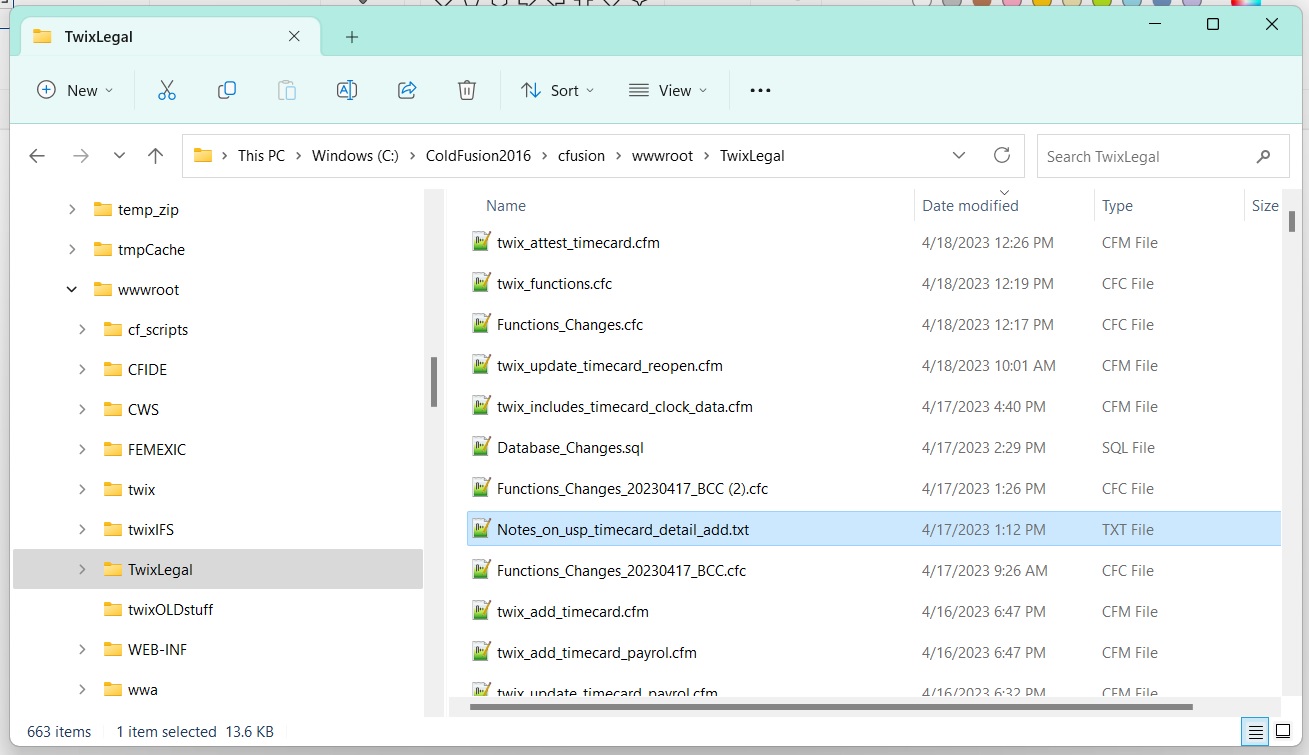
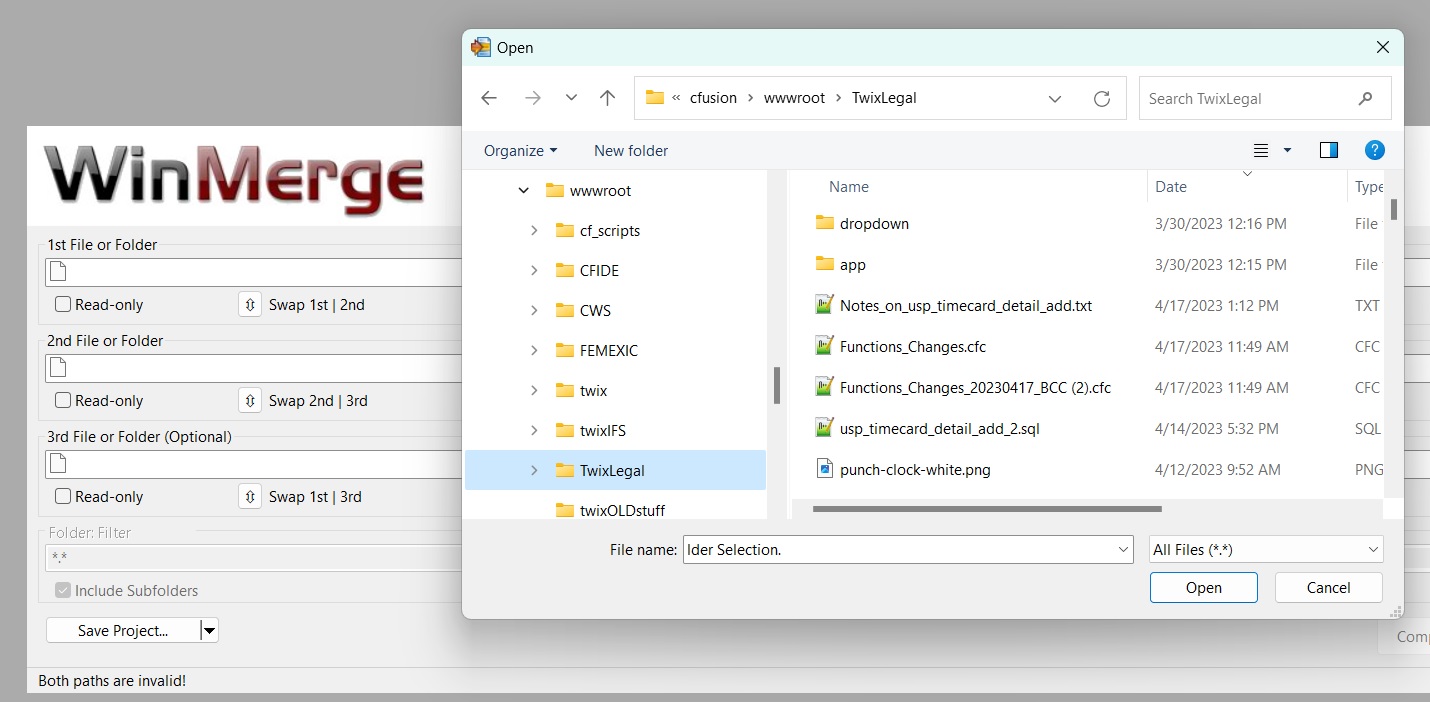
I have downloaded and install three different versions of WinMerge (2.14, 2.16.28 x64, 2.16.28) and all have the same issue. When browsing for files to compare, some folders do not show the current files, they show files more than 24 hours old. Perhaps this is some permissions issue or setting somewhere, but I cannot find it.
I have attached two screenshots: one of the WinMerge folder and one of the same folder in Windows Explorer. The Windows Explorer view shows seven more recent files.