
🦊 A working prototype of custom styleable overlay scrollbars on Firefox 72+.


🎲 Derived from the all-in-one feature-complete Firefox user script repo Aris-t2/CustomJSforFx, and the Windows 10 style scrollbar repo endeavoursc/firefox-overlay-scrollbars-win10.
| Style | Preview |
|---|---|
| Windows 10 style scrollbar |  |
| Custom (rounded corners) scrollbar |  |
WARNING: You'll need to set about:config » toolkit.legacyUserProfileCustomizations.stylesheets to true for the following procedures.
To begin with, close all instances of Firefox, and delete Firefox's old script/startup cache at about:profiles » Local Directory » Open Folder
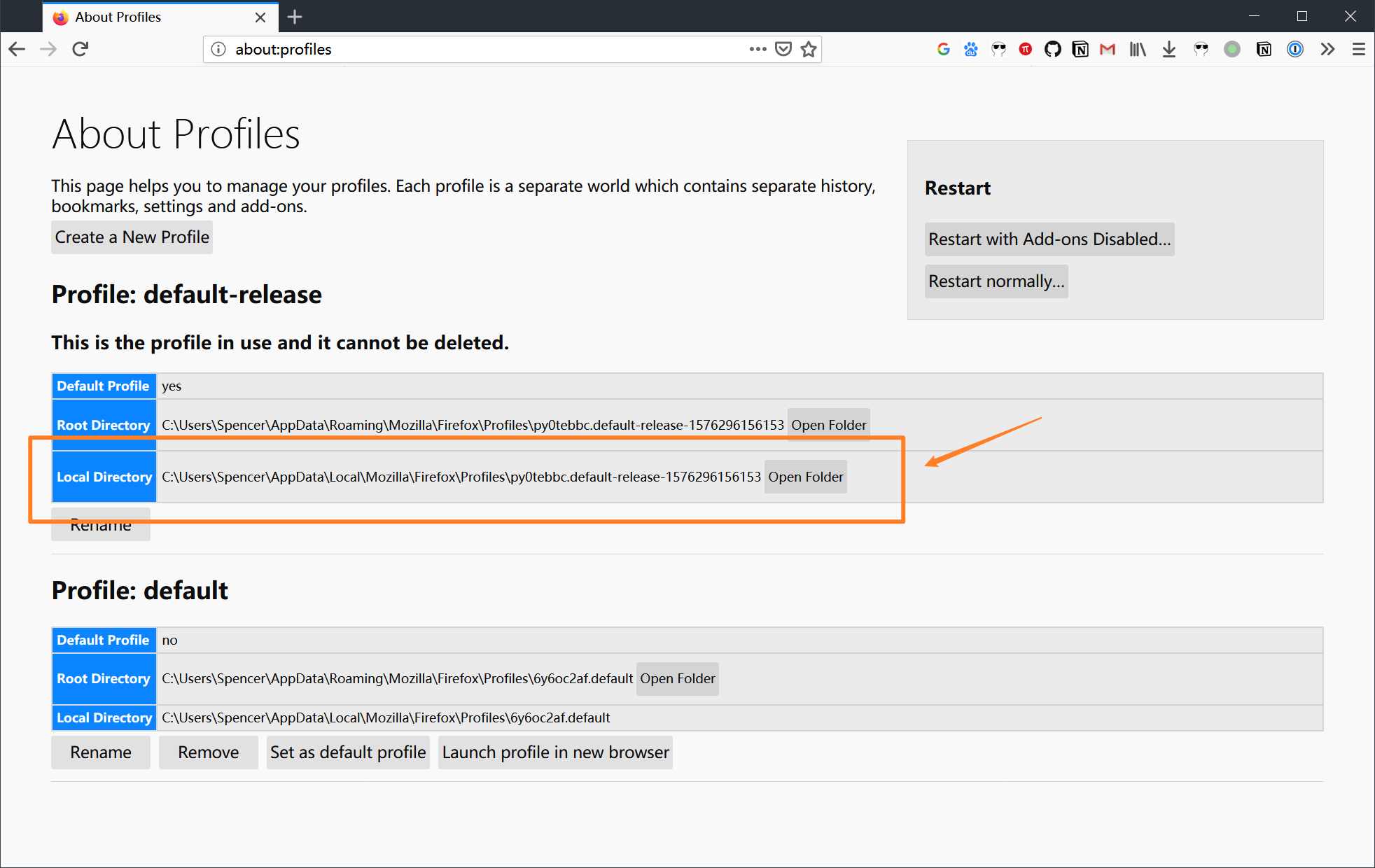
Next, download the entire repo with either Git or Download ZIP. Uncompress the downloaded zip file.
Then, find the folder firefox inside the downloaded repo directory, copy the defaults folder and the file config.js to Firefox's installation directory, i.e., where firefox.exe lives.

Finally:
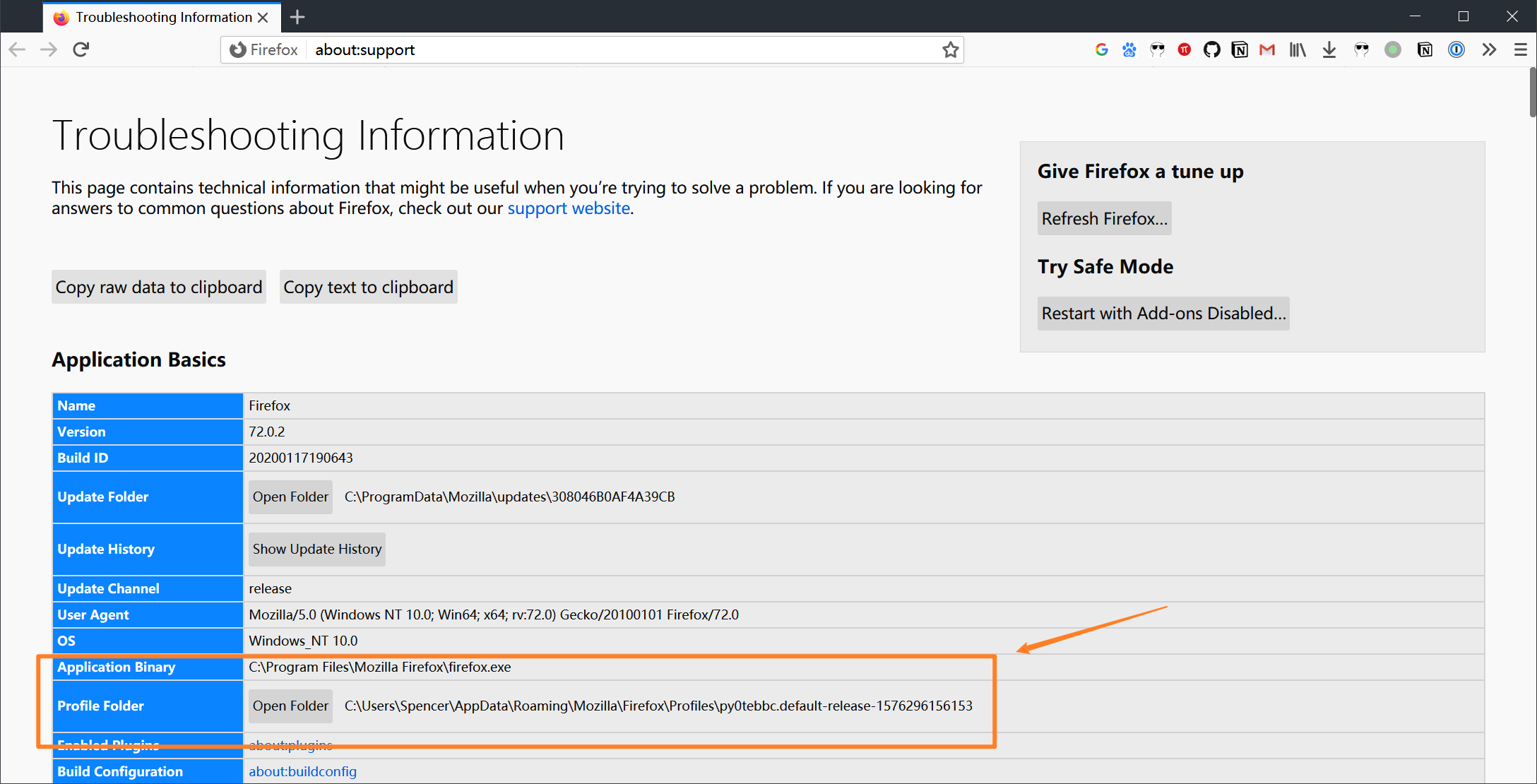
- Find Firefox's profile folder at
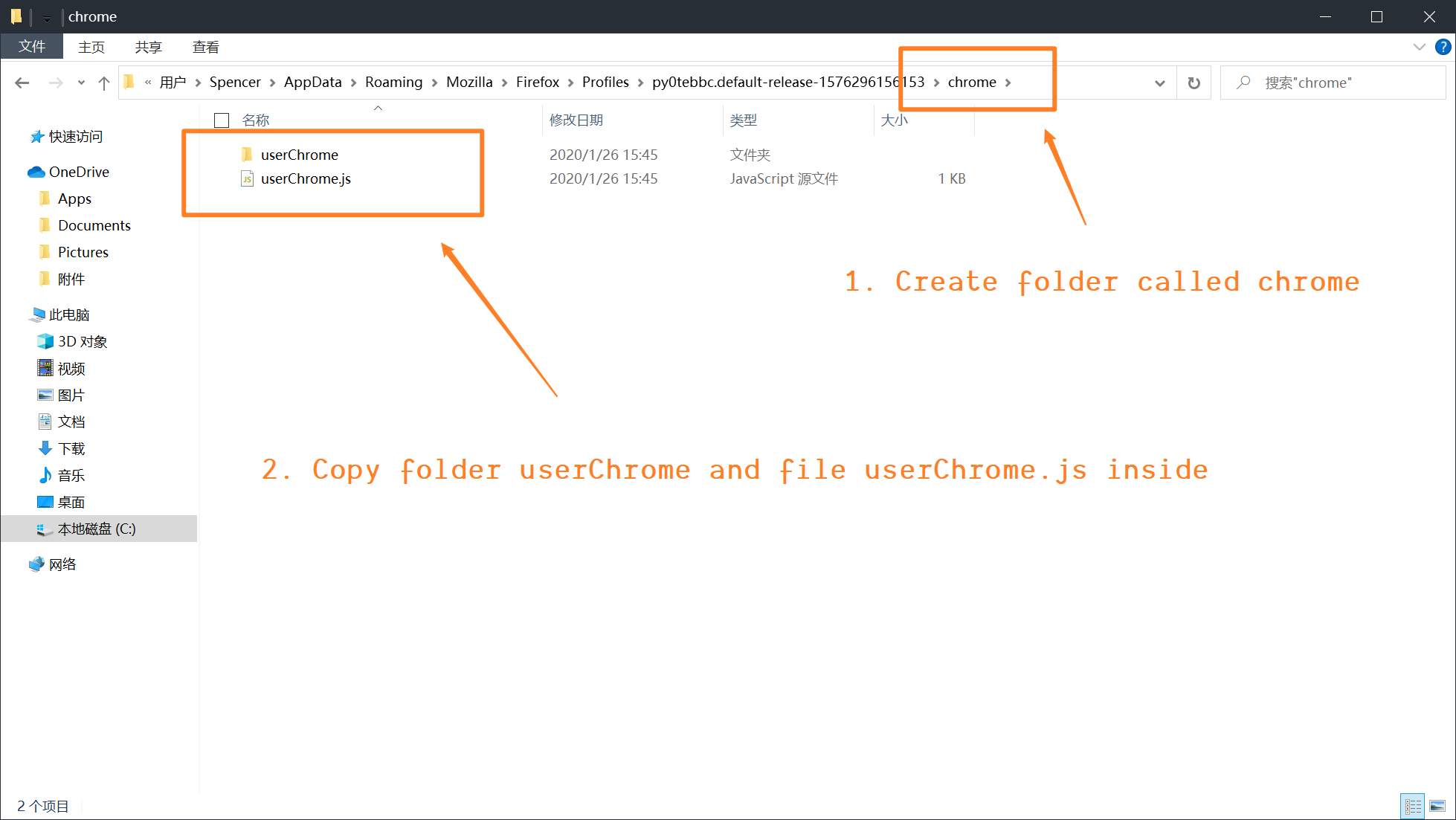
about:support » Profile Folder » Open Folder, create a folder calledchromeinside
- Then, find the folder
profileinside the downloaded repo directory, copy theuserChromefolder and the fileuserChrome.jsto the folderchromethat we just created
Change the userChrome.js file, in order to import 2 styles of floating scrollbars that I have included:
- Windows 10 style scrollbar:
userChrome.import("/userChrome/win10_scrollbars.uc.js", "UChrm");- Custom (rounded corners) scrollbar:
userChrome.import("/userChrome/custom_scrollbars.uc.js", "UChrm");Restart Firefox and you should be able to see the Windows 10 pre-built style or your custom style scrollbar take effect.
We can tweak the file inside our newly created chrome/userChrome folder called custom_scrollbars.uc.js. The following features can be customized:
- hide scrollbars
- hide scrollbar buttons
- floating scrollbars (on top of web content)
- custom scrollbar size
- custom scrollbar opacity
- custom scrollbar background color / background image for color gradient
- custom scrollbar corner background color / background image for color gradient
- custom scrollbar thumb color / background image
- custom scrollbar hovered-thumb color / background image for color gradient
- custom scrollbar thumb roundness / border-radius
- custom scrollbar thumb border width
- custom scrollbar thumb border color
- custom scrollbar button color / background image for color gradient
- custom scrollbar hovered-button color / background image for color gradient
- custom scrollbar button roundness / border-radius / arrow
See the file's comments for more information.
You'll need to delete Firefox's old script/startup cache at about:profiles » Local Directory » Open Folder every time you change the script under chrome/userChrome folder.
🦊 Firefox Overlay Scrollbars ©Spencer Woo. Released under the MIT License.
Authored and maintained by Spencer Woo.
@Portfolio · @Blog · @GitHub