TexturePropertyTool is a Unity utility designed to perform mass format and compression conversion on all textures within a Unity project. It is particularly useful for projects targeting DXT Crunch or ASTC compression, as Unity does not allow global settings for default file compression or format, nor automate the selection of the override checkbox.
This tool is HIGHLY RECOMMENDED for anyone wanting to reduce APK size, and/or increase performance dramatically in unity games/apps that need to be cpu/memory efficient.
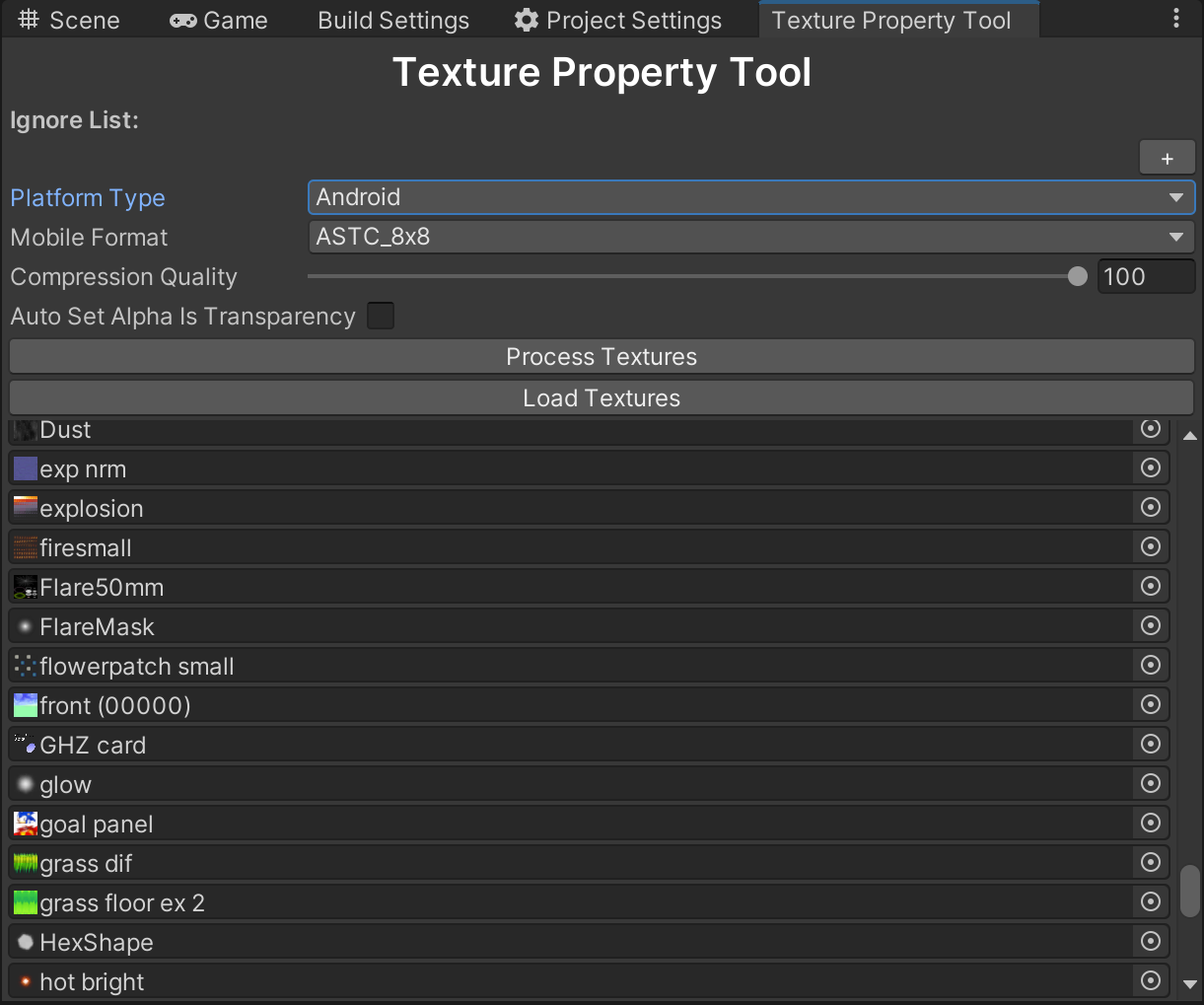
This would otherwise mean a developer mass going through each texture and selecting the format they want, ticking override, setting format, setting compression, and this can take sometimes over an hour or more depending on project size, and it is not that simple to mass select textures, as the override boxes have issues if the texture is a normal map, or a weirder single channel texture, I've had people tell me "no its easy watch" then they realized I was right, its painfully slow and messy to do this manually and easy to miss textures, so I made this tool to speed up the process for future projects
Import the Unity Package, or copy this repo's contents to the Assets folder. Then, go to Tools/Texture Property Tool in the Unity Header Menus.
Here are some examples of where this can be useful.
Unity 2021 LTS and above allow ASTC Texture Format as the default for mobile devices, but it doesn't let you set the default compression level or the ASTC Block Size. By using TexturePropertyTool, you can efficiently set the BEST compression level for your entire project. This upgrade enhances processing performance, reduces APK size, and lowers VRAM usage while only increasing processing time in the Unity Editor. Developers looking to utilize the benefits of ASTC will find this tool valuable for quick project migration.
In cases targeting PC/WebGL platforms where texture and memory efficiency or application size reduction is a priority, TexturePropertyTool helps in mass setting DXT1/5 Crunched textures with chosen compression levels. Thus, allowing you to control both quality and performance effectively, as you cannot set a global texture format/compression level ( or at the very least correctly )
For WebGL projects requiring separate texture formats for mobile and PC platforms, TexturePropertyTool offers an API to create custom build scripts that automate the conversion process. This enables your application to load a different data pack based on the platform, resulting in an efficient WebGL app that avoids unwanted fallbacks to RAW RGBA32 textures.
Example: Mass convert the project to use ASTC compression for mobile, then switch to DXT1/5 for PC. Create an HTML file that selects the appropriate data pack according to the user's device, ensuring an optimized WebGL experience on any platform.
By leveraging TexturePropertyTool, developers can easily manage and optimize texture properties across various platforms, resulting in better overall performance, lower memory usage, and smaller application sizes.