Screenshots
A tour of the plugin's UI. Everything below runs inside Jellyfin's own dashboard and login page — no separate app.
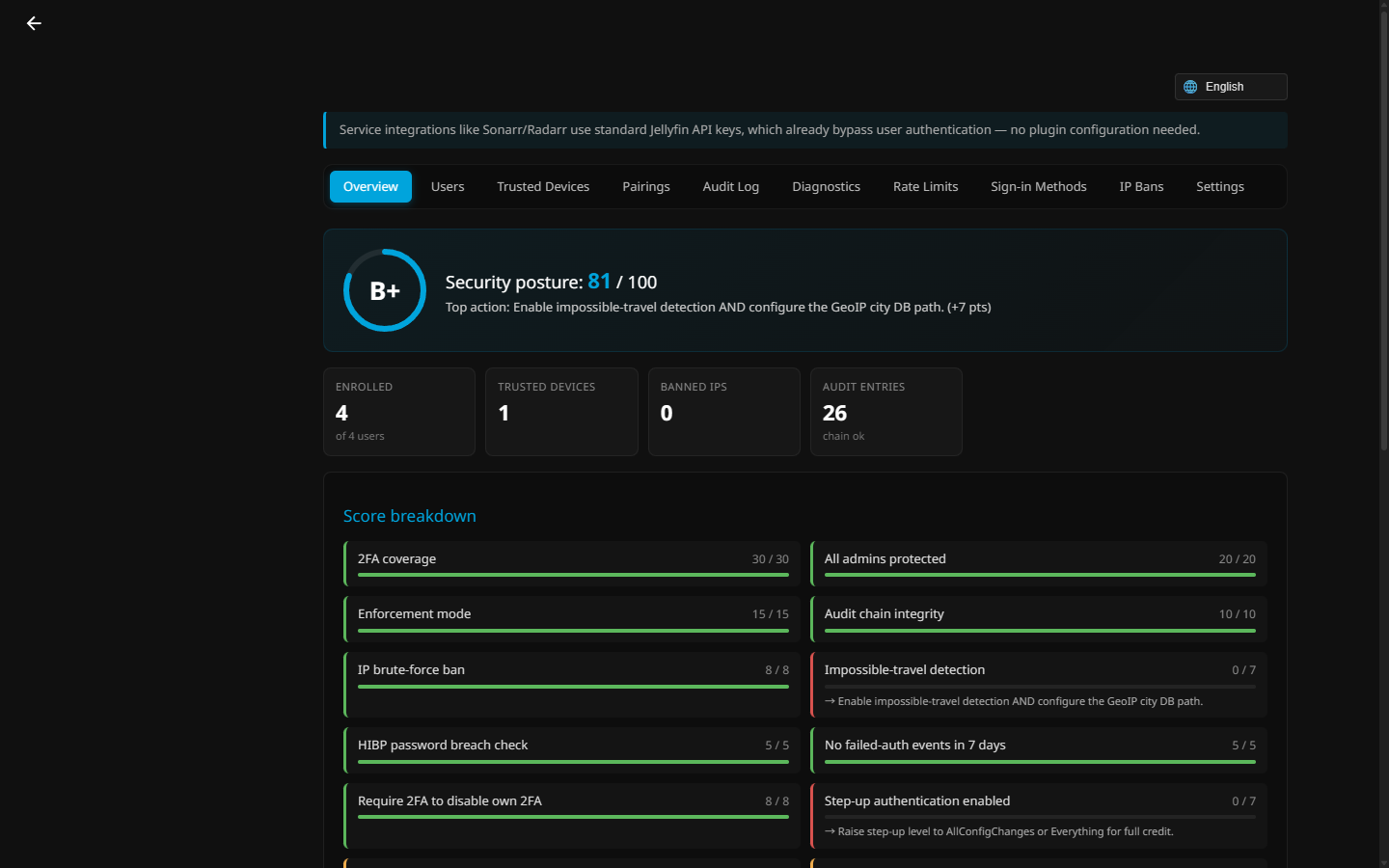
A live security-posture score with an actionable breakdown of every hardening factor (2FA coverage, admin protection, enforcement mode, audit-chain integrity, brute-force ban, HIBP checks, and more).
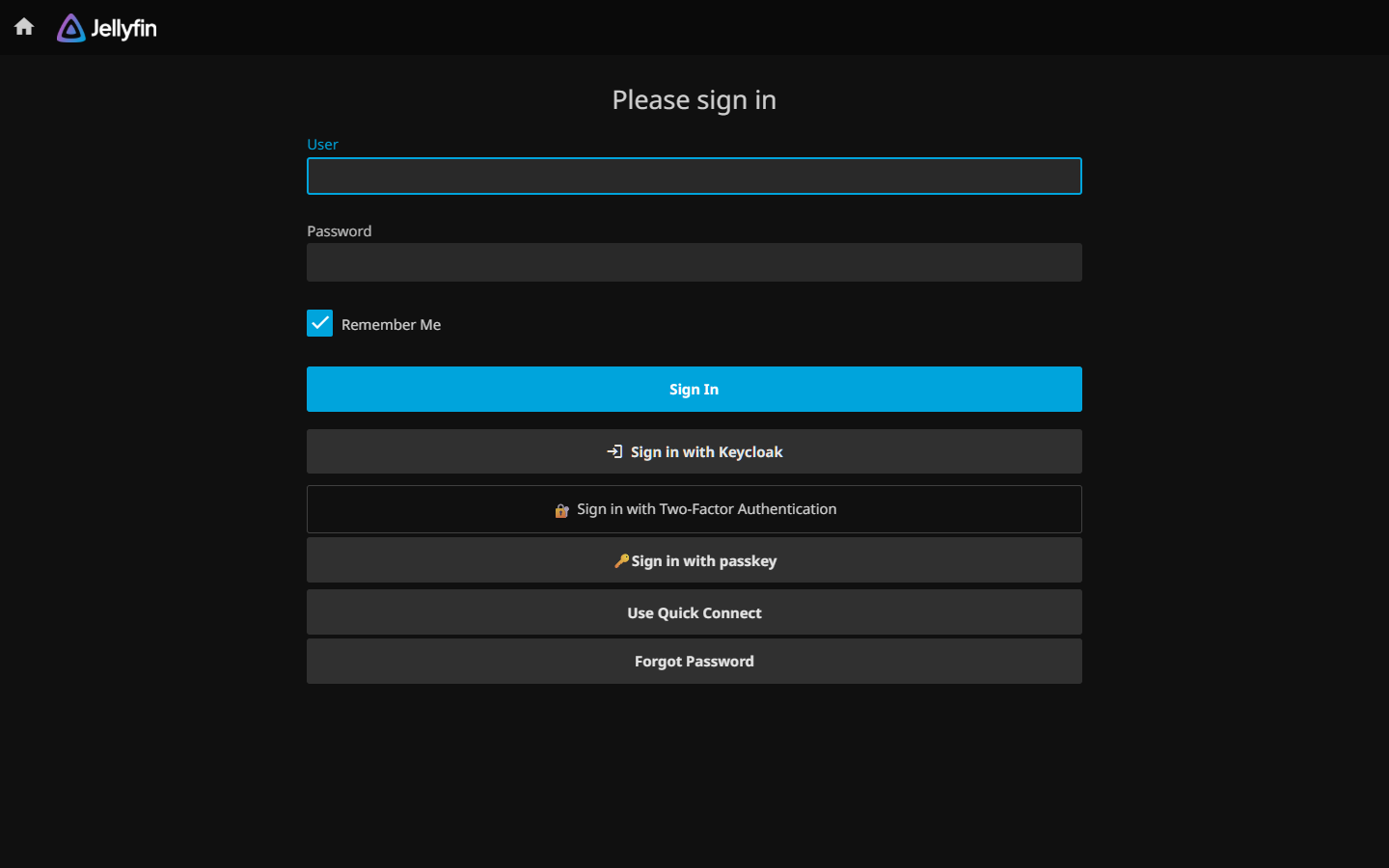
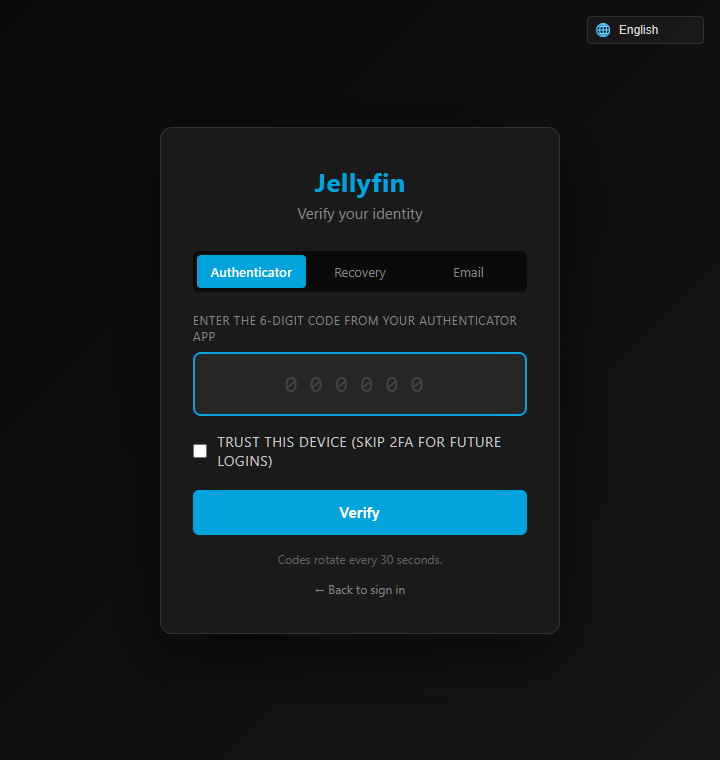
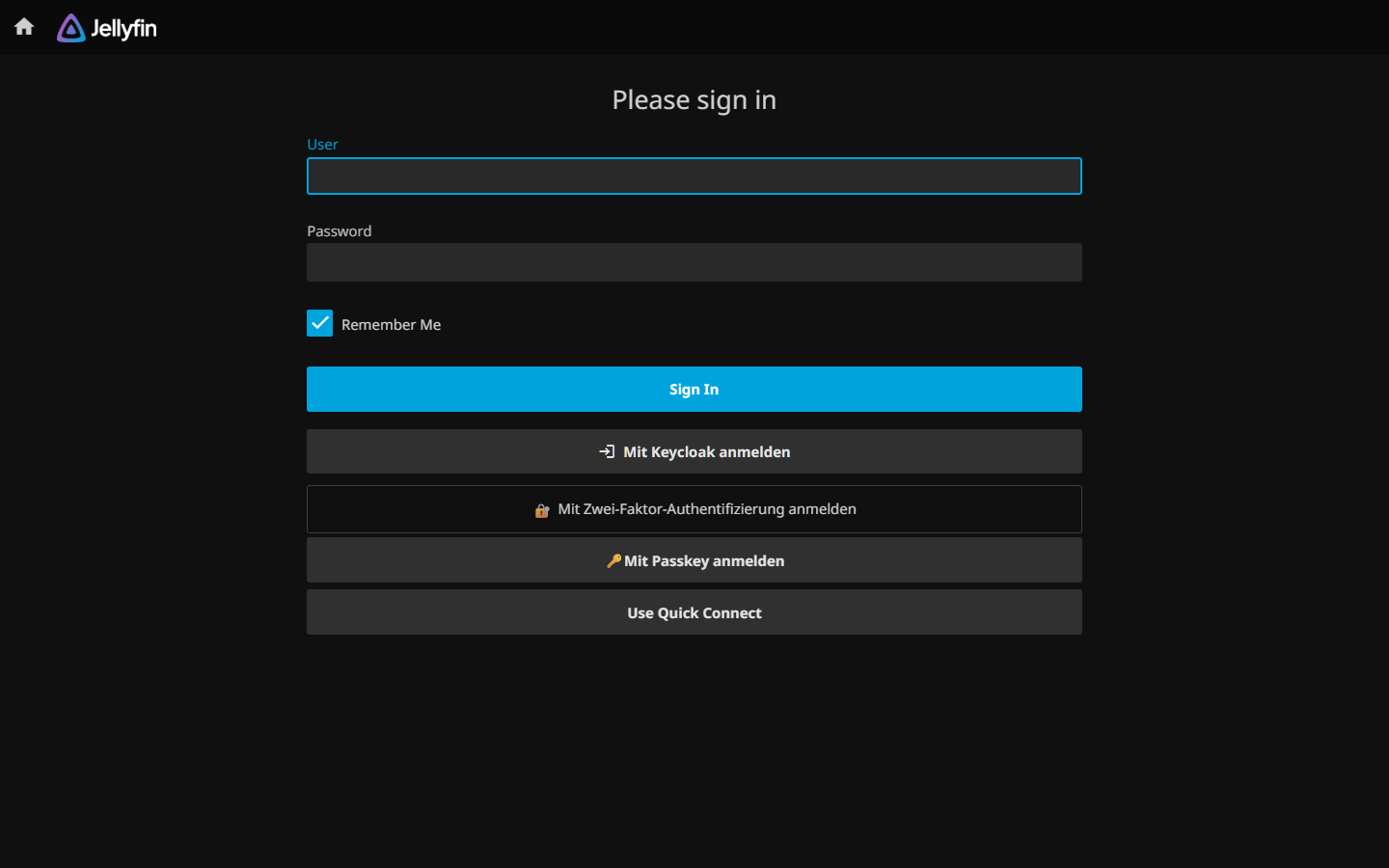
The login page gains Sign in with <provider> (OIDC/SSO), 2FA, and passkey buttons. When an already-signed-in session needs to confirm 2FA, the "Verify your identity" screen offers Authenticator, Recovery (recovery code), and Email tabs, plus an optional "trust this device" for 30 days.
| Login page — SSO / 2FA / passkey | Verify your identity (mid-session 2FA) |
|---|---|
 |
 |
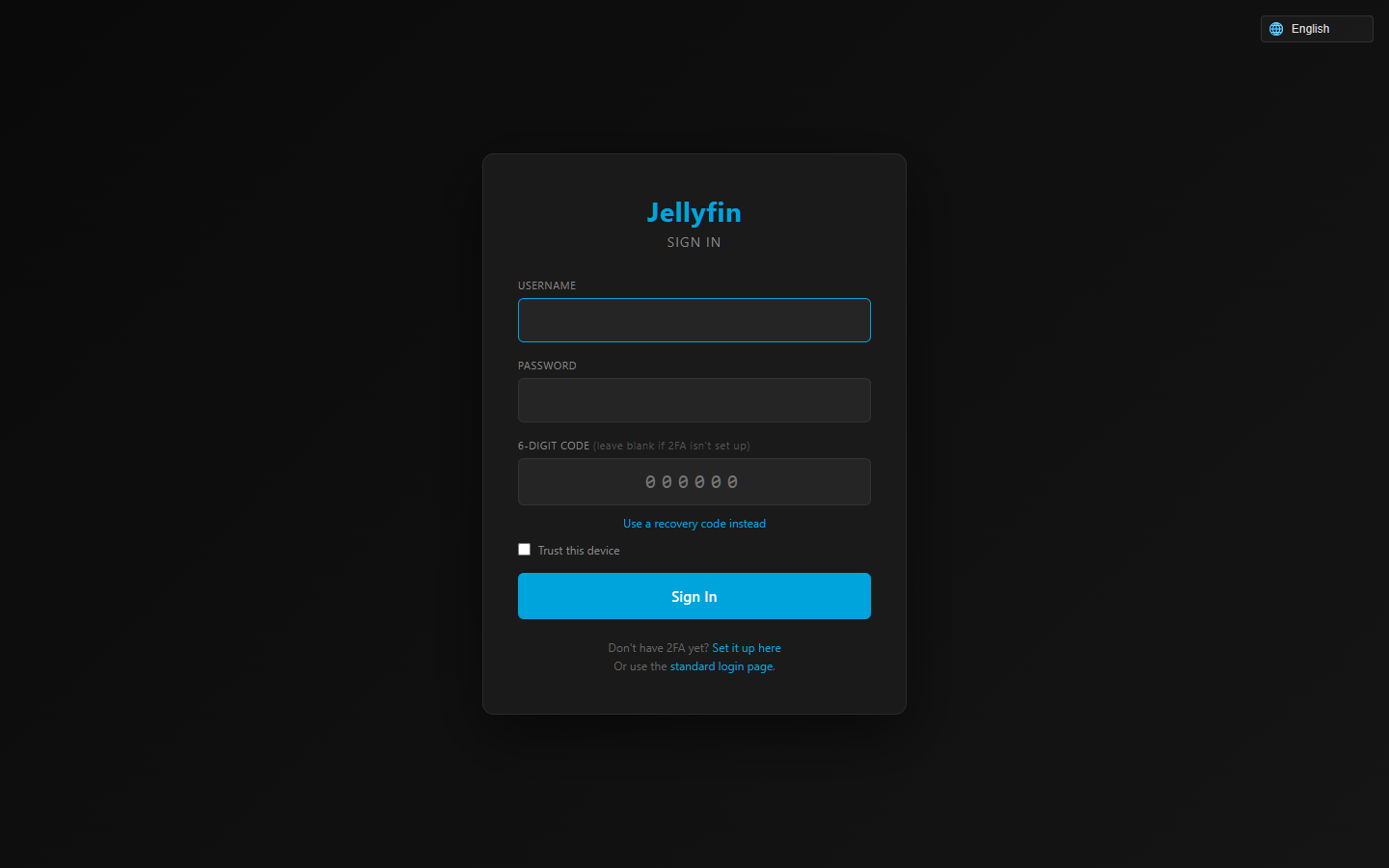
There's also a full one-step login portal (username + password + code, with a recovery-code toggle):
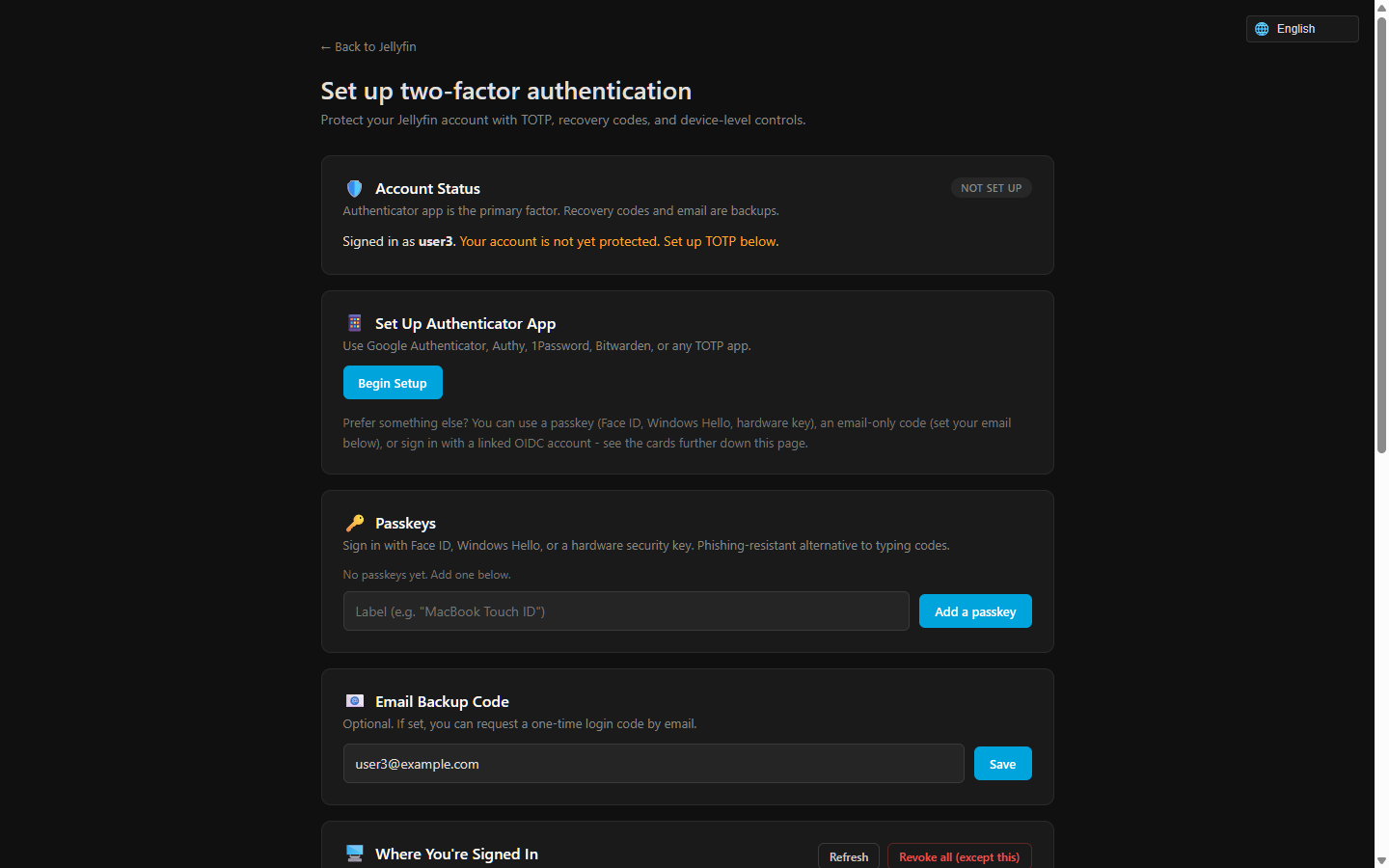
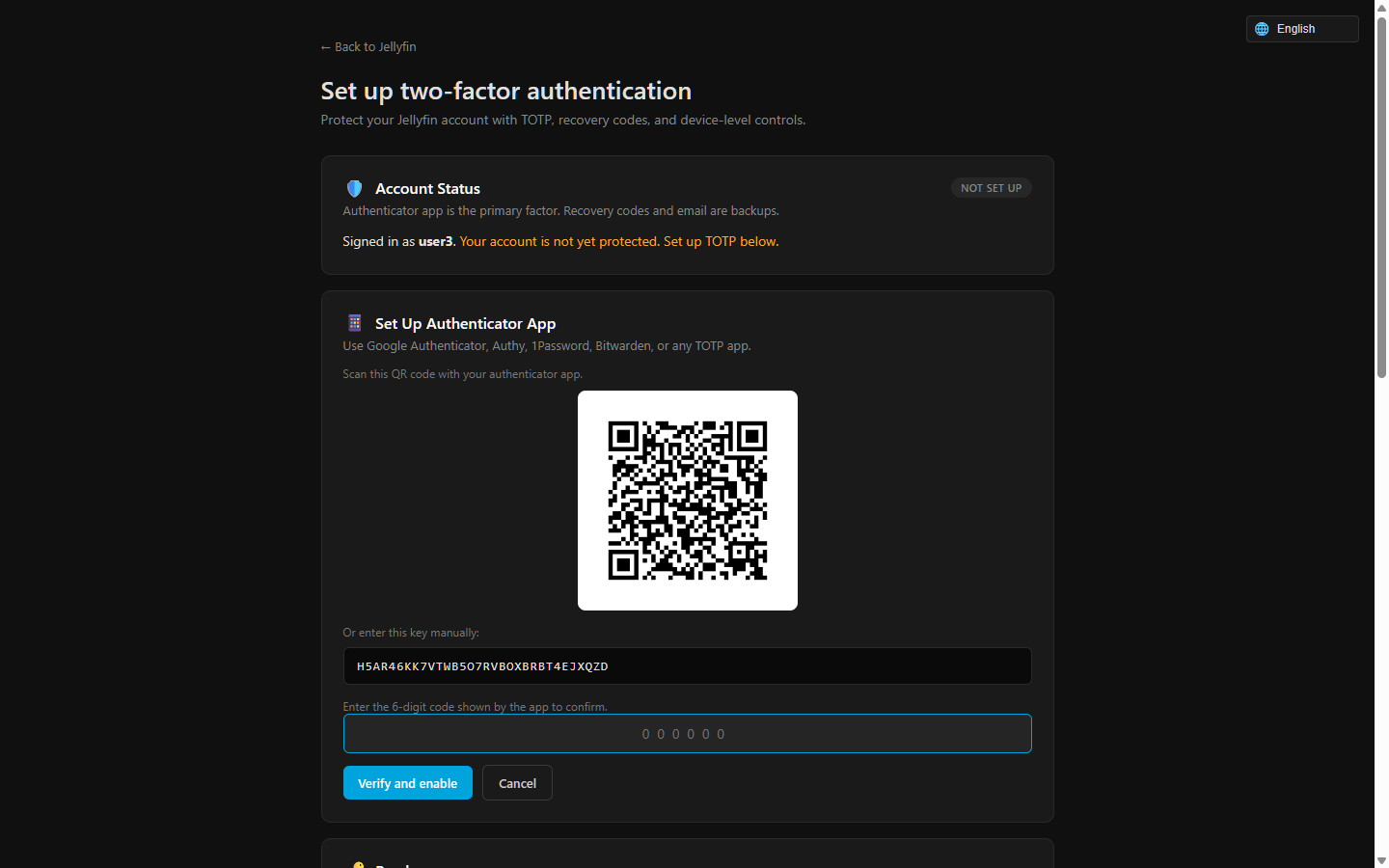
Each user self-enrolls: scan a QR code with any authenticator app (or add a passkey / email backup code).
| Setup page (TOTP + passkey + email) | Scan-the-QR enrollment |
|---|---|
 |
 |
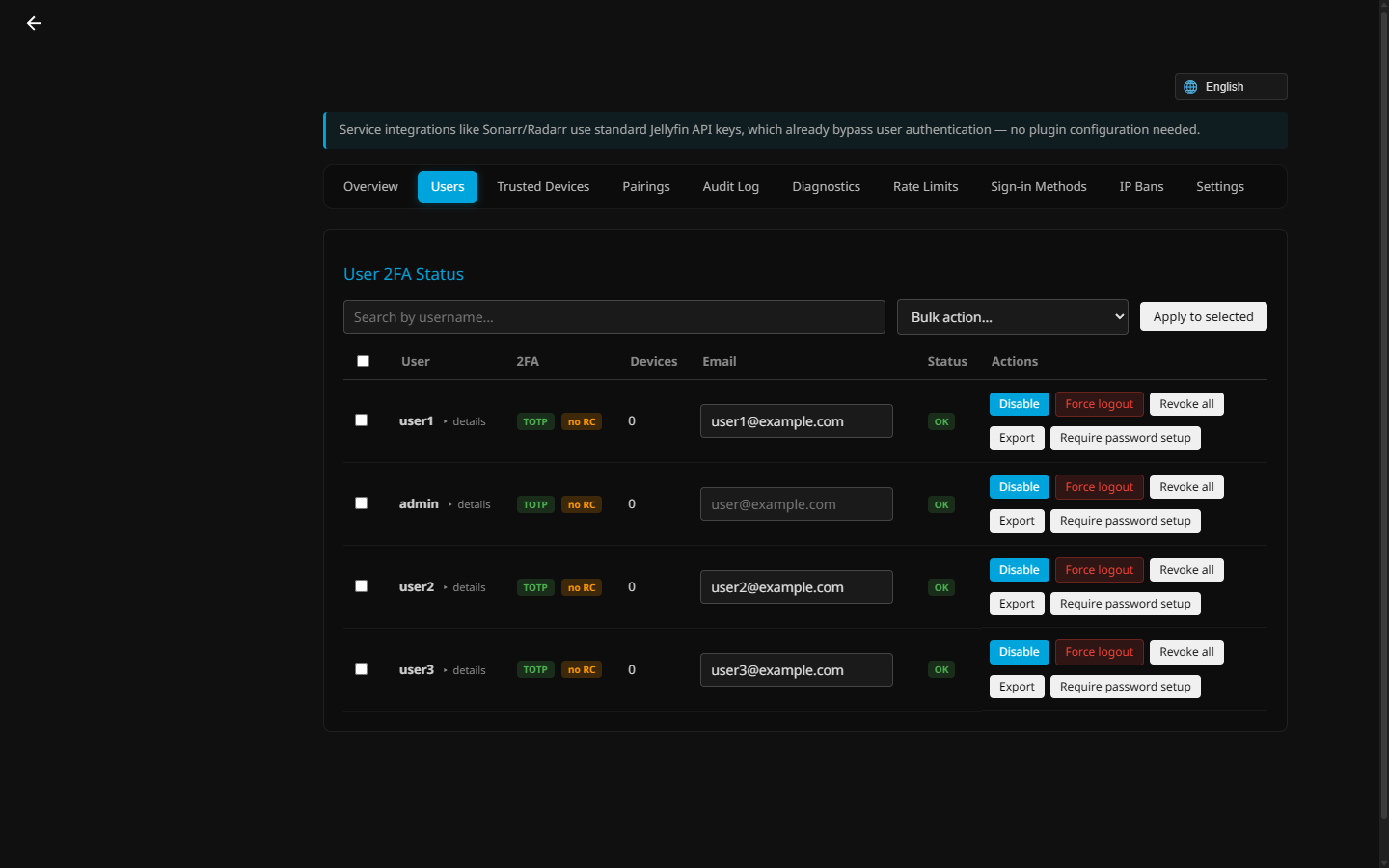
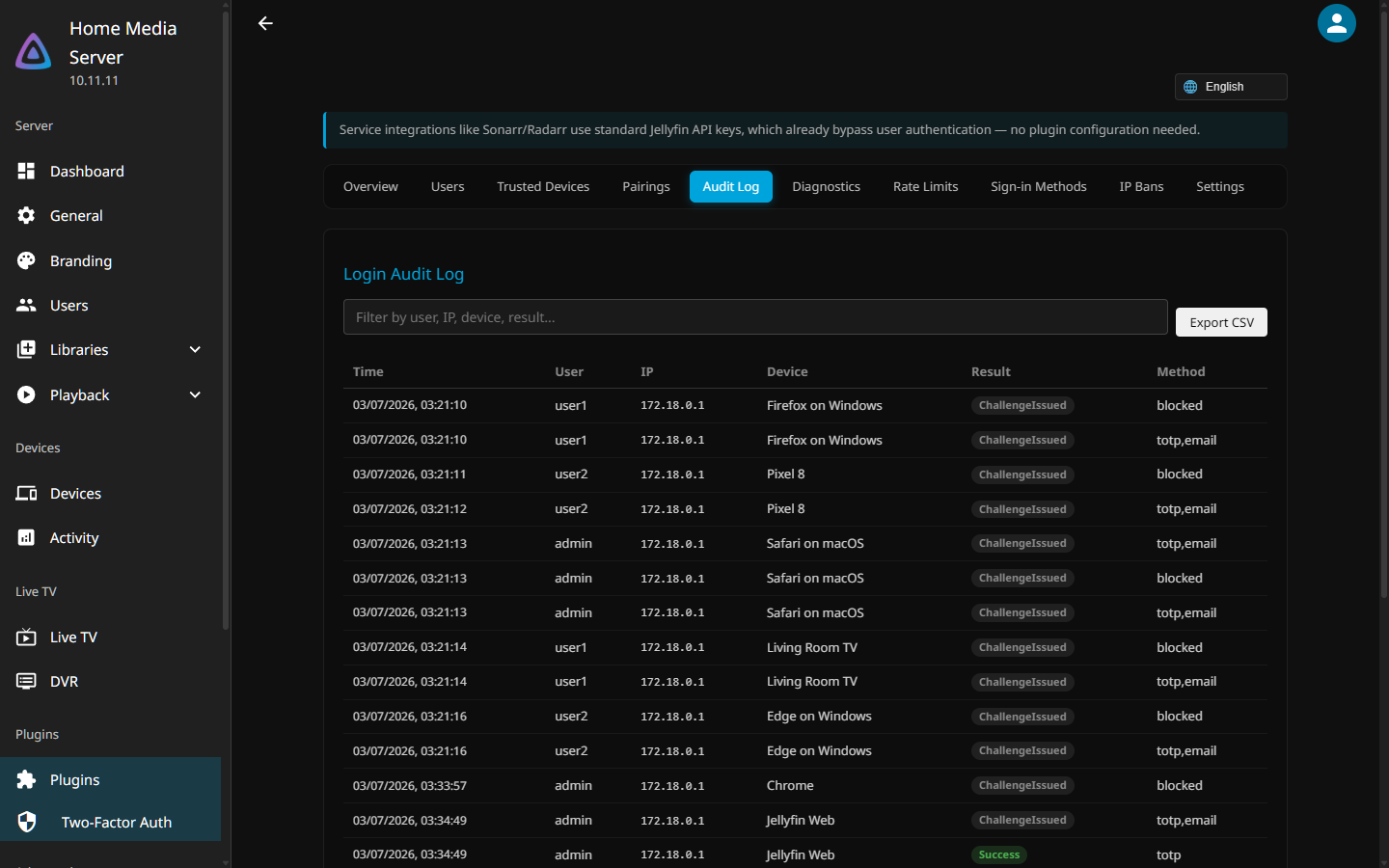
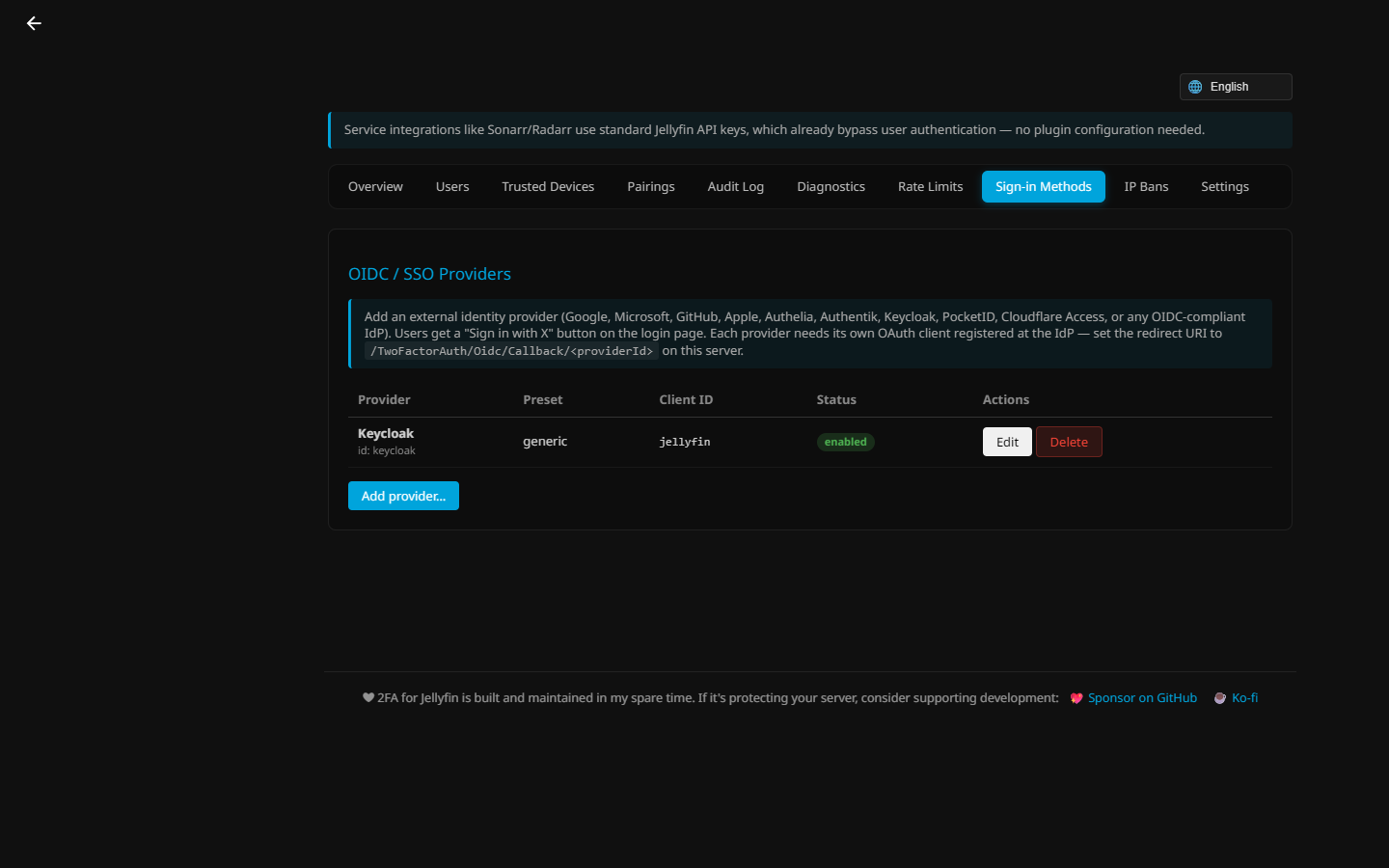
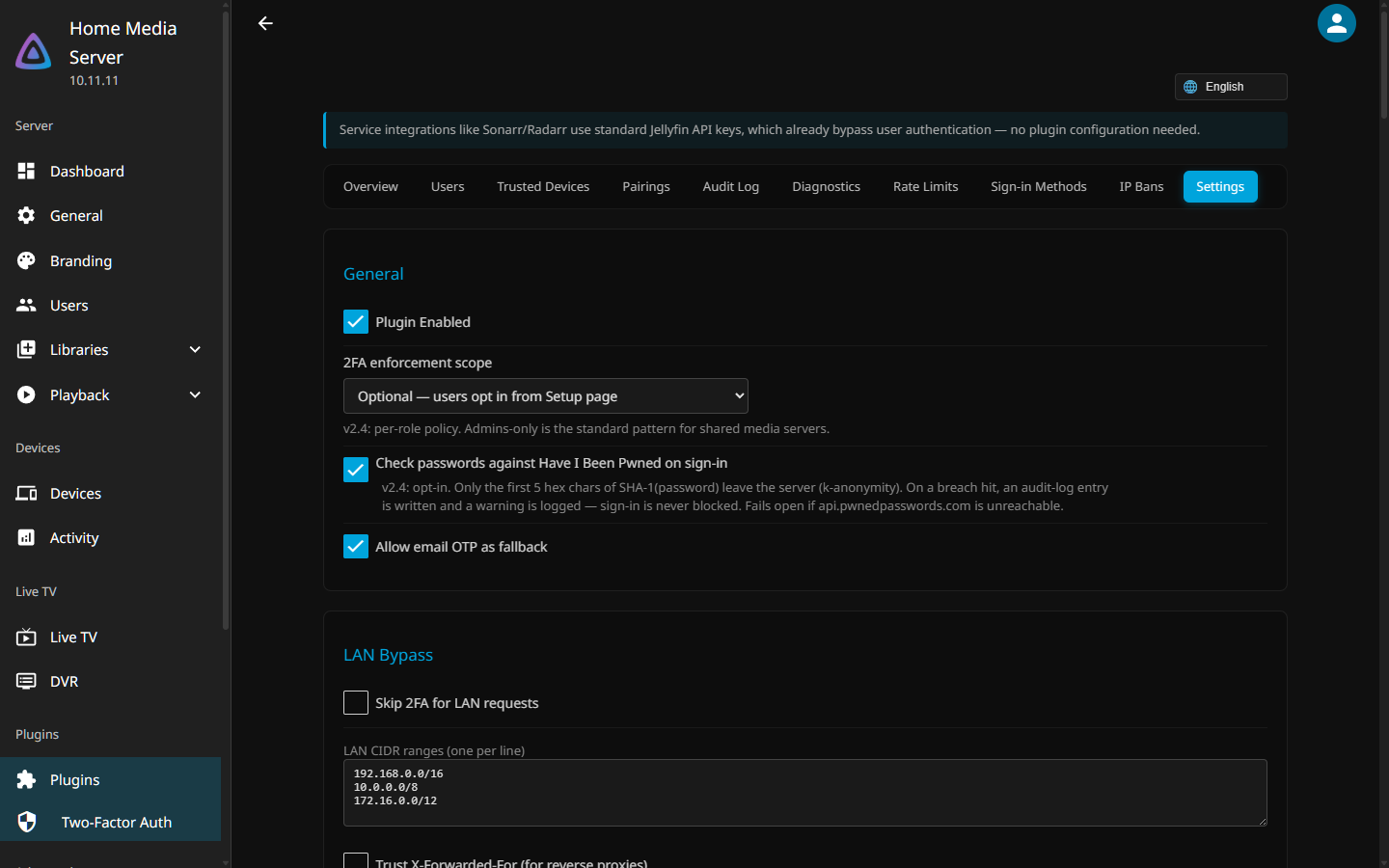
Per-user 2FA management, a tamper-evident login audit log, OIDC/SSO provider setup, and a full settings panel.
| Per-user 2FA management | Login audit log |
|---|---|
 |
 |
| OIDC / SSO providers | Settings |
 |
 |
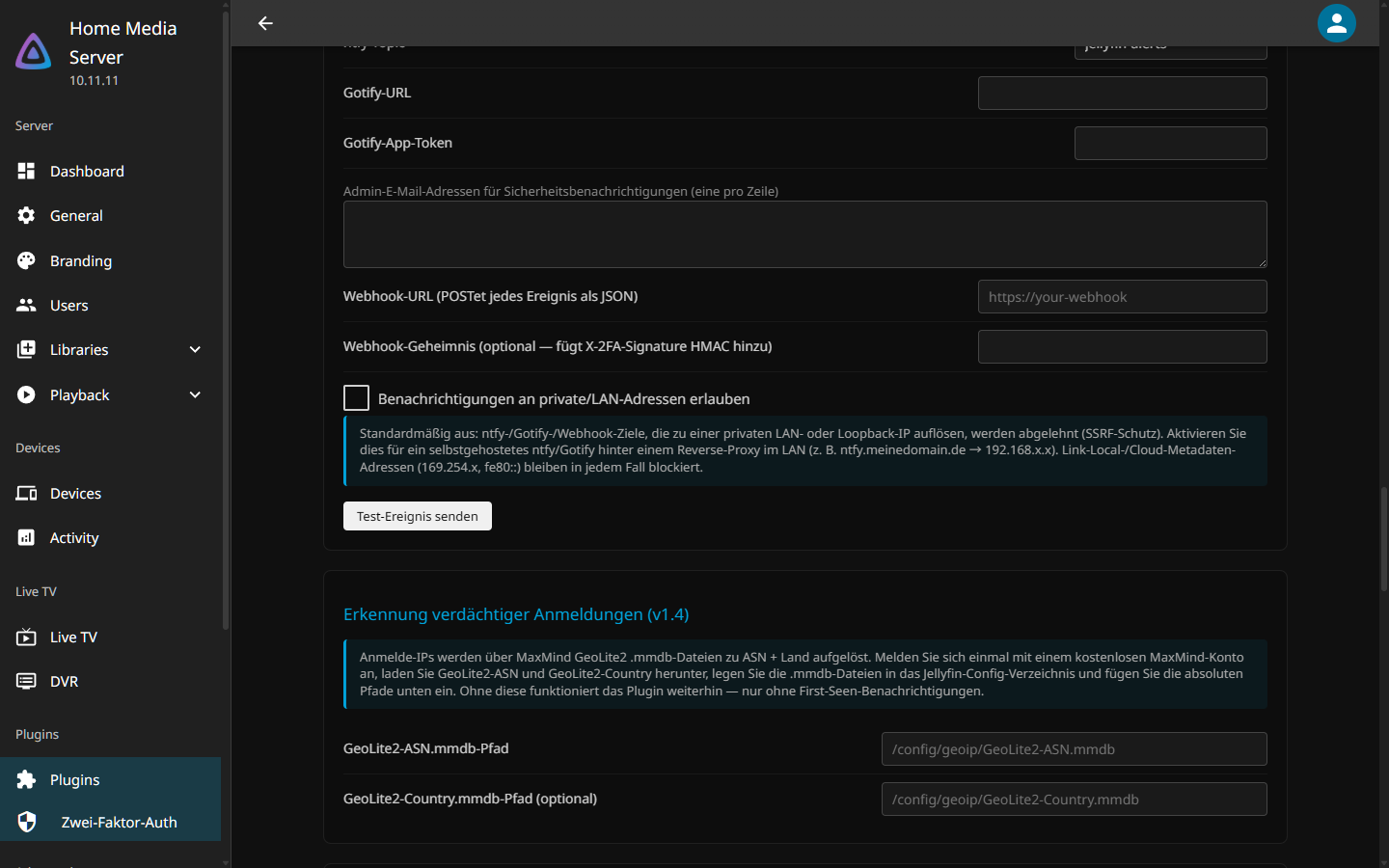
Every screen — admin dashboard, setup, and login — is localized (English, German, Spanish, French, Italian, Japanese, Portuguese, Chinese). Example, German:
| Settings (Deutsch) | Login (Deutsch) |
|---|---|
 |
 |
New to the plugin? Start with Installation → First-Time Setup.